
It’s a scenario I’ve seen play out far too often with business owners in Western Pennsylvania and Eastern Ohio. A critical server crashes during the busiest quarter. A well-meaning employee accidentally deletes a folder that holds months of work. Or the most dreaded of all: someone clicks a seemingly innocent link, and ransomware brings your entire operation to a screeching halt.
When these things happen, data loss stops being some abstract IT issue. It becomes a direct, painful threat to your revenue, your hard-earned reputation, and the trust you've built with your customers.
For small and mid-sized businesses (SMBs), the stakes are incredibly high. Unlike massive corporations with their own IT armies, you're often running lean. Every dollar and every minute counts, making any disruption a major blow. This guide isn't about fear-mongering; it's about providing practical, actionable steps to protect your most valuable asset—your data.
Why Data Loss Is More Than Just an IT Problem
Preventing data loss isn’t about just one thing. It's a comprehensive strategy that weaves together regular backups, strong cybersecurity defenses, and ongoing employee training. The goal is to build a resilient system where one single point of failure—whether it's a failing hard drive or a clever phishing email—doesn't spiral into a catastrophe for your business.
The Real Culprits Behind Data Loss
In my experience helping SMBs, most data loss incidents boil down to three common culprits that businesses like yours face every single day:
- Hardware and Software Failure: That server in the closet isn't getting any younger. Aging equipment, failing hard drives, or even a software update gone wrong can happen without any warning, bringing your operations to a standstill.
- Human Error: This is, by far, the most frequent cause. It covers everything from accidentally deleting the wrong file to falling for a convincing phishing scam that hands over the keys to your network. These are honest mistakes, but their impact can be devastating.
- Sophisticated Cyberattacks: Ransomware and targeted email attacks aren't just problems for the Fortune 500 anymore. Attackers see small businesses as valuable targets, often because they assume defenses are weaker. They know you have customers to serve and may be more likely to pay a ransom to get back online quickly.
Prevention as a Strategic Business Decision
Thinking of data loss prevention as just another business cost is a dangerous mistake. It’s a strategic investment in your company’s survival. I can promise you this: scrambling to pick up the pieces after a disaster is always more expensive, more stressful, and more damaging than proactively putting the right defenses in place.
The financial math here is stark. The global average cost of a data breach is around $4.44 million. For incidents in the U.S., that number skyrockets to an average of $10.22 million. And if a breach takes over 200 days to even identify? You're looking at costs exceeding $5 million.
On the flip side, the numbers show that a proactive approach pays off. Modern tools that use AI and automation to detect threats have been shown to slash discovery times and save companies nearly $1.9 million per breach on average. You can dig into more data breach statistics to see the full financial picture.
This isn't about scaring you; it's about making a smart, informed business decision. A modest investment in a solid defense strategy today can save you from a seven-figure disaster tomorrow, ensuring your Ohio or Pennsylvania business stays resilient and ready for whatever comes its way.
Building a Resilient Backup and Recovery System
If your proactive security measures are your front line, a rock-solid backup and recovery system is your ultimate safety net. It's the single most important defense you have against irreversible data loss, whether the culprit is a fried server, an accidental deletion, or a crippling ransomware attack.
For many SMB leaders I talk to, the idea of building a truly resilient system feels overly complex and out of reach. It really doesn’t have to be. Let’s break down what a reliable strategy looks like—one that keeps your business running, no matter what.
The truth is, most data loss boils down to just a few key culprits.
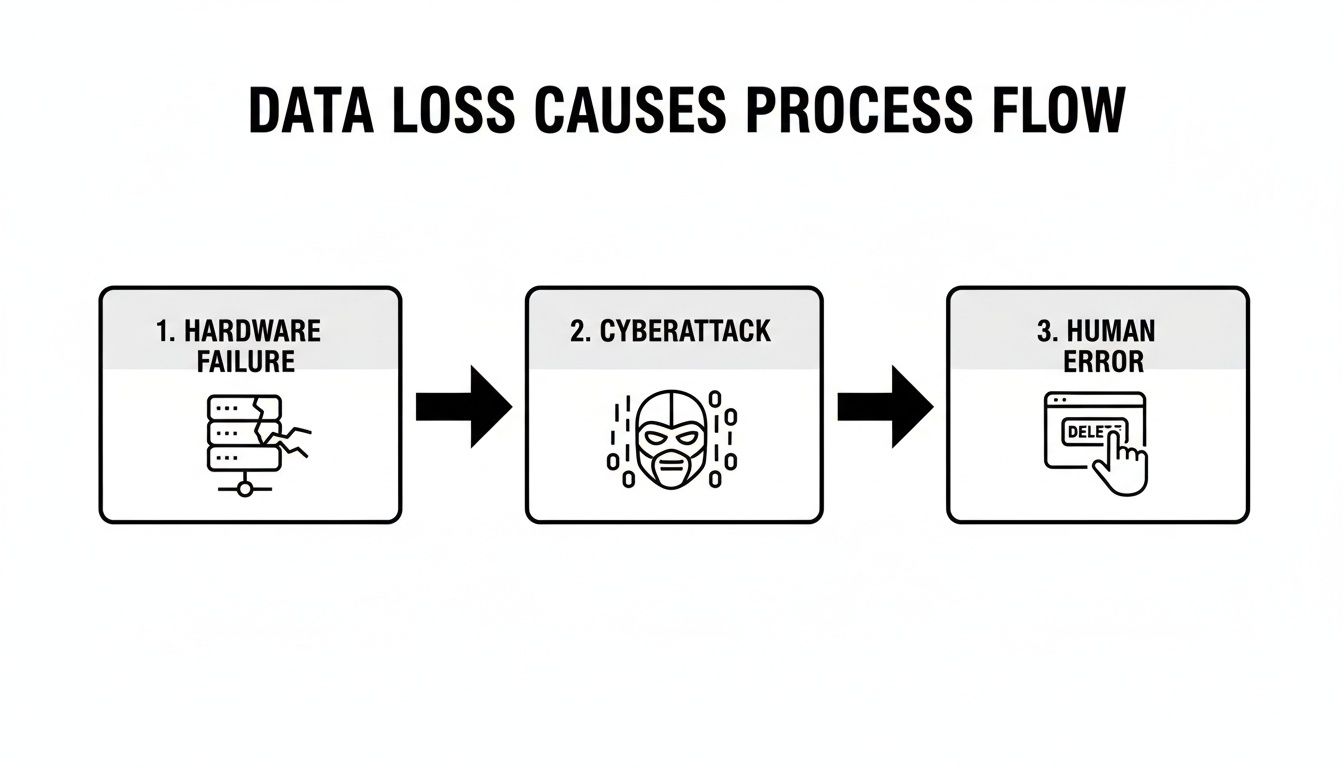
As you can see, hardware failures, cyberattacks, and simple human error are the three main highways to losing critical information. This is precisely why a robust backup plan isn't optional.
Demystifying the 3-2-1 Backup Rule
You’ve probably heard IT professionals throw around the term "3-2-1 rule." It’s the industry gold standard for a reason: it’s simple, incredibly effective, and perfectly adaptable for a small or mid-sized business.
Here’s what it means in plain English:
- Three Copies of Your Data: This is your original, "live" data plus two independent backups.
- Two Different Storage Types: Don't put all your eggs in one basket. For example, you might keep one backup on a local device and another copy in the cloud.
- One Copy Off-Site: If a fire, flood, or theft hits your office, a local backup won't do you any good. Having one copy physically separate from your primary location is non-negotiable for true disaster recovery.
For a manufacturing facility in Youngstown or a professional services firm in Pittsburgh, this could mean an automated daily backup to a local Network Attached Storage (NAS) device in the server closet, with a second, encrypted copy automatically syncing to a secure cloud service. This setup gives you the best of both worlds: fast local recovery for minor issues and a complete off-site fail-safe for a major disaster.
To make this more concrete, here are some common ways we see SMBs put the 3-2-1 rule into practice.
Practical 3-2-1 Backup Options for SMBs
| Data Copy | Media Type Example | Location | Key Benefit |
|---|---|---|---|
| Primary Data | Server, Workstations | On-Premise (Office) | Instant access for daily operations |
| Backup Copy #1 | Network Attached Storage (NAS) | On-Premise (Office) | Fast, local file restoration |
| Backup Copy #2 | Cloud Backup Service (e.g., Azure Backup, Backblaze) | Off-Site (Cloud Datacenter) | Geographic redundancy; protects against site-wide disaster |
This multi-layered approach ensures that no single point of failure can take your business down permanently.
Defining Your Recovery Objectives
Beyond just having backups, you need to answer two critical business questions. Your answers will define your entire recovery strategy and help you choose the right tools and services for your budget.
Recovery Time Objective (RTO): How quickly do we need to be back online after an incident? Can you afford to be down for a day? A few hours? Or do you need to be operational again within minutes?
Recovery Point Objective (RPO): How much recent data can we afford to lose? If you have to restore from last night’s backup, would losing a full day’s worth of transactions be a minor headache or a business-ending catastrophe?
Answering these questions honestly is key to aligning your IT investment with your actual business needs. A lower RTO and RPO (meaning faster recovery and less data loss) typically require more advanced solutions, but they also provide a much higher level of protection.
Automation and Testing: The Keys to Reliability
The biggest mistake I see businesses make is treating backups as a manual, "set it and forget it" task. A backup system you don't test is nothing more than a hopeful assumption. The only way to know for sure that your data is safe is to regularly verify it.
Automation is your best friend here. Modern backup solutions should run on a set schedule without anyone needing to remember to click a button. This consistency completely removes the risk of human error.
Testing is just as important. You should be performing periodic test restores to ensure the data is complete and not corrupted. A simple file restore once a month and a full disaster recovery drill once a year can mean the difference between a minor hiccup and a complete catastrophe.
A well-architected backup strategy is the most effective way to prevent permanent data loss, period. Recent industry reports show that while around two-thirds of organizations suffered a significant data loss event in the past year, those with a disciplined backup routine and immutable (unchangeable) copies recovered far more effectively. To build out a full resiliency plan, you'll need comprehensive IT Disaster Recovery Solutions that go beyond just backing up data.
Layering Your Defenses Against Cyber Threats
A solid backup system is your ultimate safety net, but let's be honest—you'd rather not have to use it. Proactive defense is what keeps you from that gut-wrenching moment in the first place. Once you've got your data securely backed up, the next logical step is building a tough, multi-layered security posture that actively blocks threats before they can cause any real damage.
For small and mid-sized businesses, this isn't about buying the most expensive, flashy tools on the market. It’s about being smart and practical, implementing defenses that tackle the real-world threats you actually face every day.
Moving Beyond Traditional Antivirus
Not too long ago, a basic antivirus program was all you needed to protect a workstation. Those days are long gone. Today's cyber threats have evolved, becoming far more complex, and traditional antivirus software just can't keep up. It works by recognizing known threats, which is a big problem when new attacks are popping up constantly.
This is where Endpoint Detection and Response (EDR) steps in. Think of old-school antivirus as a security guard checking IDs at the front door; it's decent at stopping known troublemakers. EDR, on the other hand, is like having security cameras and active patrols inside the building, constantly looking for suspicious behavior that might signal a threat has already slipped past the front gate.
EDR gives you critical visibility into what’s happening on your company's laptops, desktops, and servers. It monitors for unusual patterns—like a program suddenly trying to encrypt files or poke around in sensitive data—and can automatically isolate a compromised device to stop an attack in its tracks. For an SMB, this level of proactive threat hunting is a total game-changer. For a deeper look at modern defensive tools, you can learn more about comprehensive endpoint security management and how it shields your network.
The Critical Role of Patch Management
One of the easiest ways for attackers to stroll into your network is by exploiting known vulnerabilities in the software you use every single day—from your operating system and Microsoft Office to industry-specific applications. When software companies find these security holes, they release updates, or "patches," to fix them.
But here’s the catch: if those patches aren't applied quickly, you’re basically leaving a door unlocked for criminals.
A consistent patch management program is one of the single most effective and affordable security measures any business can implement. It’s the process of regularly scanning for, testing, and deploying updates across all your devices and applications.
Failing to patch is an incredibly common mistake, but one that can have devastating results. Automating this process is the best way to ensure these critical security gaps are closed quickly and reliably, shrinking your attack surface without adding a ton of manual work.
Securing Your Business’s Front Door
For most businesses I work with, email is the primary way cyber threats get in. It’s where phishing scams, bogus invoices, and ransomware make their grand entrance. That's why beefing up your email security is absolutely non-negotiable.
Here are the two most impactful steps you can take right now:
- Enforce Multi-Factor Authentication (MFA): This is the single most effective way to protect against account takeovers, period. MFA requires a second piece of proof—like a code from a phone app—on top of a password. So even if a cybercriminal steals an employee's password, they still can't get in. You should enable MFA on absolutely everything you can, especially email, cloud apps, and VPN access.
- Use Advanced Email Filtering: Your standard spam filter is a good start, but it often misses more sophisticated phishing attempts. Advanced email filtering services use smarter scanning to analyze links and attachments for malicious content, quarantining dangerous emails before they ever land in an employee's inbox. This acts as a powerful first line of defense against the most common entry point for ransomware.
By layering these proactive defenses—strong endpoint protection, diligent patch management, and hardened email security—you create a formidable barrier. Each layer works together, making it significantly harder for an attacker to get through and keeping your data safe where it belongs.
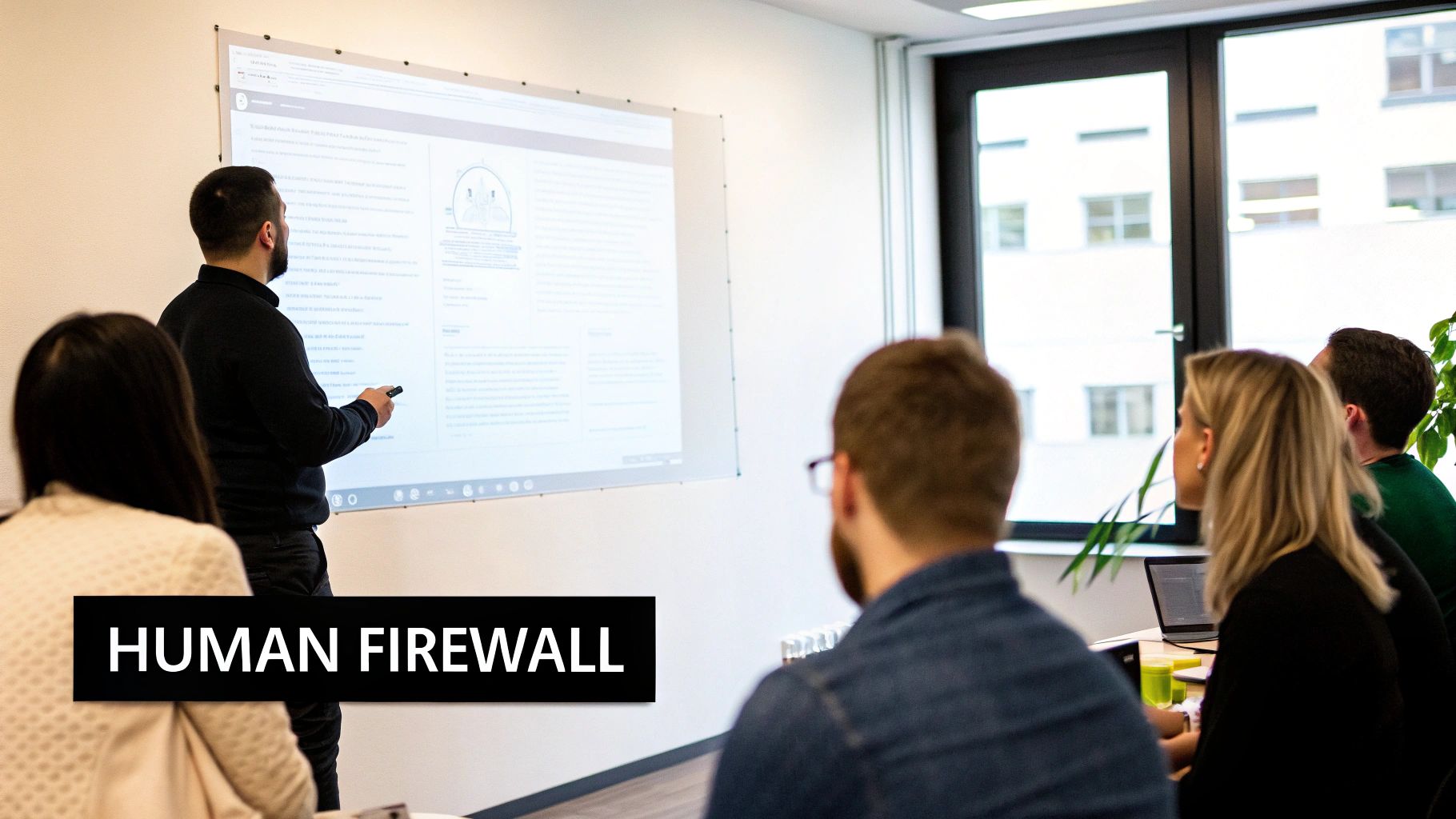
Turning Your Team Into a Human Firewall
Technology is a powerful shield, but I’ve seen time and time again that it can only do so much to prevent data loss. The hard truth is that your employees—the people making dozens of decisions every single hour—are a critical layer of your security. Instead of viewing them as a liability, the goal is to reframe their role and empower them to become your greatest defensive asset: a human firewall.
This isn't about blaming team members for honest mistakes. It's about giving them the knowledge and tools to spot and report threats before they can cause any real damage. In my experience, a security-aware team is often the one thing that stops a data breach dead in its tracks.
Beyond the One-Time Onboarding
A common mistake I see businesses make is treating security training as a one-and-done checkbox during onboarding. That approach just doesn't work. Effective training isn't a single event; it's an ongoing cultural commitment. Your team needs continuous reinforcement to keep security top-of-mind.
This means getting away from boring slideshows and moving toward engaging, practical education. Human actions are consistently one of the biggest causes of data loss. One study even found that a tiny 1% of users were responsible for a staggering 76% of data-loss events. The good news? Comprehensive security awareness programs have been shown to slash phishing clicks by 40–70% within a year when paired with hands-on practice. You can explore the full data security landscape report to see just how much user behavior matters.
Making Training Real with Phishing Simulations
So, how do you make the training stick? You let people practice. The best way for your team to learn how to spot a threat is by facing one in a safe, controlled environment.
This is where simulated phishing campaigns come in. They are harmless, fake phishing emails we can send to your staff to see how they react.
When an employee clicks a link or downloads an attachment, they aren't punished. Instead, they get immediate, point-in-time training that walks them through the red flags they missed. This hands-on lesson is far more memorable than any manual they might read. For more guidance, check out our insights on how SMBs can prevent phishing attacks.
A successful security culture shifts the dynamic from fear to partnership. The goal is to make employees feel comfortable saying, "I'm not sure about this email, can you take a look?" without worrying about getting in trouble.
Implementing the Principle of Least Privilege
Another incredibly powerful concept for stopping data loss is the Principle of Least Privilege (PoLP). It’s a simple but profound idea: give employees access only to the specific data and systems they absolutely need to do their jobs. Nothing more.
Think about it this way: your accounting team needs access to financial software, but they have no business looking at sensitive engineering blueprints. Your sales team lives in the CRM, but they certainly don't need administrative rights to the company server.
PoLP dramatically shrinks your potential risk surface. If an employee's account is ever compromised, the attacker's access is immediately contained. They can only damage the small slice of data that the user was authorized for, rather than getting the keys to the entire kingdom.
Here’s how to put it into practice:
- Audit User Permissions: Regularly review who has access to what. You'd be surprised how often employees who changed roles years ago still have access to data they no longer need.
- Use Role-Based Access Controls: Create access templates based on job functions (e.g., "Sales," "HR," "Operations") instead of assigning permissions one by one. This keeps things consistent and much easier to manage.
- Apply It to Admin Accounts: Make sure your IT staff use standard, non-privileged accounts for daily tasks. They should only log into administrator accounts when performing specific high-level functions that require it.
By combining practical, ongoing training with smart access controls like PoLP, you build a much more resilient organization. You empower your team to become an active line of defense, transforming your biggest potential vulnerability into your strongest security asset.
Your Data Loss Prevention Action Plan
All the theory in the world is great, but the real test is turning strategy into action. At the end of the day, preventing data loss comes down to consistent, repeatable execution. Let's consolidate everything we've talked about into a straightforward action plan you can use to benchmark your current defenses and figure out what to tackle next.
Think of this as your practical roadmap. It’s not meant to be a one-and-done checklist, but a living document that helps you move from planning to doing.
Backup and Recovery Readiness
Your backup system is your ultimate safety net. It’s the one thing you absolutely must be able to count on when a crisis hits. Regular checks are completely non-negotiable.
- Weekly Verification: At a bare minimum, you need to confirm that your automated local and off-site cloud backups actually completed without errors. Don't just assume they ran; check the logs.
- Quarterly Test Restore: Once every quarter, perform a small-scale test restore. This isn't a massive undertaking—just grab a few critical files or a single folder from your backup to make sure the data is intact and usable.
- Annual Disaster Drill: At least once a year, it's time to simulate a larger failure. This is where the rubber meets the road. This drill confirms your Recovery Time and Recovery Point Objectives are actually achievable and that your team knows exactly what to do when the pressure is on.
Cybersecurity Hardening
Proactive defense is all about closing and locking doors before an attacker can even jiggle the handle. These simple actions make your business a much, much tougher target.
- Enforce MFA Everywhere: Make multi-factor authentication mandatory for all employees on all company accounts. I'm talking email, financial software, CRMs, cloud applications—everything. This is the single most effective security step you can take.
- Review Admin Privileges: Set a recurring calendar reminder to conduct a quarterly audit of who has administrative access to your systems. Live by the Principle of Least Privilege, ruthlessly removing any permissions that aren't strictly required for someone's day-to-day job.
- Check Patch Status: Make sure your patch management system is actually working. Verify that critical security updates for operating systems (Microsoft, macOS) and key software (like Microsoft 35 or your CRM) are being applied promptly across every single device.
An important but often overlooked part of your action plan is data disposal. As part of your data loss prevention action plan, it's crucial to understand how to effectively and permanently wipe data from your old hardware. Learn how to securely erase a computer hard drive to ensure retired equipment doesn't become a future liability.
Team Training and Policies
Your people are a vital part of your defense, not a liability. When you empower them with knowledge and practice, you turn a potential weakness into a formidable human firewall.
- Schedule Phishing Simulations: Don't just lecture your team about phishing; let them practice spotting it in a safe environment. Schedule a quarterly simulated phishing campaign to provide real-world training without the real-world risk.
- Review and Update Policies: Annually, pull up your Acceptable Use and Data Handling policies. Do they still make sense for how you operate today? Make sure they are part of the onboarding process for every new hire.
SMB Data Loss Prevention Checklist
Feeling a bit overwhelmed? It's a lot to track. Use this simple checklist to get a quick snapshot of where you stand and prioritize what needs to be done next.
| Category | Action Item | Status (To Do / In Progress / Complete) |
|---|---|---|
| Backup & Recovery | Verify weekly backup success (local & cloud) | |
| Perform quarterly test restore of sample files | ||
| Conduct annual disaster recovery drill | ||
| Cybersecurity | Enforce MFA on all critical accounts | |
| Conduct quarterly review of admin privileges | ||
| Confirm patch management is active and up-to-date | ||
| Policies & Training | Schedule quarterly phishing simulation training | |
| Conduct annual review of data handling policies | ||
| Ensure new hires are trained on security policies |
This checklist isn't exhaustive, but it covers the high-impact fundamentals that every business needs to have locked down.
Knowing When to Call for Backup
For many SMB owners, this list looks less like a to-do list and more like a second full-time job. If you're looking at these items and wondering where you'll find the time—let alone the expertise—that's a perfectly normal reaction.
It's also a clear sign it might be time to partner with a Managed Service Provider (MSP). A good MSP handles all this heavy lifting for you—the constant monitoring, the meticulous testing, the endless patching—so you can focus on running your business with the genuine peace of mind that your data is protected by experts.
Partnering with an Expert for Peace of Mind
Let's be honest. Putting together a bulletproof data protection plan has a lot of moving parts. You're juggling resilient backups, multiple layers of security, and making sure your team is properly trained. For a business owner or IT manager in Western Pennsylvania, adding all that on top of your day-to-day operations can feel like a breaking point.
This is where the conversation shifts from what you need to do to how you can actually get it done right.
Bringing in a managed service provider (MSP) like Eagle Point gives you a dedicated team that lives and breathes this stuff. Instead of just reacting when things break, a true IT partner works proactively to stop problems before they start. You get enterprise-level expertise without the staggering cost of hiring a large in-house IT department.
Gain Clarity and Confidence
What does that proactive approach look like in the real world? It means 24/7 monitoring, consistent and timely patch management, and a deep well of security knowledge to draw from. A good partner will help you navigate the complexities of data loss prevention by finding the gaps in your current setup before they turn into expensive, business-halting incidents.
The real value isn't just in the technology; it's in the peace of mind. Knowing an expert team is constantly watching over your systems lets you focus your energy on what you do best—growing your business.
We understand the unique challenges SMBs in our region face, from tight budgets to not having enough hands on deck. Our approach to offering comprehensive cybersecurity solutions for businesses is built to provide maximum protection that fits your specific operational needs and long-term goals.
If you’re ready to stop worrying about data loss and start feeling confident in your defenses, let's talk. We can schedule a no-obligation consultation to go over your current strategy, pinpoint potential risks, and give you clear, actionable steps to secure your business's future.
FAQ
We've walked through a lot of the technical and strategic details, but I find that most business owners still have a few key questions pop up. Let's tackle some of the most common ones I hear.
What Is the Single Most Important Step?
If I had to boil it all down to one thing, it's this: a rock-solid, regularly tested backup and recovery system. That's your ultimate safety net.
Think about it. Hardware will eventually fail. A clever phishing email might sneak past your defenses. Ransomware is always evolving. But having a verified, off-site copy of your data that follows the 3-2-1 rule is the one thing that can pull your business back from the brink when everything else goes wrong. It’s timeless.
What Is the Most Cost-Effective Security Measure?
For any small business watching its budget, the answer is a no-brainer: enable multi-factor authentication (MFA) everywhere you possibly can. It gives you the biggest security bang for your buck, mainly because it's often free to turn on.
Password theft is still one of the most common ways criminals get into your systems. MFA slams that door shut. Even if a hacker manages to steal an employee's password, they're stopped cold without that second verification step. It's a simple, powerful layer of defense.
How Often Should We Be Testing Our Backups?
Here’s the thing: a backup you haven’t tested is really just a prayer, not a plan. You need to be sure it works. I always recommend a two-tiered approach to my clients.
- Quarterly File Restores: At least once a quarter, pick a few random files or a single folder and restore them. It’s a quick check to make sure the data isn't corrupted and is fully accessible.
- Annual Disaster Recovery Drills: Once a year, you need to go bigger. Simulate a major event, like a server failure. This full-scale drill confirms your entire recovery process works and that your team knows exactly what to do in a real crisis.
Regular testing transforms your backup from a theoretical safety net into a proven, reliable business continuity tool. It’s the only way to be confident that when you need your data back, the process will work smoothly and effectively.
This consistent verification process is what turns a good data loss prevention plan into a great one. It gives you real peace of mind that your most critical asset—your data—is truly safe.
Navigating the complexities of data protection can feel overwhelming, but you don't have to figure it all out alone. The team at Eagle Point Technology Solutions specializes in building resilient security and backup strategies for businesses just like yours in Western Pennsylvania and Eastern Ohio.
If you're ready to stop worrying and get protected, let's schedule a consultation to review your defenses.


