As a small business owner in Western Pennsylvania or Eastern Ohio, you're juggling a dozen priorities at once. Cybersecurity is on the list, but it often brings up a nagging question: is the basic antivirus we have now truly enough to protect us?
For most small to medium-sized businesses (SMBs), the honest answer is no. Let's explore why.
Why Your Business Needs More Than Basic Antivirus

If you're like most business owners, you have some form of antivirus installed. That's a great first step. The challenge, however, is that today’s cyber threats have evolved far beyond the simple viruses of the past. Modern attacks—like ransomware, sophisticated phishing schemes, and fileless malware—are specifically designed to bypass basic, signature-based antivirus software completely.
These advanced threats zero in on small businesses, viewing them as high-value targets with fewer security resources than large enterprises. A standard, off-the-shelf antivirus program just isn't equipped to handle this level of complexity. It's like using a simple padlock to protect a bank vault—it might deter an amateur, but it won’t stop a determined professional.
The Shift from Antivirus to Endpoint Protection
The conversation in cybersecurity has shifted from merely blocking known viruses to proactively protecting every single device connected to your network. This is the move from traditional antivirus to comprehensive Endpoint Protection Platforms (EPP) and Endpoint Detection and Response (EDR).
An endpoint is any device that connects to your business network—laptops, desktops, servers, and even mobile phones. Each one represents a potential entry point for an attacker.
As a trusted IT advisor to SMBs, I've seen firsthand that modern security is no longer just about preventing infection. It's about having the visibility and tools to detect, investigate, and respond to threats that inevitably get through. That's a capability basic antivirus simply does not provide.
The Real-World Impact on SMBs
Small and medium-sized businesses often believe they're too small to be a target, but the data tells a different story. While studies show that a majority of SMBs report using antivirus software, a staggering 43% of all cyberattacks are aimed directly at them. The attackers know you're busy running your business, not monitoring security logs 24/7.
The consequences are severe. A significant portion of small businesses that suffer a major cyberattack are forced to close their doors within six months, showing just how devastating a single breach can be. To truly defend against modern threats, businesses need a more comprehensive approach, often including managed network security solutions.
This guide is designed to help you, a business leader, navigate beyond basic options and make an informed security decision that protects your company’s future.
Quick Guide: What SMBs Should Look for in Antivirus
When you're evaluating options, it's easy to get lost in technical jargon. From years of helping businesses just like yours, I can tell you that a few key criteria make all the difference for an SMB. The table below breaks down what truly matters and why.
| Evaluation Criteria | Why It Matters for Your Business |
|---|---|
| Centralized Management | Saves dozens of hours by allowing you to manage security for all devices from a single dashboard. No more checking individual PCs. |
| Advanced Threat Detection | Catches sophisticated threats like ransomware and zero-day attacks that basic antivirus misses, protecting your critical data. |
| System Performance | Ensures security software protects your devices without slowing down employee productivity. Happy team, secure network. |
| Compliance & Reporting | Provides the documentation needed to meet industry regulations like HIPAA or CMMC, which is crucial for many local industries. |
Focusing on these core areas will help you cut through the marketing noise and choose a solution that genuinely secures your business without creating extra work for your team.
Defining What You Actually Need in a Security Solution
Before you start looking at different antivirus products, let's figure out what your business really needs. It's easy to get lost in a sea of features, but focusing on your practical, day-to-day requirements is the only way to pick a solution that becomes a genuine asset—not just another piece of complex software to manage.
For an SMB, especially one without a dedicated IT department, the right security tool has to be effective, efficient, and simple to manage. Let's walk through the core pillars that should be the foundation of your evaluation process.
Centralized Management
If you have more than a couple of employees, trying to manage security software on each computer individually is a recipe for disaster. A centralized management console isn't a "nice-to-have"; it's completely non-negotiable for any business with more than a handful of employees.
This "single pane of glass" is where your IT team—or a managed service provider like us—can deploy software, tweak security policies, and respond to threats across every single device, all from one place. This easily saves dozens of hours a month and, more importantly, ensures no machine gets left behind on a critical update. It turns a chaotic, device-by-device headache into a streamlined, controlled process.
Endpoint Detection and Response (EDR)
Think of traditional antivirus like a bouncer with a list of known troublemakers. It's great at stopping threats we've seen before. The problem is, modern cyberattacks are designed specifically to look like nothing we've ever seen. This is where Endpoint Detection and Response (EDR) comes in.
EDR doesn't just scan for known malware signatures. It actively watches what's happening on your computers, looking for suspicious behavior. For example, if an accounting spreadsheet suddenly starts trying to encrypt all your files—a classic sign of ransomware—EDR sees that abnormal behavior and shuts it down instantly.
As an IT professional, I can't stress this enough: for an SMB, EDR is your safety net for the unknown. It gives you the kind of advanced threat-hunting power needed to stop sophisticated attacks that basic antivirus is completely blind to.
Threat Detection Effectiveness
At the end of the day, the number one job of any security product is to stop threats. Period. You'll want to look for solutions that consistently earn top marks in independent tests from respected third-party labs like AV-Comparatives and the AV-TEST Institute.
These labs put products through the wringer, testing them against real-world threats, including zero-day attacks (brand-new vulnerabilities that don't have a patch yet). A high detection rate combined with a very low number of "false positives"—where legitimate software gets flagged as malicious—is the gold standard you should be aiming for.
System Performance Impact
Security software that brings your employees' computers to a crawl is a productivity killer. It's one of the most common complaints I hear from business owners. The best business-grade antivirus solutions are engineered to be lightweight, running quietly in the background without anyone even noticing they're there.
Most modern, cloud-native platforms now offload the heavy lifting to the cloud, which drastically reduces the resource drain on your local machines. When you're running a trial or a proof-of-concept, pay close attention to system performance, especially during a full scan. If your team starts complaining about slowdowns, that's a major red flag.
Total Cost of Ownership
The sticker price is just the beginning of the story. What you really need to calculate is the Total Cost of Ownership (TCO). This includes the subscription fee, of course, but also the time and internal resources it takes to manage the tool. A cheaper product that demands constant manual attention from you or your staff can quickly become far more expensive than a slightly pricier platform that’s highly automated.
Also, look at how the pricing scales. Will the cost per user go down as your company grows? Understanding the full, long-term cost is how you make a sustainable investment instead of just a short-term purchase.
Compliance and Reporting Support
If your business is in a regulated industry—like healthcare (HIPAA) or manufacturing (CMMC), for instance—your security software has to do more than just block threats. It needs to provide the logging and reporting features necessary to prove you're compliant. The ability to generate detailed reports on threat activity, policy enforcement, and device health is absolutely critical during an audit.
This reporting isn't just for the auditors, either. It gives you valuable insights that help you strengthen your overall security posture over time. Antivirus is just one layer of that defense; to protect your network perimeter, you can learn more about why a firewall is crucial for your business.
Comparing Top Endpoint Protection for SMBs
Now that we have a solid framework for what to look for, let's dive into how some of the leading solutions actually perform for small and mid-sized businesses. Instead of just rattling off a feature list, I want to look at this from a practical standpoint—how each platform handles the real-world operational needs and budget realities of a typical SMB. The goal is to figure out which solution is the right fit for your specific situation.
This quick visual guide is a great starting point. It helps map your business profile—factoring in team size, budget, and compliance needs—to the right category of security solution.
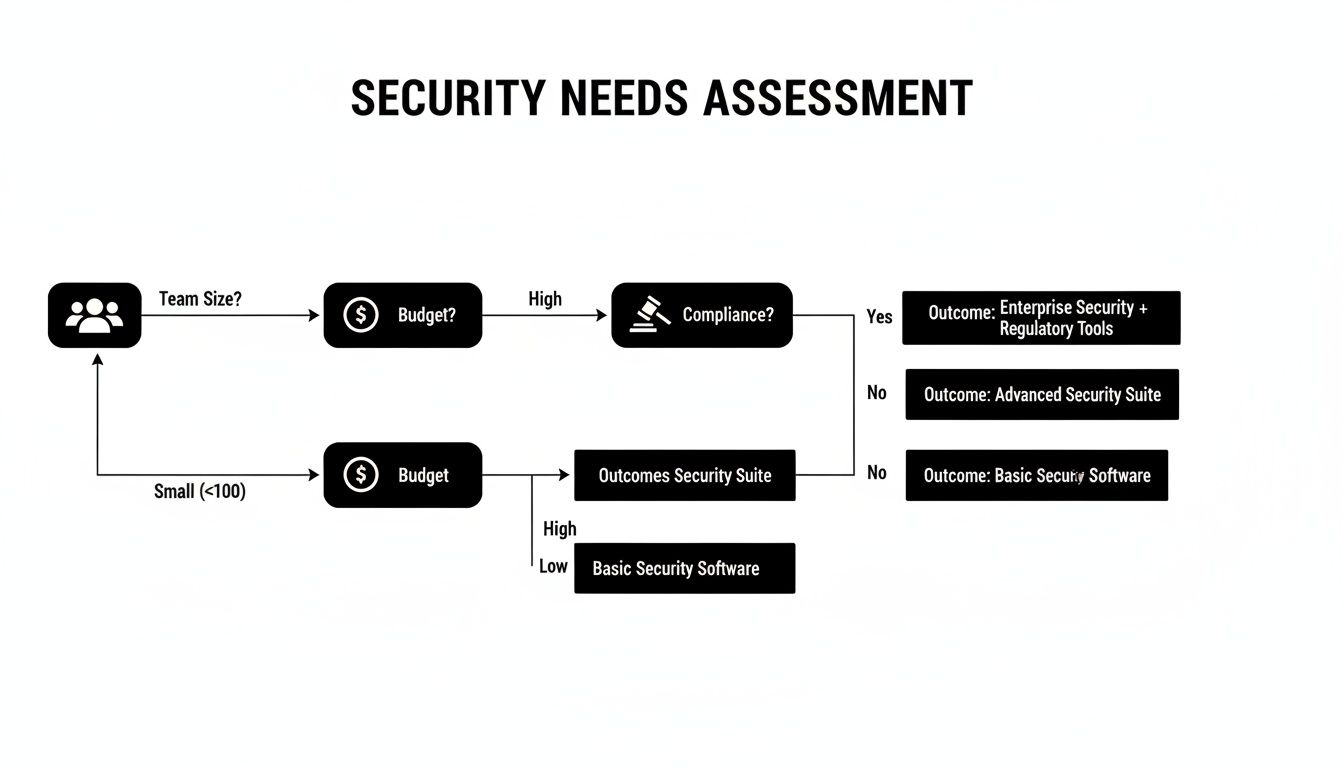
As the flowchart shows, the more complex your business becomes, the more you need a robust, centrally managed security platform to keep everything protected.
Microsoft Defender for Business
For any business already running on the Microsoft 365 ecosystem, Defender for Business is an incredibly compelling and seamless option. It’s built to feel like a natural extension of the tools your team uses every day, like Teams, SharePoint, and Outlook.
Its biggest advantage is that native integration. You don't have another platform to learn, and all the management happens right inside the familiar Microsoft 365 Defender portal. For businesses with limited IT staff, that simplicity is a huge win, letting you avoid adding another complicated tool to your stack.
Microsoft Defender for Business shines because of its seamless fit into the Microsoft 365 world. It’s a cost-effective, streamlined choice for any business already invested in that platform, making it a very practical option for many SMBs.
The flip side? Its focus is almost entirely on the Windows environment. While it does provide capabilities for macOS, iOS, and Android, its deepest features and easiest management are reserved for Windows endpoints. If your business runs on a mix of Macs and PCs, it can feel a bit limiting compared to more platform-agnostic solutions.
Bitdefender GravityZone Business Security
Year after year, Bitdefender absolutely crushes it in independent testing labs for threat detection, making it a top contender for businesses that put raw protective power first. Its layered security approach is particularly skilled at shutting down advanced threats like ransomware before they can do any damage.
The GravityZone console is where Bitdefender really separates itself. It's a powerful, cloud-based management platform giving you incredibly granular control over security policies, reporting, and threat response across all your devices—Windows, Mac, and Linux. This level of fine-tuned control is perfect for businesses in regulated industries like manufacturing or healthcare needing detailed audit trails for compliance.
Key Strengths of Bitdefender:
- Top-Tier Threat Detection: Consistently high scores in independent tests give you confidence that it can stop even the newest forms of malware.
- Granular Policy Control: The management console lets you create highly specific security rules, which is a must-have for meeting strict compliance requirements.
- Low Performance Impact: Despite its powerful engine, Bitdefender is known for being light on resources, running quietly in the background without bogging down employee computers.
This blend of high performance and deep control makes it an outstanding all-around option for SMBs that need serious, enterprise-grade protection without the enterprise-level headaches.
SentinelOne Control
SentinelOne represents the new school of AI-driven endpoint security. Unlike traditional antivirus that leans on a library of known threat signatures, SentinelOne is all about behavioral analysis. Its AI engine watches the processes on every endpoint, identifying and killing malicious activities as they happen in real-time.
This approach is what makes it so incredibly effective against fileless malware and brand-new attack techniques that signature-based tools often miss entirely. One of its most powerful features is the ability to automatically remediate threats and roll back any changes an attack made, like undoing file encryption from a ransomware attack. It can turn a potential disaster into a minor blip on the radar.
SentinelOne’s real differentiator is its AI-powered, single-agent architecture. It doesn’t just detect threats—it can automatically reverse their impact, dramatically cutting down incident response time for lean IT teams who don't have time to manually clean up a breach.
The entire platform was built for cloud management from day one, making it a perfect fit for businesses with remote or hybrid workforces. It gives you incredible visibility into endpoint activity, which allows for rapid threat hunting and investigation.
SMB Antivirus Feature Comparison Matrix
To make sense of the key differences, it helps to see these platforms side-by-side. I’ve put together a matrix comparing the features that matter most to small and mid-sized businesses.
| Feature | Bitdefender GravityZone | SentinelOne Control | Microsoft Defender for Business |
|---|---|---|---|
| Primary Technology | Layered: Signature, Heuristics, Behavior | AI-Powered Behavioral Detection | Integrated: Signature, Cloud AI, EDR |
| Management Console | Centralized Cloud/On-Premise | Cloud-Native SaaS | Microsoft 365 Defender Portal |
| OS Support | Windows, macOS, Linux | Windows, macOS, Linux | Windows, macOS, iOS, Android |
| Ransomware Rollback | Yes (Limited Remediation) | Yes (Full System Rollback) | Yes (Limited Remediation) |
| Performance Impact | Very Low | Low-to-Moderate | Very Low (Optimized for Windows) |
| Best For | Compliance-focused SMBs needing top detection rates and granular control. | Tech-forward businesses needing automated response and protection against novel threats. | SMBs deeply integrated with the Microsoft 365 ecosystem seeking simplicity. |
This table highlights the core strengths of each platform, helping you align their capabilities with your specific business needs—whether that’s compliance, automation, or ecosystem integration.
Market surveys show a clear trend: businesses are moving away from basic, unmanaged tools toward paid, centrally managed platforms that support compliance and provide advanced response capabilities. You can dig into more antivirus adoption trends at Security.org.
Picking the right platform is step one, but how you manage it is just as critical. The complexity of setting up policies, responding to alerts, and proving compliance can be a major drain on resources. For many SMBs, partnering with a managed service provider is a strategic move. You can learn more about how Eagle Point provides expert endpoint security management to keep your business protected without overwhelming your internal team.
Choosing Your Antivirus Management Strategy
Picking the right endpoint protection software is a huge win, but honestly, it’s only half the job. What really makes or breaks your security investment is the day-to-day management: the deployment, the constant monitoring, and how you react when a threat inevitably pops up. For a small business, this all boils down to one critical question—do you handle it all yourself, or do you bring in a dedicated partner?
There are really only two ways to go here, and each one has major implications for your team's time, your budget, and your actual security. Let's break them down from a real-world perspective.
In-House Management: The Hands-On Approach
Going the in-house route means your team is on the hook for everything. This path gives you absolute control over every setting and policy.
You’re in charge of getting the software onto every new and existing device. You’re the one configuring the security rules. You’re responsible for making sure every single endpoint gets its updates. And when an alert screams for attention at 2 a.m.? That's your team's problem to solve, right then and there.
Your team’s core responsibilities would include:
- Initial Deployment: Installing and properly configuring the security agent on all company computers, servers, and mobile devices.
- Policy Configuration: Building and fine-tuning all the rules for scans, web filtering, and application control—a delicate balance between security and employee productivity.
- Constant Monitoring: Keeping a close eye on the management console for threat alerts, system health warnings, and any unusual activity.
- Threat Remediation: Jumping on security incidents the moment they happen. This means isolating infected machines, scrubbing malware, and restoring any affected data.
The upside is undeniable: you have the final say on everything. But for an SMB with a small (or non-existent) IT team, the downsides can be a killer. This requires specific cybersecurity expertise and eats up a massive amount of time that could be spent growing the business. One wrong click in the settings can leave a gaping hole in your defenses you might not discover until it’s too late.
Managed Security Service: The Strategic Partnership
The other path is to partner with a managed security service provider (MSSP). With this model, you're essentially outsourcing the daily grind of endpoint security to a team of dedicated experts, like us at Eagle Point Technology Solutions. We take care of the deployment, monitoring, threat hunting, and incident response for you.
This move turns a complex and unpredictable IT headache into a simple, predictable operational expense. Instead of your people getting pulled away from their actual jobs to chase down a security alert, you have a professional team watching over your network 24/7.
A managed security service isn't just about offloading a task. It's a strategic decision to put your security in the hands of specialists whose only job is cybersecurity. It frees your team to focus on what they do best—driving your business forward.
This model is quickly becoming the standard for SMBs that want enterprise-grade security without the enterprise-level headcount. The antivirus market is on track for significant growth, and a huge part of that is driven by small businesses demanding centralized management and expert services.
The market is clearly shifting away from standalone products and toward comprehensive solutions from managed partners. You can dig into more data on antivirus market trends at 360iResearch. This strategic shift isn't just about convenience; it's about gaining a stronger, more resilient security posture while making the most of your internal resources.
Implementing Your New Security Solution
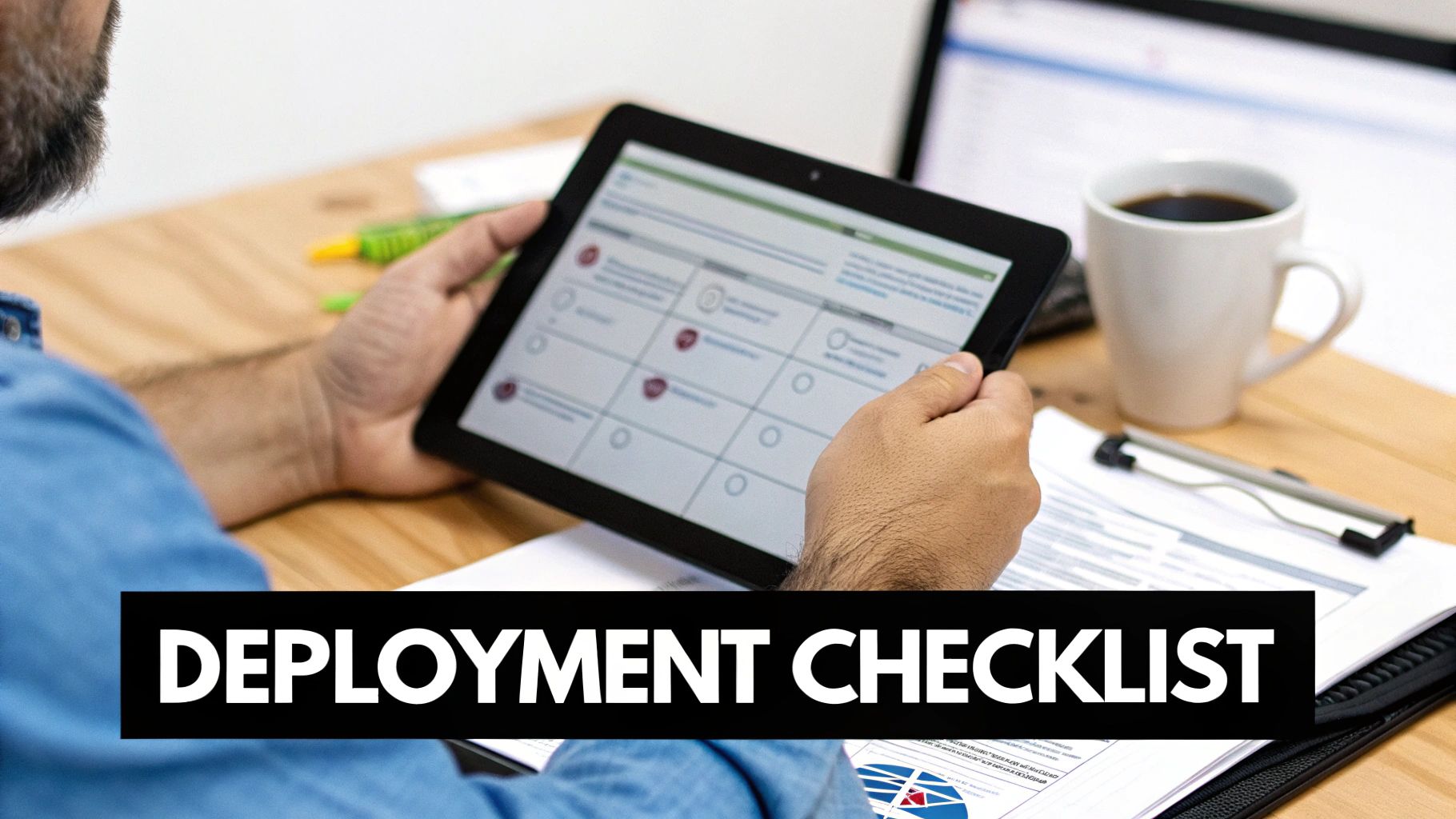
You’ve done the hard work and picked the best antivirus for your business. Now comes the critical part: the rollout. This is where a rushed or clumsy implementation can create more problems than it solves, from software conflicts to security gaps.
To get this right, you need a clear, methodical plan. It's more than just clicking "install"—it's about weaving a new layer of protection into your daily operations without causing disruption. This practical checklist will guide you from your final decision to a successful, company-wide deployment.
Step 1: Start With a Small-Scale Trial
Before going all-in, you absolutely want to run a small-scale trial, also known as a proof of concept (PoC). Pick a handful of diverse devices that represent your different departments and workloads. For instance, grab a machine from accounting, one from the sales team, and maybe one from the shop floor.
This test group is your canary in the coal mine. It lets you confirm the new software plays nice with your critical business applications and doesn't drag performance down. It’s the single best way to catch headaches before they can impact your entire team.
Step 2: Plan a Phased Rollout
A "big bang" deployment where you install the new antivirus on every machine at once is just asking for trouble. A much smarter strategy is a phased deployment, which breaks the rollout into manageable stages and keeps business disruption to a minimum.
You could, for example, deploy the software to one department at a time over several days. This controlled approach makes it far easier to troubleshoot any isolated issues without overwhelming your IT support or grinding operations to a halt.
A typical phased rollout might look like this:
- Week 1: Deploy to the IT department and your initial PoC group.
- Week 2: Roll out to the administrative and finance departments.
- Week 3: Cover sales, marketing, and customer service teams.
- Week 4: Deploy to all remaining operational staff and servers.
Step 3: Prep Your Endpoints and Policies
Proper prep work is the secret to avoiding technical nightmares. Before installing anything new, you must completely uninstall the old antivirus software. Trying to run two antivirus programs at the same time is a recipe for system conflicts, poor performance, and even security vulnerabilities.
Don't just disable your old antivirus—use the vendor's official removal tool to ensure every last trace is gone. This simple step prevents countless conflicts and ensures your new solution can operate at peak effectiveness from day one.
Next, get your initial security policies configured before the rollout begins. Start with a solid baseline policy that balances strong protection with your team's operational needs. For example, you might create a scanning schedule that runs after hours to avoid slowing things down during the workday. You can always fine-tune the rules later, but starting with a sensible default is crucial.
Finally, put together a clear communication plan for your team. A quick email explaining what the new software is, why it's being installed, and what they should expect is usually all it takes. This heads off a lot of questions and helps your team feel confident about the change.
Final Thoughts on Your Business Security Posture
Choosing the right antivirus for your small business isn't about finding a single "best" product. As we've covered, it’s about selecting the right protection for your specific reality—one that aligns with your budget, team resources, and unique risk profile. Making a thoughtful decision here is a critical step in building a more resilient and secure foundation for your business.
The key takeaway is to look beyond basic virus scanning. Modern threats demand modern defenses, which is why features like centralized management and Endpoint Detection and Response (EDR) are non-negotiable for any business serious about its security. These tools give you the control and visibility needed to stop sophisticated attacks before they cause real damage. Of course, effective endpoint protection is just one piece of the puzzle. It has to be supported by solid IT practices, like a robust software update strategy. You can learn more by exploring our detailed guide on what is patch management.
Ultimately, endpoint security is a foundational layer of a much broader strategy. A strong defense combines the right technology with clear processes and expert guidance.
Beyond the software itself, implementing comprehensive essential information security policy examples is crucial. These policies create the human firewall that technology alone can't provide, strengthening your business's defenses from the inside out.
Feeling confident in your choice is paramount. If you're ready to implement a security solution that truly protects your business in Western Pennsylvania or Eastern Ohio, let's talk.
Contact Eagle Point Technology Solutions today for a complimentary cybersecurity assessment. We'll help you navigate your options and build a security posture you can trust.
Your Top Questions, Answered
Navigating the world of business security software can bring up a lot of questions. As a trusted advisor to small businesses, we hear the same concerns time and again. Let's tackle the most common questions SMB leaders have when deciding on the best antivirus for their company.
Can’t We Just Use the Free Antivirus That Comes with Our Computers?
This is easily the most frequent question we get. While the antivirus included with your operating system (like the basic version of Windows Defender) is decent for personal use, it falls critically short in a business environment. The biggest dealbreaker is the complete lack of centralized management.
Without a central console, you have no way to verify that every single device is updated, configured correctly, and free of threats. This leaves dangerous security gaps that attackers can easily find and exploit. Beyond that, these built-in tools lack the advanced reporting and logging required to meet compliance standards like HIPAA or CMMC, making them a non-starter for any regulated business.
How Much Should We Budget For Business Antivirus?
Budgeting for security is a common puzzle for SMBs. A realistic starting point for a quality business antivirus solution is typically between $4 to $12 per user, per month.
Several factors will move the needle on that price:
- Included Features: A basic antivirus package will be at the lower end. Adding Endpoint Detection and Response (EDR) capabilities will increase the cost, but it provides significantly better protection against modern, sophisticated threats.
- Number of Users: Most vendors offer volume discounts, so the per-user price often drops as your employee count grows.
- Management Model: Opting for a managed service, where an expert partner handles monitoring and response, will have a different cost structure than managing it in-house. The managed route, however, eliminates the hidden costs of your team's time and required expertise.
Will a New Antivirus Slow Down Our Computers?
The fear of security software grinding computers to a halt is a valid one, especially if you remember the clunky antivirus programs of the past. Thankfully, modern endpoint protection platforms are engineered specifically to avoid this problem.
Today's best-in-class solutions are cloud-native, which means they offload the most intensive analysis tasks to the cloud. This design choice dramatically reduces the performance impact on your local machines, allowing the software to run quietly in the background without getting in your team's way.
When you’re evaluating a new solution, be sure to run a trial on a few different computers in your office. Pay close attention during a full system scan—this is the best way to gauge its real-world performance impact and ensure it won't become a source of frustration for your employees.
Navigating these choices is key to building a strong security posture. Eagle Point Technology Solutions specializes in implementing and managing security solutions that protect your business without hindering performance. Contact us for a cybersecurity assessment to find the right fit for your team. Learn more at https://eaglepointtech.com.