
Small and midsize businesses often juggle limited IT staff, tight budgets, and growing cyberthreats—ransomware, phishing, zero-day exploits—without sacrificing uptime or customer trust. Choosing the right endpoint protection platform can mean the difference between a brief disruption and a costly breach. In this guide, we’ll break down the best endpoint protection software options for SMBs, explain core concepts, offer practical tips, and map out rollout steps so you can secure your network with confidence.
Top Endpoint Protection Options
When evaluating the best endpoint protection software, focus on three pillars: threat detection accuracy, ease of management, and predictable costs. Your IT team needs a solution that bars ransomware, thwarts phishing, and stops stealthy attacks—without requiring a full security operations center.
Key Advantages for SMBs
- Ease of Maintenance: Cloud consoles that any IT generalist can set up
- Threat Detection Accuracy: AI-driven engines that flag unknown malware and halt lateral movement
- Cost Efficiency: Predictable, per-endpoint subscriptions that scale with your business
These features lighten the load on small teams while keeping defenses strong.
Top Endpoint Protection Software At A Glance
| Vendor | Best For | Pricing Model |
|---|---|---|
| Cisco Secure Endpoint | EDR and XDR | Subscription per endpoint |
| Trend Vision One | Unified Threat Detection | Quote-based pricing |
| Microsoft Defender for Endpoint | Cross-platform AV and EDR | Per user per month |
| CrowdStrike Falcon | Cloud-native EDR | Tiered by endpoints |
| Sophos Intercept X | AI-powered prevention | Annual subscription |
Review how each aligns with your team’s skills and any compliance mandates before starting demos or trials.
Unified view of alerts, device health, and policy compliance.
“Unified management cuts response time in half, freeing your team to focus on growth initiatives.”
Understanding Key Concepts
Imagine your network as a castle on a hill. The outer wall (EPP) repels known threats; the patrols (EDR) hunt for hidden intruders; and the watchtowers (XDR) share alerts across every defense tower. Together, they close gaps attackers exploit.
“Combining perimeter defenses with internal monitoring seals off the tunnels spies use.”
Core Defense Layers
- EPP (Endpoint Protection Platform): Signature-based screening you can configure quickly.
- EDR (Endpoint Detection and Response): Continuous behavior monitoring to catch stealthy threats.
- XDR (Extended Detection and Response): Cross-domain correlation—email, cloud, network—to connect the dots.
Use Case Examples
- A Pittsburgh coffee shop chain used EPP to block a drive-by download before it reached POS terminals.
- A Youngstown accounting firm relied on EDR to spot after-hours login attempts and lock compromised accounts.
- A healthcare clinic in Erie tapped XDR to match a phishing email with odd cloud logins, speeding cleanup and reducing downtime.
Additional Components
- Behavioral Analytics: Flags unusual actions—like midnight mass file copies.
- Telemetry: Feeds rich data into dashboards so your team can trace incidents without guesswork.
Automation handles routine threat hunting, letting IT focus on strategic projects.
Market Growth Insight
Global endpoint protection revenue jumped from $5.17 billion in 2024 to $5.74 billion in 2025—an 11.1% CAGR driven by remote work and stealth attacks. Learn more in the detailed endpoint protection platform growth report.
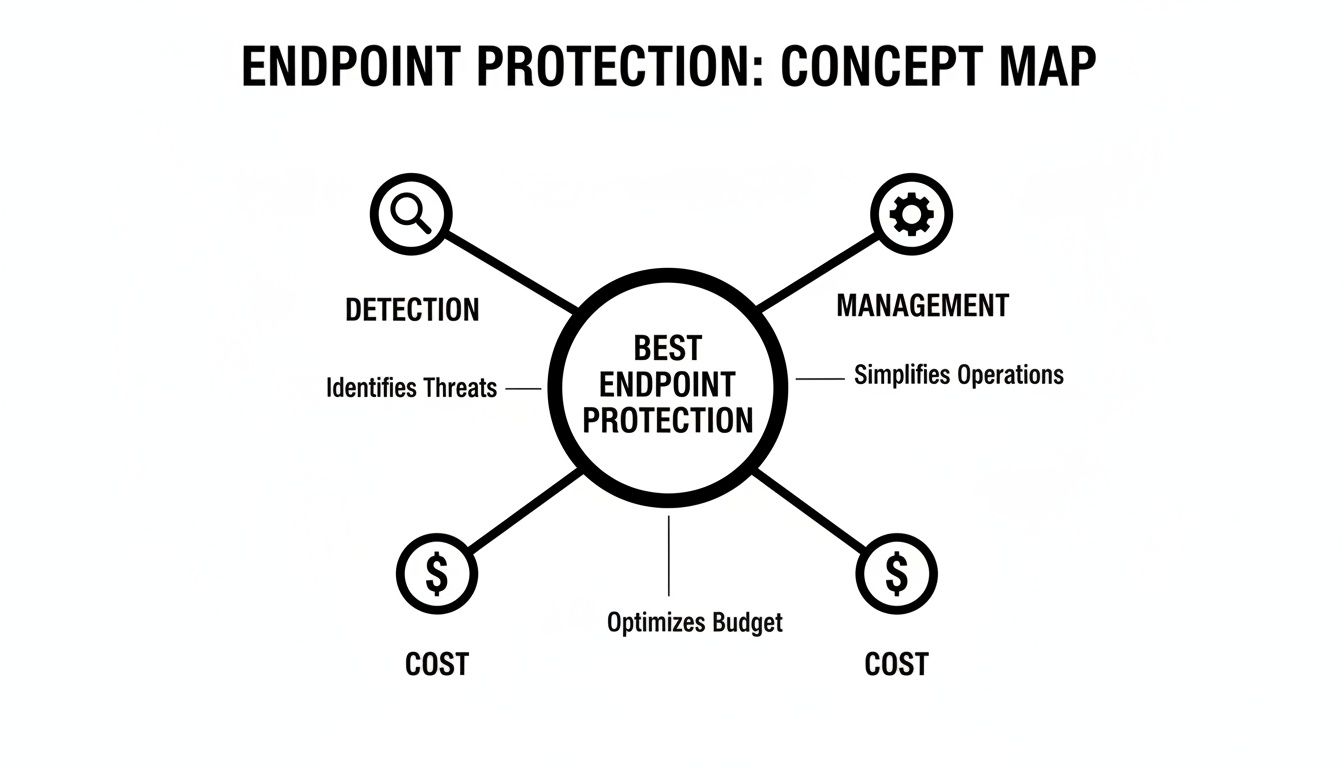
Detection strength, management simplicity, and cost intersect in top platforms.
Evaluating Key Features
Selecting the best endpoint protection software is like tuning a race car: you want raw power without burning out the engine. For SMBs, balance detection strength with resource impact and management overhead.
Key areas to evaluate:
- Performance Impact on endpoints
- Management Model (cloud vs. on-premises)
- Licensing Model (per endpoint, per user, tiered)
- Automated Threat Hunting and Response
Performance And Resource Impact
On legacy hardware, some suites slow workflows by 5–15% during scans. Measure CPU and memory use in peak hours—file transfers, video calls, busiest apps—while the scanner runs to see which solution stays light.
“Testing under real-world conditions reveals hidden performance bottlenecks.”
Licensing Model Options
Common structures include:
- Per-endpoint subscriptions bundling EPP and EDR
- Per-user subscriptions covering multiple devices
- Tiered bundles where rollback or XDR features add extra fees
Map your device inventory and compliance needs before comparing quotes to avoid surprises.
Cloud Versus On Premises Management
Choosing cloud is like renting: automatic updates and fast scale, but you depend on internet. On-premises is owning: full control offline, but higher hardware and upkeep costs. Mixed or agentless models keep core workloads in the cloud while agents run where needed.
| Feature | EPP | EDR | XDR | Impact |
|---|---|---|---|---|
| Detection | Signature based | Behavior monitoring | Cross-domain correlation | Improves visibility |
| Response | Automated block | Incident investigation | Automated orchestration | Speeds response |
| Telemetry | Basic logs | Detailed traces | Consolidated telemetry | Enhances context |
| Performance | Low | Moderate | Variable | Balance needed |
Automated Threat Hunting
Think of automated threat hunting as a 24/7 guard scanning logs for intrusion signs. For SMBs without a SOC, it’s like having a virtual analyst on staff. Microsoft Defender for Endpoint led the market in 2024—growing from 25.8% to 28.6% amid a 40% surge in ransomware. Details: Microsoft Ranked Number One in Modern Endpoint Security Market Share for Third Year in a Row.
Integration With SIEM And vCIO Services
Feeding endpoint alerts into a SIEM or vCIO dashboard centralizes security data—no more context hopping.
- Unified dashboards speed investigations
- Automated reports simplify compliance
Falcon’s live maps and telemetry accelerate incident triage.
Check out our guide on patching to see how timely updates shrink exploit windows: Learn about patch management
Actionable Tips For SMBs
- Map device count and OS mix before selecting licenses
- Pilot during business hours to gauge performance
- Prioritize rollback and sandbox features if ransomware risk is high
- Ensure integration with SIEM/vCIO dashboards for streamlined reporting
Next Steps For SMBs
- Pilot on a representative device group to validate performance.
- Review telemetry and rollback logs weekly to fine-tune policies.
- Document findings and update vendor criteria as you learn.
Comparing Top Vendors

Below, we match leading vendors to SMB needs: tight budgets, compliance, and lean IT teams.
CrowdStrike Market Leader
CrowdStrike held 20.65% market share in 2025 with over 6,403 customers. Its cloud-native EDR agent balances thorough detection with low drag.
“Behavioral detection with a small agent footprint fits SMBs running peer-to-peer manufacturing networks,” says a Pittsburgh machine shop IT manager.
Details: ElectroIQ statistics.
McAfee ePO Balanced Security
McAfee ePO shines where compliance is non-negotiable—healthcare practices under HIPAA.
- Centralized policy management for remote clinics
- Role-based access and audit logs for reporting
- Automated ransomware rollback for quick recovery
Microsoft Defender Broad Integration
Microsoft Defender for Endpoint is built into Windows 10/11—no extra agent fee. Eastern Ohio retailers secure POS terminals and consolidate licenses, spotting suspicious logins early.
Other Notable Platforms
- Trend Vision One: Unified threat detection and ML insights
- Sophos Intercept X: Deep learning and rapid rollback
- VMware Carbon Black Cloud: Forensic telemetry and modular licensing
- Trend Micro Apex One: Hybrid defense and predictive alerts
Sophos Intercept X
Sophos’s CryptoGuard rollback restores encrypted files in minutes, offering near-zero downtime and low false positives.
Market Share Comparison
| Vendor | 2025 Market Share | Notable Strength |
|---|---|---|
| CrowdStrike Falcon | 20.65% | Behavioral Analytics |
| McAfee ePO | 16.47% | Centralized Management |
| Microsoft Defender | 10.85% | Native Windows Integration |
Deployment Models And Integration
Choosing deployment is like picking a vehicle for a road trip—it affects speed, stops, and comfort. In IT, it shapes security, maintenance, and costs.
On Premises Deployment
- Pros: Offline access, minimal internet reliance
- Cons: Hardware costs, higher upkeep
- Use Case: Erie clinic protecting patient files without cloud
Cloud Deployment
- Pros: Rapid scaling, automatic updates
- Cons: Internet dependent
- Example: Youngstown retail chain added 200 endpoints overnight
Agentless Deployment
- Pros: No endpoint agents, fast onboarding
- Cons: Limited deep visibility
- Use Case: Manufacturing plant monitoring SCADA traffic
Integrate with Active Directory, Microsoft 365, or custom apps to enforce policies automatically:
- Saves 40% admin time and reduces errors by 60%
- Automated user provisioning and policy sync
Version control avoids mismatches that block threat feeds. Eagle Point’s managed endpoint protection and vCIO services cover deployment, APIs, and updates. Learn more: endpoint security management.
Integration best practices:
- Define API roles and scopes
- Test in sandbox before production
- Automate rollback for update failures
Assessing ROI And Total Cost Of Ownership
Think of endpoint protection as a highway toll booth: it costs upfront but prevents costly breakdowns. Map your annual spend—licenses, hardware, IT hours—against avoided incidents to quantify ROI.
Step By Step ROI Formula
- Net Gain = Avoided Losses – Total Costs
- ROI % = (Net Gain / Total Costs) × 100
Example: A 50-user firm avoids a $40,000 breach with $15,000 spent on tools. ROI = (40,000–15,000) / 15,000 × 100 = 167%.
Breaking Down Total Costs
| Cost Category | Example Annual Cost |
|---|---|
| Licensing Per Device | $3 to $10 |
| Infrastructure & Hosting | $1,000 to $4,000 |
| Management Hours | $50 to $100 per hour |
| Support & Updates | 10–20% of license cost |
Negotiation Tips
- Lock multi-year discounts
- Cap hourly support fees
- Bundle patching into flat-fee plans
- Begin renewal talks 90 days early
Dig deeper with our Cybersecurity Risk Assessment Template to spot hidden costs.
“90% of SMBs see positive ROI within 12 months of deploying endpoint protection.”
Migration And Rollout Steps

Rolling out endpoint protection is a staged event. Plan goals, timelines, and compliance early with executives, helpdesk, and IT staff.
Pilot Deployment And Feedback
- Select 5–10 endpoints reflecting your device mix.
- Install agents and apply baseline policies.
- Track CPU, memory, and alert volumes over two weeks.
- Gather user feedback to tune scan windows and exclusions.
Wave Based Rollout Plan
| Wave | Devices | Timeline |
|---|---|---|
| 1 | 25 | Week 1–2 |
| 2 | 25 | Week 3–4 |
| 3 | 25 | Week 5–6 |
| 4 | 25 | Week 7–8 |
- Announce installation windows
- Share quick-reference alert guides
- Maintain a support hotline
“A staged rollout cut helpdesk tickets by 70%,” says a regional IT director.
Post Deployment Checks And Optimization
- Hold weekly tuning sessions for the first month
- Review logs for false positives and bottlenecks
- Integrate alerts into SIEM or ticketing systems
- Pull compliance reports for CMMC/HIPAA readiness
Compile lessons learned into an executive summary, highlight wins, and plan next steps. Schedule quarterly health checks and leverage Eagle Point’s vCIO services for ongoing reviews and updates.
Every SMB deserves enterprise-grade endpoint protection without the enterprise price tag. For a free consultation, a hands-on assessment, or to explore tailored security solutions, reach out to Eagle Point Technology Solutions—your partner in cybersecurity, AI integration, and cloud services for Western Pennsylvania and Eastern Ohio businesses.


