
The toughest cloud migration challenges usually pop up where you least expect them: hidden costs, complex cybersecurity demands, and realizing your team doesn't have the right skills. A smooth move to the cloud isn't just a technical project; it's a strategic business initiative that needs a solid plan to navigate these hurdles without blowing the budget or grinding operations to a halt.
Why Cloud Migration Is More Than Just Moving Data

It’s a huge mistake to see cloud migration as a simple “lift and shift” of files. For small to midsize businesses (SMBs), this view is a recipe for disaster. Think of it less like moving files and more like relocating an entire factory. You can't just drop the machinery in a new building and expect it to work. Every process, every workflow, and every security protocol needs to be thoughtfully planned out and reconnected to run smoothly and securely in the new environment.
Without that level of planning, projects hit predictable—and costly—snags.
This isn't just an IT department issue, either. It ripples through the entire organization. Your tech team is suddenly wrestling with complex app dependencies they never knew existed, while leadership is trying to budget for costs that seem to appear out of nowhere. The whole process demands a deep understanding of cloud architecture, and that’s often when major internal skill gaps come to light.
The Most Common Hurdles for SMBs
A whopping 89% of organizations are now using multi-cloud strategies, but the path to get there is rarely a straight line. For most SMBs, the biggest cloud migration challenges boil down to a few key areas:
- Unexpected Costs: It’s not just the monthly subscription. Costs can quietly balloon from data transfer fees, integration services you didn't anticipate, and the need for totally new management and security tools.
- Complex Security and Compliance: Moving to the cloud introduces a whole new security playbook. Your team is now responsible for securing the data, the apps, and user access—a job that requires specialized cybersecurity expertise.
- Operational Downtime: A migration gone wrong can bring your entire business to a standstill. That doesn't just hurt the bottom line; it damages customer trust that took years to build.
- Legacy System Compatibility: Those old, reliable monolithic applications were never built for the cloud. Getting them to work correctly in a new, distributed environment often requires a major overhaul.
A successful migration hinges on one thing: acknowledging that this isn't just a tech upgrade. It's a fundamental change in how your business operates. A clear, strategic plan is the only way to get through these hurdles and ensure your investment actually pays off.
In this guide, we’ll walk you through how to tackle each of these obstacles with practical, jargon-free strategies that actually work for SMBs.
Understanding and Controlling Hidden Cloud Costs
One of the biggest shocks for any business moving to the cloud isn't technical—it's the first monthly bill. That predictable subscription fee you budgeted for? It’s often just the tip of the iceberg. The real cost of the cloud tends to lurk under the surface, hidden in expenses you never saw coming.
These surprise charges can quickly turn a successful migration into a financial headache. It's a lot like a home renovation: you budget for the shiny new countertops but get blindsided by the costs of rewiring, plumbing, and permits. In the cloud, these unexpected hits come from steep data transfer fees (egress charges), pricey third-party integrations, and the cost of new tools just to manage it all.
The Budget-Draining Culprits: Cloud Sprawl and Zombie Instances
Two of the sneakiest budget drains are "cloud sprawl" and "zombie instances." They sound a bit dramatic, but their impact is very real.
Cloud sprawl is what happens when your cloud environment gets cluttered with forgotten, unused resources that are still costing you money. Think of it like having a dozen old, forgotten subscriptions quietly siphoning money from your bank account each month. In the cloud, this could be a development server left running after a project ended or oversized storage volumes just sitting there, racking up charges day after day.
Zombie instances are a specific type of sprawl. These are computing resources—virtual machines—that are actively running but doing absolutely nothing useful. They are the digital equivalent of leaving the lights on in an empty office building all weekend. It's pure waste, often stemming from test projects that were never properly shut down. Without someone actively watching, these costs multiply in the background.
Building a Cloud Budget That Reflects Reality
The truth is, keeping cloud costs in check is a constant battle. A recent study found that a staggering 69% of IT leaders saw their cloud projects go over budget. On average, companies expect to overspend by 17%. It’s no surprise that half of those leaders name spend management as their number one challenge. You can dig into more of these eye-opening cloud migration statistics on Duplocloud.com.
To avoid becoming another statistic, you need a proactive financial game plan. This means building a realistic budget from the start using cost forecasting tools and adopting what the industry calls FinOps principles.
FinOps (Financial Operations) isn't just a buzzword; it's a cultural shift. It’s all about bringing financial accountability to the cloud's flexible spending model. In simple terms, it helps different teams—from finance to development—work together to make smart, data-driven decisions so you get the most value out of every dollar you spend.
Comparing Cloud Pricing Models For SMBs
A huge part of controlling your cloud bill is picking the right pricing model for the right job. Cloud providers like AWS, Azure, and Google Cloud offer a few different ways to pay, and understanding them is crucial for any SMB trying to be smart with its money. It’s not just about spending less; it’s about spending smarter by matching the model to how you actually work.
Here’s a simple breakdown of the three main models to help you make a better choice.
| Pricing Model | How It Works | Best For | Potential Pitfall |
|---|---|---|---|
| Pay-As-You-Go | You're billed only for what you use, often by the hour or even by the second. | Workloads with unpredictable spikes and dips, like development and testing environments. | Can get very expensive for stable, always-on workloads if you're not careful, leading to sticker shock. |
| Reserved Instances | You commit to using a certain amount of computing power for a 1 or 3-year term to get a big discount. | Predictable, steady applications that run 24/7, like your main website servers or core databases. | You pay for the capacity whether you use it or not. If your needs change, you're stuck with the bill. |
| Spot Instances | You bid on spare cloud capacity for massive discounts (up to 90% off!), but the provider can take it back with very little notice. | Tasks that can be interrupted without causing a disaster, like batch processing or large-scale data analysis. | Completely unsuitable for anything critical that needs to be online all the time because of the risk of sudden termination. |
Choosing the right mix of these models is key. You might use Reserved Instances for your core production environment, Pay-As-You-Go for a new app you’re developing, and Spot Instances for some late-night data crunching. Getting this strategy right is one of the most effective ways to wrestle your cloud budget under control.
Tackling Security and Compliance Hurdles in the Cloud
For many small and midsize businesses, cybersecurity is the big, scary roadblock to moving to the cloud. The thought of your sensitive company data living outside the four walls of your office can be unnerving.
But here’s the thing: cloud security isn’t some mysterious beast. It’s just a different set of rules. The most important concept to grasp right off the bat is the Shared Responsibility Model.
Think of it like renting a secure storage unit. The facility owner (your cloud provider, like AWS or Azure) is responsible for the building itself—the fences, the gates, the security cameras, the concrete walls. That’s security of the cloud. But you, the renter, are responsible for what happens inside your unit. You choose the lock, decide who gets a key, and organize your stuff securely. That’s security in the cloud.
This distinction is everything. Your provider gives you a secure foundation, but you are still in the driver's seat when it comes to protecting your data, applications, and who has access. It’s a shock to many, but a staggering 70% of cloud security breaches happen because of customer mistakes, not failures by the provider.
Overcoming Critical Security Challenges
Getting a handle on your side of the responsibility means facing a few common challenges head-on. These aren't just abstract tech problems; they have real-world consequences, from devastating data breaches to hefty regulatory fines. The trick is to be proactive, not reactive.
There are three big areas you absolutely have to nail:
- Preventing Data Breaches: Securing your data is more than just a strong password. You need end-to-end encryption, making sure data is scrambled both when it’s sitting in storage (at rest) and when it's moving between systems (in transit).
- Fixing Misconfigurations: A single slip-up, like accidentally leaving a storage bucket open to the public internet, can expose your entire company. You have to regularly check your cloud setup for these kinds of simple but dangerous errors.
- Securing APIs: Your applications use Application Programming Interfaces (APIs) to talk to each other. If these digital doorways aren't locked down properly, they become a prime target for attackers to sneak into your systems.
Building a solid defense is all about layers. This is where implementing comprehensive cybersecurity solutions for businesses becomes a non-negotiable part of your migration plan.
Your Pre-Migration Security Checklist
Before you even think about moving a single file, one of the smartest things you can do is a thorough security assessment. This lets you find and fix vulnerabilities when they’re cheap and easy to solve—not when they’ve turned into a five-alarm fire after you've already moved in.
Here’s a practical checklist to get you started:
Implement Robust Identity and Access Management (IAM):
- Get serious about who can access what. Operate on the principle of least privilege—give people only the bare minimum permissions they need to do their jobs, and nothing more.
- Enforce multi-factor authentication (MFA) everywhere you possibly can. It’s one of the single most effective ways to stop attackers who have stolen a password.
Plan for Data Encryption:
- Map out every piece of sensitive data you plan to migrate.
- Decide exactly how you will encrypt that data, both when it’s stored and when it’s moving across the network.
Review Compliance Requirements:
- Make a list of every industry or government regulation you're subject to (like HIPAA for healthcare or PCI DSS for payments).
- Double-check that your chosen cloud provider and your planned setup can meet every single one of those requirements.
Leverage Cloud-Native Security Tools:
- Get familiar with the security tools your cloud provider offers right out of the box. Think security groups, web application firewalls (WAFs), and threat detection services.
- Make a plan to bake these tools into your environment from day one.
For a deeper dive, take a look at these essential cloud computing security best practices. Following these steps will help you build a secure foundation from the start, turning one of the biggest migration worries into a source of confidence.
Modernizing Legacy Systems and Ensuring Data Integrity
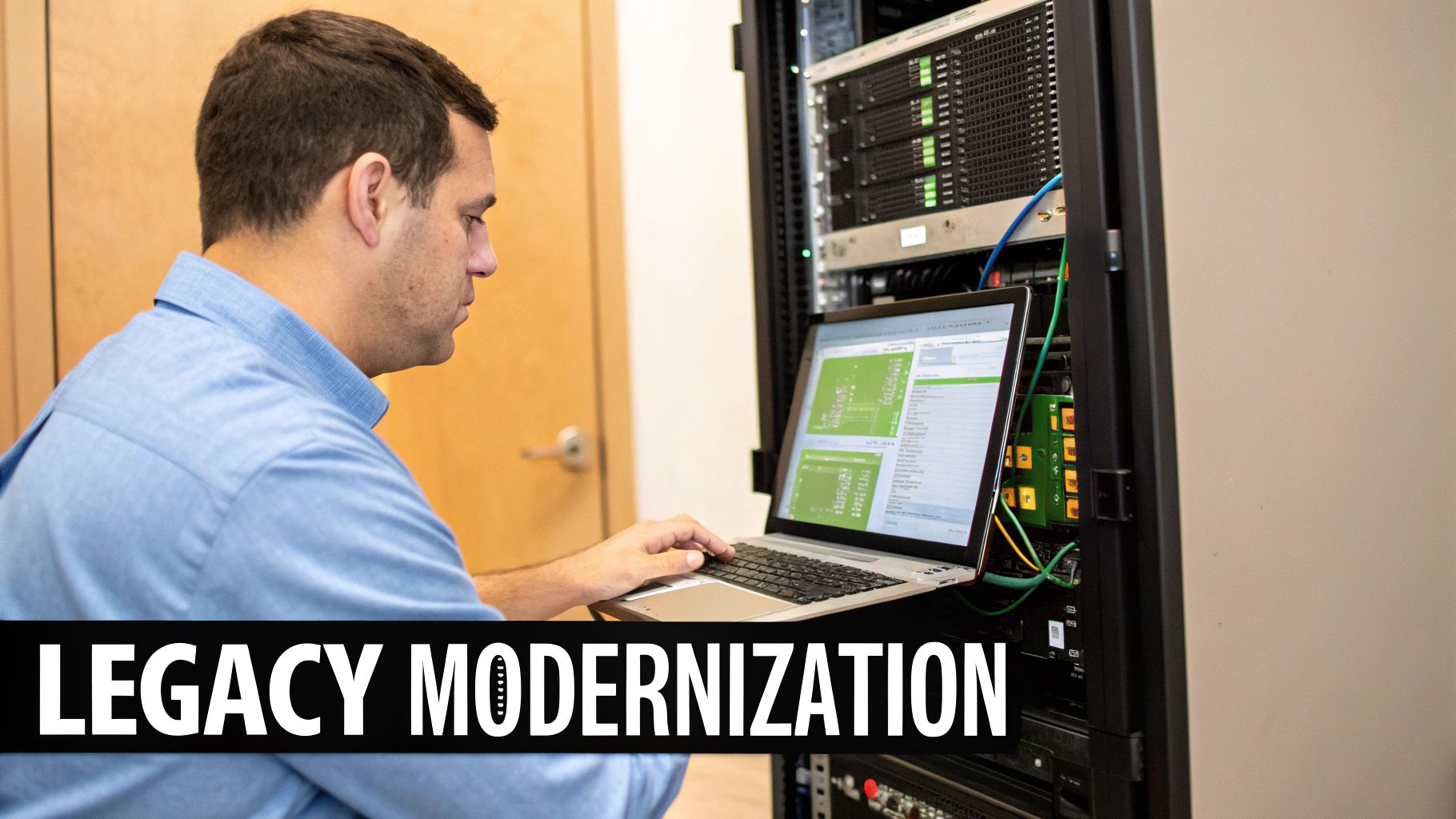
Let's talk about the elephant in the server room: your trusted, old-school applications. Moving these long-serving systems to the cloud often feels like trying to fit a square peg into a round hole. They were built for a different world—one with on-site servers and predictable networks—not the flexible, dynamic environment the cloud offers.
The heart of the problem is their monolithic architecture. Think of an old application as a single, massive building. Every function, from the front desk to the penthouse suite, is structurally connected. You can’t just pick up one floor and move it somewhere else; the entire building has to come along. This tightly-coupled design makes modernization a risky and complicated job.
Then you have the issue of data gravity. Just like a planet’s gravity pulls objects toward it, huge datasets pull applications and services closer. The more data an application needs to function, the harder it is to move that application without creating serious performance bottlenecks. Separating the app from its data just introduces lag and complexity that can slow your operations to a crawl.
Navigating Your Renovation: The Six Rs
Tackling a legacy system requires a solid plan, just like a home renovation. You wouldn’t start swinging a sledgehammer without a blueprint. In the world of cloud migration, our blueprint is often built around the "6 Rs"—a set of strategies for handling older applications.
For most small and midsize businesses, these three are the most relevant:
- Rehosting (Lift and Shift): This is the quickest, simplest move. You’re essentially picking up the application and dropping it into the cloud with minimal changes. It’s fast and cheap upfront, but you won't get the benefits of cloud-native features and might face higher long-term costs.
- Replatforming (Lift and Tinker): This is a step up. You move the app but make a few smart tweaks along the way. A common example is switching from a self-managed database to a managed cloud database service. It’s a good middle ground.
- Refactoring (Full Remodel): This is the most involved option—a complete overhaul. You rebuild the application to be cloud-native, often by breaking it into smaller, independent microservices. It's a complex project but unlocks the full power of cloud scalability and resilience.
Ensuring Data Integrity Before You Move
Before you even think about which "R" to choose, you have to look at the state of your data. Trying to migrate messy, inconsistent, or duplicated data is like building a new house on a shaky foundation. It’s a guaranteed recipe for disaster.
The statistics are pretty sobering. Poor data quality messes with a staggering 84% of cloud migrations. On top of that, 77% of organizations admit they have data quality problems, and 38% struggle just to connect their old systems to new cloud environments. For a deeper dive into how this can derail a project, you can explore the research on common data migration issues.
Clean, validated data is non-negotiable for a successful migration. This means dedicating time to data cleansing, deduplication, and establishing clear governance rules before you begin the move. Skipping this step almost always results in project delays, corrupted information, and a system that users can't trust.
A Phased Approach with Containerization
For many businesses, a full refactor is just too much to bite off at once. A much more manageable strategy is to use containerization.
Think of a container as a standardized shipping crate for your application. It neatly packages up the application code along with all its dependencies—libraries, settings, everything it needs to run—into one isolated, portable unit.
This container can then run consistently on any cloud infrastructure. This lets you "lift and shift" a monolithic app into a container first, getting it to the cloud quickly. Once it's there, you can start gradually breaking off individual functions into their own containers over time. This phased approach allows you to move toward a modern microservices architecture at a pace that fits your budget and timeline, making the whole process far less daunting.
Closing the Cloud Skills Gap on Your Team
Technology doesn't drive a successful cloud migration—people do. The most sophisticated tools and platforms are completely useless without a team that knows how to manage them. This is the heart of the cloud skills gap, one of the most persistent cloud migration challenges SMBs face today.
Moving to the cloud isn't just a technical switch; it requires a new mindset and a different set of abilities. It’s no longer just about managing physical servers in a back room. Your team needs a firm grasp of cloud architecture, a deep understanding of cloud-native security protocols, and real proficiency in DevOps practices to keep operations running smoothly.
Without these skills, migrations stall, costs spiral, and security risks multiply. A recent study drove this point home, noting that the cloud skills gap has stubbornly remained one of the top two largest IT skills shortages since 2021. And this isn't just a headache for massive enterprises; it's a critical roadblock for any small or mid-sized business trying to grow.
Identifying Your Team's Essential Cloud Competencies
Before you can fix the problem, you need to get a clear picture of where the gaps are. A simple skills matrix is a surprisingly powerful tool for this. Think of it as taking inventory of your team's current abilities versus what your new cloud environment will demand from them day-to-day.
Start by listing the core competencies your specific migration will require. They almost always include:
- Cloud Architecture: Can your team design a cloud setup that is scalable, resilient, and won't break the bank?
- Cloud Security: Who on your team truly understands Identity and Access Management (IAM), data encryption, and the unique compliance rules of the cloud?
- Automation and DevOps: Do you have expertise in scripting, infrastructure-as-code (IaC), and the CI/CD pipelines needed for modern operations?
- Data Management: Who is skilled in actually migrating databases and ensuring your data stays intact and secure throughout the entire process?
- Cost Management (FinOps): Is anyone trained to monitor cloud spending, optimize resources, and prevent those dreaded budget overruns?
A skills matrix gives you a clear, visual map of your team's strengths and weaknesses. It transforms a vague feeling of being underprepared into an actionable plan, showing you exactly where to focus your training efforts or where you might need to bring in some outside help.
Building a Strategy to Bridge the Gap
Once you've identified your team's needs, you have a few practical paths forward. Most SMBs find that a hybrid approach works best, combining internal development with external expertise.
First, focus on strategic upskilling. Investing in your current staff is often the most cost-effective solution in the long run. Provide them with access to the incredible online training resources from cloud providers like AWS, Azure, and Google Cloud—many of which offer free or low-cost certification paths. Encourage hands-on learning with small, non-critical projects to build confidence and practical experience.
However, some roles, particularly in advanced cybersecurity, require deep specialization that takes years to develop. In these cases, bringing in an external partner is the smart move. A Managed Service Provider (MSP) can provide the specialized talent you need right now, without the long-term overhead of a full-time hire. They offer immediate access to certified experts who can guide your strategy, execute complex technical tasks, and mentor your internal team along the way. Deciding when to build skills internally versus bringing in outside support is a key part of effective expert IT leadership during any major technology shift.


