As a business owner in Western Pennsylvania or Eastern Ohio, you're focused on growth, not grappling with complex digital threats. Yet, the reality is that small and mid-sized businesses are prime targets for cyberattacks. The old belief of being "too small to be a target" is a dangerous myth that can lead to devastating downtime, financial loss, and damaged customer trust. The critical question isn't if your business will be targeted, but when.
This guide is designed to cut through the technical jargon and provide a clear, actionable roadmap of the most essential cybersecurity best practices for small businesses. We'll move beyond abstract concepts to detail the practical, prioritized steps you can implement to build a resilient defense, acknowledging the budget and resource constraints you face every day.
From empowering your employees to be a strong first line of defense to implementing robust data backup strategies and planning for the worst-case scenario, each point is structured to help you understand not just what to do, but why it matters and how to get started. Let's work together to turn cybersecurity from a source of anxiety into a pillar of your business's strength.
1. Build Your Human Firewall with Security Awareness Training
Your technology can block a million threats, but it only takes one errant click from an employee to cause a breach. That's why your team is your most critical line of defense. Employee security awareness training is a foundational cybersecurity best practice that transforms your staff from potential victims into vigilant defenders. It equips them with the knowledge to recognize, avoid, and report potential threats like phishing, malware, and social engineering attempts. Since human error is a factor in the vast majority of security incidents, investing in your team’s security knowledge offers one of the best returns on your security investment.
This isn't about a boring, one-time lecture. For a small business, effective training is an ongoing program that continuously reinforces good security habits and builds a security-conscious culture.

Actionable Tips for Implementation
- Start with a Baseline: Before you train, understand your starting point. A simple quiz or a simulated phishing test can reveal where your team's biggest knowledge gaps are, allowing you to tailor the training to their needs.
- Make it Engaging and Relevant: Ditch the dry manuals. Use interactive, real-world scenarios that resonate with your team's daily work. For example, a manufacturing firm in Erie, PA, could use examples of phishing emails pretending to be from a parts supplier. For your training to be truly impactful, it's crucial to understand the principles behind creating effective training materials.
- Simulate and Reinforce: The best way to learn is by doing. Conduct regular, unannounced phishing simulations. When an employee correctly reports a simulated phish, celebrate their vigilance. Positive reinforcement is far more effective than punishing mistakes.
- Integrate into Onboarding: Make security training a mandatory, positive part of the new-hire process to establish a security-first mindset from day one.
2. Implement Multi-Factor Authentication (MFA)
If a password is the lock on your digital door, Multi-Factor Authentication (MFA) is the deadbolt and security chain. It is one of the single most effective cybersecurity practices because it requires at least two pieces of evidence—like a password and a code from a phone app—to prove a user is who they say they are. Even if a cybercriminal steals an employee's password, MFA prevents them from getting in, effectively neutralizing the most common type of attack.
For businesses in our region, especially those in healthcare, professional services, or manufacturing that handle sensitive data, MFA is no longer optional. It's an essential layer of defense against account takeovers that moves you from relying on a single, often weak, point of failure to a much stronger, multi-layered verification process.

Actionable Tips for Implementation
- Prioritize Your "Crown Jewels": Start your MFA rollout with your most critical systems. This includes your email platform (like Microsoft 365), any remote access tools (VPN), and applications containing financial, customer, or patient data.
- Choose App-Based over SMS: Whenever possible, guide your team to use authenticator apps like Microsoft Authenticator or Google Authenticator. They are significantly more secure than SMS text codes, which can be intercepted by skilled attackers.
- Explain the "Why": Don't just flip a switch. Host a quick meeting or send a clear email explaining why MFA is crucial for protecting the business and their personal information. A small manufacturing firm in Ohio found that a brief session on the "why" reduced helpdesk calls by 40% during their rollout.
- Plan for Recovery: Life happens. Establish a clear, secure process for when an employee loses their phone or authentication device. Having backup methods ready ensures that security doesn't bring productivity to a halt.
3. Establish Regular Data Backups and Test Your Recovery
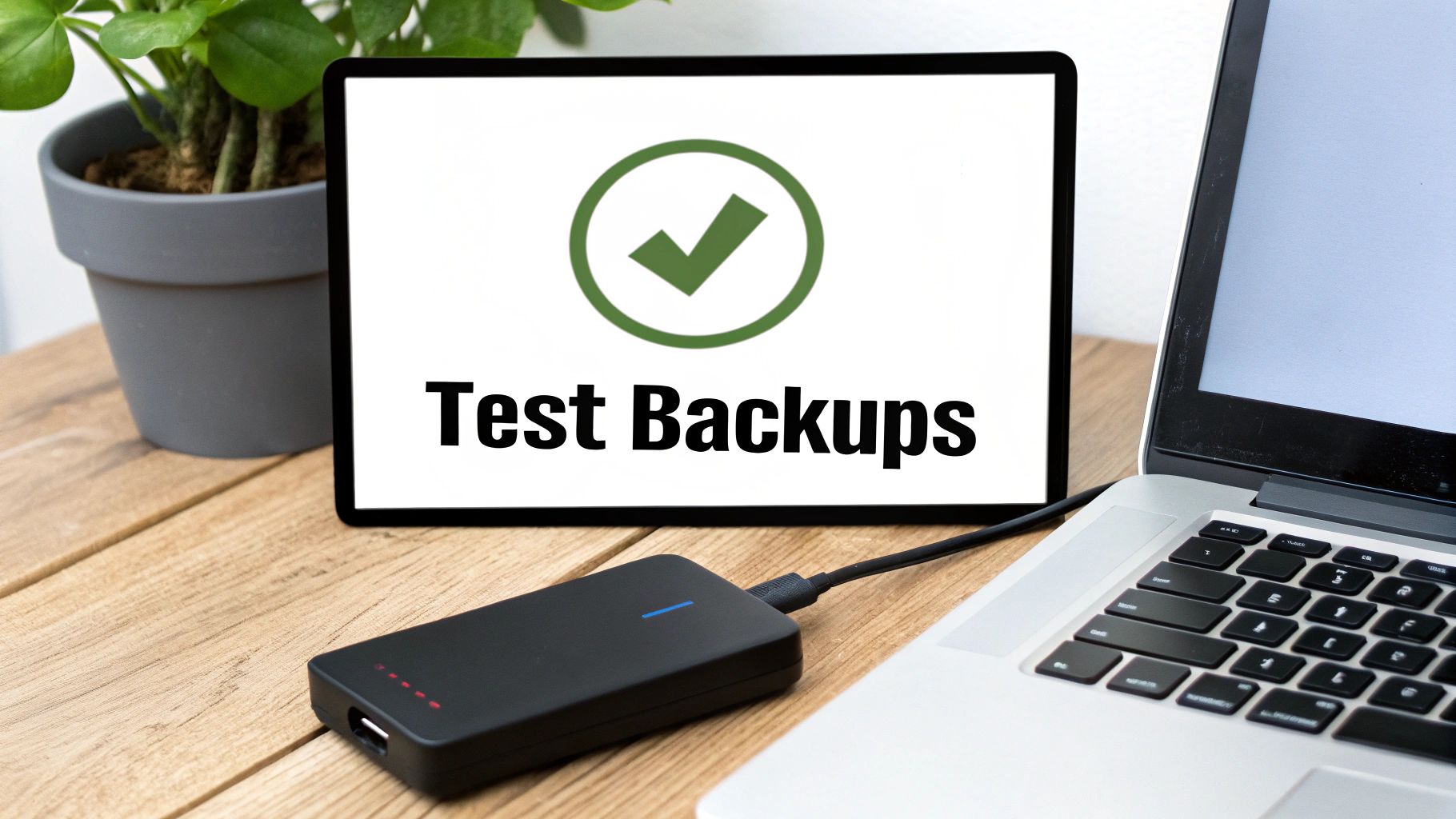
Sooner or later, every business faces a data loss event. It could be a hardware failure, an accidental deletion, or a devastating ransomware attack. A reliable backup and recovery plan is the one practice that can save your business from a catastrophic shutdown. This means systematically creating copies of your essential data and—just as importantly—regularly testing your ability to restore that data quickly and completely.
For a small business in Western PA or Eastern OH, a verified backup is your ultimate safety net. A distribution company in Youngstown, for example, could recover from a ransomware attack in hours instead of days or weeks, simply by restoring from a recent, uninfected backup. This is why a well-executed backup strategy is one of the most fundamental cybersecurity best practices for small businesses.
Actionable Tips for Implementation
- Follow the 3-2-1 Rule: This industry standard is simple yet powerful. Keep 3 copies of your data, on 2 different types of media (e.g., a local server and a cloud service), with 1 copy stored securely offsite or in the cloud. This diversity protects you from localized disasters like fires, floods, or theft.
- Automate and Monitor: Your backups should run automatically every day. Manually running backups is unreliable and easily forgotten. Equally important is getting a daily report confirming the backup was successful and addressing any failures immediately.
- Test Your Recovery Process: A backup is useless if you can't restore it. At least quarterly, conduct a test restore of a critical file, folder, or even an entire server to a test environment. This verifies the integrity of your backups and confirms you can get back to business quickly when it matters most.
- Isolate Your Backups from Ransomware: Ensure at least one copy of your backup is "air-gapped" (physically disconnected from the network) or "immutable" (cannot be altered or deleted). This prevents advanced ransomware from finding and encrypting your backup files along with your primary data. For a deeper dive into robust data protection strategies, you can learn more about how to prevent data loss.
4. Deploy a Business-Grade Firewall
Think of your network as your office building. A business-grade firewall is the security guard at the front door, meticulously checking every piece of data coming in or going out against a strict set of rules. It's the gatekeeper that separates your trusted internal network from the untrusted internet. An Intrusion Prevention System (IPS), often built into modern firewalls, acts like an advanced surveillance system, actively looking for and blocking suspicious activity that might signal an attack.
These systems are no longer just for large corporations. For a small business with an internet connection, a modern firewall with IPS capabilities is a non-negotiable part of a strong security foundation. For example, a healthcare clinic in Eastern Ohio can use a firewall to prevent ransomware from spreading between its networked medical devices, safeguarding patient data and ensuring operational continuity.
Actionable Tips for Implementation
- Go Beyond Basic Protection: The router from your internet provider isn't enough. Invest in a business-grade, next-generation firewall (NGFW) that offers advanced features like deep packet inspection and application-layer filtering to block malicious traffic, not just basic ports.
- Keep Your Defenses Current: A firewall is only as good as its threat intelligence. Ensure its subscription services are active so it's constantly updated with the latest signatures to recognize new attack patterns and malicious websites.
- Review Rules Regularly: Firewall rules can become outdated or overly permissive over time. Conduct quarterly reviews to remove obsolete rules and tighten access, ensuring you operate on a "least privilege" basis (more on that next).
- Consider a Managed Service: For SMBs without a dedicated IT security expert, managing a firewall can be complex. A managed firewall service ensures your device is configured by experts, monitored 24/7, and updated consistently, giving you enterprise-grade protection without the overhead.
5. Stay on Top of Patch Management and Software Updates
Software vulnerabilities are the digital equivalent of an unlocked window in your office—an easy entry point for criminals. Patch management is the process of consistently applying software updates to close those windows. For small businesses, where everyone is busy, clicking "update later" is a common but dangerous habit. Timely patching is one of the most effective and affordable cybersecurity practices to protect your business from known exploits that criminals are actively using.
This isn't just about Windows updates. A formal patch management process ensures that every piece of software on every device—from servers in Pittsburgh to laptops in Youngstown—receives critical security updates promptly. A proactive approach transforms this chore into a powerful defensive strategy.
Actionable Tips for Implementation
- Establish a Simple Policy: Create a straightforward patch management policy. For example, mandate that critical security patches are applied within 14 days of release, while standard updates follow a monthly schedule. This removes guesswork and establishes a consistent routine.
- Automate Where Possible: Use management tools to automate the deployment of patches. This reduces the manual workload and ensures no device gets missed. A manufacturing firm in Western PA reduced malware incidents by over 70% after implementing an automated system, proving its effectiveness.
- Don't Forget Third-Party Software: It's not just Microsoft. Attackers frequently target vulnerabilities in common applications like Adobe Reader, Google Chrome, and Zoom. Ensure your patching process covers these as well.
- Maintain an Inventory: You can't patch what you don't know you have. Keep a basic, up-to-date inventory of all hardware and software on your network. Partnering with a managed IT provider can streamline this entire process, providing continuous monitoring and deployment without taxing your internal team.
6. Enforce the Principle of Least Privilege
Not every employee needs the keys to your entire digital kingdom. The principle of least privilege is a simple but powerful security concept: users should only have access to the specific data and systems required to do their jobs, and nothing more. By strictly controlling who can access what, you dramatically reduce your business's risk. If an attacker compromises a standard user's account, they won't have free reign to access sensitive financial data or critical company servers.
This is crucial for minimizing the potential damage from both external attacks and internal threats (accidental or otherwise). In a small business where employees often wear multiple hats, it's easy for permissions to become overly broad. Implementing access control isn't about distrust; it's a strategic move that contains the "blast radius" of a potential breach.
Actionable Tips for Implementation
- Map Roles to Permissions: Start by defining the primary roles in your organization (e.g., Sales, Accounting, Operations). Methodically document what data and applications each role truly needs, then build your access policies around these requirements.
- Use Groups for Simplicity: Instead of assigning permissions to individual users, create user groups in systems like Microsoft 365 based on job roles. This simplifies management and reduces the chance of error when employees join, leave, or change roles.
- Conduct Regular Access Reviews: At least twice a year, review who has access to what. This is critical for revoking "privilege creep," where employees accumulate unnecessary permissions over time. It also serves as a final check to ensure former employees' access has been fully terminated.
- Secure Admin Accounts: Administrative accounts are a top target for attackers. Ensure they are used only for administrative tasks, not for daily work like checking email. These accounts should have MFA and extremely strong, unique passwords.
7. Deploy Advanced Email Security and Anti-Phishing Controls
Email remains the number one way criminals target small businesses. It's the primary delivery system for ransomware, credential theft, and Business Email Compromise (BEC) fraud—where attackers impersonate a boss or vendor to trick an employee into sending money. Basic spam filters are no longer enough. Modern email security provides an essential, multi-layered defense to neutralize threats before they ever reach an employee's inbox.
Robust email security uses sophisticated technology, like artificial intelligence, to analyze email content, links, and sender behavior in real-time. For a law firm in Youngstown, OH, this meant automatically quarantining a spoofed email pretending to be from a senior partner who was requesting an urgent wire transfer, preventing a significant financial loss from a classic BEC attack.
Actionable Tips for Implementation
- Protect Your Domain from Impersonation: Configure DMARC, SPF, and DKIM for your email domain. These are technical standards that act like a digital signature, helping to prevent criminals from spoofing your email address to trick your customers or partners.
- Deploy Advanced Threat Protection (ATP): Use a solution that includes attachment "sandboxing" and URL rewriting. Sandboxing opens attachments in a secure, isolated cloud environment to check for malicious behavior before it's delivered. URL rewriting tests links for phishing at the time an employee clicks them.
- Educate and Empower Users: Technology is only part of the solution. Continuously train your team to spot the warning signs of a phishing attempt—like urgent language, unusual sender addresses, and unexpected attachments. Explore our expert advice on phishing attacks prevention for small businesses in Pittsburgh & Youngstown to build a more resilient human firewall.
- Make Reporting Easy: Give your employees a simple "Report Phishing" button in their email client. This not only removes the threat from their inbox but also provides valuable threat intelligence to your security systems, helping to block similar future attacks automatically.
8. Use Next-Generation Antivirus and Endpoint Detection (EDR)
Traditional antivirus software is still important, but it's no longer enough on its own. It works like a bouncer with a list of known troublemakers—it's good at blocking known malware, but it can be fooled by brand-new threats. This is where Endpoint Detection and Response (EDR) comes in. EDR is like a security camera system and a security guard for every computer and server (or "endpoint") on your network. It continuously monitors for suspicious behavior, not just known threats, allowing it to spot and stop sophisticated attacks in their tracks.
For SMBs, combining next-generation antivirus with EDR provides a powerful, layered defense. A manufacturing facility in Western PA, for example, could use EDR's behavioral detection to stop a zero-day ransomware attack before it encrypts critical files, saving the company from catastrophic downtime.
Actionable Tips for Implementation
- Ensure 100% Coverage: An unprotected computer is an open door for an attacker. Ensure that an antivirus/EDR agent is installed and running on every endpoint in your organization, including workstations, servers, and company-owned laptops.
- Enable Behavioral Analysis: Don't just rely on the default settings. Make sure that advanced features like behavioral analysis and machine learning are activated. These are crucial for detecting new, unknown threats that traditional antivirus would miss.
- Configure Automated Responses: Set up your EDR system to automatically take action against threats. This can include isolating a compromised computer from the network to stop an attack from spreading, quarantining a malicious file, or terminating a suspicious process.
- Lean on Expert Management: Implementing and monitoring an EDR solution can be a full-time job. Partnering with a managed service for endpoint security management ensures you get 24/7 expert monitoring and rapid response without the cost and complexity of hiring in-house specialists.
9. Proactively Hunt for Weaknesses with Vulnerability Management
You can't fix a security weakness if you don't know it exists. Vulnerability management is the proactive process of regularly scanning your systems to find, evaluate, and fix security flaws before attackers can exploit them. It’s like getting a regular inspection for your building to find and repair a leaky roof or a faulty lock before a storm hits or a burglar tries the door.
For a small business, this shifts your mindset from being reactive (cleaning up after a breach) to being proactive (preventing the breach in the first place). A distribution company in Western PA, for instance, used a vulnerability scan to discover an old, unpatched server exposed to the internet, allowing them to fix it before it could be exploited. This is a core component of a mature security strategy.
Actionable Tips for Implementation
- Establish a Scanning Rhythm: Implement automated vulnerability scanning on a regular schedule. Start with monthly scans of all your servers, computers, and firewalls.
- Prioritize Based on Risk: Not all vulnerabilities are created equal. Focus on fixing the most critical issues first. Prioritize vulnerabilities that are being actively exploited by attackers and those affecting your most important systems, like your primary server or firewall.
- Set Realistic Timelines for Fixing Issues: Create simple internal goals for patching. For example, aim to remediate critical vulnerabilities within 30 days and high-severity ones within 60 days.
- Consider a Periodic Penetration Test: Once a year, consider hiring an external firm to conduct a penetration test. This is a simulated, authorized cyberattack that provides a real-world assessment of your defenses and can uncover weaknesses that automated scans might miss.
10. Develop and Test an Incident Response Plan
Even with the best defenses, a security incident can still happen. How your business reacts in the first few hours after a breach can determine whether it's a minor hiccup or a company-ending event. An Incident Response (IR) plan is your playbook for a crisis—a documented, tested procedure that guides your team through the chaos. It ensures a swift, coordinated, and effective response to contain the damage, remove the threat, and get back to business.
For many SMBs, this plan is often overlooked, leaving them to improvise under extreme pressure. A well-crafted IR plan is a sign of a mature cybersecurity program. For a manufacturing company in Eastern Ohio, activating their pre-defined plan after a malware outbreak allowed them to isolate affected machinery and restore production within four hours—a result that would have been impossible without a clear, rehearsed guide.
Actionable Tips for Implementation
- Keep it Simple and Actionable: Don't write a 100-page novel. Your IR plan should be a concise, step-by-step guide. Structure it around the key phases: Preparation, Detection & Analysis, Containment, Eradication, Recovery, and Lessons Learned.
- Define Roles and Responsibilities: Clearly assign roles. Who is the main point of contact (Incident Commander)? Who makes the technical decisions? Who communicates with employees and customers? Everyone must know who to call and who has the authority to make critical decisions.
- Create Mini-Playbooks: Develop simple checklists for common threats you face, like ransomware or a business email compromise incident. These mini-guides provide step-by-step instructions for your team to follow in the heat of the moment.
- Test Your Plan: A plan that sits on a shelf is useless. At least once a year, conduct a "tabletop exercise" where you gather your key team members and talk through a simulated scenario (e.g., "Our main server is down and we have a ransom note. What's the first thing we do?"). This simple exercise will quickly uncover gaps in your plan before a real crisis hits.
- Know Who to Call: Don't wait until you're under attack to look up phone numbers. Have contact information for your IT provider, legal counsel, and cyber insurance carrier documented and easily accessible in your IR plan.
Partnering for Protection: How We Can Help
Navigating today's digital threat landscape can feel like a full-time job—one that pulls you away from your real mission of running and growing your business. We've walked through the essential cybersecurity best practices for small businesses, from foundational controls like employee training and MFA to proactive strategies like vulnerability management and incident response planning. Each practice is a critical layer in a defense strategy designed to protect your company.
But knowing what to do is only the first step. For small and mid-sized businesses across Western Pennsylvania and Eastern Ohio, the real challenge is finding the time and expertise to implement and manage these layers consistently. This is where a strategic IT partner becomes invaluable. Cybersecurity isn't a "set it and forget it" product; it's a continuous process that requires constant vigilance and specialized skills that most SMBs don't have in-house.
Turning Cybersecurity from a Burden into a Business Advantage
At Eagle Point Technology Solutions, we specialize in transforming cybersecurity from a source of anxiety into a strategic asset for your business. We understand the unique challenges you face—the budget constraints, the limited staff, and the competing priorities. Our goal is to provide you with enterprise-grade security and IT strategy that is accessible, affordable, and aligned with your specific business goals.
We don't just sell technology; we deliver peace of mind. Our team acts as an extension of yours, handling the complex, time-consuming tasks of 24/7 monitoring, patch management, and backup verification. This frees you and your team to focus on what you do best: innovating, serving your customers, and driving growth.
Ready to move from awareness to action? Let our team of experts provide a complimentary security assessment to help you understand your current risks and build a practical roadmap for a more secure future. Contact Eagle Point Technology Solutions today to learn how our tailored cybersecurity services can protect and empower your business.