A data breach response plan is a documented, step-by-step strategy your business will follow in the event of a cyberattack. Think of it less as a technical document for IT experts and more as a practical playbook. It outlines who to call, what to do, and how to communicate, turning a chaotic crisis into a managed process. For any small or medium-sized business, this kind of proactive approach is absolutely essential.
Why Your Business Needs a Response Plan Now

Staring down a potential cyberattack without a plan is paralyzing. Imagine a Monday morning where an employee clicks on a suspicious email, and by noon, your critical files are encrypted with a ransomware demand flashing on every screen. This isn't some far-fetched scenario for a massive corporation; it's a daily reality for SMBs right here in Western Pennsylvania and Eastern Ohio.
Without a predefined plan, panic sets in immediately. Who's in charge? Do we unplug the servers? Are we legally required to notify customers? A data breach response plan answers these questions before the pressure is on. It transforms your team from reactive victims into a coordinated unit ready to contain the damage and protect the business you've worked so hard to build.
The Financial Reality of a Data Breach
The numbers behind a security incident can be staggering, even for smaller companies. The global average cost of a data breach in 2023 was $4.45 million. Even more concerning for businesses here, the United States continues to face the highest average cost in the world at $9.48 million—driven by complex notification requirements and regulatory fines.
These figures underscore why a robust response plan is no longer optional. A solid plan helps mitigate these costs by enabling a faster, more efficient response. For businesses with 10-250 employees, this isn't about enterprise-level complexity; it’s about having a clear, accessible strategy to protect your bottom line.
Key Takeaway: Your data breach response plan is a business continuity tool. Its primary goal is to minimize operational disruption, financial loss, and reputational damage by providing a clear roadmap during a high-stress event.
Turning Strategy into Action
Creating this plan doesn’t have to be an overwhelming task. It starts with identifying your key assets and potential risks—what’s most valuable and what’s most vulnerable? An excellent first step is to perform a detailed evaluation of your current security posture. You can get started with our helpful cybersecurity risk assessment template to pinpoint weaknesses.
The template we provide in this guide makes the process even more accessible by breaking it down into manageable sections. If you want to dig even deeper into the components of an effective plan, this comprehensive data breach response plan is a great resource. It's all about taking proactive steps now to ensure your company's resilience tomorrow.
Step 1: Assemble Your Incident Response Team (IRT)
When a breach hits, the single biggest advantage you have is knowing exactly who does what. Attackers thrive on panic and confusion, but a well-defined Incident Response Team (IRT) cuts through the chaos with clear, decisive action.
For a small or medium-sized business, this isn't about bringing in a busload of new hires. It's about assigning specific, critical roles to the trusted people you already have on your team.
The whole point is to create a simple, effective structure that you can activate in a heartbeat. This foresight ensures every critical task—from shutting down a compromised server to making legal notifications—is handled by someone who already knows it's their job. It's the absolute core of a practical data breach response plan template.
Defining Key Roles Within Your SMB
Every business, no matter the size, has people with the right skills to fill these roles—you just need to know what to look for. Your IT lead is the obvious choice for the technical heavy lifting, but a truly successful response needs a much broader skill set.
Let me give you a real-world example. A 30-person manufacturing firm here in Eastern Ohio doesn't have a full-time crisis manager on the payroll. But their plant manager? He’s a pro at coordinating people and processes under intense pressure. He's the perfect fit for the Operations Coordinator role. His job during a breach is simple but vital: keep the business itself running as safely as possible while the tech team works their magic.
A huge mistake I see all the time is businesses assuming the IT department "owns" the entire incident. A data breach is a business crisis, not just a tech problem. Your response team has to reflect that reality, looping in leadership, legal, communications, and operations right from the start.
Along those same lines, think about your office manager. They already handle day-to-day communications with staff and clients. During a crisis, they can easily step into the Communications Lead role, responsible for sending out clear, pre-approved updates to employees. This one move can single-handedly stop the rumor mill and keep everyone on the same page.
Building Your Team Roster
Think about the functions your business absolutely needs to protect and restore. This goes way beyond servers and software; we're talking about your operations, your reputation, and your legal obligations. Your IRT roster has to cover all those bases.
Here’s a look at some of the essential roles and who might fill them in a typical SMB setting.
Before a crisis hits, you need to clearly define who is responsible for what. The table below outlines some of the most critical roles for an SMB's incident response team, giving you a blueprint for assigning these duties to your own staff.
Sample SMB Incident Response Team Roles
| Role Title | Primary Responsibility | Potential Candidate (Example) | Critical First Action |
|---|---|---|---|
| Incident Commander | Has the final say on major decisions and authorizes all significant response actions (e.g., system shutdowns, external communication). | Business Owner, CEO, or Senior Partner | Activate the full Incident Response Plan and convene the team. |
| Technical Lead | Leads all technical efforts to contain, eradicate, and recover from the breach. Manages forensics and threat analysis. | In-house IT Manager or your Managed Service Provider (MSP) | Isolate affected systems to prevent further spread of the breach. |
| Communications Lead | Manages all internal and external communications, ensuring consistent and accurate messaging to employees, customers, and media. | Office Manager or Marketing Head | Draft and distribute the initial internal employee notification. |
| Legal Liaison | Engages external counsel to advise on regulatory notification requirements, liability, and evidence preservation. | CFO or a designated leadership team member | Immediately contact the company's pre-vetted cybersecurity law firm. |
| HR Coordinator | Handles employee-related issues, such as compromised payroll data or policy enforcement during the incident. | HR Manager or a dedicated HR representative | Prepare to address employee concerns about their personal data. |
Having this roster documented before you need it is a game-changer. It transforms a chaotic "what do we do now?" moment into a coordinated, step-by-step response.
Once you’ve assigned these roles, your next move is to create a simple but absolutely vital document: the Incident Response Team contact directory. This list needs to include names, roles, and multiple ways to get in touch (work phone, cell phone, personal email). Store it securely in the cloud, but also keep physical copies. Trust me, when your network is down and you can't access your files, that printed list will be worth its weight in gold.
Step 2: Breaking Down the Four Phases of Incident Response
A solid data breach response plan isn’t some massive, single document you write once and forget. I’ve seen those fail time and again. The effective ones are living processes that guide your team from that first gut-wrenching sign of trouble all the way through to a full recovery.
When you break the response into four distinct, manageable phases, you turn a potential catastrophe into a controlled procedure. This is how you prevent the deer-in-the-headlights paralysis that so often hits a team during a high-stress cyberattack. Each phase has a clear goal and builds on the last one. Let's get out of the clouds and walk through what this looks like for a real small business right here in our region.
Phase 1: Preparation
Everything you do before an incident happens falls under preparation. Honestly, this is the most critical phase. The work you put in here will directly dictate how smoothly the other three phases go—or if they go smoothly at all. For an SMB, preparation isn't about having an enterprise-level budget; it's about smart, foundational readiness.
A simple but absolutely vital starting point is knowing exactly where your most important data is stored. I’m talking about your customer lists, financial records, and proprietary information. We call these the "crown jewels," and documenting them allows you to prioritize your defenses and, if the worst happens, your recovery efforts.
Another key piece of the puzzle is making sure everyone knows their role, just like we covered when assembling your Incident Response Team. That clarity prevents the chaos and confusion that wastes precious time when every second counts.
This visual breaks down the simple, repeatable process for keeping your response team sharp and your plan relevant.
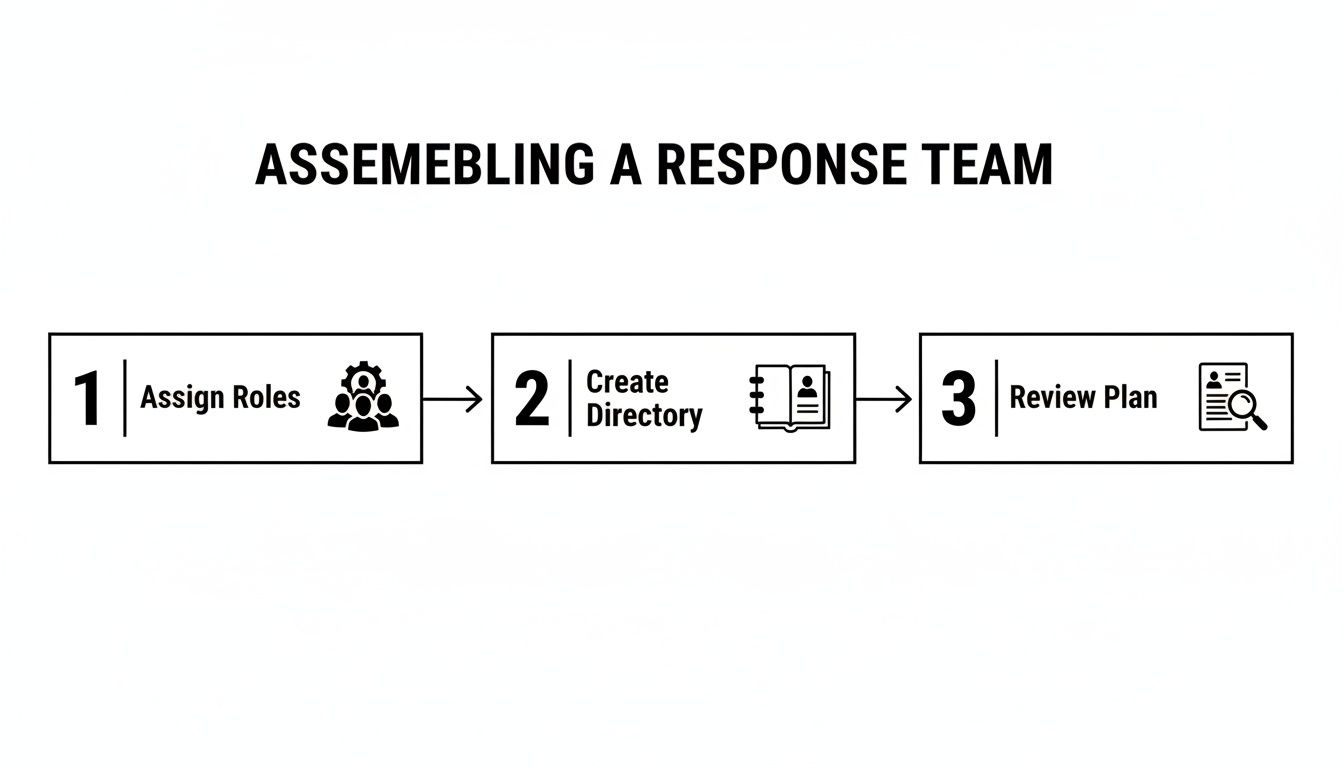
As you can see, readiness isn't a one-and-done setup. It’s a continuous cycle of assigning roles, keeping contact info current, and regularly reviewing the plan together.
Your Next Step: Jump into the downloadable template and fill out the "Critical Data Assets" section. List your most vital information, where it lives, and who owns it. This one exercise is a massive step toward real preparation.
Phase 2: Detection and Analysis
This is where the clock starts ticking. The detection and analysis phase kicks off the moment a potential incident is spotted. The goals here are to quickly confirm if a breach has actually occurred, figure out its scope, and get an initial read on the impact. Speed and accuracy are your best friends here.
Let me give you a real-world scenario. An employee at a local professional services firm notices their computer is crawling and files are taking forever to open. Because the company has a basic response plan, they don't just brush it off. They know exactly who to call—their designated Technical Lead.
The Technical Lead then starts digging using monitoring tools. They’re looking for red flags like:
- Unusual outbound network traffic: Is a workstation suddenly sending tons of data to an unknown server overseas?
- Anomalous user account activity: Are there login attempts from strange locations or at 3 a.m.?
- Antivirus or firewall alerts: Have your security systems flagged malicious activity that needs a closer look?
This initial analysis helps nail down the nature of the threat. Is it a ransomware attack encrypting files as we speak? A phishing attempt that snagged an email password? Something else entirely? A proper analysis keeps you from making a bad situation worse, like shutting down a server that isn't even affected.
Your Next Step: Pull up the "Incident Triage Checklist" in your template. It provides a clear set of questions your team can run through to analyze a potential threat and determine how serious it is.
Phase 3: Containment, Eradication, and Recovery
Once you've confirmed a breach, the immediate priority is to stop the bleeding. This is the Containment phase. Think of it like slamming the fire doors shut in a burning building—you need to isolate the problem to the smallest possible area, fast.
This is all about concrete actions. It could mean:
- Disconnecting an infected workstation from the network immediately.
- Disabling a compromised user account to boot the attacker out.
- Segmenting the network to stop malware from hopping from one server to another.
Once the threat is boxed in, the focus shifts to Eradication—getting the threat completely out of your environment. This means eliminating the malware, patching the vulnerability that let the attacker in, and triple-checking that they didn't leave any backdoors behind. Just restoring a file from a backup without removing the root cause is asking to get hit again.
Finally, Recovery is the process of bringing systems and data back to normal. This is where having clean, tested backups becomes a business saver. It's not just about restoring files; it's about validating that those restored systems are secure and fully functional before you bring them back online. Effective recovery also means building in strategies to prevent future incidents, a topic we dive into in our guide on how to prevent data loss.
Phase 4: Post-Incident Activity
Believe me, the work isn't over just because your systems are back online. This final phase, often called "lessons learned," is what separates businesses that merely survive from those that become more resilient. It’s about digging into what happened, why it happened, and how you can stop it from ever happening again.
Holding a post-incident review meeting within a week or so is non-negotiable. This isn't about pointing fingers. It’s a candid, blame-free discussion to answer a few key questions:
- What did we do right in our response?
- Where did our plan or our tools fall short?
- What could have helped us respond faster or more effectively?
- How can we update our data breach response plan template based on this experience?
The answers become your action plan for improvement. Maybe you realize you need better employee training on spotting phishing emails. Perhaps it's time to invest in more advanced endpoint protection. This continuous improvement loop is what turns a painful experience into a stronger defense.
This entire four-phase process is more critical than ever, with SMBs being prime targets for cybercrime. For our clients across Western PA and Eastern OH, having a structured response plan that ties together their helpdesk, firewalls, and employee training is the only way to effectively contain breaches in this high-risk climate.
Your Next Step: Schedule a "lessons learned" meeting on your calendar right now. If you don't have a recent incident to review, use the time to run a tabletop exercise. Walk through a hypothetical breach scenario using your plan. This practice run will uncover gaps you can fix before a real attacker does it for you.
Step 3: Managing Communications During a Crisis
How you handle communication during a data breach can make or break your recovery. It’s the difference between rebuilding trust and watching it evaporate in real-time. In those first chaotic hours after an incident, a clear, calm communications strategy is every bit as critical as the technical fixes your IT team is scrambling to implement.
Get it wrong, and you create an information vacuum. Employees start whispering, customers hear conflicting stories online, and your vendors get skittish. A solid plan, on the other hand, lets you control the narrative with honesty and confidence. It's a core piece of any practical data breach response plan template, turning a moment of crisis into a chance to show real leadership.