Email serves as the operational backbone for most businesses, yet it remains the primary attack vector for cybercriminals. For small and midsize businesses, this vulnerability is particularly acute. Threats like ransomware, business email compromise (BEC), and increasingly sophisticated phishing attacks powered by AI have made a reactive security posture dangerously inadequate. Protecting your organization’s cloud-based data, finances, and reputation demands a proactive, multi-layered cybersecurity strategy that fortifies this essential communication tool. A casual approach to email security is an open invitation to threat actors seeking to exploit your most valuable assets.
This guide moves beyond generic advice to provide a comprehensive roundup of the 10 most critical email security best practices your SMB must implement. We will detail the specific technical controls and strategic policies that form a robust defense, transforming your email from a significant liability into a secure and resilient cloud solution. Readers will gain actionable insights into crucial technologies like DMARC and AI-driven threat protection, understand the non-negotiable role of user training, and learn how to harden their email infrastructure against modern threats.
From implementing Multi-Factor Authentication (MFA) to deploying Data Loss Prevention (DLP) policies, each practice is broken down into practical, digestible steps. We will cover the setup and maintenance of vital protocols like SPF and DKIM, the necessity of both transport and end-to-end encryption, and the value of regular phishing simulations. Following these guidelines will provide a clear roadmap for securing your digital communications and significantly reducing your cybersecurity risk profile.
1. Multi-Factor Authentication (MFA)
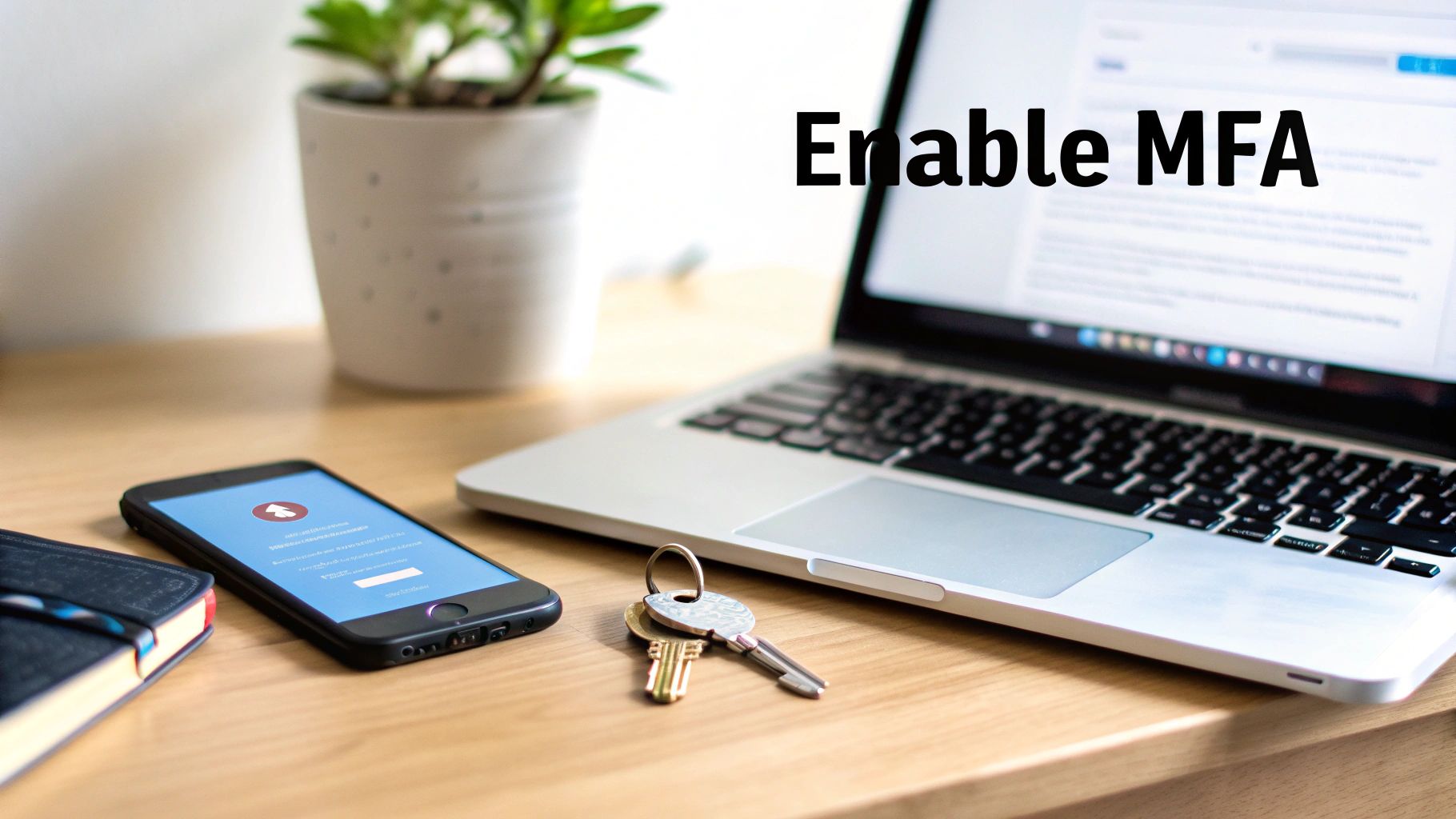
Multi-Factor Authentication (MFA) is your first and most critical line of defense against unauthorized account access, especially for cloud services. It moves beyond a simple password-only system by requiring users to provide two or more verification factors to gain access to their email. This layered approach means that even if a threat actor steals a password, they cannot access the account without the additional factor. This is an indispensable element of modern email security best practices for any small to midsize business.
The core principle of MFA combines different types of credentials: something you know (like a password), something you have (like a mobile phone app or a hardware token), and something you are (like a fingerprint or facial scan). For SMBs relying on cloud platforms, implementing MFA is one of the single most effective steps to significantly reduce the risk of a breach.

How to Implement MFA Effectively
Implementing MFA doesn't have to be a major disruption. Leading cloud solutions like Microsoft 365 and Google Workspace have robust, built-in MFA capabilities that can be configured to balance security and user convenience.
- Start with a Phased Rollout: Begin with app-based authenticators (like Google Authenticator or Microsoft Authenticator), which are more secure than SMS-based codes. You can later introduce more advanced options like physical security keys (e.g., YubiKey) for high-privilege accounts.
- Establish Clear Policies: Create and distribute a clear policy explaining why MFA is being implemented and how it works. Provide users with backup codes and establish a straightforward process for recovery if they lose their primary authentication device.
- Leverage Conditional Access: For platforms that support it, like Microsoft 365, use Conditional Access policies. This AI-driven feature allows you to create risk-based MFA rules. For example, you can require MFA only when a user logs in from an unfamiliar network or a new device, reducing friction for employees.
- Educate and Train: Teach your team to be vigilant against MFA fatigue attacks, where an attacker repeatedly sends push notifications hoping the user will accidentally approve one. User awareness is a key component of any successful MFA deployment.
2. DMARC (Domain-based Message Authentication, Reporting & Conformance)
DMARC is an essential email authentication protocol that prevents cybercriminals from spoofing your business domain, a common tactic in phishing and business email compromise (BEC) attacks. It acts as a policy layer on top of two other authentication standards, SPF (Sender Policy Framework) and DKIM (DomainKeys Identified Mail), telling receiving mail servers what to do with emails that fail these checks. By implementing DMARC, you take control of your domain's reputation and protect your brand, partners, and customers from fraudulent emails originating from any cloud service.
The protocol works by aligning SPF and DKIM results, ensuring that the domain in the "From:" address that users see is the same domain that is authenticated. This alignment is critical because it closes a loophole that attackers exploit. DMARC is not just a technical control; it's a statement of email authenticity that major cloud email providers like Google rely on to prevent impersonation, making it one of the most vital email security best practices for any business.
How to Implement DMARC Effectively
Proper DMARC implementation is a gradual process that requires careful monitoring to avoid disrupting legitimate email communications. The goal is to move from a monitoring-only policy to a full enforcement policy that blocks unauthorized emails.
- Start with a Monitoring Policy: Begin by publishing a DMARC record with a
p=nonepolicy. This setting will not affect your email delivery but will allow you to receive reports on all email traffic claiming to be from your domain, including legitimate and fraudulent sources. - Analyze DMARC Reports: Use the reports to identify all legitimate cloud services sending email on your behalf (e.g., marketing platforms, CRM systems, HR software). You must then ensure each of these services is properly configured with SPF and DKIM so they pass authentication checks.
- Gradually Increase Enforcement: Once you are confident that all authorized senders are aligned, you can move to a
p=quarantinepolicy, which sends unauthenticated emails to the recipient's spam folder. After further monitoring, you can advance to ap=rejectpolicy, which instructs receiving servers to block unauthorized emails outright. - Continuously Monitor and Refine: DMARC is not a "set it and forget it" solution. Regularly review your reports to catch new sending services or potential spoofing attempts. To ensure your DMARC records are correctly implemented and actively protecting your domain, consider using a reliable DMARC checker to validate your configuration.
3. Email Encryption (End-to-End & Transport)
Email Encryption is a fundamental process that converts your message content and attachments into an unreadable, scrambled format, protecting them from interception and unauthorized access. This practice is essential for safeguarding sensitive information, both while it's traveling across the internet (in transit) and while it's stored on a cloud server (at rest). Implementing robust encryption is a core component of any serious email security best practices strategy, ensuring that private communications remain private.
There are two primary forms of email encryption. Transport Layer Security (TLS) encrypts the connection between email servers, like a secure tunnel, protecting the message from eavesdropping as it moves from sender to recipient. End-to-End Encryption (E2EE) goes further, encrypting the message on the sender's device and ensuring it can only be decrypted by the intended recipient. This means even the cloud email service providers cannot read the content. For businesses handling sensitive data like PII, financial records, or intellectual property, combining both methods is crucial.
How to Implement Email Encryption Effectively
Modern cloud platforms have made implementing encryption more accessible for small and midsize businesses. Cloud solutions like Microsoft 365 Message Encryption and add-ins like Virtru for Google Workspace provide user-friendly ways to secure communications without complex workflows.
- Configure Opportunistic TLS: Ensure your email server is configured to use modern TLS (version 1.2 or higher) by default. This encrypts the vast majority of your email traffic automatically as it travels between servers that support it.
- Deploy an E2EE Solution for Sensitive Data: For communications requiring the highest level of confidentiality, use a dedicated encryption tool. This can be integrated directly into Outlook or Gmail, allowing users to encrypt specific messages with a single click.
- Establish Clear Encryption Policies: Define what types of information must always be encrypted, such as financial data, client records, or health information. Use data loss prevention (DLP) rules to automatically apply encryption to emails containing keywords or patterns that match this sensitive data.
- Train Your Team: Educate employees on when and how to use encryption. Provide simple instructions for sending and receiving encrypted messages, including how external recipients can access them. Regular training ensures that this critical security control is used correctly and consistently.
4. Advanced Threat Protection (ATP) & Sandboxing
Advanced Threat Protection (ATP) solutions go beyond traditional antivirus and spam filters, using artificial intelligence and machine learning to proactively identify and neutralize sophisticated threats. These systems are essential for defending against zero-day malware, ransomware, and targeted phishing attacks that standard security might miss. A core component of ATP is sandboxing, which automatically isolates and executes suspicious attachments or links in a secure, virtual cloud environment to analyze their behavior before they can reach an employee's inbox. This proactive, AI-driven analysis is a cornerstone of modern email security best practices.

How to Implement ATP Effectively
Deploying an ATP cloud solution like Microsoft Defender for Office 365 or Mimecast provides a dynamic shield against emerging cyber threats. Proper configuration is key to maximizing its protective capabilities without disrupting business workflow.
- Layer with Gateway Filtering: Use ATP as a specialized layer of defense in conjunction with your existing secure email gateway. This creates a multi-layered cybersecurity posture where the gateway handles known threats, allowing the AI-powered ATP system to focus its resources on unknown and sophisticated attacks.
- Configure "Safe Links" and "Safe Attachments": Actively configure policies to rewrite URLs and scan links in real-time when a user clicks them. For attachments, set up the dynamic delivery or sandboxing policy to analyze files for malicious code. This prevents users from inadvertently accessing weaponized documents or malicious sites.
- Integrate with Endpoint Protection: Connect your ATP solution to your Endpoint Detection and Response (EDR) platform. This integration allows for a coordinated response; if a threat is detected in an email, the EDR can automatically isolate the affected endpoint to prevent the malware from spreading across your network.
- Review Threat Reports Regularly: Don't just "set it and forget it." Regularly analyze the threat intelligence reports generated by your ATP service. These reports provide valuable insights into the types of attacks targeting your organization, helping you fine-tune your security policies and focus user training efforts. You can explore more about comprehensive cybersecurity solutions for businesses that incorporate these advanced tools.

5. Data Loss Prevention (DLP) Policies
While many cybersecurity measures focus on preventing threats from entering your network, Data Loss Prevention (DLP) policies act as an essential outbound control. DLP is a set of tools and processes designed to automatically identify, monitor, and prevent sensitive data from leaving your organization via unauthorized email channels. This technology, often integrated into cloud solutions, is a cornerstone of modern email security best practices, protecting you from accidental leaks and intentional data theft.
The core function of DLP is to understand your data. It uses advanced techniques, often enhanced by AI, like pattern matching and content fingerprinting to detect regulated or confidential information. This includes Social Security numbers, credit card details, patient health information (PHI), or proprietary intellectual property. For any small to midsize business handling sensitive customer or internal data, implementing DLP is a critical step toward reducing risk and maintaining regulatory compliance.
How to Implement DLP Effectively
An effective DLP strategy is not just about blocking emails; it's about creating an intelligent, automated system that protects data without crippling business operations. Cloud platforms like Microsoft 365 offer powerful, built-in DLP capabilities that can be finely tuned to meet your specific security and compliance needs.
- Start in Monitor-Only Mode: Begin by deploying your DLP rules in an audit or "monitor-only" mode. This allows you to collect data on how information flows and identify potential false positives without disrupting employees. It provides the baseline needed to refine your policies before you start enforcing them.
- Create Graduated Responses: Not every violation requires blocking an email. Configure your policies to apply graduated responses based on the severity of the incident. This could include a simple warning pop-up for users, forcing an email to be encrypted, quarantining it for manager review, or blocking it outright.
- Leverage Pre-Built Templates: Modern cloud solutions, such as those in Microsoft Purview, provide pre-configured templates for regulations like HIPAA, GDPR, and PCI-DSS. Using these templates as a starting point saves significant time and ensures you are meeting specific compliance mandates from day one.
- Establish Exception Workflows: No policy is perfect. Create a clear and efficient process for employees to request exceptions or report false positives. This ensures that legitimate business communications are not permanently blocked and helps you continuously improve the accuracy of your DLP rules.
6. SPF (Sender Policy Framework)
Sender Policy Framework (SPF) is a foundational email authentication protocol that prevents spammers from sending messages on behalf of your domain. It works by creating a special DNS record that lists all the servers authorized to send email from your domain. When an inbound mail server receives an email, it checks the SPF record of the sending domain to verify the message came from an approved server, significantly reducing the risk of your domain being used in phishing and spoofing attacks.
This verification process is a critical component of modern email security best practices. By defining a clear, public list of authorized senders, SPF allows receiving email systems to confidently reject fraudulent messages that falsely claim to be from your organization. For small and midsize businesses utilizing various cloud services to send mail, a correctly configured SPF record is a simple yet powerful step toward protecting your brand reputation and securing your email communications.
How to Implement SPF Effectively
Setting up an SPF record involves publishing a TXT record in your domain's DNS settings. While the concept is straightforward, precise configuration is essential for it to function correctly and avoid deliverability issues for legitimate emails.
- Audit All Sending Sources: Before creating your record, you must identify every single service that sends email on your behalf. This includes your primary cloud email platform (like Microsoft 365), marketing automation tools (like Mailchimp), and any other third-party applications.
- Construct Your SPF Record Carefully: Your record must start with
v=spf1. Useinclude:mechanisms to add third-party senders (e.g.,include:spf.protection.outlook.comfor Microsoft 365). Be mindful of the 10 DNS lookup limit; too manyincludestatements can cause validation errors. - Choose the Right Enforcement Policy: End your record with a policy flag.
~all(SoftFail) suggests that unverified mail should be marked as suspicious but possibly accepted.-all(Fail) instructs receiving servers to reject any mail that doesn't match your authorized sources. Starting with~alland moving to-allafter a period of monitoring is a safe approach. - Validate and Monitor: Use online SPF validation tools to check your record's syntax and ensure it's working as expected. Regularly review your sending services and update your SPF record if you add or remove a third-party email provider to maintain its accuracy and effectiveness.
7. User Security Awareness Training
While technical cybersecurity controls are essential, your employees represent the last line of defense against email-borne threats. User security awareness training transforms this potential vulnerability into a powerful security asset. It is a continuous program designed to educate your team on how to identify, avoid, and report sophisticated threats like phishing, spear phishing, and AI-generated social engineering attacks. This training is a cornerstone of any comprehensive email security best practices framework.
The goal is to cultivate a security-first culture where every employee understands their role in protecting the organization’s data. By combining regular, engaging training modules with simulated phishing campaigns, businesses can significantly reduce the human error element that cybercriminals so often exploit. Leading cloud-based training solutions have pioneered this approach, proving its effectiveness in lowering click-rates on malicious links.

How to Implement User Training Effectively
An effective training program is not a one-time event but an ongoing, iterative process. It should be engaging, relevant, and reinforced with practical exercises to ensure the lessons stick.
- Start with a Baseline: Before launching any training, conduct a baseline phishing test to gauge your team's current vulnerability. This provides a clear metric to measure improvement and demonstrate the program's ROI.
- Make Training Regular and Relevant: Schedule monthly or quarterly simulated phishing campaigns using real-world examples, including AI-generated content. For employees who click a simulated malicious link, provide immediate, point-of-failure micro-learning that explains the red flags they missed. Learn more about phishing attack prevention for small businesses.
- Customize Content: Tailor training to different roles. Your finance department faces different threats than your marketing team. For instance, focus on business email compromise (BEC) and wire transfer fraud for finance, and credential harvesting for roles with access to social media accounts.
- Foster a Positive Security Culture: Reward secure behavior and avoid punitive measures for failed simulations, which can discourage reporting. To ensure your program is as effective as possible, consider incorporating actionable compliance training best practices to boost engagement and create a proactive security environment.
8. Email Filtering & Spam Protection
Email filtering and spam protection act as your digital gatekeeper, automatically identifying and blocking malicious or unwanted emails before they ever reach an employee’s inbox. Modern cloud filtering solutions use a sophisticated combination of rule-based engines, machine learning, and behavioral analysis to detect threats. They scrutinize everything from sender reputation and email content to embedded links and attachments, forming a crucial defensive layer in your email security best practices.
The primary goal is to stop threats like phishing, malware, and ransomware at the network edge. For small and midsize businesses, a robust filtering system significantly reduces the daily noise of junk mail and, more importantly, neutralizes a primary attack vector used by cybercriminals. By quarantining suspicious messages, you empower your team to focus on legitimate communications without the constant threat of a malicious click.
How to Implement Email Filtering Effectively
Effective email filtering goes beyond the default settings offered by your cloud email provider. Platforms like Barracuda, Proofpoint, and Fortinet offer advanced capabilities that require strategic configuration to maximize protection without disrupting business operations.
- Implement a Layered Approach: Don't rely on a single filtering method. Combine sender reputation analysis, content scanning, and attachment sandboxing. This multi-layered defense ensures that if one technique fails to catch a threat, another is there to back it up.
- Configure and Monitor Quarantines: A filter that is too aggressive can block legitimate emails. Regularly review the quarantine digest to release valid messages (false positives) and fine-tune the filter's sensitivity. This prevents critical communications from being lost.
- Whitelist Trusted Partners: To ensure uninterrupted communication with essential vendors, clients, and partners, maintain a whitelist of approved senders and domains. This tells your filter to always allow emails from these sources, avoiding unnecessary delays.
- Leverage AI-Powered Threat Intelligence: Modern security gateways are powered by global threat intelligence networks that provide real-time updates on new phishing campaigns and malware signatures. Ensure your cloud solution’s AI-driven threat feeds are always enabled and up to date.
9. DKIM (DomainKeys Identified Mail)
DKIM (DomainKeys Identified Mail) provides a critical layer of message integrity, acting as a digital tamper-proof seal for your emails. It uses public-key cryptography to add a unique digital signature to the headers of every outgoing message. Receiving servers can then use a public key published in your domain's DNS records to verify that the email genuinely originated from your domain and that its content has not been altered since it was sent. This is an essential email security best practice for preventing sophisticated email spoofing and man-in-the-middle attacks.
The core function of DKIM is to build trust and prove authenticity. When a threat actor attempts to impersonate your domain or modify an email, the DKIM signature check will fail. This failure signals to the recipient's email server that the message is fraudulent, dramatically increasing the chances it will be blocked. Major cloud platforms like Google Workspace and Microsoft 365 rely heavily on DKIM to validate incoming mail.
How to Implement DKIM Effectively
Properly configuring DKIM is a technical but necessary step to secure your organization's email reputation. It works hand-in-hand with SPF and DMARC to create a comprehensive authentication framework.
- Generate Strong Cryptographic Keys: Start by generating a strong key pair. While RSA-1024 is the minimum, it is outdated; use at least an RSA-2048 bit key. The public part of this key will be published in your domain's DNS as a TXT record.
- Utilize Selectors for Key Management: Use DKIM selectors, which are unique identifiers within your DNS record. This allows you to have multiple DKIM keys for different cloud services or for key rotation purposes without disrupting email flow.
- Establish a Key Rotation Policy: Do not treat your DKIM keys as a "set it and forget it" configuration. Plan to rotate your keys at least annually or immediately if you suspect a key has been compromised. This limits the window of opportunity for attackers who might have captured an old key.
- Sign All Outbound Mail: Ensure that your cloud email provider is configured to apply the DKIM signature to all legitimate outbound messages. This includes mail sent from automated applications, marketing platforms, and third-party services that send on your behalf.
- Monitor and Test: Use DKIM validator tools to regularly test your configuration. Pay close attention to DMARC reports, as they provide valuable feedback on which messages are failing DKIM checks, helping you identify misconfigurations or unauthorized sending sources.
10. Email Server Configuration Hardening
Beyond user-facing controls, securing the core email server infrastructure is a fundamental email security best practice. Email server hardening involves meticulously configuring your mail server—whether it’s on-premises or a cloud solution—to minimize its attack surface. This process locks down protocols, strengthens encryption, and establishes strict access controls, transforming the server from a potential vulnerability into a fortified bastion against threats.
The goal of hardening is to eliminate cybersecurity weaknesses before they can be exploited. This means moving beyond default settings to create a highly resilient environment. For a small or midsize business, a hardened cloud or on-premise server is critical for preventing unauthorized relays, data interception, and server-level compromises that could bring communications to a halt.
How to Implement Email Server Hardening
Effective hardening requires a systematic approach to reviewing and securing every component of your mail infrastructure. Even when using cloud services like Microsoft 365 or Google Workspace, it is crucial to review and optimize the security settings they provide.
- Enforce Strong Encryption: Disable outdated protocols and ciphers. Mandate the use of TLS 1.2 or higher for all SMTP, IMAP, and POP3 connections to ensure data is encrypted in transit. Utilize strong cipher suites to protect against cryptographic attacks.
- Keep Systems Patched and Updated: Regularly apply security patches to the mail server software, underlying operating system, and all related applications. A consistent patch management strategy is non-negotiable for closing known security holes. For a deeper dive, learn more about the essentials of patch management.
- Implement Rate Limiting and Filtering: Configure rate limits on incoming connections and message submissions to prevent denial-of-service (DoS) attacks and brute-force attempts. Use IP reputation filtering to block connections from known malicious sources before they can interact with your server.
- Enable Comprehensive Logging and Monitoring: Activate detailed logging for all server activities, including connections, authentications, and mail transactions. Regularly monitor these logs for suspicious patterns, such as repeated failed login attempts or unusual outbound mail flow, which could indicate a compromise.
Top 10 Email Security Practices Comparison
| Technology / Control | Implementation complexity | Resource requirements | Expected outcomes | Ideal use cases | Key advantages |
|---|---|---|---|---|---|
| Multi-Factor Authentication (MFA) | Moderate — enrollment and integration effort | Auth servers, user devices, helpdesk support | Dramatic reduction in account compromise | Protect user/admin logins, remote access | Blocks credential theft, supports adaptive access |
| DMARC (Domain-based Message Authentication, Reporting & Conformance) | Moderate–High — requires SPF/DKIM alignment and testing | DNS control, reporting tools, analysis time | Reduced domain spoofing; better deliverability | Brand protection, outbound email verification | Policy enforcement and reporting for domain trust |
| Email Encryption (End-to-End & Transport) | High — PKI, client compatibility, key management | Key management system, compatible clients, admin overhead | Confidential messages; regulatory compliance | Transmitting financial, medical, legal data | Ensures confidentiality and message integrity |
| Advanced Threat Protection (ATP) & Sandboxing | High — deployment, tuning, integrations | Significant compute, licensing, security analysts | Detects/blocks zero-days and advanced malware | Large enterprises, targeted-attack risk profiles | Behavioral analysis, sandbox detonation, threat intel |
| Data Loss Prevention (DLP) Policies | High — policy design and continual tuning | DLP platform, content scanners, admin resources | Prevents sensitive data exfiltration; audit trails | Regulated industries, IP protection, compliance | Automated data controls and compliance enforcement |
| SPF (Sender Policy Framework) | Low — create and publish DNS TXT record | DNS access and basic admin knowledge | Limits spoofing from unauthorized servers | Any organization sending email | Simple, free, widely supported anti-spoofing |
| User Security Awareness Training | Low–Moderate — program setup and upkeep | Training platform, time for employees, recurring effort | Reduced phishing susceptibility; better reporting | All organizations to address human risk | Cost‑effective, improves security culture and habits |
| Email Filtering & Spam Protection | Low–Moderate — deploy and tune filters | Appliance/service subscription, threat feeds | High spam/malware blocking; cleaner inboxes | All organizations to reduce noise and threats | High blocking rates, continuous learning from data |
| DKIM (DomainKeys Identified Mail) | Low–Moderate — key generation and DNS publishing | DNS access, mail server signing capability | Verifies message integrity and origin | Domains that send email and use DMARC | Cryptographic signatures; improves deliverability |
| Email Server Configuration Hardening | High — technical expertise and careful testing | Skilled admins, monitoring, patch management | Reduced vulnerabilities and unauthorized relaying | Organizations managing on‑prem mail servers | Strong baseline security; reduces attack surface |
Bringing It All Together: Partnering for Proactive Email Security
Navigating the landscape of modern digital communication can feel like traversing a minefield. As we've detailed, email remains the primary vector for cyberattacks, making a robust defense not just a good idea, but an absolute necessity for survival and growth for any SMB. Throughout this guide, we have explored the ten essential pillars that form a comprehensive email security strategy, moving from foundational technical controls to the critical human element.
Mastering these email security best practices creates a formidable, multi-layered shield around your organization's most valuable asset: its data. Think of it as a series of interconnected security gates. A phishing email might slip past your initial spam filter, but an AI-driven Advanced Threat Protection solution can detonate its malicious link in a safe cloud sandbox. An attacker might guess a user's password, but Multi-Factor Authentication (MFA) will stop them in their tracks. This layered cybersecurity approach ensures that a single point of failure does not lead to a catastrophic breach.
From Theory to Action: Your Security Posture Blueprint
The journey from understanding these concepts to implementing them effectively requires precision and expertise. Let's recap the core takeaways that form your action plan:
- Authentication is Non-Negotiable: Implementing SPF, DKIM, and DMARC is the modern standard for proving your emails are legitimate and preventing spoofing of your domain. This isn't just a technical task; it's an act of protecting your brand's reputation in the cloud.
- The Human Firewall is Your Best Asset: Technology alone is not enough. Continuous, engaging security awareness training and realistic phishing simulations transform your employees from potential liabilities into your most vigilant line of defense against AI-powered threats.
- Proactive Defense Beats Reactive Recovery: Tools like Advanced Threat Protection (ATP) and Data Loss Prevention (DLP) are about looking ahead. They are designed to identify and neutralize threats before they can cause harm and to prevent sensitive data from leaving your network.
- Encryption is the Standard: In an era of constant data transit, encrypting emails both in transit and at rest in the cloud is a fundamental requirement for protecting sensitive information and meeting compliance mandates.
Embracing these principles moves your organization from a passive, reactive stance to a proactive, resilient security posture. It's the difference between hoping a breach doesn't happen and having the confidence that you have taken every reasonable step to prevent one. For small and midsize businesses, this proactive approach is crucial for building trust with clients and partners in a competitive market.
The Challenge for SMBs: Bridging the Expertise Gap
Implementing these ten email security best practices is a complex, ongoing commitment. It’s not a one-time setup. DMARC policies need to be monitored. AI-powered ATP systems require constant tuning to keep pace with evolving threats. User training programs must be managed and updated to remain effective. For most small and midsize businesses, dedicating the necessary internal resources and maintaining the required level of specialized cybersecurity expertise is simply not feasible.
This is where a strategic partnership becomes a powerful force multiplier. Entrusting your email security to a dedicated managed service provider (MSP) allows you to leverage enterprise-grade expertise and cloud solutions without the prohibitive cost of building an in-house security team. A true partner doesn't just install software; they provide vCIO-level guidance, align your technology with your business goals, and ensure your cybersecurity strategy evolves with the threat landscape.
This partnership transforms email security from a burdensome cost center into a strategic asset that enables your business to operate with confidence, security, and peace of mind.
Ready to fortify your defenses with a proactive, expert-led approach? The team at Eagle Point Technology Solutions specializes in implementing and managing comprehensive email security and cloud solutions for small to midsize businesses. Visit us at Eagle Point Technology Solutions to learn how we can build a resilient security posture for your organization, allowing you to focus on what you do best.