Let’s talk about IT disaster recovery planning. What is it, really? It’s about creating a documented, real-world strategy to get your essential technology and business operations back online after something goes wrong, with a strong focus on cyber threats and cloud-based systems.
For a small or midsize business, this isn't some theoretical exercise. It’s a clear, actionable playbook for recovering from everything from a cloud service outage to a full-blown cyberattack. This isn't just an "IT thing"—it's a core part of keeping your business alive and resilient in a digital world.
Why Your Business Needs a Real Recovery Plan

Many business owners think of disaster recovery as something for giant corporations dealing with hurricanes or floods. But for modern SMBs, the biggest threats are digital, and they can hit you at any moment. Your plan isn't about surviving a natural disaster anymore; it’s about withstanding a sophisticated cyberattack or a sudden cloud service outage that takes your whole operation offline.
A dusty binder on a shelf just won’t cut it. An effective IT disaster recovery planning process creates a living document—a true playbook your team can actually execute under immense pressure. It moves beyond abstract ideas and gives you practical, step-by-step guidance for situations you’re likely to face, especially those involving cybersecurity incidents and cloud infrastructure failures.
Moving Beyond Simple Backups
One of the biggest misconceptions is confusing data backups with a full disaster recovery plan. Backups are absolutely critical, but they're just one piece of a much larger puzzle. A real recovery plan, especially one geared towards cloud solutions and cyber resilience, has to address the entire operational picture.
Think about it. Ask yourself these questions:
- Speed: How fast can you actually restore that data from the cloud? And more importantly, how quickly can you get the applications that use that data back online?
- Dependencies: What needs to come back first? Bringing up your file server is great, but if your accounting software relies on three other cloud services that are still down, you're not really back in business.
- Communication: Who needs to know what's happening and when? This includes your employees, your clients, and even your cloud vendors.
- Security: How do you make sure your recovery process doesn't just re-introduce the same security vulnerability that caused the disaster in the first place?
Answering these requires a lot more than just a backup drive; it demands a strategy rooted in modern cybersecurity principles.
The Modern Threat to SMBs
Today, the most significant risk for most businesses is a cyberattack. Ransomware, for example, doesn't just steal your data—it paralyzes your entire company. Imagine a SaaS company getting hit, locking out all its users, or a logistics firm being taken down right before a major shipping deadline. The financial and reputational damage can be devastating. In fact, some data shows that over 40% of businesses never manage to reopen after a major data loss event.
A proactive recovery plan is your business's insurance policy against modern threats. It’s the difference between a minor disruption and a catastrophic failure that puts your company’s future at risk.
This is exactly why building genuine business resilience is non-negotiable. One of the most common threats today is ransomware, and if you want to take a deeper dive, you can learn more about cybersecurity and ransomware protection for small businesses.
For now, this guide will walk you through building a practical, actionable playbook to get you started.
Defining What Matters Most to Your Business
Before you can even think about building a recovery plan, you have to know exactly what you're protecting. I've seen too many businesses grab a generic template off the internet, and frankly, it's a recipe for failure. Your plan needs to be built around what makes your business tick, not some one-size-fits-all checklist.
The real work—the foundational stuff—starts with getting brutally honest about your operations, risks, and priorities. This isn't just an IT exercise; it's a business strategy session. We'll break it down into three key activities: scoping your critical assets, assessing your risks, and running a business impact analysis. Nail these, and you'll have the clarity to focus your time and money where they'll actually make a difference.
Scoping Your Mission-Critical Assets
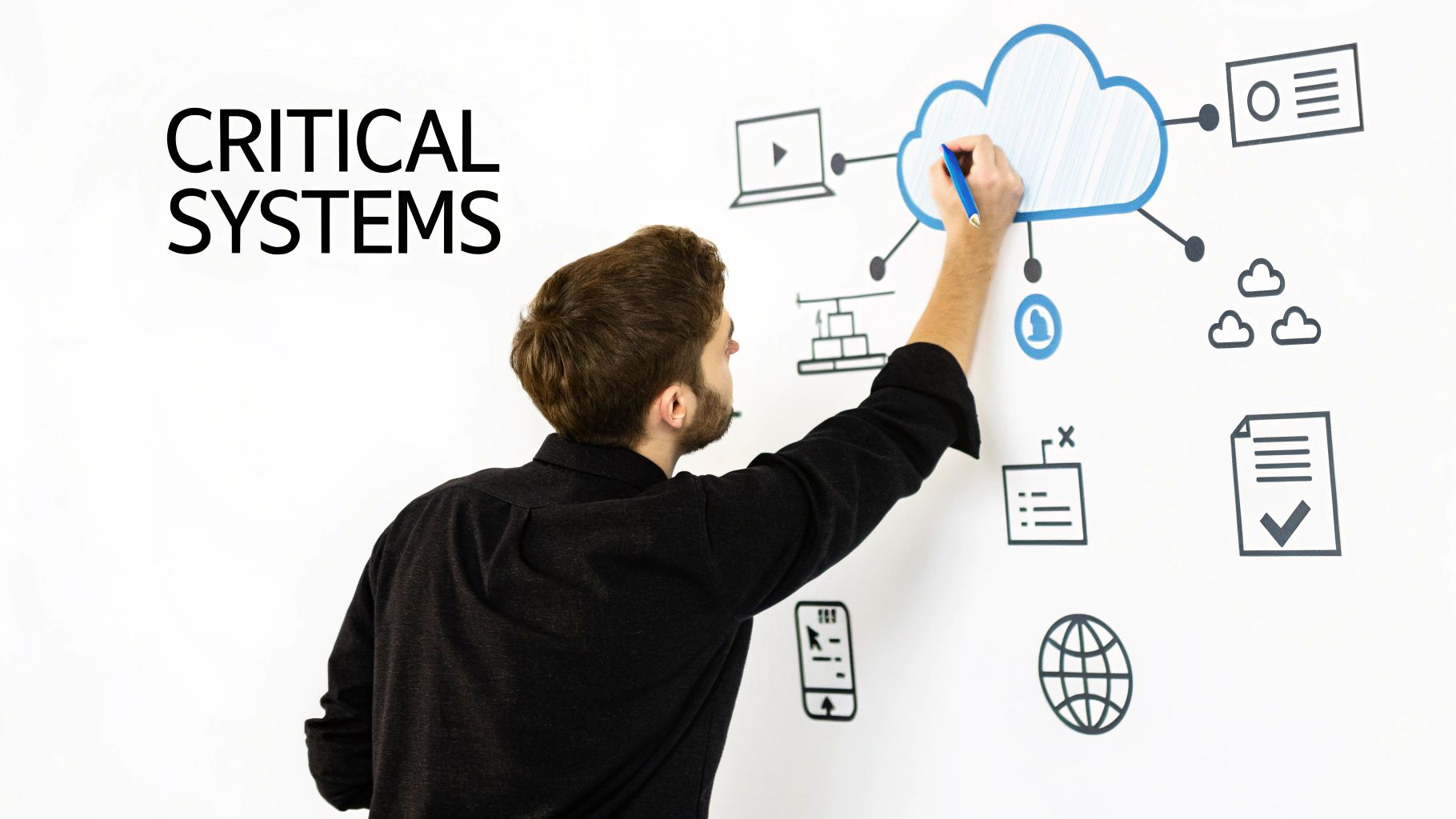
First things first: what absolutely, positively cannot go down? You need to make a list of the specific systems, applications, and data—whether on-premise or in the cloud—that would bring your business to a grinding halt.
Think about the domino effect. What piece of tech, if it vanished, would cause chaos?
- Cloud Services & SaaS: Is it your Salesforce CRM? Your Office 365 environment? The cloud-hosted ERP system that runs your operations?
- Customer-Facing Platforms: Your e-commerce site? The point-of-sale system in your shop? The VoIP phones your sales team lives on?
- The Data Itself: Pinpoint the databases and cloud storage buckets that are your crown jewels—customer records, financial data, or your secret sauce intellectual property.
This isn't just busywork. You're creating a prioritized inventory. It helps you get past the vague panic of "the network is down" and into a concrete, actionable list of assets that need to be protected. This kind of clarity is a cornerstone of broader business continuity principles that keep you resilient no matter what happens.
Conducting a Practical Risk Assessment
Okay, you've got your list of critical assets. Now, what are the likely villains in your story? A risk assessment for an SMB needs to be a practical, real-world look at what could actually happen to your business.
For a marketing agency that is fully cloud-native, the biggest boogeyman is a ransomware attack that encrypts their cloud storage and SaaS data. Total nightmare. But for a hybrid manufacturing client, they're more worried about a critical hardware failure on the factory floor combined with a loss of connectivity to their cloud management tools. The context is everything.
Your risk assessment should directly inform your recovery priorities. By matching specific cyber and cloud-related threats to your most critical systems, you can build a plan that addresses your company's most probable and impactful disaster scenarios.
This process also forces you to keep your plan current. A shocking 77% of organizations reported that it took them longer to recover from cyberattacks last year, mostly because their plans were gathering dust, according to the 2025 IT Disaster & Cyber Recovery Trends Report by Cutover. Threats change, and your plan has to change with them.
Performing a Business Impact Analysis
This last piece of the puzzle, the Business Impact Analysis (BIA), is where you connect the tech to the money. The goal here is to put a real dollar amount on downtime for each of your critical systems, especially your cloud services. This is how you get buy-in from the non-tech folks.
For every single asset on your mission-critical list, you need to ask some tough questions:
- Financial Impact: How much revenue are we losing for every single hour this cloud application is down? Are we going to get hit with contractual penalties or fines?
- Operational Impact: Which specific business processes just stop? Can our team actually do their jobs, or are they sitting on their hands?
- Reputational Impact: How badly does this damage customer trust? Will a cyber breach or major outage make us look incompetent?
By putting a price tag on an outage, the BIA turns a technical problem into a clear-cut business risk. It transforms the conversation from "we need a new server" to "this cloud backup solution will prevent a potential $50,000 loss per day." This analysis is the bedrock for everything that comes next.
Once you have a crystal-clear picture of which systems are absolutely essential, it's time to get specific about what "recovery" actually means when a crisis hits. We’re moving past the abstract and setting the hard-and-fast goals that will dictate every technical choice you make from here on out.
Forget the alphabet soup of IT jargon for a minute. This boils down to answering two simple but incredibly powerful questions. Your answers—pulled directly from the business impact analysis you just finished—will determine the kind of technology you need and, just as importantly, how much you should budget for it.
Defining Your Recovery Time Objective (RTO)
The first critical metric is your Recovery Time Objective, or RTO. In plain English, it answers the question: "How long can we afford for this system to be down before it starts causing serious, unacceptable damage to the business?"
Your RTO isn't a single number that applies to everything. It's a specific target you set for each of your mission-critical applications, and they will absolutely be different.
- Cloud-Hosted E-commerce Site: For an online store, the RTO might be under 15 minutes. Every single minute of downtime is a direct hit to your revenue and customer trust.
- Internal File Server: What about a server holding general company documents? A four-hour RTO might be perfectly fine. Work will slow down, sure, but it won’t grind to a screeching halt.
- SaaS Accounting System: This could land somewhere in the middle, perhaps with an RTO of one business day. It’s critical, but you can probably function for a few hours without bringing the whole company down.
Setting these targets forces a conversation about priorities. Not every system needs the gold-plated, instant-on recovery solution, and knowing the difference is the secret to building a plan that’s effective without breaking the bank.
Understanding Your Recovery Point Objective (RPO)
The second metric you can't ignore is your Recovery Point Objective, or RPO. This one answers a different, but equally important, question: "How much data are we willing to lose forever?" Measured in time, the RPO defines the maximum acceptable age of the files you recover after a disaster.
An RPO of one hour means that if disaster strikes at 3:00 PM, you absolutely must have a backup from no earlier than 2:00 PM. Anything older than that represents a data loss your business has deemed unacceptable.
RTO dictates your recovery speed, while RPO dictates your data freshness. Together, they are the guiding stars for your technical recovery strategy, ensuring your plan is built around real business needs, not just what the IT team thinks is cool.
Just like RTO, your RPO is going to vary. A constantly updating customer database in the cloud might demand an RPO of just a few minutes. On the other hand, a marketing file share could probably get by with an RPO of 24 hours. These goals have a direct impact on how frequently you need to back up your data.
To make this clearer, let's break down the difference with a practical comparison.
RTO vs RPO: A Practical Comparison for SMBs
| Metric | What It Measures | Key Question | Example for an E-commerce Site |
|---|---|---|---|
| RTO | Downtime Tolerance (How fast you must get back online) | "How long can we be down?" | Under 15 minutes. The site must be live and taking orders again within 15 minutes to prevent major revenue loss. |
| RPO | Data Loss Tolerance (How much data you can afford to lose) | "How much data can we lose?" | Under 5 minutes. Any orders placed in the 5 minutes before the crash must be recovered. Losing more than that creates a customer service nightmare. |
Thinking through both RTO and RPO for each critical system prevents you from buying a recovery solution that's fast but loses a whole day's worth of transactions, or one that saves every byte of data but takes 48 hours to bring back online.
Choosing the Right Backup and Failover Strategy
Okay, now that you’ve defined your RTOs and RPOs, you can finally start looking at the "how." The right technology is simply the one that meets the goals you’ve set. For most SMBs, the options boil down to a few practical, cloud-centric approaches.
Cloud-Based Disaster Recovery as a Service (DRaaS)
Frankly, this is often the go-to choice for SMBs today, and for good reason. DRaaS providers replicate your entire IT environment—servers, data, applications, the whole nine yards—to a secure cloud location. If your primary site goes down, you can "fail over" to the cloud copy and be back up and running in minutes. This makes it a fantastic fit for meeting aggressive RTOs and RPOs and is a cornerstone of modern cybersecurity resilience.
On-Premises Solutions
This is the more traditional model, where you maintain your own backup hardware. While it gives you total control, the cost, complexity, and vulnerability to physical disasters make it a less common choice for forward-thinking small businesses who are embracing cloud flexibility.
Hybrid Cloud Models
A hybrid strategy often hits the sweet spot, combining the best of both worlds. For example, you might use an on-premise backup appliance for lightning-fast local restores, while also replicating your most critical systems to the cloud for full-site disaster recovery. This gives you both day-to-day speed and robust protection against a major cyberattack or physical event.
A cornerstone of any robust DR strategy is choosing the right virtual machine backup solutions to protect the servers that run your most important applications. Ultimately, connecting your recovery goals to the right strategy ensures your investment directly supports business continuity and aligns with the comprehensive cybersecurity solutions for businesses that protect your operations from all angles.
Building Your Crisis Response Playbook
A detailed plan is great, but it’s just a document until your team can execute it flawlessly under the extreme pressure of a real crisis. This is where we move from theory to action, creating a playbook that guides your team through the chaos of a cyber incident or cloud outage.
When things go sideways, there's no time for guesswork. Your team needs a step-by-step guide—what we call a technical runbook—that cuts through the noise and empowers them to act decisively. This isn't just a fancy contact list; it's a procedural checklist that walks them through every critical action, from the first alert to the final all-clear.
This process starts by connecting your business analysis directly to the recovery strategies you'll document in your playbook.
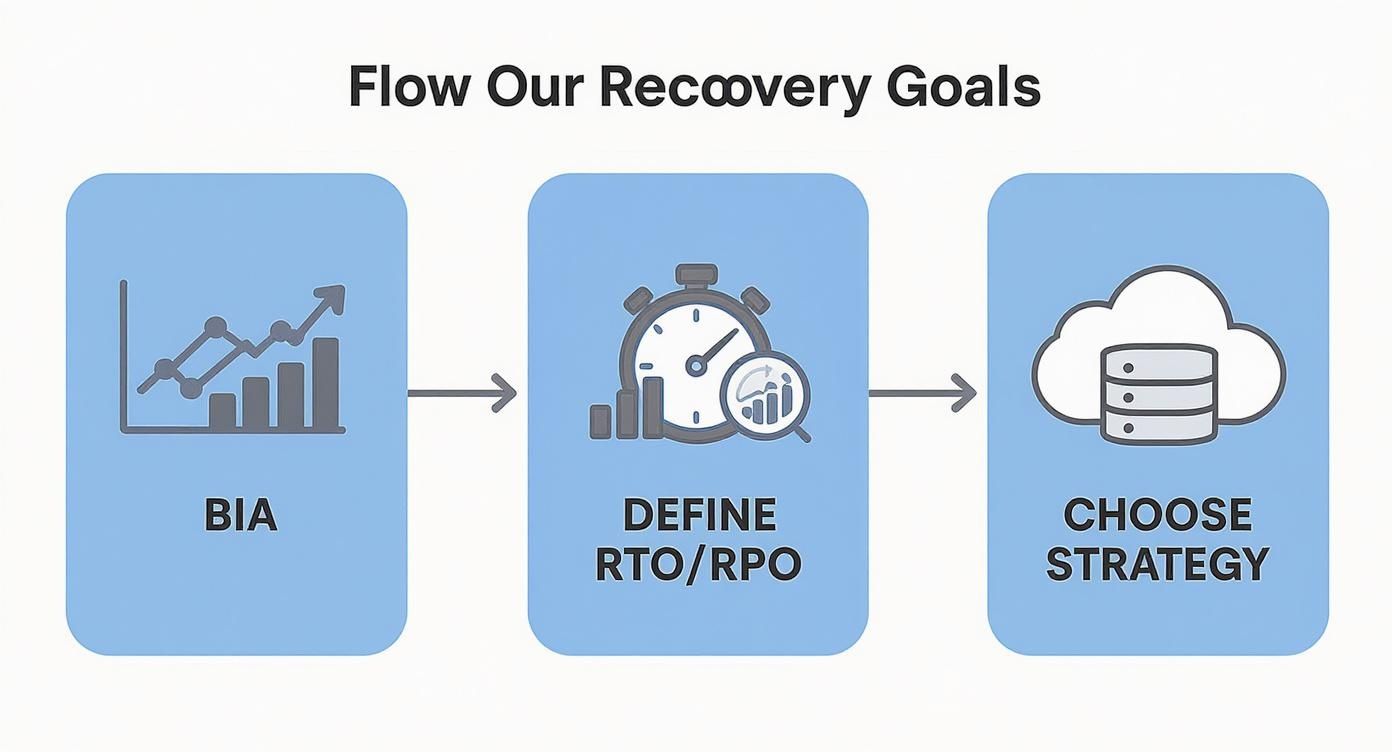
As you can see, understanding the real-world impact on your business (the BIA) directly shapes your technical goals (RTO/RPO). Those goals, in turn, dictate the specific cloud solutions and cybersecurity steps that go into your runbook.
Crafting the Technical Runbook
Think of the runbook as a pilot's emergency checklist. In a crisis, nobody should be frantically searching for cloud console passwords or trying to recall a complex recovery command from memory. Simplicity and clarity are everything.
Your runbook must be accessible in a snap—stored in a secure, separate cloud location and in hard copy—and cover the entire response lifecycle. Here’s what it absolutely needs to include:
- Incident Verification: Clear steps to confirm a cyberattack is in progress or a cloud service is truly down. You don't want to trigger a disruptive failover for no reason.
- Team Activation: A call tree or automated alert system to get your designated DR team moving. Who gets the first call? What are their exact roles?
- System Failover Procedures: Step-by-step instructions for switching from your primary systems to your cloud-based backup environment (DRaaS). This needs to be granular, detailing exactly what to click and which systems to bring online first.
- Data Restoration: Detailed guidance on restoring data from backups, ensuring you hit the RPO you defined earlier. This must include steps for verifying data integrity and scanning for malware after it’s been restored.
- Return to Normal Operations: A plan for "failing back" to your primary systems once the crisis is over and the environment has been secured. This is a critical step that is too often overlooked.
A great runbook assumes the person executing it is stressed, tired, and maybe not the most senior expert on your team. It should be so clear that someone with moderate technical skill could follow it successfully.
For instance, a runbook for a ransomware attack needs explicit instructions: "Isolate the infected servers from the network by disabling their virtual network adapters. Do not power them down. Initiate failover to the DRaaS environment. Contact the cybersecurity incident response partner at [phone number]." That level of detail removes all doubt.
Developing a Robust Communications Strategy
Getting the tech back online is only half the battle. How you communicate during a disaster is critical for maintaining trust with employees, clients, and partners. A solid communications plan replaces panic and speculation with clear, factual information.
Your plan should have pre-drafted templates ready to go for different scenarios, especially cyber incidents and cloud outages.
Internal Communications
Your employees are on the front lines. They need to know what's happening, what to tell customers, and how to keep working if possible.
- Initial Alert: A brief, direct message confirming an incident and instructing staff on immediate next steps.
- Regular Updates: A promise to update employees at a set cadence (e.g., every 60 minutes), even if the update is "no new information."
- "All Clear" Notification: A final message signaling the incident is resolved with instructions for returning to normal operations.
External Communications
Transparent and timely communication with your clients and partners can turn a potential catastrophe into a masterclass in resilience and professionalism.
- Key Client Notifications: A proactive, honest message for your most important customers, acknowledging the issue and providing an estimated time for resolution if you have one.
- Public Statements: If the outage is widespread, a pre-approved statement for your website or social media channels helps control the narrative.
- Partner Updates: Notifying key vendors or cloud service providers whose services might be impacted by your downtime.
By building these playbooks and templates now, you ensure that when a crisis hits, your team can focus all their energy on execution, not on frantic, last-minute planning.
Making Sure Your Plan Actually Works
Let’s be honest: an untested disaster recovery plan isn't a plan at all. It’s a document full of optimistic assumptions just waiting to crumble under real-world pressure. This is where we move your IT disaster recovery planning from a theoretical exercise to a battle-tested process you can actually count on when a cyberattack or cloud failure hits.
For a busy small or midsize business, testing doesn't have to mean shutting down the entire company for a week. Far from it.
https://www.youtube.com/embed/nVR8qr2ivOg
It’s all about starting with practical, manageable tests. The goal is to uncover gaps, fix outdated information, and build that crucial muscle memory for your team in a controlled, low-stress environment. The cost of skipping this step is just too high. Recent market analysis shows that for mid-sized enterprises, IT downtime can cost over $300,000 per hour. You can discover more insights about these rising IT downtime costs to see why treating testing as a critical investment is a no-brainer.
From Simple Walkthroughs to Tabletop Exercises
The easiest place to start is with a plan walkthrough. This is a low-stakes review where the recovery team gets together and reads through the runbook, line by line. The goal is incredibly simple: Does this still make sense? Is this contact information correct? Do we even use this cloud software anymore? It's a surprisingly effective way to catch obvious errors without a major time commitment.
The next level up—and in my experience, the most valuable exercise for most SMBs—is the tabletop exercise. This is a guided simulation. You present a realistic disaster scenario to your key stakeholders, focusing on cybersecurity or cloud failures. You need department heads, management, and your communications lead in the room. You don't actually touch any live systems; you just talk through the plan step-by-step.
A tabletop exercise is the single best way to see how your people will react under pressure. It shines a light on the human gaps in your plan—things like who has the authority to approve emergency spending or how department leaders will communicate when email is down.
This controlled environment lets everyone solve problems collaboratively and pinpoints those procedural weak points before they become catastrophic failures.
Running Your First Tabletop Exercise
Let's walk through a classic SMB nightmare: a ransomware attack hits on a Monday morning, encrypting your main file server and your entire cloud-based accounting system.
Here's how you could structure a tabletop exercise around that scenario:
- Set the Scene: The moderator (this could be your vCIO or an internal team lead) kicks things off with specific details. "It's 8:15 AM. A ransom note has appeared on multiple screens. What is the very first action outlined in our cybersecurity incident response runbook?"
- Walk Through the Response: Go around the table and ask each person to explain their role. The IT lead talks through isolating the infected systems and initiating the cloud failover. The CEO immediately asks about the business impact of the accounting system being down. The sales manager needs to know what to tell clients.
- Introduce Complications: A good moderator knows how to throw a wrench in the works. "Your primary IT contact is on a flight and completely unreachable. Who is their designated backup? The failover to your DRaaS cloud environment is happening, but it's much slower than expected—what's the communication plan now?"
- Document and Debrief: This is the most important part. Someone needs to be taking detailed notes, recording every gap, question, and point of confusion. Afterward, you hold a debrief to assign clear action items: update the contact list, clarify the communication chain of command, or revise the technical recovery steps.
When to Consider Full Failover Testing
A full failover test is the ultimate validation of your plan. This is where you actually switch your live operations over to your backup cloud environment. While it’s the most comprehensive test, it can also be disruptive and is usually performed after hours or on a weekend.
For businesses with aggressive Recovery Time Objectives (RTOs), like an e-commerce company that loses money every minute it's offline, periodic failover tests are absolutely non-negotiable. It's the only way to prove you can hit your recovery targets when it counts.
Regular testing is the only way to keep your plan relevant as your cloud technology, your team, and your business evolve. It's also a fantastic way to identify which of your critical systems are most vulnerable. A strong recovery plan is built on a foundation of solid security practices, and you can learn more about patch management in our detailed guide to shore up those defenses.
Ultimately, a tested plan is a plan you can trust.
Keeping Your DR Plan Alive: Long-Term Management and Budgeting
I’ve seen it happen too many times: a company spends months crafting the perfect IT disaster recovery plan, only to shove it in a digital drawer and forget about it. That’s a recipe for disaster. A DR plan isn't a static document; it’s a living part of your business strategy that needs constant attention to stay relevant against evolving cyber threats and changing cloud environments.
The first step is giving it a dedicated owner. A plan without someone accountable for its health will go stale, fast. This could be an internal manager, a small committee, or a vCIO who has the authority to keep it up-to-date as your business changes.
Build a Rhythm for Governance
Good governance isn't about adding more meetings to everyone's calendar. It's about weaving recovery readiness into the fabric of your operations. You need to make it a natural part of how you do business.
Here’s how we get it done for our clients:
- Set a Regular Review Cadence: Your plan needs a formal check-up at least quarterly, or semi-annually at the absolute minimum. This ensures that any new cloud services, personnel changes, or shifts in business priorities are reflected in your recovery strategy.
- Tie it to Change Management: This is a big one. Any time your team rolls out a new critical application, spins up a new server, or moves to a different cloud service, the DR plan must be part of the approval process. No exceptions.
Your disaster recovery plan has to evolve in lockstep with your business. If your tech stack changes but your recovery strategy is stuck in the past, you’ve just created a massive vulnerability that an attacker will gladly exploit.
How to Talk About the DR Budget
Getting budget approval for disaster recovery can feel like an uphill battle. The key is to frame it correctly. Stop talking about it as a "cost" and start presenting it as a strategic investment in mitigating tangible cybersecurity risks.
This is where your Business Impact Analysis (BIA) becomes your best friend. Use that data to draw a direct line between spending and risk avoidance. For example, you can show leadership that spending $10,000 on a modern cloud DR solution directly protects the business from a potential $300,000 loss from just one day of downtime caused by ransomware. Suddenly, the conversation shifts from an expense to a smart insurance policy.
Still, it’s a tough environment out there. A recent 2025 report found that 46% of tech leaders point to resource availability—driven by staffing and skills shortages—as the biggest roadblock to getting their DR budget approved. You can read the full research on disaster recovery trends to see just how common this challenge is.
Knowing When You Need to Call in the Pros
For many small and midsize businesses, that resource shortage is precisely why bringing in a Managed Service Provider (MSP) makes so much sense. An MSP brings a level of cybersecurity expertise and access to advanced cloud solutions that are often out of reach for an in-house team.
It’s probably time to consider partnering with an MSP when:
- Your internal IT team is already stretched thin and simply doesn’t have the bandwidth for proper it disaster recovery planning, let alone regular testing.
- You need enterprise-grade cloud solutions like DRaaS (Disaster Recovery as a Service) but can't justify the huge upfront capital investment.
- You need strategic guidance from a vCIO (virtual Chief Information Officer) to make sure your DR plan actually aligns with your long-term business and cybersecurity goals.
Working with an MSP takes the pressure off your internal team, letting them focus on projects that grow the business, all while you have peace of mind knowing your resilience is managed by dedicated experts.
Answering Your Top IT Disaster Recovery Questions
When it comes to disaster recovery, a lot of small and midsize business owners feel like they're navigating a minefield. The jargon is confusing, the stakes are high, and it's tough to know where to even begin. Over the years, we've heard it all, but a few questions pop up time and time again.
Let's clear the air and tackle some of the most common points of confusion we see.
What's the Difference Between Disaster Recovery and Business Continuity?
This one comes up constantly, and the distinction is absolutely critical. People often use the terms interchangeably, but they are two very different—though related—concepts.
Think of it this way:
- IT Disaster Recovery (DR) is the tactical, tech-focused playbook. Its sole mission is to get your technology—your cloud infrastructure, SaaS applications, and data—back online after a major incident. It’s the "IT CPR" for your business.
- Business Continuity (BC) is the overarching business strategy. It’s the big-picture plan that answers the question, "How do we keep the entire business running?" This covers everything from IT to where your employees will work, how you’ll manage your supply chain, and how you'll communicate with customers.
A strong DR plan, focused on cyber and cloud resilience, is a non-negotiable part of your Business Continuity strategy, but it's only one piece of the puzzle.
How Often Should We Actually Test Our Plan?
An untested plan isn't a plan; it's a piece of paper with good intentions. For most SMBs, you don't need to shut down the company for a week to test effectively. A practical, consistent schedule is what works.
We typically recommend a quarterly plan walkthrough. This is a low-impact meeting where your core team simply reads through the documentation. Is the contact info still correct? Are the procedures for your cloud providers still relevant? It’s amazing what you’ll find.
Beyond that, you absolutely need to conduct a more in-depth tabletop exercise at least once a year. This is where you simulate a real disaster scenario—like a widespread cloud outage or a ransomware attack—and talk through everyone's roles and actions. It’s invaluable for spotting gaps in logic and training your team to think on their feet when the pressure is on.
The point of testing isn't to get a passing grade. It's to find the cracks in the foundation before a real disaster does. Every mistake you make in a controlled test is a catastrophe you just avoided.
We Have No Plan. Where in the World Do We Start?
Staring at a blank page is intimidating. If you're starting from square one, the best thing you can do is forget about technology for a moment. Don't get bogged down in backups, cloud solutions, or failover sites just yet.
Your very first step is a Business Impact Analysis (BIA).
Get your leadership team together and ask one simple question: "What are the handful of business processes and systems that, if they went down, would stop us from making money and serving our customers?" Once you have that short, prioritized list of what truly matters—which will likely include key cloud services—you have your starting point. You can then build a focused and effective IT disaster recovery planning strategy around protecting those critical assets first.
Building a resilient plan from the ground up takes expertise and a steady hand. The vCIO and managed services team at Eagle Point Technology Solutions has guided countless businesses through this process, creating disaster recovery strategies that actually work when it counts. Learn more about our IT solutions and how we can protect your business.