For small and medium-sized businesses in Western Pennsylvania and Eastern Ohio, technology isn't just a tool; it's the engine for growth, security, and operational efficiency. But like any engine, it requires regular inspection to perform reliably. An IT infrastructure audit can feel like a daunting task, especially when you're juggling a lean IT team, a tight budget, and countless other business priorities. Yet, overlooking this critical process is like ignoring the check engine light on your dashboard. Small, unaddressed issues like outdated server patches, inconsistent backups, or unidentified security gaps can quickly escalate into costly downtime, data breaches, or compliance failures that halt your operations.
This article provides a practical IT infrastructure audit checklist designed specifically for the challenges SMBs face. We’ll break down the complex process into ten manageable domains, moving you from reactive fire-fighting to proactive, strategic IT management. You will gain a clear, actionable framework to methodically evaluate every component of your technology foundation, from your network hardware and cybersecurity controls to your asset management and disaster recovery plans.
Our goal is to help you identify hidden risks, uncover costly inefficiencies, and build a technology roadmap that directly supports your business goals. By the end of this checklist, you will have the insights needed to strengthen your infrastructure, secure your data, and ensure your technology is a powerful asset, not a potential liability. Let's begin building a more resilient and strategic IT foundation.
1. Hardware Inventory and Asset Management
A comprehensive IT infrastructure audit checklist must begin with the physical foundation of your operations: your hardware. Hardware inventory and asset management is the systematic process of accounting for, tracking, and managing every piece of technology your business owns, from servers and workstations to routers and printers. This foundational step isn't just about counting devices; it's about understanding their lifecycle, warranty status, and role in your business. For any SMB in Western Pennsylvania or Eastern Ohio, knowing what you have is the first step toward securing and optimizing it.
Verification and Acceptance Criteria
The goal is to move from a vague understanding of your assets to a complete, actionable inventory. This means creating a centralized record of all IT hardware, which serves as a single source of truth for planning, budgeting, and troubleshooting.
- Verification Steps: Conduct a physical wall-to-wall audit to identify and tag every asset. Cross-reference findings with purchase orders and existing documentation. Use a network scanning tool to discover devices you may have missed.
- Acceptance Criteria: A successful audit results in a complete asset register containing the device type, make/model, serial number, location, assigned user, purchase date, warranty expiration, and end-of-life (EOL) date for at least 98% of your hardware.
Key Insight: Many businesses are surprised to find they are paying for software licenses or support contracts for hardware that was retired years ago. An accurate inventory directly translates to cost savings. A healthcare network in Eastern Ohio, for instance, aligned its hardware count with software licenses and recovered $40,000 in over-licensing charges.
Remediation and Best Practices
If your inventory is incomplete or non-existent, the remediation is straightforward: build it. Implement an asset management system (options range from dedicated software like Snipe-IT to integrated features in your RMM platform) and establish a formal process.
- Implement Tagging: Use barcode or QR code labels on all assets for quick identification and tracking.
- Schedule Reconciliation: Perform a physical spot-check quarterly to ensure your digital inventory matches reality.
- Plan Proactively: Flag all hardware with warranties expiring or reaching end-of-support within the next 12 months. This data is crucial for building an accurate IT budget and preventing downtime from equipment failure. A legal firm that identified warranty gaps on aging network gear was able to replace it proactively, avoiding a critical business interruption.
2. Server and Operating System Patch Management
Beyond the physical hardware, your servers and their operating systems form the core of your digital operations. An IT infrastructure audit checklist must scrutinize how these systems are maintained, specifically through server and operating system patch management. This is the process of consistently deploying updates to fix security vulnerabilities and software bugs. For any SMB, failing to patch is like leaving a digital back door unlocked; it’s not a matter of if it will be exploited, but when. Proactive patching is a non-negotiable layer of defense in today's threat landscape.
Verification and Acceptance Criteria
The objective is to shift from a reactive, chaotic patching process to a proactive, scheduled, and documented system. This involves knowing exactly what needs patching and ensuring it happens on a predictable timeline, which is a cornerstone of effective cybersecurity.
- Verification Steps: Review server inventory to ensure all systems are accounted for in the patching tool (e.g., WSUS, third-party RMM). Examine patch management reports for success/failure rates and deployment timelines. Check for documented change management procedures for critical updates.
- Acceptance Criteria: A successful audit will confirm that at least 95% of critical and security-related patches are deployed to all servers within 30 days of their release. A documented process for testing and rollback must be in place.
Key Insight: A manufacturing company in Western Pennsylvania discovered several servers were vulnerable to Log4Shell (CVE-2021-44228) because they were missed during manual patching cycles. Automating their process closed this gap, preventing a potential production shutdown that would have cost them hundreds of thousands per day.
Remediation and Best Practices
If your patching is sporadic, undocumented, or manual, the risk of a breach is dangerously high. Remediation involves implementing a formal, automated system and establishing clear policies around it.
- Automate Deployments: Implement an automated tool like Windows Server Update Services (WSUS) or an RMM platform to schedule, deploy, and report on patch status. Learn more about the fundamentals of a successful patch management strategy.
- Establish a Schedule: Adopt a predictable patching schedule, often aligned with "Patch Tuesday," to create routine and minimize business disruption.
- Test Before Deploying: Create a small test group of non-critical systems to receive patches first. This allows you to identify any potential issues before rolling updates out to mission-critical production servers. A regional financial services firm used this method to reduce its critical vulnerability exposure window from 90 days to just 7.
3. Backup, Disaster Recovery and Business Continuity Evaluation
An effective IT infrastructure audit checklist must extend beyond daily operations to address how your business will survive a significant disruption. This evaluation combines backup strategies, disaster recovery (DR) readiness, and overall business continuity planning (BCP). It’s the critical process of ensuring you can recover from anything from a server failure to a catastrophic event like a fire or ransomware attack. For any business in Western PA or Eastern OH, a tested and reliable recovery plan is not a luxury; it is the foundation of resilience.
Verification and Acceptance Criteria
The objective is to confirm that your data is not just backed up, but is also recoverable within a timeframe that prevents unacceptable business losses. This involves validating your entire recovery process, from data restoration to operational continuity, ensuring it aligns with defined business requirements.
- Verification Steps: Review backup logs for success/failure rates. Perform a test restore of critical files and a full virtual machine. Audit DR documentation for clarity, accuracy, and completeness. Interview key stakeholders to confirm their roles and responsibilities during a disaster scenario.
- Acceptance Criteria: A successful audit confirms that backups complete with a 99%+ success rate, and a full test recovery is performed and documented quarterly. The organization must have a documented DR plan with clearly defined Recovery Time Objectives (RTO) and Recovery Point Objectives (RPO) that are understood and agreed upon by business leadership.
Key Insight: Many businesses believe having backups is enough, but they fail to test them. An untested backup strategy is merely a hope, not a plan. A manufacturing facility in Western Pennsylvania with daily, immutable cloud backups was able to recover its entire operation in under eight hours after a facility fire because they had practiced their recovery plan quarterly.
Remediation and Best Practices
If your DR plan is undocumented or your backups are untested, the immediate priority is to formalize and validate your processes. This moves you from a position of vulnerability to one of prepared resilience. To learn more about how to safeguard your critical information, you can explore strategies to prevent data loss.
- Implement the 3-2-1 Rule: Maintain at least three copies of your data on two different media types, with one copy stored off-site (preferably in the cloud). Use immutable backups where possible to protect against ransomware.
- Define and Document RTO/RPO: Work with business leaders to define how quickly you need systems back online (RTO) and how much data you can afford to lose (RPO). Document these targets and build your strategy around them.
- Test, Test, Test: Conduct quarterly test restores of random files and servers. Perform an annual tabletop exercise to walk through the DR plan with your team, and schedule a full failover test every 18-24 months to ensure the plan works as expected. A professional services firm that discovered its untested backups were failing during an audit now passes its quarterly DR drills with 100% success.
4. Cybersecurity Controls and Threat Detection Assessment
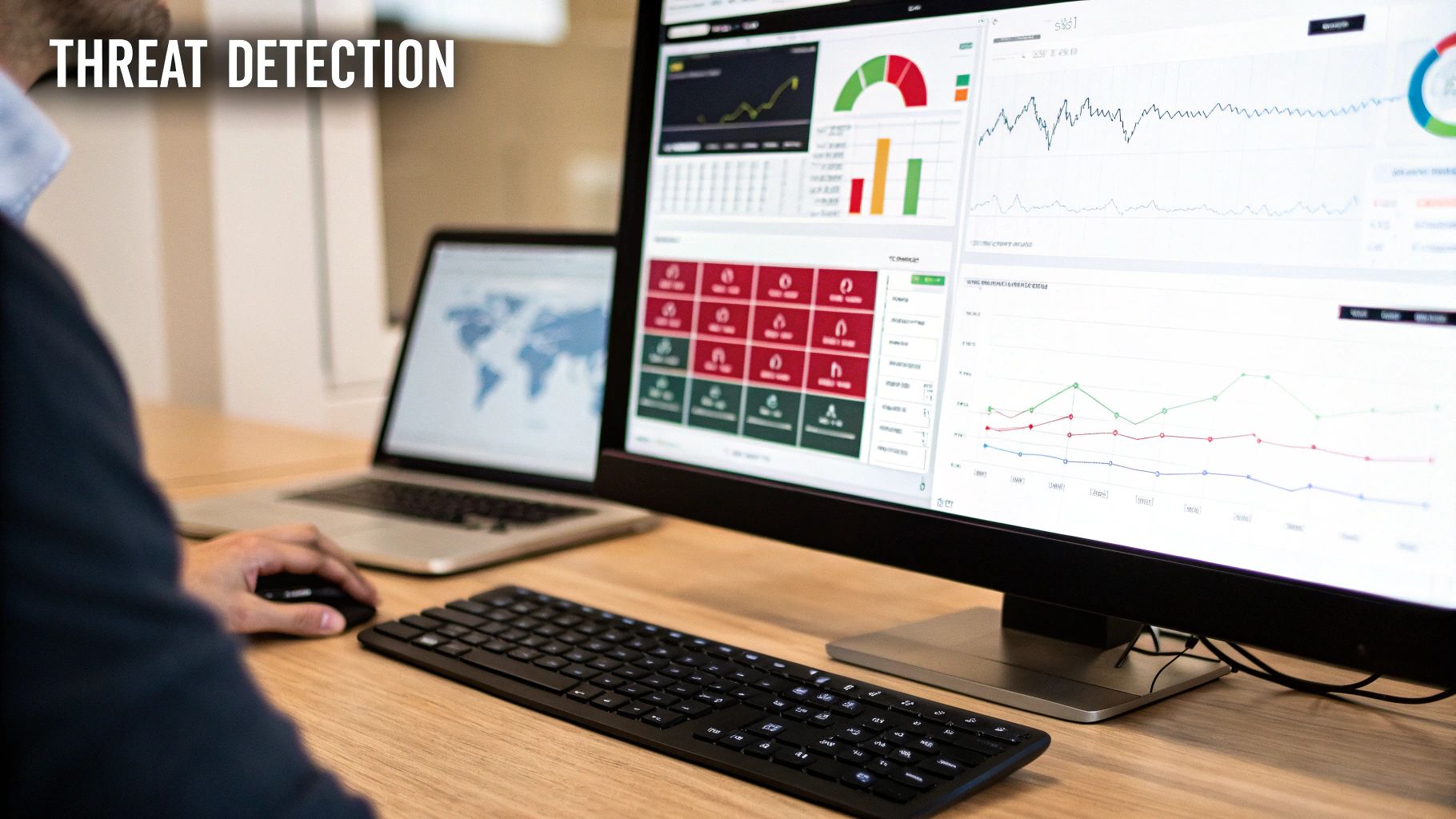
A critical component of any IT infrastructure audit checklist is a thorough review of your cybersecurity posture. This assessment evaluates the layered security defenses designed to protect your organization from threats. It involves inspecting everything from firewalls and antivirus solutions to advanced Endpoint Detection and Response (EDR) and Security Information and Event Management (SIEM) systems. For any SMB, the goal is to confirm that these controls are not only in place but are also configured correctly, actively monitored, and backed by a solid incident response plan.
Verification and Acceptance Criteria
The objective is to validate that your security stack functions as an integrated defense system, capable of detecting, alerting, and responding to malicious activity. This goes beyond simple checks to ensure tools are installed; it verifies their operational effectiveness and alignment with your business's risk tolerance.
- Verification Steps: Review firewall rule sets for unnecessary open ports. Confirm antivirus and EDR policies are applied to all endpoints and are actively updating. Test intrusion detection system (IDS) alerts with benign scans. Verify that logs from all security devices are being collected and correlated in a SIEM or central logging platform.
- Acceptance Criteria: A successful audit confirms that layered security controls are correctly configured and cover 100% of network entry points and endpoints. Threat detection systems must generate actionable alerts, and a log retention policy of at least 90 days must be enforced for all critical security events.
Key Insight: Many businesses invest in security tools but fail to monitor the alerts they generate, rendering them ineffective. A manufacturing firm in Western Pennsylvania detected unauthorized lateral movement within its network because its IDS alerts were actively monitored. This allowed them to contain a breach in under two hours, preventing any data exfiltration.
Remediation and Best Practices
If your audit reveals gaps like unmonitored alerts, misconfigured firewalls, or inconsistent endpoint protection, remediation should be a top priority. The focus is on creating a resilient, multi-layered defense. You can start by building a strong foundation with our free cybersecurity risk assessment template.
- Layer Security Controls: Implement a defense-in-depth strategy: firewall, DNS filtering, antivirus, EDR, and SIEM work together to block threats at multiple stages.
- Establish a Baseline: Profile normal network activity to make anomaly detection more effective. An unusual off-hours login or a sudden spike in outbound data transfer should immediately trigger an alert.
- Test Your Response: Don't wait for a real attack to test your incident response plan. Conduct regular tabletop exercises to ensure your team knows precisely what to do when an alert is confirmed to be a legitimate threat.
5. Identity and Access Management (IAM) Controls Review
Your hardware and network are secure, but the biggest threat often comes from within, whether maliciously or accidentally. Identity and Access Management (IAM) is the security discipline that ensures the right individuals have access to the right resources at the right times for the right reasons. An IAM audit evaluates everything from how users log in to what they can do once they are authenticated. For SMBs in our region, a strong IAM strategy is a non-negotiable defense against data breaches, insider threats, and compliance failures.

Verification and Acceptance Criteria
The objective is to verify and enforce the principle of least privilege, meaning users only have the exact access required to perform their job functions, and nothing more. This part of the IT infrastructure audit checklist scrutinizes user accounts, permissions, and authentication methods like Multi-Factor Authentication (MFA).
- Verification Steps: Generate a list of all active user accounts from primary systems like Microsoft 365 and Active Directory. Review group memberships and administrative roles. Test MFA enforcement on critical applications and remote access points. Audit password complexity and age policies.
- Acceptance Criteria: A successful audit confirms that MFA is enforced for 100% of remote access users and all administrative accounts. At least 99% of user accounts are tied to a current employee, and a formal access review process is documented and followed quarterly. No dormant accounts with active privileges exist.
Key Insight: A common finding is "privilege creep," where employees accumulate access rights as they change roles but never have old permissions revoked. A healthcare provider in Eastern Ohio discovered 47 dormant accounts from former employees with active access, narrowly avoiding a significant HIPAA compliance violation.
Remediation and Best Practices
If your IAM controls are weak or undocumented, the remediation focuses on establishing and enforcing clear policies. Tools like Microsoft Active Directory, Okta, and Duo can centralize and automate many of these controls.
- Enforce Universal MFA: Require MFA for all users, not just administrators or remote workers. This single step can block over 99.9% of account compromise attacks.
- Implement Strong Password Policies: Enforce a minimum password length of 14 characters and complexity requirements. Deploy a password manager to discourage weak or shared passwords.
- Establish Role-Based Access Control (RBAC): Create access templates based on job roles (e.g., "Accountant," "Salesperson") instead of assigning permissions to individuals. This simplifies onboarding and offboarding.
- Conduct Quarterly Access Reviews: Managers must review and re-approve their team members' access rights every 90 days. This process formally identifies and removes unnecessary privileges.
- Automate Deprovisioning: Integrate your HR system with your IT directory to ensure that when an employee is terminated, their account access is automatically disabled within 24 hours.
6. Network Infrastructure and Architecture Assessment
Your network is the central nervous system of your business, connecting your employees, data, and customers. A network architecture assessment is a deep dive into how that system is designed, configured, and secured. This part of the IT infrastructure audit checklist examines your routers, switches, firewalls, and Wi-Fi access points to ensure they are set up for optimal performance, security, and reliability. For an SMB, a poorly designed network can lead to slow speeds, frustrating downtime, and security holes that expose your entire business.
Verification and Acceptance Criteria
The objective is to ensure your network architecture is logical, secure, and capable of supporting your business needs. This means verifying that the network is properly segmented, redundant where necessary, and free from misconfigurations that could cause bottlenecks or security vulnerabilities.
- Verification Steps: Review network topology diagrams for accuracy. Audit firewall rules for overly permissive "any/any" rules. Check switch configurations for proper VLAN segmentation. Scan for rogue Wi-Fi access points that could create an unsecured backdoor into your network.
- Acceptance Criteria: A successful audit confirms that an up-to-date network diagram exists and reflects the current environment. Critical services are logically segmented into separate VLANs (e.g., guest Wi-Fi, internal servers, IoT devices). Redundant internet connections and key network hardware have documented and tested failover procedures.
Key Insight: Many SMB networks grow organically over time without a strategic plan, leading to a flat, insecure, and inefficient "spaghetti" of connections. A distribution company in Eastern Ohio suffered a ransomware attack that spread to every server in minutes because their network was not segmented. After rebuilding with proper VLANs, a subsequent malware infection on a workstation was contained to a single segment, preventing any operational impact.
Remediation and Best Practices
If your network is undocumented or has not been strategically designed, the remediation focuses on creating structure and security. The goal is to move from a reactive, break-fix model to a proactive, managed approach.
- Create and Maintain Network Diagrams: You cannot secure what you cannot see. Use tools to map your network and keep the diagram updated as a single source of truth for troubleshooting and planning.
- Implement Network Segmentation: Separate your network into smaller, isolated zones (VLANs). This prevents an incident in one area, like a compromised workstation, from spreading across the entire company. Isolate guest Wi-Fi, production equipment, and corporate users from each other.
- Establish Redundancy: For critical operations, implement redundant internet service providers and configure automatic failover on your firewall. This simple step can prevent a minor internet outage from becoming a full-day business shutdown.
7. Change Management and Configuration Control Procedures
Uncontrolled changes are a leading cause of downtime and security breaches. Change management and configuration control is the formal process for making any modification to your IT infrastructure, from a firewall rule update to a server patch. It ensures that every change is documented, tested, and approved before implementation, preventing chaotic and disruptive "cowboy IT" practices. For any organization, especially those in regulated industries like healthcare or manufacturing in our region, a solid change process is non-negotiable for maintaining stability and compliance.
Verification and Acceptance Criteria
The objective is to shift from reactive troubleshooting to proactive control over your IT environment. This involves establishing a documented, repeatable process that governs all infrastructure modifications, ensuring they are deliberate and authorized. This is a critical component of any comprehensive it infrastructure audit checklist.
- Verification Steps: Review records of recent infrastructure changes (e.g., firewall updates, software patches, server configurations). Interview IT staff to understand the current, practical process for implementing a change. Request documentation for change requests, impact assessments, and approval signatures.
- Acceptance Criteria: A successful audit confirms that a formal change management policy is documented and actively followed. At least 95% of significant changes made in the last six months should have a corresponding change record, including approval, testing evidence, and a back-out plan.
Key Insight: Many business disruptions are self-inflicted. A manufacturing plant near Youngstown, Ohio, suffered a production line shutdown after a network switch was reconfigured on the fly without testing. By implementing a formal change control process, they reduced IT-related production incidents by over 90% in the following year.
Remediation and Best Practices
If changes are happening ad-hoc, your first step is to document and enforce a clear, simple process. Introduce a Change Advisory Board (CAB), even if it's just a small group of key stakeholders, to review and approve non-standard changes.
- Categorize Changes: Classify changes as standard (pre-approved, low-risk), normal (requires full review), or emergency (requires expedited approval).
- Require Impact Analysis: Mandate that every change request includes a section detailing potential business impact, affected users, and a tested rollback procedure.
- Document and Track: Use a system, whether it's a dedicated platform like Jira or a simple ticketing system, to create an audit trail for every change. This log is invaluable for troubleshooting and compliance.
- Schedule Maintenance Windows: Perform non-critical changes during planned maintenance windows to minimize disruption to business operations.
8. Compliance and Regulatory Requirement Assessment
Beyond operational efficiency, your IT infrastructure must adhere to legal and industry standards. A compliance and regulatory requirement assessment is a critical part of any IT infrastructure audit checklist, designed to verify that your technology and processes meet specific mandates like HIPAA, PCI-DSS, or SOX. For any business handling sensitive data, from a healthcare clinic in Western Pennsylvania to a financial advisor in Eastern Ohio, failing to meet these standards can result in severe fines, legal action, and irreparable damage to your reputation.
Verification and Acceptance Criteria
The objective is to move from assuming you are compliant to proving it with documented evidence. This involves mapping your current IT controls, policies, and procedures against the specific requirements of every regulation applicable to your business. This process identifies critical gaps that could expose your organization to significant risk.
- Verification Steps: Identify all relevant regulations for your industry and the data you handle (e.g., patient, financial, or EU citizen data). Conduct a gap analysis by comparing your current practices against a recognized framework like the NIST Cybersecurity Framework (CSF) or specific regulatory checklists. Review data handling procedures, access controls, and incident response plans.
- Acceptance Criteria: A successful assessment produces a detailed compliance report that maps each regulatory requirement to an existing control. The report should clearly document evidence of compliance and list any identified gaps, ranked by risk level, with a clear path to remediation.
Key Insight: Compliance isn't a one-time project; it's an ongoing business function. A healthcare provider in the Pittsburgh area discovered its data backup solution was not HIPAA-compliant during an audit. Correcting this not only prevented a potential seven-figure fine but also improved their data recovery capabilities, protecting patient trust.
Remediation and Best Practices
If your audit uncovers compliance gaps, you must prioritize remediation based on risk. Document every step taken to close these gaps, as this evidence is crucial for future audits. Ignoring a known deficiency is often viewed more critically by regulators than the initial oversight.
- Implement Required Controls: Address high-risk gaps first, such as implementing multi-factor authentication for systems holding sensitive data or encrypting customer information at rest and in transit.
- Develop and Document Policies: Create formal, written policies for data handling, access control, and incident response that align with regulatory mandates. Ensure these policies are communicated to and understood by all staff.
- Schedule Annual Assessments: Regulations change, and so does your IT environment. A professional services firm handling EU client data performs an annual GDPR assessment to ensure it can continue its European market expansion without legal hurdles.
9. System Performance and Capacity Planning Analysis
An effective IT infrastructure audit checklist moves beyond static inventory to evaluate dynamic performance. This analysis involves assessing current system performance metrics (CPU, memory, storage) and using that data to forecast future needs. For a growing manufacturing firm in Western Pennsylvania or a healthcare provider in Eastern Ohio, this isn't just about preventing slowdowns; it’s about ensuring the technology foundation can support business growth without unexpected and costly emergency upgrades.
Verification and Acceptance Criteria
The goal is to transition from reactive problem-solving (fixing things when they break) to proactive infrastructure management. This requires establishing a clear baseline of your systems' performance and understanding their utilization trends over time to identify emerging bottlenecks before they impact users.
- Verification Steps: Implement monitoring tools (like Nagios, Zabbix, or Datadog) to collect historical data on server and network device performance. Analyze CPU, RAM, disk I/O, and network bandwidth utilization over the last 6-12 months. Compare peak and average usage against hardware specifications.
- Acceptance Criteria: A successful audit yields documented performance baselines for all critical systems. Clear alert thresholds are established (e.g., 80% utilization), and a capacity forecast report is created that projects resource exhaustion dates with at least a 12-month runway for key infrastructure.
Key Insight: Many businesses don't realize their core systems are consistently running near maximum capacity until a minor spike in activity causes a major outage. A manufacturing facility in our region identified its primary database server was hitting 87% CPU utilization during peak production hours, prompting a planned upgrade that prevented a line-stopping crash.
Remediation and Best Practices
If you lack performance data, the first step is to start collecting it. Modern monitoring tools are accessible even for SMBs and provide the crucial visibility needed for this part of your IT infrastructure audit checklist. Establish a formal process for reviewing these metrics and integrating them into your strategic planning.
- Establish Baselines and Alerts: Collect at least three months of data to create a reliable performance baseline. Configure your monitoring system to send automated alerts when utilization exceeds 75-80%, giving your team time to react before performance degrades.
- Account for Seasonality: Analyze data to understand business cycles. A retail business, for example, will see a significant holiday surge that must be factored into capacity planning to avoid checkout system failures.
- Integrate with Budgeting: Use your capacity forecasts to build a proactive, data-driven IT budget. A professional services firm that saw its storage capacity would be exhausted in 18 months was able to budget for a replacement well in advance, avoiding a capital expenditure surprise.
10. Documentation and Knowledge Management System Review
An IT infrastructure is only as resilient as its documentation. This part of the audit assesses whether complete, current, and accessible documentation exists for all critical systems, configurations, and procedures. For any business in Western Pennsylvania or Eastern Ohio, strong documentation is the difference between a minor hiccup and a major outage, ensuring that institutional knowledge isn't lost when a key employee leaves. It transforms complex systems from a black box into a clear, manageable asset.
Verification and Acceptance Criteria
The goal is to verify that your business can operate, troubleshoot, and recover its IT systems without depending on the memory of a single individual. This involves reviewing existing documents for accuracy, completeness, and accessibility, ensuring they provide a clear roadmap for your entire IT environment.
- Verification Steps: Locate and review all existing IT documentation. This includes network diagrams, server configuration files, software license keys, vendor contact lists, and standard operating procedures (SOPs). Interview key IT personnel to identify undocumented "tribal knowledge."
- Acceptance Criteria: A successful audit confirms that at least 95% of critical systems and procedures are documented. This includes up-to-date network diagrams, step-by-step "runbooks" for common issues, a securely managed password vault, and a centralized knowledge base that is accessible to authorized personnel.
Key Insight: During an emergency, accurate documentation is your most valuable asset. A manufacturing plant in our region maintained detailed network diagrams, which enabled a rapid system recovery after a power outage, even though their lead administrator was unavailable. This prevented hours of costly production downtime.
Remediation and Best Practices
If documentation is scattered, outdated, or non-existent, the immediate priority is to centralize and build it. Effective knowledge management is crucial for maintaining up-to-date documentation and ensuring information accessibility, often facilitated by robust company knowledge base software. Establish a single source of truth and create a culture of documentation.
- Create Runbooks: Develop simple, step-by-step guides for common tasks, such as new user onboarding or troubleshooting a printer connection. This empowers your helpdesk and reduces escalations.
- Document the 'Why': Don't just record what a configuration is; document why it was set that way. This context is invaluable for future troubleshooting and planning.
- Implement a Review Cycle: Schedule a quarterly review of all critical documentation. Assign owners to specific documents to ensure they are kept current as your infrastructure evolves. A professional services firm that created detailed runbooks reduced its time-to-resolve for common issues by over 60%.
10-Point IT Infrastructure Audit Comparison
| Service | Implementation complexity | Resource requirements | Expected outcomes | Ideal use cases | Key advantages |
|---|---|---|---|---|---|
| Network Infrastructure and Architecture Assessment | Moderate–High (complex for multi-site environments) | Network engineers, device access, mapping and testing tools | Validated topology, improved segmentation, redundancy checks | Multi-site networks, WAN optimization, security segmentation needs | Identifies bottlenecks, enhances redundancy and compliance |
| Server and Operating System Patch Management | Medium (requires staging, testing and coordination) | Patch management tools, test environments, sysadmin time | Timely vulnerability remediation, predictable maintenance windows | Environments with many servers or regulatory patch requirements | Reduces exploit risk, improves stability and compliance |
| Backup, Disaster Recovery and Business Continuity Evaluation | High (planning, testing and cross-team coordination) | Backup/DR infrastructure, off-site storage, testing resources | Validated RTO/RPO, tested recovery procedures and DR plans | Critical-data environments, ransomware protection, regulated orgs | Enables rapid recovery, protects data, supports compliance |
| Cybersecurity Controls and Threat Detection Assessment | High (integration and continuous tuning required) | EDR/IDS/SIEM tools, security analysts, threat feeds | Improved detection, reduced attacker dwell time, incident readiness | High-threat environments or organizations needing continuous monitoring | Provides threat visibility, speeds incident response, aids compliance |
| Identity and Access Management (IAM) Controls Review | Medium–High (complex with legacy systems) | IAM/PAM tools, admin effort, user training | Enforced least privilege, MFA adoption, cleaned dormant accounts | Organizations with many users or privileged accounts | Prevents unauthorized access, simplifies audits, improves UX |
| Hardware Inventory and Asset Management | Low–Medium (initial inventory intensive) | Asset management software, staff for physical audits | Accurate asset inventory, lifecycle and warranty visibility | Large or distributed organizations with many devices | Improves budgeting, prevents over-purchasing, aids compliance |
| Change Management and Configuration Control Procedures | Medium (process design, tooling and governance) | Change management tools, staging environments, approvers | Fewer unplanned outages, documented changes, reliable rollbacks | Environments with frequent changes or strict compliance needs | Reduces outages, provides audit trail, improves change quality |
| Compliance and Regulatory Requirement Assessment | Medium–High (varies by regulation complexity) | Compliance expertise, documentation, monitoring tools | Mapped controls, reduced regulatory risk, audit readiness | Regulated industries (HIPAA, PCI-DSS, GDPR, SOX) | Prevents fines, demonstrates due diligence, simplifies audits |
| System Performance and Capacity Planning Analysis | Medium (requires monitoring and historical analysis) | Performance monitoring tools, historical metrics, analysts | Bottleneck identification, capacity forecasts, right-sizing plans | Growing environments and performance-sensitive applications | Prevents degradation, optimizes costs, informs budgeting |
| Documentation and Knowledge Management System Review | Low–Medium (time-consuming to compile and maintain) | Knowledge base/wiki tools, staff time for documentation | Accessible runbooks, accurate diagrams, reduced single-point risk | Organizations with critical operational knowledge or turnover | Speeds troubleshooting, aids onboarding, supports audits |
From Checklist to Action: Partnering for a More Secure Future
Navigating the complexities of a comprehensive IT infrastructure audit checklist is a monumental achievement for any business, especially for small and midsize businesses (SMBs) in Western Pennsylvania and Eastern Ohio. By working through the domains of hardware inventory, network architecture, server management, cybersecurity posture, and compliance, you have moved beyond reactive problem-solving. You now possess a detailed, data-driven snapshot of your technological health, highlighting both your strengths and, more critically, your vulnerabilities. This audit is not merely a technical exercise; it's a strategic business intelligence tool.
The real challenge, however, begins now. An audit checklist is a diagnostic tool, not the cure itself. The findings, from unpatched servers and inconsistent backup verifications to gaps in your identity management protocols, represent tangible risks to your operations, data, and reputation. For resource-strapped SMBs, the path from identifying these issues to implementing effective, budget-conscious solutions can seem daunting. This is often where a well-intentioned initiative stalls, leaving the organization just as exposed as it was before the audit.
Translating Audit Findings into Strategic Action
The most crucial next step is to transform your checklist findings into a prioritized action plan. Not all risks are created equal, and not all solutions carry the same cost or complexity. The goal is to create a strategic technology roadmap that systematically addresses the most critical vulnerabilities first, aligning IT improvements with your broader business objectives.
Consider these immediate next steps:
- Prioritize by Impact and Urgency: Categorize each identified gap. A critical vulnerability in your firewall or a failed disaster recovery test should take precedence over minor software updates on non-essential workstations. Use a simple matrix to rank items by their potential business impact (high, medium, low) and the urgency of the fix.
- Develop a Remediation Roadmap: For each high-priority item, outline the specific steps, required resources (personnel, software, hardware), and an estimated timeline for remediation. This isn't about fixing everything at once; it's about creating a logical, phased approach that is manageable and measurable.
- Align with Your Budget: An audit often reveals a need for investment. A virtual Chief Information Officer (vCIO) can be invaluable here, helping you build a business case for necessary expenditures. They can translate technical risks into financial terms, such as the potential cost of downtime or a data breach, making it easier to justify IT spending.
The Power of an Expert Partner
For many SMBs, the internal capacity to execute a full-scale remediation plan simply doesn’t exist. Your team is already focused on core business functions. This is precisely where leveraging a partnership with a managed service provider (MSP) and a vCIO becomes a strategic advantage. Instead of viewing the audit results as an overwhelming list of problems, you can see them as a guide for a targeted, expert-led improvement plan.
An external partner doesn't just provide technical horsepower; they bring a wealth of experience from working with hundreds of businesses facing similar challenges. They can offer perspective on best-in-class solutions, help you avoid common pitfalls, and ensure your technology investments deliver a tangible return. By engaging with experts, you are not just patching vulnerabilities; you are building a more resilient, secure, and efficient IT infrastructure that becomes a true asset for growth rather than a source of constant concern. The journey from a completed IT infrastructure audit checklist to a secure and optimized technology environment is a strategic process, and you don’t have to walk it alone.
Turning your audit findings into an actionable, budget-friendly roadmap can be challenging, but it's a critical step toward securing your business. The vCIO and IT experts at Eagle Point Technology Solutions specialize in helping SMBs in Western PA and Eastern OH translate technical assessments into strategic growth plans. If you need guidance on prioritizing your next steps or implementing solutions, schedule a complimentary consultation with us today.