For small and medium-sized businesses across Western Pennsylvania and Eastern Ohio, IT procurement often feels like a reactive cycle of emergency purchases. A server fails, a critical software license expires, or a new security threat forces an unplanned investment. This reactive spending leads to a patchwork of misaligned technology, surprise expenses that strain budgets, and solutions that fail to scale with your business goals.
The fundamental difference between companies that struggle with their technology and those that leverage it for growth often comes down to their procurement strategy. Shifting from reactive buying to a proactive, strategic process transforms your IT from a necessary cost center into a powerful business enabler. When executed correctly, a sound procurement framework ensures every technology dollar is an intentional investment that supports operational efficiency, enhances security, and drives long-term value.
This guide moves beyond generic advice to provide a comprehensive roundup of actionable it procurement best practices specifically tailored for the unique challenges and resource constraints SMBs face. To gain a comprehensive understanding of the current landscape, exploring the "10 Actionable IT Procurement Best Practices " can provide invaluable insights into foundational concepts. We will build upon those ideas, detailing ten practical steps you can implement to gain control over your technology investments, improve your security posture, and build a scalable IT foundation. Let's move from reactive spending to strategic investment.
Ad-hoc purchasing, often called "maverick spending," is a common but costly habit for many small and midsize businesses. It leads to incompatible technologies, security vulnerabilities, and budget overruns. Implementing a structured procurement process with clear governance is one of the most impactful IT procurement best practices because it replaces reactive buying with a strategic, predictable, and accountable system.
This approach involves creating a formal, documented policy that outlines every step of the acquisition lifecycle. It defines who can request new technology, what criteria must be met, and the specific approval workflows required based on cost or strategic importance. For an SMB, this doesn't need to be complex; it just needs to be consistent. This governance ensures every purchase aligns with your company’s broader business objectives, security posture, and financial plans.
A structured process provides a clear roadmap for every technology acquisition, from a single software license to a complete server overhaul.
For example, a mid-sized manufacturer in Western PA could implement a simple framework to manage technology acquisitions. When a department needs new CAD software, they submit a standardized request form. Their vCIO from an MSP like Eagle Point reviews it for technical compatibility and security, while the CFO reviews it against the budget before final approval. This prevents wasted spending on non-vetted solutions and is critical for healthcare organizations needing to prove HIPAA compliance or financial firms managing risk.
Buying technology without a clear understanding of the underlying need is a direct path to budget waste and operational friction. It results in purchasing overpowered servers, underutilized software licenses, or solutions that fail to solve the actual business problem. Conducting a thorough needs assessment is one of the most critical IT procurement best practices because it replaces assumptions with data-driven insights, ensuring every purchase is precisely targeted and justified.
This foundational step involves a deep dive into your current technology environment, business processes, and future goals. It’s about asking "why" before "what." By systematically evaluating infrastructure gaps, user pain points, and growth forecasts, you move from reactive problem-fixing to proactive, strategic procurement that directly supports your business roadmap.
A proper needs assessment provides the business case and technical specifications for any significant IT investment, preventing costly missteps.
For instance, a manufacturing firm in Eastern Ohio planning an ERP system upgrade would first assess its current server capacity and network infrastructure to ensure they can handle the new system's load. Similarly, a professional services company in Pittsburgh would evaluate its data protection needs after a close call with phishing to procure a solution that addresses specific vulnerabilities, rather than just buying a generic security tool. This strategic foresight is a core function of the vCIO services we provide.
VIDEO
3. Develop and Maintain a Qualified Vendor List (QVL)
Reacting to every new IT need by starting a vendor search from scratch is inefficient and risky. It drains valuable time, introduces unpredictable quality, and can expose your business to unreliable or insecure suppliers. Developing and maintaining a Qualified Vendor List (QVL) is a core IT procurement best practice that replaces this reactive cycle with a proactive, streamlined approach to sourcing.
A QVL is a curated roster of pre-vetted suppliers who have already met your company's standards for technical competence, financial stability, security protocols, and service reliability. By building this list in advance, you can accelerate purchasing decisions, mitigate supply chain risks, and ensure that every vendor you engage with aligns with your operational and security requirements.
How It Works in Practice
A QVL acts as a "preferred vendor" rolodex, allowing your team to confidently select partners for everything from hardware purchases to specialized software implementation.
Pre-Vetting Process: Before a vendor is added, they undergo a rigorous evaluation based on predefined criteria, including technical capabilities, security certifications (like SOC 2), customer references, and financial health.Tiered Categories: Organize vendors by specialty (e.g., networking hardware, cloud services, cybersecurity software) to make selection quick and easy. This prevents you from engaging a generalist for a specialist's job.Master Service Agreements (MSAs): For frequently used vendors, negotiate MSAs that establish terms, conditions, and pricing upfront. This drastically speeds up individual purchases.
For instance, a manufacturing company in Eastern Ohio can create a QVL that includes two pre-approved hardware suppliers and a preferred networking contractor. When a network switch fails, instead of scrambling to find a reliable vendor, the IT manager can immediately engage a trusted partner from the list, minimizing downtime. Similarly, healthcare organizations can maintain a QVL of HIPAA-compliant software vendors to ensure any new application meets regulatory standards without a lengthy vetting process each time.
Key Insight: A Qualified Vendor List isn't about limiting your options. It's about ensuring all your options are excellent, secure, and ready to deliver value from day one.
Actionable Tips for Implementation
Establish Clear Vetting Criteria: Define what matters most: support response times, security posture, industry experience, or cost-effectiveness. Use a scorecard to evaluate potential vendors objectively.Involve Your MSP in Vetting: Leverage your managed services provider's experience. A vCIO from a firm like Eagle Point has firsthand knowledge of vendor performance and reliability across dozens of clients.Maintain Vendor Diversity: For critical categories like internet service or security hardware, aim to have at least two qualified vendors on your list to create redundancy and competitive tension.Conduct Regular Reviews: Your QVL is a living document. Review it quarterly and formally re-evaluate or re-certify vendors annually to ensure they still meet your standards.Start with Your Best Performers: Begin building your QVL by formally vetting and adding the trusted, high-performing vendors you already work with.
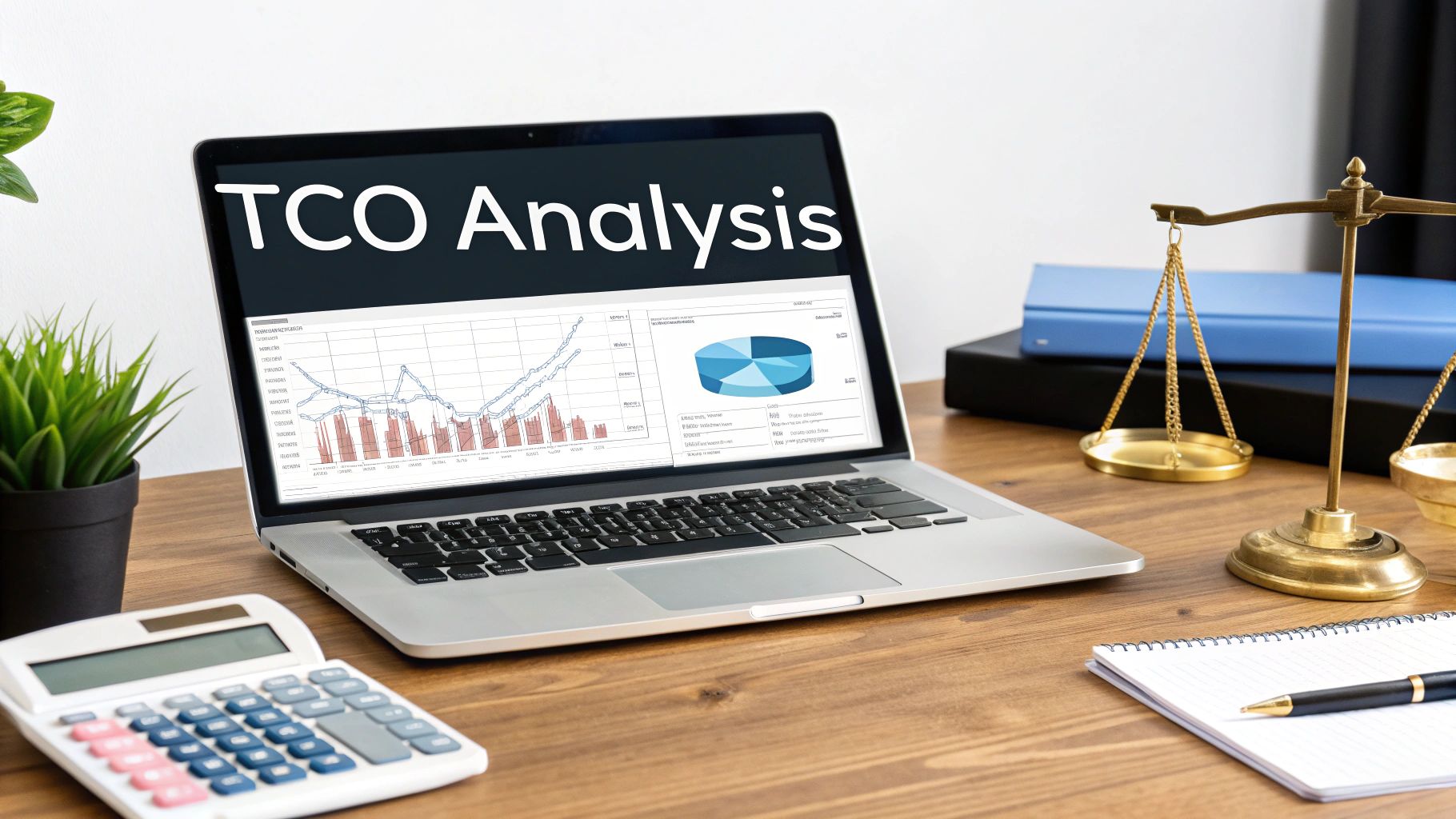
4. Leverage Total Cost of Ownership (TCO) Analysis in Procurement Decisions
Focusing solely on the initial purchase price is a common procurement mistake that often leads to higher long-term expenses. The sticker price of a new server or software license is just one piece of the puzzle. Leveraging a Total Cost of Ownership (TCO) analysis is a critical IT procurement best practice because it provides a comprehensive financial view of an asset over its entire lifecycle, enabling smarter, more cost-effective decisions.
This strategic approach evaluates all direct and indirect costs, including acquisition, implementation, ongoing maintenance, support, training, and eventual disposal. By calculating TCO, you can accurately compare seemingly different options, such as an on-premise server versus a cloud-based solution, and justify a higher initial investment if it delivers substantial long-term savings.
How It Works in Practice
A TCO analysis forces a shift from short-term cost-cutting to long-term value creation. It ensures that decisions are not just cheap today but are financially sound for the next three to five years.
Comprehensive Cost Categories: The analysis should include hardware/software costs, installation and integration fees, data migration, user training, recurring subscriptions, energy consumption, IT staff time for management, and potential downtime costs.On-Premise vs. Cloud: When comparing a new on-premise server to cloud infrastructure, a TCO model would factor in the server’s purchase price, electricity, cooling, physical security, and eventual replacement against the predictable monthly subscription costs of a cloud service.In-House vs. Managed Services: An organization evaluating whether to hire a new IT technician or partner with an MSP would use TCO to compare a full-time salary, benefits, training, and toolset costs against a fixed monthly MSP fee that includes access to a full team of experts and advanced security tools.
For example, a distribution company in Eastern Ohio might find that while the upfront cost of a cloud-based ERP system is higher than upgrading their old server, the TCO is significantly lower over five years once they factor in eliminating server maintenance, reducing energy bills, and gaining scalability without future hardware purchases. This data-driven approach is fundamental to effective IT cost optimization strategies .
Key Insight: The cheapest option upfront is rarely the most cost-effective solution in the long run. TCO analysis provides the financial clarity needed to invest in value, not just a low price tag.
Actionable Tips for Implementation
Create a Standard Template: Develop a TCO calculation template that includes all cost categories relevant to your business, ensuring consistency across all major procurement decisions.Involve Cross-Functional Teams: Engage finance, IT, and operations leaders in the analysis to ensure all direct and indirect costs are accurately captured from different perspectives.Model Multiple Scenarios: Don't rely on a single projection. Create best-case, worst-case, and most-likely scenarios to understand the potential range of outcomes and risks.Consult Your MSP for Estimates: Your vCIO or managed services provider can provide realistic and industry-tested estimates for implementation time, ongoing support requirements, and maintenance costs, making your TCO analysis far more accurate.Document All Assumptions: Clearly record the assumptions made during your analysis, such as projected growth, usage rates, and asset lifespan. This provides context for future reviews and adjustments.
5. Implement Vendor Performance Management and SLA Monitoring
Signing a contract is the beginning, not the end, of a vendor relationship. Without ongoing oversight, service quality can degrade, response times can lengthen, and the value you expected can quickly diminish. Implementing vendor performance management and monitoring Service Level Agreements (SLAs) is an essential IT procurement best practice because it shifts the dynamic from a one-time transaction to a continuous, accountable partnership.
This strategic approach involves setting clear, measurable expectations for vendor performance and then consistently tracking results against those standards. It ensures that your cloud provider, software vendor, or internet service provider is delivering the uptime, support, and security they promised. Proactive monitoring allows you to identify and address issues before they impact your operations, ensuring you receive the full value of your investment throughout the contract lifecycle.
How It Works in Practice
Effective performance management provides objective data to manage vendor relationships, justify contract renewals, and hold partners accountable.
Define Measurable SLAs: Establish specific, quantifiable metrics in your contracts. This includes uptime guarantees (e.g., 99.9% for a cloud service), support response times (e.g., within one hour for critical issues), and security compliance standards.Regular Performance Reviews: Schedule quarterly or semi-annual business reviews with key vendors. Use these meetings to discuss performance data, address any shortcomings, and align on future goals.Standardized Reporting: Use a dashboard or consistent report to track key metrics. This creates a historical record of performance, which is invaluable during contract negotiations and for internal reporting.
For example, a distribution company in Eastern Ohio relies on its internet service provider for mission-critical logistics software. By implementing an SLA that guarantees 99.95% uptime and monitoring it with network tools, their MSP can hold the provider accountable. If performance dips, they have the data to demand service credits or escalate the issue, preventing costly operational disruptions. Beyond initial selection, robust vendor management is key. For more on optimizing your vendor relationships, explore these 10 Actionable Vendor Management Best Practices for a deeper dive into the topic.
Key Insight: Vendor management isn't about penalizing partners; it's about fostering accountability and ensuring the technology services you pay for consistently meet your business needs.
Actionable Tips for Implementation
Align SLAs with Business Impact: Don't just accept a vendor's standard SLAs. Define metrics that matter to your operations, such as system availability during peak business hours.Establish a Baseline: Before setting aggressive targets, track the vendor’s performance for the first 30-60 days to establish a realistic baseline for future expectations.Combine Quantitative and Qualitative Metrics: Track hard numbers like uptime and response times, but also gather qualitative feedback from your team on the quality of support and ease of use.Leverage Your MSP: Ask your managed services partner to monitor vendor SLAs on your behalf. They have the tools and expertise to track performance and manage escalations, which is a core component of effective IT vendor management.Document Everything: Keep detailed records of performance reviews, support tickets, and any SLA breaches. This data is your leverage during contract renewal or if a dispute arises.
6. Consolidate and Standardize IT Infrastructure and Vendors
As businesses grow, their technology stack often becomes a fragmented collection of different hardware, software, and vendor agreements. This "technical debt" complicates support, increases security risks, and inflates costs. Consolidating and standardizing your infrastructure is a critical IT procurement best practice that simplifies operations, creates economies of scale, and enhances security by reducing the number of variables to manage.
This strategy involves auditing your entire technology environment and creating a set of approved standards for hardware, software, and vendors. Instead of supporting dozens of different laptop models or multiple productivity suites, you move toward a unified, predictable, and more cost-effective ecosystem. This allows your IT team or managed services provider to become experts in a specific set of tools, leading to faster resolutions and better support.
How It Works in Practice
Standardization creates a consistent and manageable IT environment, streamlining everything from purchasing to employee onboarding and daily support.
Design Standard Configurations: Define specific hardware and software bundles for different employee roles. A "standard user" might get a specific Dell laptop model with Microsoft 365, while a "power user" in engineering gets a high-performance workstation with specialized CAD software.Vendor Consolidation: Reduce the number of suppliers you work with. Instead of buying hardware from three different vendors and software licenses from five others, consolidate purchasing with one or two strategic partners who can offer better pricing and simplified billing.Phased Migration: Implement changes over multiple budget cycles to manage costs and minimize disruption. Start with the oldest equipment or plan a refresh cycle where new hires automatically receive standardized devices.
For instance, a distribution company in Eastern Ohio might discover it is paying for Microsoft 365, Google Workspace, and several free office suites across its workforce. By standardizing on Microsoft 365, they can consolidate licensing, improve collaboration with tools like Teams, and simplify security management under a single platform, ultimately lowering their Total Cost of Ownership (TCO).
Key Insight: Standardization isn't about limiting choice; it's about making deliberate, strategic choices that reduce complexity, lower long-term costs, and improve your overall operational efficiency and security posture.
Actionable Tips for Implementation
Audit and Quantify: Begin by conducting a thorough inventory of all hardware, software, and vendor contracts. Quantify the hidden costs associated with supporting this diverse environment.Document and Maintain: Create a formal document outlining your approved technology standards. Maintain this list in a central repository, like a Configuration Management Database (CMDB), and review it annually.Involve End-Users: When selecting standard platforms, gather feedback from the people who use them every day. This increases buy-in and ensures the chosen solutions meet real-world business needs.Consult Your vCIO: Leverage your managed services provider's expertise. A vCIO from a provider like Eagle Point can analyze your environment and recommend standardization strategies based on industry best practices and experience with similar businesses.Create an Exception Process: While standardization is the goal, have a clear process for handling valid exceptions for specialized roles or unique software requirements.
7. Build Strong MSP Partnerships and Strategic Outsourcing Relationships
Attempting to manage every aspect of IT in-house is an outdated and inefficient model for most SMBs. Strategic outsourcing to a Managed Service Provider (MSP) allows businesses to access enterprise-grade expertise, 24/7 monitoring, and advanced security capabilities at a predictable, affordable cost. Building a strong partnership with an MSP is a cornerstone of modern IT procurement best practices , transforming IT from a cost center into a strategic business enabler.
This approach involves moving beyond a simple vendor-client relationship to a true partnership where the MSP is deeply integrated into your strategic planning. A dedicated partner understands your business goals, operational challenges, and compliance requirements, allowing them to provide proactive guidance and support that aligns directly with your objectives.
How It Works in Practice
A strategic MSP partnership provides specialized skills and resources on demand, filling critical gaps that are too expensive or difficult to staff internally.
Defined Scope of Work: A clear contract outlines exactly what services are covered, from help desk support and server management to cybersecurity monitoring and vCIO services.Service Level Agreements (SLAs): Formal SLAs guarantee response times and issue resolution, ensuring you receive consistent, reliable support when you need it most.Regular Strategic Reviews: The partnership includes regular business reviews to assess performance against KPIs, discuss upcoming technology needs, and align the IT roadmap with business goals.
For instance, a manufacturing company in Eastern Ohio can partner with an MSP like Eagle Point to manage its entire IT infrastructure. This allows the internal team to focus on optimizing production line software, while the MSP handles cybersecurity, network stability, and employee support. Similarly, a healthcare provider can leverage an MSP’s deep expertise in HIPAA compliance to ensure their procurement decisions and IT systems meet strict regulatory standards.
Key Insight: A strong MSP relationship isn't just about outsourcing tasks; it's about insourcing expertise and strategic foresight to make smarter, more secure, and more cost-effective technology decisions.
Actionable Tips for Implementation
Define Your Scope Clearly: Before engaging an MSP, document your needs, pain points, and desired outcomes. Clearly define which services you need, such as help desk, cybersecurity, or cloud management.Establish a Primary Contact: Work with a single point of contact or dedicated account manager at the MSP to ensure clear communication and consistent service delivery.Involve Your MSP in Planning: Invite your MSP or vCIO to participate in your strategic planning and budgeting meetings. Their insights can prevent costly mistakes and identify opportunities for innovation.Verify Security and Compliance Expertise: Ensure your MSP has a robust internal security posture and proven experience within your specific industry or compliance framework (e.g., CMMC, HIPAA).Conduct Regular Business Reviews: Schedule quarterly or semi-annual meetings to review performance metrics, discuss challenges, and ensure the partnership remains aligned with your evolving business strategy.
8. Implement Software License Optimization and Compliance Tracking
Software licensing is one of the most complex and costly areas of IT management. With various models like subscriptions, perpetual licenses, and usage-based billing, many businesses inadvertently overspend by 20% or more. Implementing robust software license optimization and compliance tracking is a critical IT procurement best practice that directly impacts your bottom line by eliminating waste and mitigating legal risks.
This strategy involves a proactive approach to managing your software assets. Instead of simply buying licenses upon request, you continuously analyze what you own, what you use, and whether you are legally compliant. It transforms licensing from a reactive expense into a managed, strategic asset, ensuring you only pay for the software that delivers real value to your business operations.
How It Works in Practice
A formal software asset management (SAM) process helps you gain complete visibility and control over your software portfolio, preventing both over-licensing (waste) and under-licensing (risk).
Centralized License Repository: Maintain a single, up-to-date inventory of all software licenses, including purchase dates, renewal terms, and usage rights.Usage Monitoring: Deploy tools or processes to track how often and by whom software is being used. This data is essential for identifying underutilized or "shelfware" licenses.Compliance Audits: Regularly compare the number of installed software instances against your purchased licenses to ensure you are not in violation of vendor agreements, which can lead to hefty fines.
For example, a manufacturing firm in Eastern Ohio might discover it’s paying for 50 premium licenses for a design software, but usage data shows only 30 employees access it regularly. By reallocating or downgrading the 20 unused licenses, the company could save thousands annually. Similarly, a healthcare provider can use SAM to prove HIPAA compliance by demonstrating that only authorized users have access to specific software handling patient data.
Key Insight: Effective software license management isn't just about saving money; it's a crucial risk management function that protects your business from the significant financial and reputational damage of a software audit failure.
Actionable Tips for Implementation
Conduct a Baseline Audit: Start with a comprehensive audit to discover all software running on your network. You cannot manage what you do not know you have.Utilize SAM Tools: Implement software asset management (SAM) tools to automate the tracking of installations, usage, and license compliance across all devices.Centralize Procurement: Funnel all software requests through a single point of contact or department. This prevents duplicate purchases and maximizes your leverage for volume discounts.Right-Size at Renewal: Use renewal time as an opportunity to review usage data with your vendor. Negotiate to reduce license counts or switch to more cost-effective licensing models.Lean on Your MSP: Your managed services provider, like Eagle Point, can conduct professional software audits, deploy SAM tools, and provide expert guidance on license optimization to uncover hidden cost savings.
9. Establish an IT Asset Management and Lifecycle Planning Program
Effective IT procurement doesn't end when a new asset is purchased; it extends across the entire lifespan of the technology. Without a system to track equipment from acquisition to disposal, businesses often face unexpected outages, security risks from unsupported hardware, and reactive emergency purchases at premium prices. Establishing an IT asset management and lifecycle program is one of the most crucial IT procurement best practices for ensuring you get the maximum return on every technology investment.
This proactive approach involves maintaining a detailed inventory of all your IT assets, including their location, configuration, warranty status, and planned retirement date. By knowing exactly what you have and when it needs to be replaced, you can transition from chaotic, crisis-driven spending to strategic, planned capital expenditures. This forethought prevents downtime, improves security, and makes budgeting far more predictable and accurate.
How It Works in Practice
An IT asset management program provides a comprehensive view of your entire technology ecosystem, enabling smarter decisions about maintenance, upgrades, and disposal.
Centralized Inventory: Create and maintain a single source of truth for all IT assets. This can start as a detailed spreadsheet and evolve into a dedicated asset management software platform.Lifecycle Tracking: For each asset, document key dates such as purchase date, warranty expiration, and scheduled end-of-life (EOL). This allows you to plan for replacements well in advance.Budget Forecasting: Use lifecycle data to forecast future capital expenditures. Knowing you need to replace five servers and 20 laptops next year allows you to budget for it proactively instead of scrambling for funds.
For example, a regional retail chain in Eastern Ohio can use asset management to track the lifecycle of its point-of-sale (POS) systems and network switches across multiple stores. By tagging each device and monitoring its age and warranty status, their MSP, like Eagle Point, can schedule a phased rollout of new systems before the old ones fail, preventing costly store downtime during peak business hours. This structured approach is also vital for healthcare systems managing the integration of medical equipment with their IT infrastructure.
Key Insight: Asset management isn't just about counting computers. It's about transforming your IT infrastructure from a collection of depreciating assets into a predictable, manageable, and strategic business tool.
Actionable Tips for Implementation
Start with Critical Assets: Don't try to track everything at once. Begin by inventorying your most critical infrastructure: servers, firewalls, network switches, and key workstations.Use Simple Tracking Methods: Implement barcode or QR code labels on physical hardware. Scanning a device can instantly pull up its record, simplifying physical audits and tracking movement.Automate Key Alerts: Configure your system (or ask your MSP to) to send automatic alerts for upcoming warranty expirations and end-of-life dates, giving you ample time to plan.Establish Standard Refresh Cycles: Define standard lifespans for different asset classes (e.g., servers every 5-7 years, laptops every 4-5 years) to standardize your replacement strategy.Integrate with Your Budgeting Process: Use the data from your asset lifecycle plan to build your annual IT capital budget, ensuring funds are allocated for necessary upgrades.
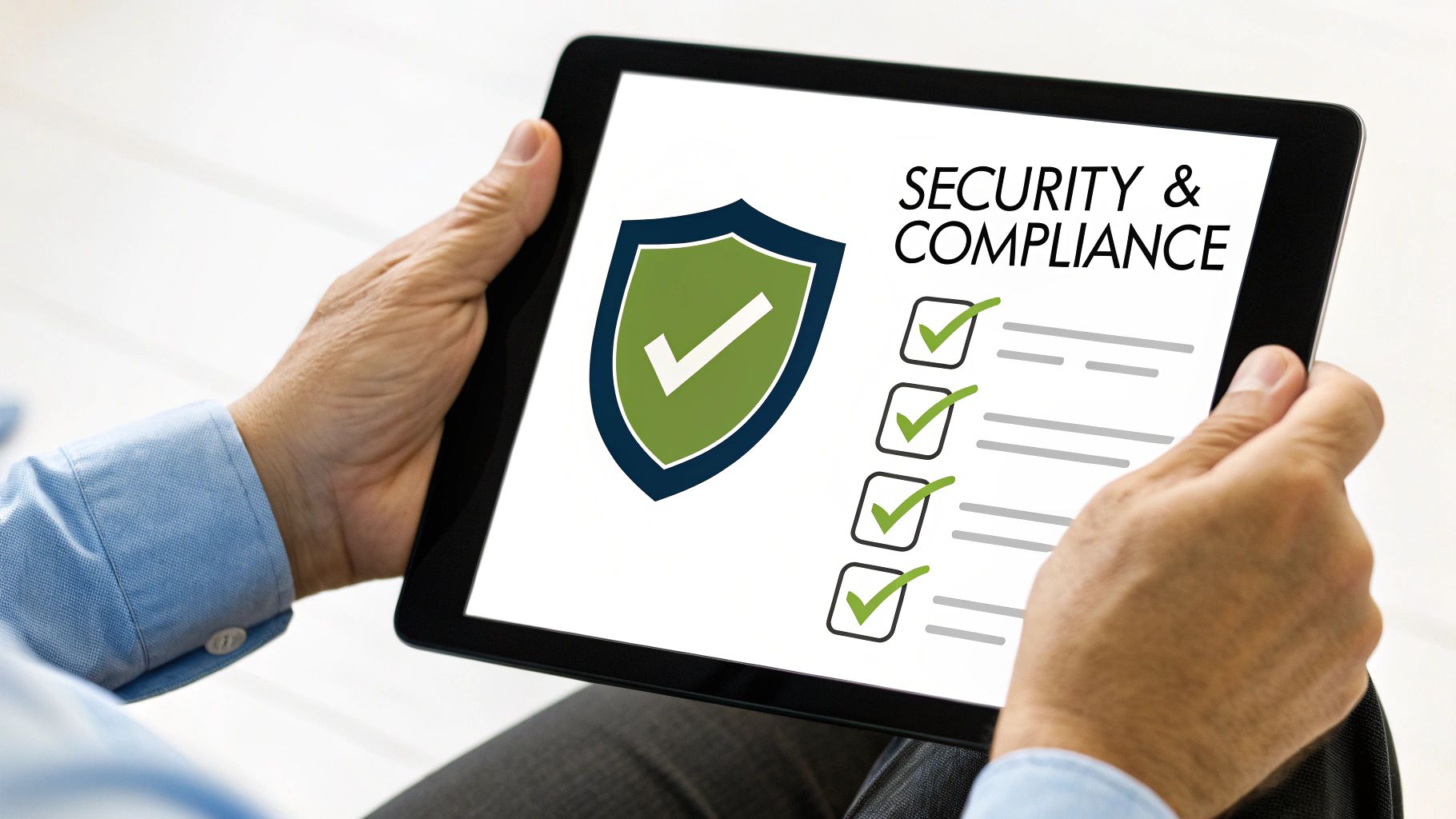
10. Incorporate Security and Compliance Requirements into Procurement Decisions
Treating cybersecurity and regulatory compliance as an afterthought is one of the most dangerous and expensive mistakes a business can make in IT procurement. A new application or device that doesn't meet your security standards can create an immediate vulnerability, while a non-compliant solution can lead to hefty fines and reputational damage. Making security a core evaluation criterion is one of the most critical IT procurement best practices because it transforms procurement from a simple purchasing function into a strategic risk management activity.
This approach means that security and compliance are non-negotiable requirements, not just "nice-to-have" features. It involves building a security-first mindset into every stage of the procurement lifecycle, from initial vendor vetting to final contract language. By integrating these needs from the start, you ensure that every new technology strengthens your security posture rather than weakening it.
How It Works in Practice
Integrating security into procurement means asking the right questions and demanding proof, not just promises. It shifts the burden of proof onto the vendor to demonstrate their security and compliance readiness.
Requirements Checklist: Develop a standardized security and compliance checklist based on your industry and data handling requirements. This becomes a mandatory part of every RFP and vendor review.Vendor Vetting: Require potential vendors to complete security questionnaires (like the CAIQ) and provide evidence of certifications such as SOC 2 Type II or ISO 27001.Contractual Obligations: Ensure contracts and Service Level Agreements (SLAs) explicitly define security responsibilities, data breach notification protocols, and compliance obligations.
For example, a healthcare provider in Eastern Ohio must ensure any new EMR software vendor is fully HIPAA compliant and willing to sign a Business Associate Agreement (BAA). Similarly, a local manufacturer pursuing CMMC certification will only consider vendors who can demonstrate their solutions meet the required cybersecurity controls. These are not optional checks; they are fundamental to protecting the business.
Key Insight: Security and compliance are not features you add on later; they are foundational requirements that must be built into the technology you acquire from day one.
Actionable Tips for Implementation
Create a Security Questionnaire: Develop a concise security questionnaire for all potential technology vendors, covering data encryption, access controls, and incident response plans.Involve Your Cybersecurity Expert: Engage your internal IT security lead or the vCIO from your MSP early in the process. Their expertise is crucial for evaluating a vendor's technical security claims. For more details on building a robust defense, explore comprehensive cybersecurity solutions for businesses .Verify Certifications: Don't just take a vendor's word for it. Ask for and verify copies of their SOC 2 reports, ISO 27001 certificates, or other relevant compliance attestations.Review Incident Response Plans: Ask vendors how they handle security incidents. A mature vendor will have a well-documented and tested incident response and vulnerability disclosure process.Mandate Security in Contracts: Work with legal counsel to embed specific security controls, data ownership clauses, and breach notification timelines directly into vendor contracts.
Top 10 IT Procurement Best Practices Comparison
Item
Implementation complexity
Resource requirements
Expected outcomes
Ideal use cases
Key advantages
Implement a Structured Procurement Process with Clear Governance
Medium
Policy design, team training
Consistent approvals, budget control
Regulated industries, growing SMBs
Accountability, reduced maverick spend
Conduct Thorough Needs Assessments Before Procurement
High
Technical audits, stakeholder interviews
Right-sized purchases, strategic alignment
Major upgrades, high-cost investments
Data-driven decisions, prevents overspending
Develop and Maintain a Qualified Vendor List (QVL)
Medium
Vendor vetting, periodic reviews
Faster procurement, lower vendor risk
Frequent purchasing, compliance needs
Reduced cycle time, vendor reliability
Leverage Total Cost of Ownership (TCO) Analysis
Medium–High
Financial modeling, data collection
Clear lifetime cost comparisons
Cloud vs on-prem, major capital purchases
Reveals hidden costs, supports long-term ROI
Implement Vendor Performance Management and SLA Monitoring
Medium
Monitoring tools, review meetings
Measurable accountability, issue detection
Critical vendors, outsourced services
Enforces performance, informs renewals
Consolidate and Standardize IT Infrastructure and Vendors
High
Migration planning, phased budgets
Lower costs, simplified support
Heterogeneous environments
Economies of scale, easier troubleshooting
Build Strong MSP Partnerships
Medium
Selection, contracting, governance
Access to expertise, predictable costs
SMBs lacking internal IT depth
Specialized expertise, reduced staffing needs
Implement Software License Optimization
Medium
SAM tools, license audits
Reduced software spend, compliance
Complex licensing environments
Rightsized licensing, audit risk reduction
Establish an IT Asset Management and Lifecycle Planning Program
Medium–High
Asset database, lifecycle processes
Predictable refresh cycles, planned capex
Multi-site organizations, large device fleets
Prevents outages, improves budgeting
Incorporate Security and Compliance Requirements
Medium–High
Security assessments, legal review
Reduced risk, compliant vendor selection
Healthcare, finance, regulated industries
Proactive risk reduction, stronger vendor security
Your Next Step: Building a Proactive Procurement Strategy
Navigating the complexities of IT procurement can feel like a daunting task, especially for small and midsize businesses in Western Pennsylvania and Eastern Ohio where every dollar and every decision counts. Throughout this guide, we've explored ten essential IT procurement best practices designed to transform your technology spending from a reactive expense into a strategic investment. We have moved beyond surface-level advice to provide a concrete framework for building a more resilient, cost-effective, and secure technology foundation.
You’ve learned that establishing a structured process with clear governance isn't just about bureaucracy; it’s about creating consistency and accountability. We've shown how a thorough needs assessment prevents costly mismatches between technology and business goals, and why a Total Cost of Ownership (TCO) analysis provides a far more accurate financial picture than the initial purchase price alone. Mastering these concepts means you're no longer just buying hardware or software; you're acquiring strategic assets that drive efficiency and growth.
From Theory to Action: Implementing Your Procurement Framework
The true value of these IT procurement best practices is realized through implementation. The journey from your current state to a mature procurement model is a marathon, not a sprint. The key is to start with manageable, high-impact changes. Don't feel pressured to overhaul everything at once. Instead, focus on incremental progress.
Here are a few actionable next steps you can take this quarter:
Pick One Pillar to Master: Choose the single practice that addresses your most significant pain point. Is it out-of-control vendor management? Start by developing a Qualified Vendor List (QVL) and implementing performance tracking. Are you constantly surprised by renewal costs? Focus on building an IT asset management and lifecycle plan.Assemble Your Stakeholders: Identify the key players involved in your procurement process. Schedule a meeting to review your current, unwritten "process" and discuss one of the best practices from this article. Getting early buy-in from finance, operations, and leadership is crucial for success.Leverage Your MSP or vCIO: Your technology partner is an invaluable resource. They have seen what works (and what doesn't) across dozens of businesses like yours. Use their expertise to help conduct a TCO analysis, vet a new vendor, or review an SLA for hidden risks. This partnership is a force multiplier for your internal team.
The Strategic Advantage of Proactive Procurement
Ultimately, adopting these IT procurement best practices is about more than just saving money. It’s about gaining a competitive edge. When your procurement process is aligned with your business strategy, you build a technology ecosystem that is scalable, secure, and ready for future challenges. You reduce the risk of debilitating security breaches by baking compliance checks into your vendor selection. You empower your team with the right tools, purchased at the right price and supported by the right partners. This strategic alignment turns your IT from a cost center into a powerful engine for innovation and a cornerstone of your business’s long-term success.
Ready to transform your IT procurement from a series of reactive purchases into a strategic advantage? The experts at Eagle Point Technology Solutions act as your vCIO and procurement partner, helping you implement these best practices to maximize ROI and align technology with your business goals. Schedule a complimentary IT strategy consultation today to build a smarter procurement roadmap for your organization.