At its core, patch management is the organized process of updating software to fix security weaknesses and improve performance. Think of it as the regular maintenance that keeps your business's computers, servers, and applications protected from the latest threats. It’s a critical, ongoing task—like regularly inspecting and reinforcing your digital defenses before an attacker even gets a chance to test them.
The Fortress Analogy: Why Patching Is Your First Line Of Defense

Imagine your entire company network—all your devices and software—as a digital fortress. When that software is first released, its walls are strong and secure. But over time, cybercriminals are constantly poking and prodding those walls, searching for tiny cracks, weak spots, and hidden vulnerabilities.
When they find one, that flaw becomes a wide-open gate for ransomware, data theft, and all sorts of malicious attacks.
A software patch is the digital reinforcement—the mortar and stone—that developers release to seal those discovered cracks. So, patch management isn't just a routine IT task. It’s the systematic process of finding which walls need shoring up, testing the new materials to make sure they fit, and applying them before intruders can break through.
Why Patch Management Is A Non-Negotiable Security Layer
Forgoing this process is like leaving your fortress gates unlocked and unguarded. Cybercriminals actively run automated scans for unpatched systems, knowing they are the lowest-hanging fruit. For small and midsize businesses, a single breach can be devastating.
To put it plainly, effective patch management is a foundational piece of any strong security plan, just as vital as having firewalls or antivirus software. You can learn more about these core concepts in our introduction to cybersecurity for small businesses.
A proactive approach delivers a few key benefits:
-
Tighter Security: It directly closes the security holes that hackers are actively trying to exploit.
-
Better System Stability: Patches don't just fix security flaws; they often resolve bugs and glitches, making your software run more smoothly.
-
Staying Compliant: Many industry regulations (like HIPAA or PCI-DSS) demand documented proof that you are patching your systems regularly.
To give you a quick overview, here’s a simple breakdown of what patch management really means for your business.
Patch Management At a Glance
| Concept | What It Means | Why It Matters for Your Business |
|---|---|---|
| Identification | Finding out which systems and software have known vulnerabilities that need to be patched. | You can't fix a problem you don't know about. This step is about gaining visibility into your risks. |
| Testing | Making sure a new patch won't break your existing applications or cause unexpected downtime before deploying it. | Avoids disrupting your operations. A bad patch can sometimes be as damaging as a cyberattack. |
| Deployment | Applying the tested patches across all relevant devices and systems in your network. | This is where you actually close the security gaps and reinforce your digital fortress. |
| Verification | Confirming that the patches were installed correctly and are working as intended without any new issues. | Ensures the job is truly done and your systems are secure, providing peace of mind and proof of compliance. |
This structured process is what transforms patching from a reactive chore into a strategic security advantage.
The growing awareness of these risks is clear. The global patch management market is projected to reach USD 1.45 billion by 2030, a huge jump driven by the explosion in software applications and cyber threats.
Ultimately, a structured approach is essential for success. For a deeper dive into the formal guidelines and procedures, exploring a comprehensive Patch Management Policy can provide some great insights. This guide will walk you through creating a dependable strategy, from understanding the risks to implementing best practices that work.
The Real Business Cost of Unpatched Systems
Putting off software patches can feel like a small, harmless time-saver, but it's one of the biggest—and most expensive—gambles you can take with your business. Every single unpatched vulnerability is like leaving a faulty lock on your front door. It’s a wide-open invitation for cybercriminals who are constantly and automatically scanning for an easy way in.
The consequences aren't just a simple technical glitch. They hit your business right where it hurts: your operations and your bottom line.
Imagine a ransomware attack, launched through a known software flaw you just never got around to fixing, suddenly encrypts all of your critical files. One minute you're processing orders, the next your entire operation has ground to a halt. You can't access customer records, you can't manage your inventory, you can't even send an email. This isn't just an IT headache; it's a full-blown business crisis that causes catastrophic downtime.
The Financial Fallout of Inaction
The direct costs of a breach are staggering enough—think ransom payments, fees for data recovery specialists, and the expense of notifying customers. But it's often the indirect, hidden costs that inflict the most lasting damage.
-
Crippling Downtime: Every hour your systems are offline is an hour you aren't making money. For a small or midsize business, just a few days of being completely out of commission can be financially devastating.
-
Regulatory Fines: If your business handles sensitive information, failing to patch your systems can bring down the hammer of regulatory bodies. Frameworks like HIPAA for healthcare or PCI DSS for credit card data impose heavy fines for non-compliance that can easily climb into the tens of thousands of dollars.
-
Irreversible Reputation Damage: Customer trust is your most valuable asset, and a data breach shatters it in an instant. Once customers feel their data isn't safe with you, they'll likely take their business elsewhere. Winning them back is a tough, uphill battle.
For a small business, a single unpatched vulnerability isn't some hypothetical risk—it's a ticking clock. The question isn't if an automated attack will find it, but when.
A Breeding Ground for Cyber Threats
Cybercriminals absolutely thrive on negligence. They use automated tools to relentlessly scan the internet for systems with known, unpatched weaknesses. When they find one, they can deploy malware in minutes, turning your network into a launchpad for more attacks or quietly siphoning off sensitive client data from your CRM.
This is exactly why proactive ransomware protection for your small business is much more than an IT strategy—it's a core plan for business survival.
The sheer frequency of these attacks highlights just how urgent a solid patch management process is. The United States saw approximately 1,862 data breach incidents in 2021 alone, a significant jump from the previous year, driven largely by attackers exploiting weaknesses that had known fixes. This trend points to a simple, unavoidable truth: unpatched systems are the number one entry point for cyberattacks.
The cost of doing nothing isn't just a line item in an IT budget. It's the potential loss of your entire business. When you look at it that way, the price of proactive patch management is tiny compared to the financial and reputational ruin that follows a breach you could have easily prevented.
Understanding the Patch Management Process
So, what does patch management actually look like day-to-day? It’s not just a one-and-done task you check off a list. The best way to think about it is as a continuous cycle—a repeatable workflow that keeps your business safe from emerging threats.
Breaking it down into a clear, manageable process turns patching from a frantic, reactive scramble into a proactive part of your security strategy. Following these steps ensures every update makes you stronger without accidentally breaking something else along the way.
Stage 1: Discovery and Asset Inventory
Let's start with a simple truth: you can't protect what you don't know you have. The absolute first step in any solid patch management plan is Discovery. This is where you create a complete and accurate inventory of every single device, app, and piece of software connected to your network.
And I mean everything. We're talking servers, desktops, laptops, and even mobile devices. Just as important is documenting all the software running on them—operating systems like Windows 10 or macOS, plus all the third-party apps like Adobe Acrobat, web browsers, and any specialized programs your business depends on. Without this comprehensive map, it's inevitable that something will get missed, leaving a wide-open door for an attack.
Stage 2: Prioritization and Risk Assessment
Once you know what’s on your network, the next step is Prioritization. Here's the thing: not all vulnerabilities are created equal. Some pose a much greater and more immediate threat than others. Instead of trying to patch everything at once (a recipe for chaos), a smart strategy focuses on fixing the most dangerous weaknesses first.
Security pros use a method called the Common Vulnerability Scoring System (CVSS) to rate how severe a flaw is, usually on a scale from 0 to 10. A vulnerability with a CVSS score of 9.0 or higher is considered "critical," and that should be your top priority. These are the kinds of holes that hackers are actively looking to exploit right now.
Failing to patch these critical risks can have severe consequences, leading directly to downtime, data loss, and serious damage to your reputation, as the infographic below shows.

As you can see, leaving systems unpatched creates a straight line from a technical oversight to real, tangible business damage that can erode your brand over the long term.
Stage 3: Testing in a Controlled Environment
Okay, you’ve identified your most critical patches. The next phase is Testing. It’s incredibly tempting to rush and deploy a critical security update immediately, but that can be a huge mistake. Sometimes, a patch can conflict with your other software or systems, causing unexpected crashes or bogging everything down.
A poorly tested patch can sometimes cause as much business disruption as the vulnerability it was meant to fix. That's why a controlled testing environment is non-negotiable.
To avoid shooting yourself in the foot, patches should first be deployed to a small, controlled group of test systems. This "sandbox" should mirror your live environment as closely as possible, allowing you to spot and fix any potential conflicts before they can impact your entire organization.
Stage 4: Deployment and Rollout
With testing successfully completed, it’s go-time. This is the Deployment stage, where the patch is rolled out to all the relevant systems across your network. For most small businesses, this is best scheduled for after hours or on a weekend to minimize any potential disruption to your team's productivity.
Thankfully, you don't have to do this by hand. Modern patch management tools can automate this entire process, ensuring patches are applied efficiently and consistently without someone needing to touch every single machine.
Stage 5: Verification and Reporting
The final stage of the cycle is Verification. Simply pushing a patch out isn’t the end of the job. You have to circle back and confirm that the installation was successful on every single device and that the vulnerability is well and truly gone.
This involves running follow-up scans to confirm all systems are compliant and generating reports that give you a clear audit trail. This documentation is crucial, not just for your own peace of mind, but for meeting any regulatory compliance rules your industry might have. Patching is just one piece of a much larger security puzzle; to see how it fits into the bigger picture, you can explore the full vulnerability management process steps.
Key Patch Management Best Practices
Knowing the steps in the patching process is a great start, but turning that knowledge into a rock-solid security strategy is what really counts. This is where best practices come in. Following these guidelines transforms patching from a reactive chore into a proactive defense that keeps your business secure, day in and day out.
Think of it as creating a playbook for your team—one that everyone understands and can execute flawlessly, especially when a critical threat pops up. This structured approach is what separates amateur IT from a mature security program and is fundamental to understanding what is patch management truly means for your business.
Establish a Formal Patch Management Policy
Your first move toward consistency is creating a formal, written patch management policy. This document becomes your organization's single source of truth for patching, leaving no room for confusion or guesswork.
A good policy clearly outlines the essentials:
-
Scope: What exactly are we patching? Be specific. List the servers, desktops, cloud services, and critical software applications covered by the policy.
-
Patching Cadence: Define your standard schedule. Maybe it's the third Tuesday of every month. Also, spell out the exception process for emergency, out-of-band updates.
-
Roles and Responsibilities: Assign ownership. Who is responsible for finding patches? Who tests them? Who pushes the button on deployment and verifies success?
-
SLA for Critical Patches: Set a hard deadline for severe vulnerabilities. A 24- or 48-hour window for critical threats is a common and smart benchmark.
Create a Consistent and Predictable Cadence
Patching "whenever we get around to it" is a recipe for disaster. A consistent, predictable schedule is the only way to go. Many businesses align their schedules with major vendor releases, like Microsoft's "Patch Tuesday," which falls on the second Tuesday of each month.
This creates a rhythm. Your IT team knows when to expect new patches, your testing group is ready to vet them, and your employees know when to anticipate scheduled maintenance. A regular cadence makes sure updates are applied on time without causing unnecessary chaos.
A monthly schedule is a fantastic baseline, but you have to stay flexible. If a zero-day vulnerability is being actively exploited in the wild, you can't wait. You may need to bypass standard testing and deploy the patch immediately to protect your network. It's a judgment call, but one you have to be ready to make.
Automate Everything You Possibly Can
Let's be blunt: manual patching is slow, tedious, and a magnet for human error. In today's hybrid work environment, with assets on-premise and in the cloud, it’s flat-out impossible to manually track and update every piece of software effectively. This is where automation becomes your best friend.
Modern patch management software can automate the entire lifecycle. These tools continuously scan for missing patches, download the right updates, deploy them on your schedule, and even generate reports to prove you're compliant. Automation ensures no device is forgotten and frees up your IT team to focus on bigger strategic initiatives.
Prioritize Patches Based on Risk
Not all patches are created equal. A critical vulnerability on your public-facing web server is a five-alarm fire. A low-risk bug in a piece of internal-only software? Not so much. To use your time and resources wisely, you have to prioritize patches based on the risk they pose.
A great place to start is with the CVSS (Common Vulnerability Scoring System). Focus on anything with a score of 9.0 or higher. You’ll also want to pay special attention to the software attackers love to target: operating systems, web browsers like Chrome and Firefox, and common plugins like Adobe Reader and Java. This risk-based approach means you're always plugging the most dangerous holes first.
Patch Third-Party Applications Religiously
Here’s one of the biggest and most dangerous mistakes I see businesses make: they obsess over Microsoft updates but completely ignore everything else. Cybercriminals know this. They frequently target popular third-party software because they know it’s often the weakest link.
Your patch management strategy has to be comprehensive. It needs to cover every piece of software your business uses, not just Windows and macOS. An unpatched version of a common application can be just as dangerous—if not more so—than an unpatched OS. For a truly secure network, patching third-party apps isn't optional; it's a non-negotiable.
Choosing Your Patch Management Tools
Figuring out the right tools is where your patch management policy leaves the paper and becomes a real-world security practice. The approach you settle on will directly shape your efficiency, your accuracy, and ultimately, your overall security. For most small and midsize businesses, it really boils down to three choices: doing it by hand, using the tools built into your operating system, or investing in dedicated, automated software.
Let's be blunt: manual patching is a dangerous illusion. While it might feel like you're saving money, the reality is a nightmare. Going from machine to machine is incredibly time-consuming and practically begs for human error—it's almost a guarantee that a device will be missed. Every hour your team wastes on that repetitive task is an hour they can't spend on strategic work that actually grows your business.
Comparing Your Patching Options
Native tools like Windows Update are certainly a step up from doing everything by hand, but they just aren't built for a business environment. They typically lack centralized control, detailed reporting, and the ability to manage third-party applications. And those third-party apps? They’re often the software most targeted by cybercriminals.
A much smarter approach is a centralized, automated solution. Think of these platforms as a single command center for your entire network. They discover all your devices, pinpoint missing patches for both operating systems and third-party apps, and roll them out according to a schedule you control. This doesn't just save countless hours; it dramatically improves your security coverage.
Dedicated patch management tools are no longer a luxury—they are a necessity for any business serious about cybersecurity. They provide the visibility and control needed to manage today's complex software environments, ensuring nothing falls through the cracks.
The advantages are pretty clear:
-
Centralized Control: Manage patches for every single device from one dashboard.
-
Comprehensive Coverage: Update not just operating systems but also critical third-party software like Adobe and Java.
-
Automation: Set patching to run automatically, cutting down on manual work and minimizing mistakes.
-
Compliance Reporting: Easily generate reports to prove to auditors, clients, or insurance providers that your systems are secure and compliant.
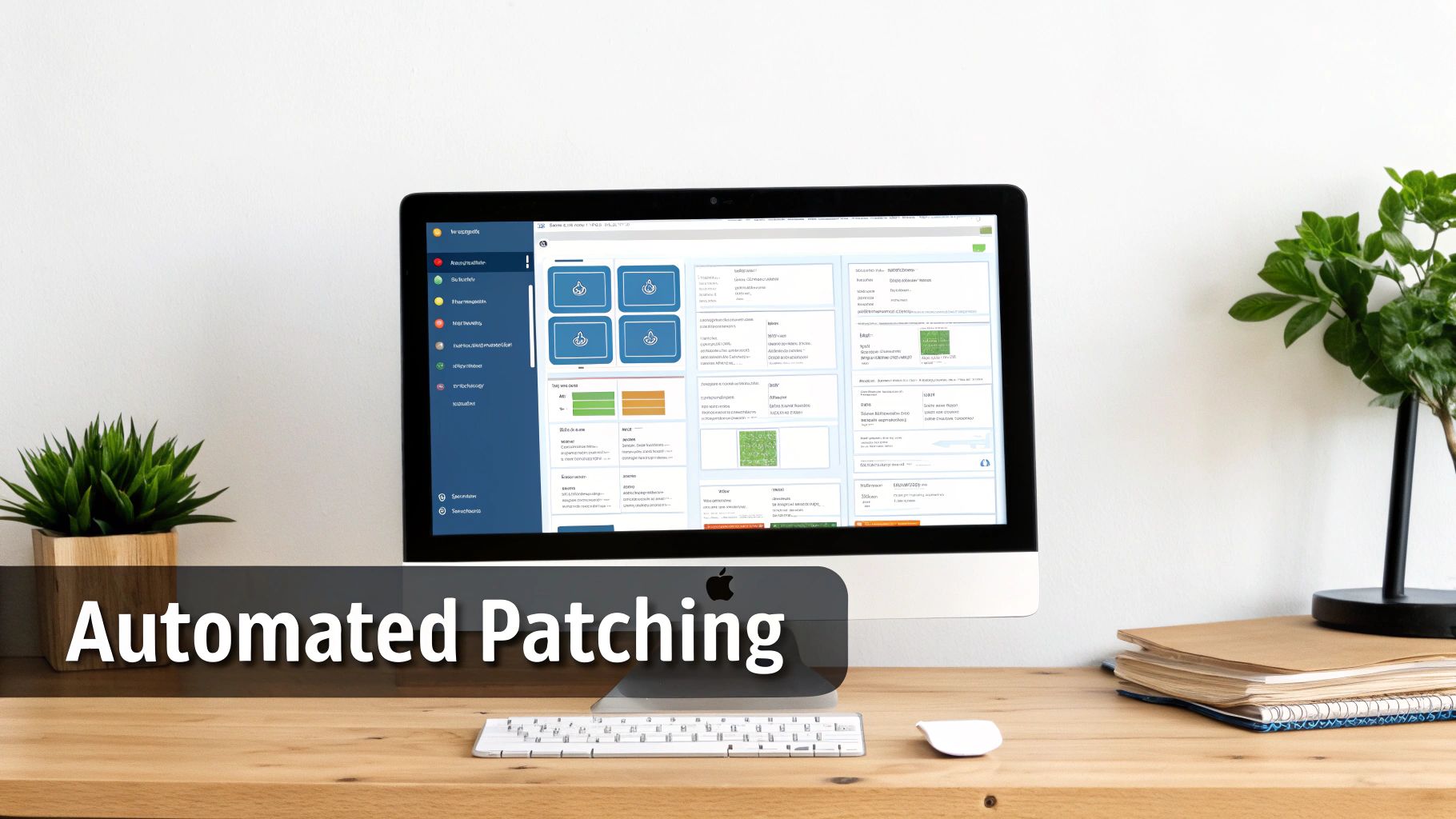
To make it even clearer, here’s a quick breakdown of how these approaches stack up for a typical small business.
Comparison of Patching Approaches
| Feature | Manual Patching | OS-Native Tools (e.g., Windows Update) | Dedicated/Managed Solution |
|---|---|---|---|
| Centralized Control | None. Requires visiting each device. | Limited. Manages only individual devices. | Full. Manages all devices from one dashboard. |
| Third-Party Apps | Not supported. Must be done separately. | Not supported. Only patches the OS. | Yes. Covers Adobe, Java, browsers, etc. |
| Automation | None. Entirely manual process. | Basic scheduling for OS updates only. | Fully automated and customizable schedules. |
| Reporting | None. No way to track compliance easily. | Very basic. No comprehensive reports. | Detailed compliance and vulnerability reports. |
| Efficiency | Extremely low. Prone to human error. | Moderate, but requires manual checks. | High. Saves significant time and reduces risk. |
As you can see, while manual and OS-native tools might seem "free," the hidden costs in time, risk, and incomplete coverage are huge. A dedicated or managed solution provides the comprehensive control modern businesses need.
The Growing Role of AI in Patching
The world of patch management is also getting smarter, thanks in large part to artificial intelligence. AI is changing how security teams prioritize updates by predicting which newly discovered vulnerabilities are most likely to be actively exploited by attackers. This allows for a more intelligent, proactive approach, focusing your limited resources on the threats that pose the most immediate danger.
This trend is a key reason the market for these tools is exploding. The patch and remediation software market is forecasted to expand to USD 7.5 billion by 2035, a massive leap fueled by the need for smarter automation. This growth shows a clear demand from businesses for more efficient ways to handle this critical security task. You can dig into more of these market trends in a report from Future Market Insights. By bringing AI into the mix, SMBs can elevate their security from a simple chore to a predictive and resilient defense strategy.
Why Partnering with an MSP Makes Sense
Knowing the best practices is one thing. Actually executing them consistently? That’s a whole different ballgame, especially when you’re running a small or midsize business.
Most SMBs are juggling limited time, a lack of dedicated IT experts on staff, and the sheer complexity of modern software. This is the point where the question of what is patch management stops being a technical task and becomes a strategic business decision.
Trying to handle patching in-house often means pulling your best people away from what they do best. Instead of driving growth, they get bogged down researching vulnerabilities, testing updates, and troubleshooting when things inevitably go wrong. That's not just inefficient—it's risky. One missed update can open the door to a catastrophic breach.
This is where partnering with a Managed Service Provider (MSP) comes in. It offloads the entire burden, turning patch management from a reactive headache into a proactive, expertly-managed security function. It’s about more than just applying updates; it's about having a dedicated team of security pros who live and breathe this stuff every single day.
The Strategic Value of an MSP Partnership
An MSP brings structure, deep expertise, and powerful automation tools that are typically out of reach for a small business budget. This partnership delivers real, tangible results that protect your bottom line by slashing cyber risk and boosting operational uptime.
Here's what that looks like in practice:
-
Proactive, 24/7 Monitoring: An MSP team is always scanning your network for new vulnerabilities. They spot critical threats the moment they emerge, not weeks later.
-
Expert Testing and Deployment: They manage the whole lifecycle. Patches are carefully tested in a safe environment first, then deployed after hours to make sure your business operations aren't disrupted.
-
Detailed Compliance Reporting: You get clear, consistent reports that document every patch applied. This creates a crucial audit trail for cyber insurance and any compliance requirements you have to meet.
By entrusting patch management to an MSP, you gain more than just security—you gain peace of mind. You can be confident that your digital fortress is being professionally maintained, allowing you to focus on your business goals.
Freeing Your Team to Focus on Growth
Ultimately, the biggest win here is strategic. When you no longer have to worry about the nitty-gritty details of software updates, your team is free to innovate, serve your customers, and drive revenue. That shift—from IT maintenance to business growth—is the real value.
An MSP handles the complexities of your digital infrastructure, making sure your systems are not just secure but also stable and efficient. You can see how this all fits together by exploring our comprehensive managed IT services. Partnering with an expert team ensures your technology becomes a powerful asset that moves your business forward, rather than a constant source of stress and risk.
Common Questions About Patch Management
Even with a clear strategy in place, small business owners often have practical questions about what patch management really means for their day-to-day operations. Let's tackle some of the most common ones.
How Often Should We Be Patching Our Systems?
For most software and operating systems, a consistent monthly patching cycle is an excellent baseline. This rhythm allows you to plan for testing and deployment without constantly disrupting your team. It creates a predictable, manageable schedule that keeps your systems secure against the usual, everyday threats.
But that schedule isn't set in stone. When a critical vulnerability is discovered—especially one that attackers are already using out in the wild—you simply can't wait for your next scheduled update. Those situations demand an immediate, all-hands-on-deck response, often requiring you to patch outside the normal cycle to slam a dangerous security door shut before it gets kicked in.
Can Applying a Patch Break Our Software?
The honest answer? Yes, it can happen. While it's not common, a patch can sometimes conflict with your existing software or custom setups, leading to performance issues or even downtime. This is exactly why a structured, professional process is so critical.
This potential for disruption is the number one reason why professional patch management includes a dedicated testing phase and a solid rollback plan. An experienced Managed Service Provider (MSP) handles this complexity, ensuring an update strengthens your security without accidentally crippling your business operations.
A good IT partner will always test patches on non-critical systems first to see if anything breaks. It’s a simple but vital step that prevents a problematic update from ever touching your most important business servers.
Isn't Patch Management Expensive for a Small Business?
It's easy to look at patch management as just another line item on the IT budget. A much more accurate way to see it, though, is as a high-return investment in keeping your business running. The cost of a managed patching service is a predictable, manageable operational expense.
Now, compare that to the potential financial devastation of a single security breach. The costs from something like a ransomware attack—the ransom payment, recovery efforts, regulatory fines, and lost revenue from days of being completely offline—can easily soar into the tens or even hundreds of thousands of dollars. From that perspective, proactive patching is one of the most cost-effective insurance policies you can buy for your business.
If We Have Patch Management, Do We Still Need Antivirus?
Absolutely. It’s a common misconception that one can replace the other, but they serve two different—and equally critical—roles in a layered security strategy. Think of it like securing your office building.
-
Patch Management is like going around and fixing all the broken locks, reinforcing weak doors, and boarding up cracked windows. It closes the known, documented entry points that criminals could otherwise just walk right through.
-
Antivirus Software is the security guard actively patrolling the hallways. It's designed to spot and stop threats that manage to get inside through other means, like an employee accidentally opening a phishing email or plugging in a malicious USB drive.
You need both. Patching secures your software's foundation, while antivirus actively hunts for malicious activity. Together, they create a much stronger defense than either could ever provide alone.
Ready to stop worrying about software updates and focus on your business? The expert team at Eagle Point Technology Solutions provides proactive patch management to keep your systems secure, stable, and resilient. Learn more about our managed IT services.