Let’s start with a simple question: What exactly is system monitoring?
Think of it as a 24/7 digital watchman for your entire IT infrastructure. It’s the process of continuously gathering and analyzing data from your servers, network, applications, and all the other technology that keeps your business running. Its job is to alert you to potential problems before they turn into frustrating, expensive downtime.
Shifting From Reactive Fixes To Proactive Health
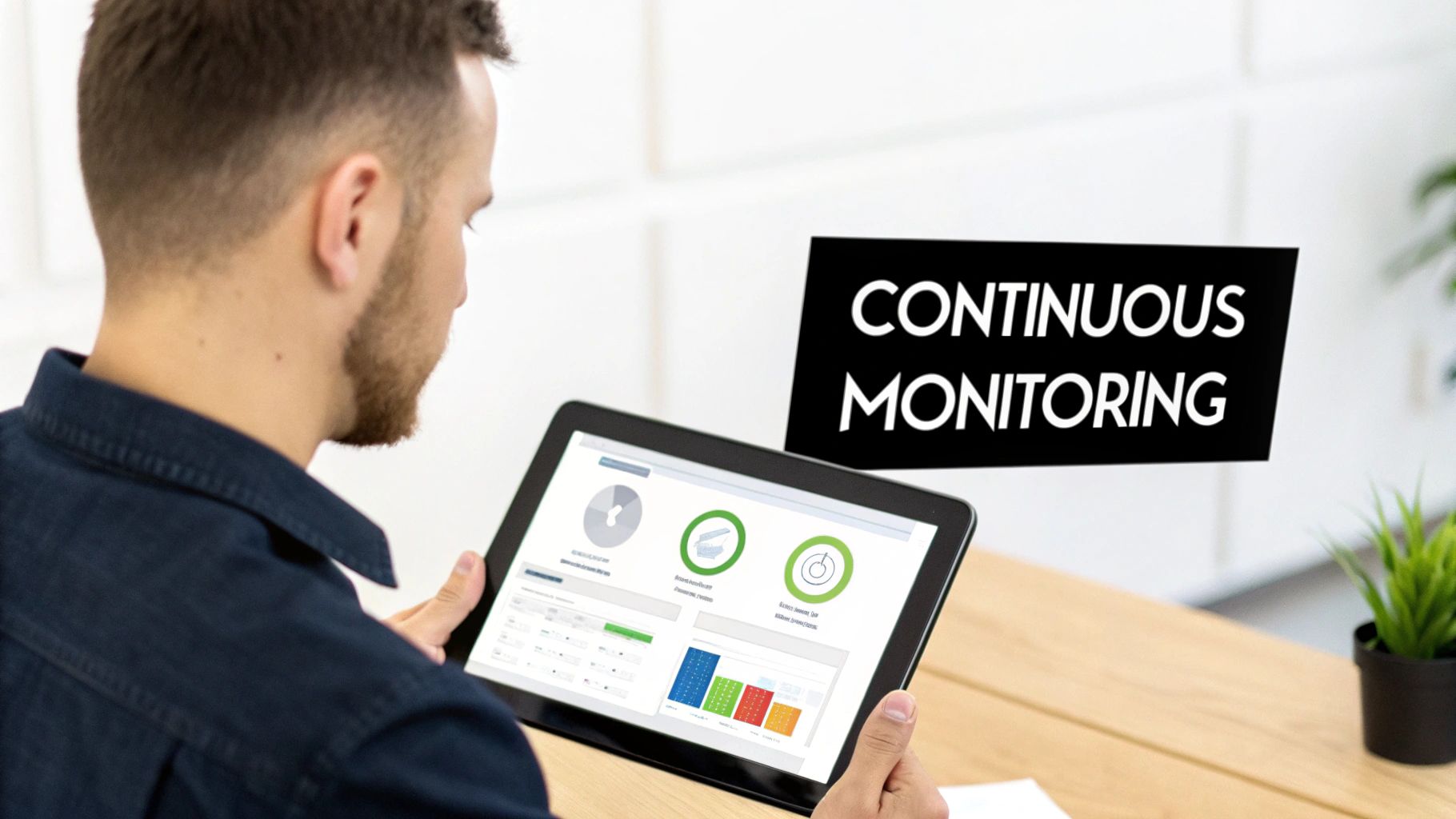
Here's an analogy I like to use with our clients. System monitoring is like the advanced diagnostic system in a modern car. It doesn’t just light up when a tire is already flat; it’s constantly checking your engine health, fluid levels, and electrical systems to warn you about trouble before you end up stranded on the side of the road. That’s exactly what system monitoring does for your business technology.
For many small and medium-sized businesses (SMBs) here in Western Pennsylvania and Eastern Ohio, IT is often stuck in a "break-fix" cycle. When something breaks, you call for help. This reactive approach isn't just stressful—it’s incredibly costly when you factor in lost productivity and emergency repair fees.
The Proactive Advantage
Proactive system monitoring completely flips that script. Instead of waiting for a server to crash or a network to go down, it gives you constant visibility into the performance and security of your IT environment. This allows us to catch issues that would otherwise go completely unnoticed until they blow up into a full-blown crisis.
By constantly gathering data on key performance indicators, monitoring allows you to spot trends, anticipate failures, and make informed decisions, transforming your IT from a reactive cost center into a strategic business asset.
This proactive stance is a foundational piece of modern cybersecurity solutions for businesses, because it helps us detect unusual activity that could be the first sign of a security threat.
Ultimately, understanding system monitoring means shifting your entire perspective. It’s not just about preventing downtime. It’s about ensuring your technology consistently and reliably supports your business goals, boosts efficiency, and protects your bottom line from those nasty, unexpected disruptions.
The Real Business Impact of Proactive Monitoring
Beyond all the technical alerts and IT jargon, the question every business owner asks is simple: What does system monitoring actually do for my bottom line? The answer is about making a fundamental shift—moving away from a reactive, "firefighting" IT model to one that's proactive and strategic. This isn't just a philosophical change; it translates directly into measurable outcomes that strengthen your company’s financial health and operational stability.
The most immediate win is a massive reduction in costly downtime. When a critical server or application suddenly fails, the clock starts ticking. Every minute means lost revenue and crippled employee productivity. Studies show a single hour of downtime can cost a small business thousands of dollars, and that number skyrockets with the scale of the disruption.
Proactive monitoring helps you get ahead of these disasters. It’s designed to spot the warning signs—like a server’s hard drive nearing its end-of-life or unusual memory spikes—long before a complete failure ever occurs.
From Costly Crises to Controlled Costs
Let's be blunt: preventing a major system failure is always cheaper, faster, and far less stressful than cleaning up the mess after a crisis. Taking a proactive stance delivers significant cost savings that go straight back into your business.
Think about these direct financial benefits:
- Preventive Maintenance vs. Emergency Repairs: Addressing a potential issue during scheduled, off-hours maintenance is a fraction of the cost of paying for emergency, after-hours support to recover a crashed system.
- Improved Employee Productivity: When systems just work, your team can focus on their jobs without the constant frustration of slow applications or network hiccups. It’s a huge boost for morale and output.
- Enhanced Security: Monitoring is a core pillar of modern cybersecurity. It helps our team spot unusual activity—like a sudden surge in outbound data traffic or repeated failed login attempts—that could signal an active security breach. Catching these threats early can be the difference between a minor issue and a devastating data loss or ransomware attack.
A manufacturing client of ours in Pennsylvania recently dodged a complete production halt. Our monitoring system flagged a critical server showing signs of imminent failure. We were able to get the hardware replaced overnight, preventing what would have easily been days of lost production and missed deadlines.
Protecting Your Most Valuable Asset: Your Reputation
At the end of the day, proactive system monitoring protects much more than just your hardware; it protects your business's reputation. When you consistently deliver for your clients, you build trust. When you’re plagued by frequent outages and disruptions, you erode it.
By ensuring your technology is reliable and secure, you create a stable foundation for growth. It allows you to focus on running your business with the confidence that your IT infrastructure is being watched over 24/7. That peace of mind is one of the most valuable returns on investment you can get.
Essential Types of Monitoring Your SMB Needs
System monitoring isn't a single, one-size-fits-all tool. It's really a team of different specialists working together, each keeping a close watch on a specific part of your technology to keep the business running smoothly and securely. For a small or medium-sized business, understanding these core types helps you prioritize what you actually need to protect your day-to-day operations.
I like to use a security system analogy. You wouldn't just put a single lock on the front door of your building and call it a day, right? You'd have motion sensors, cameras, and maybe even alerts for temperature changes in critical areas. Each piece has a specific job, but together they provide complete protection.
This is the whole idea behind proactive monitoring—spotting issues before they blow up into business-halting emergencies. This chart breaks down how it all connects.
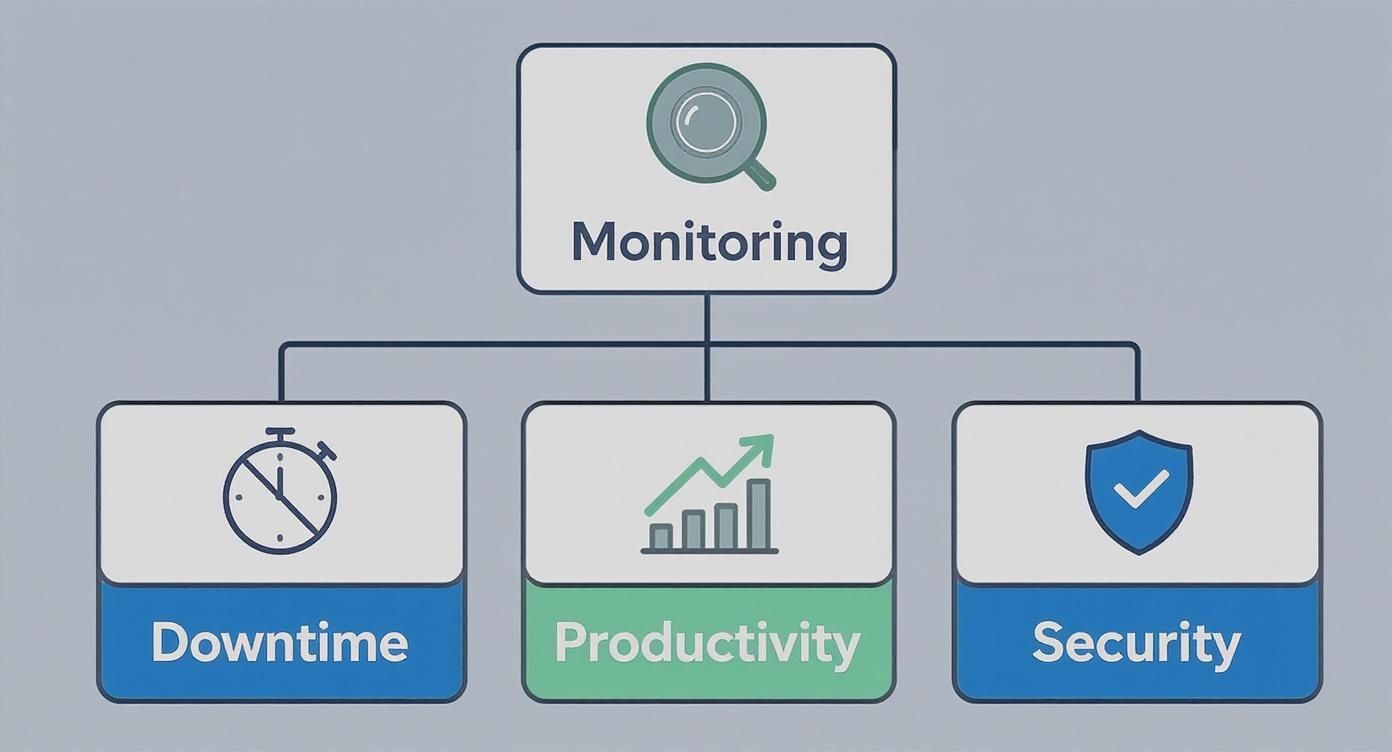
As you can see, a solid monitoring strategy directly ties into the things that matter most: less downtime, better productivity, and stronger security. So, let’s dig into the essential monitoring types that make this happen.
To help clarify how these different monitoring types serve your business, here’s a quick comparison of their primary goals and the kinds of practical questions they help you answer.
Monitoring Types at a Glance
| Monitoring Type | Primary Goal | Example Business Question Answered |
|---|---|---|
| Performance Monitoring | Ensure systems are running efficiently and quickly. | "Is our database server getting bogged down during our busiest hours?" |
| Security Monitoring | Detect and respond to potential cyber threats. | "Is that unusual login activity from overseas a real threat to our data?" |
| Availability Monitoring | Confirm critical services are online and accessible. | "Is our website down right now, and are we losing sales?" |
| Condition Monitoring | Predict and prevent equipment failure. | "Are our factory machines showing signs of wear that could cause a shutdown?" |
This table gives you a bird's-eye view, but let's explore what each of these means for your business on the ground.
Performance Monitoring
This is all about making sure your systems are running at peak efficiency. Performance monitoring keeps a close eye on key resources like your server's processing power (CPU), memory (RAM), and network speed to catch bottlenecks before your team or—even worse—your customers notice a slowdown.
- Practical Example: Say your customer database server starts getting sluggish every afternoon. This monitor would alert us, letting us fix the issue before it starts holding up your sales team or frustrating customers trying to place orders.
- Business Question Answered: "Are our systems fast and responsive enough to support our employees and customers effectively?"
Security Monitoring
Think of security monitoring as your digital watchdog. It’s constantly on the lookout for signs of a potential cyberattack by analyzing things like network traffic, suspicious login attempts, and unauthorized changes to important files. A huge piece of this involves actively defending your devices, which is where a solid endpoint security management strategy becomes absolutely critical.
- Practical Example: It can flag an unusual number of failed login attempts on your main server coming from an unknown location. That’s a classic sign of a brute-force attack in progress. Understanding specific areas, like Linux network traffic monitoring, can also be a vital part of a comprehensive security plan.
- Business Question Answered: "Is anyone trying to access our network or data without permission?"
Availability Monitoring
Sometimes called uptime monitoring, this is the most fundamental check-in. It simply asks: "Is this thing on?" It verifies that your critical systems—your website, email server, or key business software—are online and accessible. If your site goes down, this ensures you're the first to know, not the last.
- Practical Example: If your e-commerce website suddenly goes offline, this monitor will instantly notify our team. That allows us to jump on the problem immediately and get you back online before you lose too many sales.
- Business Question Answered: "Are our critical services online and available for our customers and employees right now?"
Condition Monitoring For Manufacturing
For our manufacturing clients here in the region, condition monitoring is an absolute game-changer. This is a specialized type of monitoring that keeps tabs on the health of operational technology (OT) and industrial equipment by analyzing sensor data for things like vibration and temperature. The goal is simple: predictive maintenance. Fix a machine before it breaks down.
This isn't a niche field anymore; it's exploding. The global market for condition monitoring is projected to jump from USD 4.4 billion in 2025 to a staggering USD 9.2 billion by 2035. This growth is fueled by AI and IoT sensors designed to slash the massive costs that come with unplanned downtime.
Key Metrics That Signal System Health and Risk
Now that we’ve covered the different types of monitoring, you’re probably wondering what we’re actually looking for. When my team at Eagle Point monitors your systems, we aren't just staring at random numbers on a screen; we’re interpreting specific signals that tell a story about your technology's health and potential security risks.
Understanding these key metrics, even from a high level, helps you appreciate what's happening behind the scenes. Think of it like a doctor checking your vital signs—each number provides a crucial clue about your overall well-being.
Core Performance Metrics
These are the fundamental "vital signs" of your IT infrastructure. When they're stable and humming along in their normal ranges, your systems are generally healthy. But when they spike or plummet, it’s an early warning that something is wrong and needs attention.
-
CPU Usage: Think of the Central Processing Unit (CPU) as your computer's brainpower. If its usage is constantly pinned at 100%, your system will feel sluggish and unresponsive, just like a person trying to juggle too many tasks at once. This often points to a misbehaving application or an overworked server.
-
Memory (RAM) Utilization: RAM is your system's short-term memory, where it holds data for active tasks. If it runs out of memory, it has to start shuffling data to the much slower hard drive, causing significant slowdowns. Consistently high memory usage is a clear sign you either need an upgrade or have a "memory leak" in a piece of software.
-
Network Latency: This is the technical term for the delay in data traveling across your network. High latency is what causes that frustrating lag you experience during video calls or while waiting for a webpage to load. It can signal anything from network congestion to failing hardware.
-
Disk I/O and Space: This metric tracks how quickly your hard drives can read and write data (I/O) and how much storage space you have left. A sudden spike in I/O can slow everything to a crawl, while completely running out of disk space can bring a server to a dead stop.
Among the key metrics that signal system health and risk, understanding uptime is crucial for evaluating availability and minimizing downtime. Uptime is simply the measure of how long a system has been operational without a crash or reboot.
Essential Security Metrics
While performance metrics tell us about health, security metrics are your digital alarm system. They alert us to potential threats, and spotting them early is the key to preventing a minor incident from becoming a major, business-disrupting breach.
These metrics aren't just technical data; they are the breadcrumbs that can lead an experienced IT professional to the root of a problem before it impacts your business.
Here are a few of the critical security signals we watch for:
-
Failed Login Attempts: A few failed logins are normal—we all forget a password now and then. But a sudden spike of hundreds or thousands of attempts against a single account or your firewall is a clear indicator of a brute-force attack in progress.
-
Unusual Data Transfers: If a server that normally sends out a small amount of data suddenly starts uploading gigabytes of information to an unknown location, it’s a massive red flag. This often signals data exfiltration, where a hacker is stealing your sensitive files.
-
Unauthorized Port Access: This is the digital equivalent of someone jiggling the handles on all the doors and windows of your office building, looking for one that's unlocked. Our monitoring tools can detect and block these attempts to find an open digital entry point into your network.
Interpreting these signals requires real expertise. It’s one thing to see the data; it’s another to know what it means. Having a team that can instantly distinguish between normal system behavior and a genuine threat is what turns raw data into actionable business protection.
How to Implement System Monitoring in Your Business
Knowing you need system monitoring is one thing; actually putting it in place is what protects your business. For a small or medium-sized business, this process doesn’t have to feel overwhelming. It all starts with one simple question: "What technology can we absolutely not afford to have fail?"
That single question will help you zero in on your most critical systems. Is it the server that holds all your customer data? Your e-commerce storefront? Maybe it’s a specific piece of machinery on your factory floor. Pinpointing these crown jewels is the bedrock of a solid monitoring strategy, ensuring you put your budget where it counts the most.
Once you know what to watch, you need to decide what “normal” looks like versus what’s a real problem. This is all about setting alert thresholds. For example, a quick spike in CPU usage is probably nothing to worry about. But if that CPU stays pegged at over 90% for ten straight minutes? That's a red flag that demands a closer look.
Choosing Your Implementation Path
With your priorities mapped out, you’ve hit a fork in the road. Do you try to handle this yourself, or do you bring in an expert? For most SMBs, this decision comes down to budget and people—two things that are almost always in short supply.
-
In-House Approach: This means buying your own monitoring software and assigning someone on your team to watch the alerts, figure out what they mean, and jump into action when needed. You get direct control, but it’s a huge commitment of time and requires a level of technical skill that many smaller businesses just don’t have on staff.
-
Managed Service Provider (MSP): This is where you partner with a firm like Eagle Point. An MSP brings the tools, the expertise, and the 24/7 eyes-on-glass monitoring for a predictable monthly fee. It gives you the kind of oversight large corporations have, but without the massive overhead of hiring a dedicated team.
The need for this kind of real-time oversight has caused the enterprise monitoring market to explode. Valued at USD 34.7 billion in 2025, it’s projected to hit USD 125.9 billion by 2034. You can read the full research about enterprise monitoring trends to see why so many companies are making this a priority.
For an SMB, an MSP partnership often delivers the best of both worlds—access to advanced tools and expert analysis without breaking the budget. It turns system monitoring from a complex IT project into a managed service.
This approach ensures that alerts aren't just generated; they're acted upon by pros who can instantly tell the difference between a minor hiccup and a genuine threat. It also connects directly to other vital IT functions. After all, great monitoring gives you the data you need for a rock-solid patch management strategy. You can check out our guide on what patch management is to see how these two processes work hand-in-hand to keep your business secure.
Achieve Peace of Mind with Proactive Monitoring
Understanding what system monitoring is and how it works is a great first step. The real challenge for most business owners? Turning that knowledge into a genuine advantage that actively protects your business.
This is where having a true partner—not just another vendor—makes all the difference. At Eagle Point, we don't just sell you software; we become an extension of your team. We provide the 24/7 oversight that lets you get back to running your business instead of constantly worrying about your IT.
For our clients across Western Pennsylvania and Eastern Ohio, our service is about more than just flags and alerts. An alert just tells you a problem has already happened. Our team provides the expert analysis, rapid response, and strategic guidance to stop problems before they even start.
Your Partner in Proactive IT Management
We use advanced monitoring tools to give your business the kind of powerful oversight once reserved only for massive corporations. This constant watchfulness is the bedrock of any modern business strategy, supporting everything from your cybersecurity defenses to your cloud and AI initiatives.
And the demand for this level of vigilance is skyrocketing. The global system monitoring market, valued at around USD 3.53 billion in 2024, is expected to more than double to USD 9.15 billion by 2035. That explosive growth isn't just a trend; it's a signal that businesses everywhere are recognizing the critical link between monitoring, operational uptime, and security. Discover more insights about system monitoring market growth on marketresearchfuture.com.
By partnering with an MSP, you gain more than just technology; you gain a team of experts dedicated to interpreting data, identifying risks, and taking action before minor issues become major disruptions.
Ultimately, proactive monitoring is about achieving peace of mind. It’s the confidence you get from knowing an experienced team is always watching over your critical systems, ensuring they stay secure, reliable, and ready to support your company’s growth.
If you’re ready to finally move away from the reactive "break-fix" cycle and embrace a proactive strategy, let's have a conversation about what your business truly needs.
Answering Your Questions About System Monitoring
We get a lot of great questions from business owners dipping their toes into the world of proactive IT. If you're wondering how this all fits into your own company, you're not alone. Here are a few of the most common things we hear.
My Business Is Small—Do I Really Need System Monitoring?
Absolutely. In my experience, small businesses are often more vulnerable to downtime and cyber threats, simply because they don't have a dedicated IT department watching their back.
For a small or medium-sized business, a single server failure or security breach isn’t just a minor hiccup; it can be a catastrophic, business-ending event. Proactive monitoring is a surprisingly affordable way to get ahead of those major issues before they ever happen, making it a critical investment for any company that can't afford to be knocked offline. It really levels the playing field, giving you enterprise-grade protection on a budget that makes sense.
Isn't System Monitoring Too Expensive for an SMB?
That’s a common concern, but it’s all about perspective. When you compare the predictable monthly cost of monitoring to the massive, unpredictable expense of unexpected downtime, data loss, or a security breach, it’s a no-brainer. Think of it as insurance for your entire operation.
When you partner with a managed service provider like Eagle Point, you get access to sophisticated tools and expert analysis for one flat fee. This often costs far less than the salary of a single full-time IT specialist.
How Is This Different from My Antivirus Software?
Great question. Antivirus is absolutely essential, but it's just one piece of a much larger puzzle. It's designed to find and block known malware on individual computers. Think of it like a good, solid lock on your front door.
Security monitoring, which is a key part of our overall system monitoring, is much broader. It watches your entire network for suspicious behavior that could signal a breach, even if no traditional malware is involved. It’s the kind of thing that catches unusual login attempts from overseas or flags when a huge chunk of data is suddenly being transferred out of your network at 2 AM.
It’s the difference between a simple lock and a full-blown security system with cameras, motion detectors, and a 24/7 guard watching the property. You really need both.
At Eagle Point Technology Solutions, we believe proactive monitoring is the bedrock of any resilient and secure business. If you're ready to gain peace of mind and get back to focusing on growth instead of putting out IT fires, let's talk.
Schedule a free, no-obligation consultation today to see how we can help protect your specific operations.