
An IT change management process is a formal, structured way of handling every single modification made to your technology environment. From server updates and software rollouts to firewall tweaks, its purpose is simple: to stop uncontrolled changes from causing chaos.
Why a Change Management Process Protects Your Business
For many small and midsize businesses here in Western Pennsylvania and Eastern Ohio, IT changes just… happen. A technician applies a “quick fix” to a server, or someone installs a new app without a second thought. This ad-hoc approach feels fast and efficient in the moment, but it’s like trying to navigate a busy highway without traffic signals. It works right up until it causes a catastrophic pile-up.
Uncontrolled IT changes are like tiny tremors. One might not feel like a big deal, but their cumulative effect can destabilize your entire business. A seemingly harmless software patch could clash with a critical business application, grinding your operations to a halt. A quick firewall update, misconfigured by a well-meaning tech, might accidentally swing the door wide open for cyber threats, exposing sensitive company data. For SMBs running on tight budgets and with limited IT staff, these aren't just minor inconveniences—they're major business risks.
From Risky Guesses to Reliable Growth
Putting a real IT change management process in place transforms this unpredictable environment into a stable, reliable system. Don't think of it as bureaucratic red tape; think of it as a pilot's pre-flight checklist for your technology. It’s a disciplined strategy that makes sure every change is properly requested, assessed for risk, approved, implemented, and then reviewed in a controlled way. This simple structure brings much-needed visibility and accountability.
The hard truth is that without a formal process, many IT changes fail. Multiple studies show that 50–70% of change initiatives fall short of their goals, leading directly to unplanned outages, cybersecurity gaps, and lost productivity. For an SMB, that failure rate introduces real risk every single time a server is upgraded or a new cloud system is rolled out. You can learn more about this from InvGate's research on the impact of failed changes.
A structured process allows your business to evolve its technology safely and predictably. It puts an end to the all-too-common scenario where one team's "quick improvement" becomes another team's crippling system outage. By bringing order to your IT environment, you turn technology from a source of unpredictable risk into a reliable engine for growth. You can finally ensure that every change actually supports your business objectives instead of accidentally undermining them.
Let's look at a clear comparison of how things typically operate before and after a formal process is introduced.
Before and After Implementing a Change Process
This table paints a stark picture of the difference between flying blind and having a clear plan.
| Scenario | Without a Change Process (Ad-Hoc) | With a Change Process (Structured) |
|---|---|---|
| A "Minor" Software Update | A technician patches a server. It unknowingly conflicts with accounting software, causing a 4-hour outage at month-end. | The change is requested, its impact on all systems is assessed, and it's scheduled for after-hours. It deploys smoothly with zero disruption. |
| New Department Software | The marketing team installs a new tool without telling IT. It consumes massive network bandwidth, slowing down the entire company. | The request is reviewed by IT, who identify the bandwidth issue. They work with the vendor to configure the tool correctly before it's deployed. |
| Emergency Server Fix | A server fails. A tech rushes a fix, but misconfigures a security setting in the process, leaving a vulnerability open for weeks. | An emergency change is declared. A rapid but documented assessment is done, the fix is applied, and a post-incident review ensures all settings are correct. |
| New Employee Onboarding | HR requests a new user account. The request gets lost in an email inbox, delaying the employee's start by two days. | The request is submitted via a formal ticket. It's tracked, assigned, and completed on time, ensuring the new hire is productive from day one. |
| Cybersecurity Tweak | A firewall rule is adjusted to allow a new service. It accidentally opens a port that gets exploited by attackers a month later. | The change is reviewed by the Change Advisory Board (CAB). The potential security impact is flagged and mitigated before approval. |
As you can see, the "before" column is filled with reactive firefighting and unexpected problems. The "after" column, however, is all about proactive planning, clear communication, and predictable, successful outcomes. This is the stability that a proper change management process brings to a business.
Mapping Your IT Change Management Process in 6 Steps
An effective IT change management process isn't about creating complicated bureaucracy; it’s about having a clear roadmap. This roadmap guides a change from a simple idea to a successful, documented outcome. For a busy SMB, having a repeatable framework brings much-needed order and predictability to how your technology evolves.
Think of it as a six-stage journey that ensures every step is deliberate and safe.
This visual perfectly captures the goal: moving from an uncontrolled, chaotic environment to one where a clear process brings stability and control.
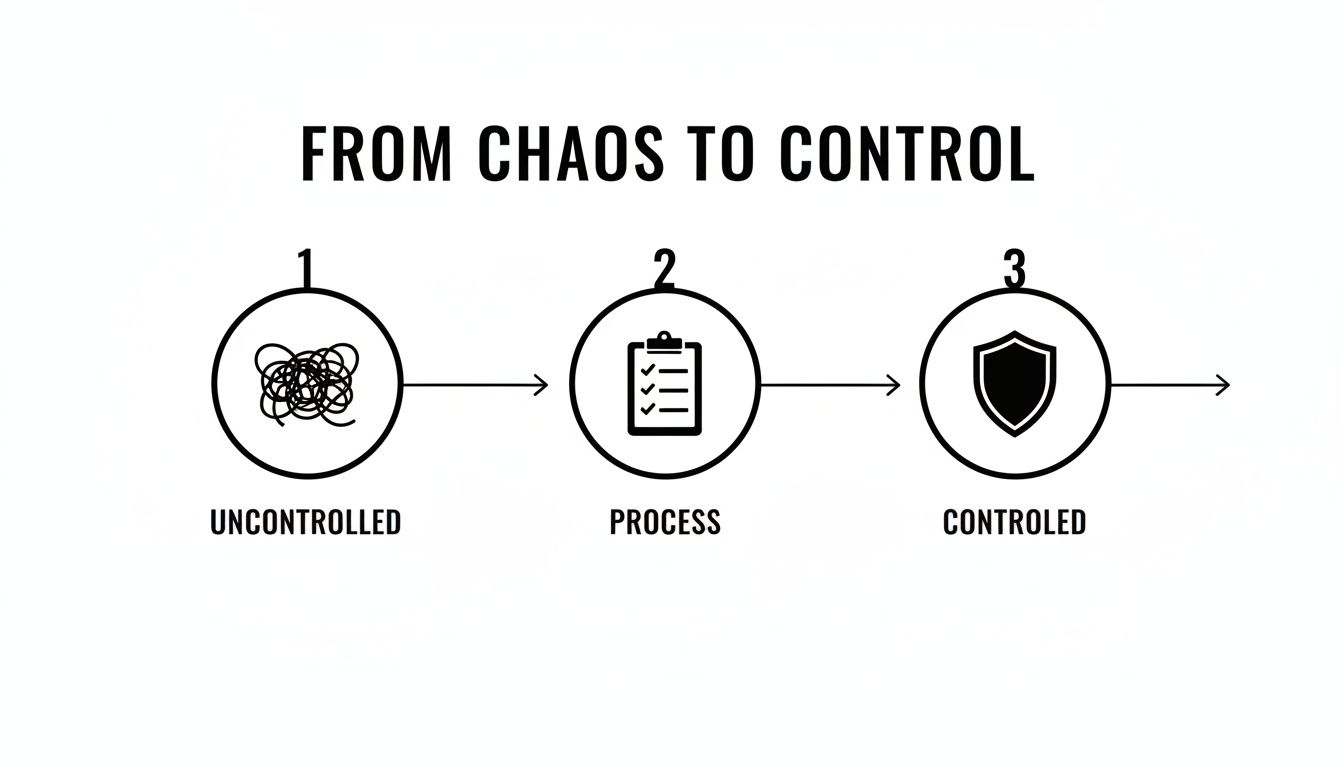
The process itself is the bridge between risky, spur-of-the-moment actions and a secure, managed state. Now, let's walk through the six practical steps that build this bridge.
Step 1: Initiating the Change Request
Every change begins with an idea. The first step is to formalize that idea by capturing it in a change request. This isn't just about filling out a form; it's about clearly defining the "why" behind what you want to do.
A solid change request answers a few critical questions right from the start:
- What is the change? (e.g., "Upgrade the primary accounting server software.")
- Why is it needed? (e.g., "The current version is no longer supported and has a known security flaw.")
- Who is requesting it? (e.g., "The finance department manager.")
- What is the desired business outcome? (e.g., "Improved security and access to new software features.")
This initial step acts as a filter, making sure only well-defined and necessary changes enter the pipeline. It puts a stop to those "hey, can you just quickly…" requests that so often lead to undocumented and risky modifications.
Step 2: Planning and Assessment
Once a request is officially submitted, the real planning kicks in. This is where you assess the potential impact and map out the resources needed for a successful implementation. This is the most critical phase for preventing unexpected downtime.
During this stage, your IT team or MSP partner investigates the technical and business implications. This means asking deeper questions to understand the full scope of the change.
Key assessment activities include:
- Risk and Impact Analysis: Figuring out which systems, departments, or users will be affected. For instance, updating a server might impact not just one application but several dependent ones.
- Resource Planning: Determining who needs to be involved, how much time it will take, and what tools or budget are required.
- Developing an Implementation Plan: Creating a step-by-step guide for executing the change, complete with precise timelines.
- Creating a Rollback Plan: Devising a "plan B" to quickly revert to the previous state if something goes wrong. This is your safety net.
This stage is all about looking before you leap. A thorough assessment turns an unknown risk into a calculated, manageable task.
Step 3: Securing Approval
With a solid plan in hand, the next step is to get formal approval from the key stakeholders. For an SMB, this doesn't have to be a complex, multi-layered board meeting. Often, it's a quick discussion between the business owner, the department head, and your IT lead or MSP representative.
This approval stage is far more than a rubber stamp. It's a checkpoint for business alignment, ensuring that the proposed change, its associated risks, and the required resources are fully understood and accepted by decision-makers.
This step guarantees everyone is on the same page and that IT changes directly support business goals. It prevents the IT department from making changes in a vacuum that might not align with company priorities.
Step 4: Executing the Implementation
This is the "go-live" phase where the change is carried out. Because of the detailed planning in Step 2, this stage should be a smooth execution of a well-defined plan, not a frantic scramble.
The implementer—whether it's an internal technician or an engineer from Eagle Point—follows the implementation plan precisely. Communication is vital here; impacted users should be notified of the change schedule and any expected, brief interruptions. Sticking to the plan minimizes human error and ensures the change is deployed consistently and safely.
Step 5: Reviewing and Validating
After the implementation is complete, the job isn't quite done. The next step is to review the change to confirm it was successful and achieved its intended outcome. This involves both technical validation and, just as importantly, user confirmation.
Validation includes:
- Technical Testing: Running diagnostics to ensure the new system is stable, secure, and performing as expected.
- User Acceptance Testing (UAT): Asking the original requestor or affected users to confirm that everything works correctly for them.
- Monitoring: Keeping a close eye on system performance and logs for a period after the change to catch any unforeseen issues.
If any problems pop up, the team can either fix them immediately or, in a worst-case scenario, execute that all-important rollback plan.
Step 6: Closing the Loop
The final step in the IT change management process is to formally close the change request. This involves documenting everything that happened for future reference.
This documentation should capture the key details:
- The final outcome of the change (successful, failed, rolled back).
- Any issues that were encountered and how they were resolved.
- The actual time and resources used compared to what was planned.
Closing the loop builds a valuable knowledge base. When a similar change is needed in the future, your team can review past records to learn from previous successes and avoid repeating mistakes. This makes your entire IT operation smarter and more efficient over time.
Defining Your Change Management Team
A great process is worthless without the right people running it. For a small or midsize business, the phrase "change management team" might sound like something only a large corporation can afford, but it's not about hiring a new department. It’s about assigning clear roles to the people you already have—or to a trusted partner—to ensure every change is a team win, not a chaotic mess.

Without someone owning each step, even the most brilliant plans can fall apart. There’s a huge disconnect in the workplace: workforce research shows that while 74% of leaders believe they involve employees in change, only 42% of employees actually feel included. That gap is where a solid team structure makes all the difference. When everyone knows their part, things just work.
Key Roles in Your Change Process
Think of these roles less as full-time jobs and more as different hats people wear during a project. In a typical SMB, one person might wear several hats, and that's perfectly fine. A key part of defining your team is also focusing on how to improve team collaboration to keep communication flowing and the project moving forward.
Here’s who you need on the field:
The Change Requestor (The Visionary): This is anyone in the company who spots a need. It could be the sales manager who needs a CRM update to track leads better or the warehouse foreman who wants a new inventory scanner. Their job is to kick things off by clearly explaining the "what" and the "why."
The Change Manager (The Conductor): This person is the orchestra conductor for the whole process. They don't necessarily approve the change or do the technical work, but they guide it from the initial request all the way to completion. They make sure forms are filled out, assessments get done, and everyone is kept in the loop. For many SMBs, an expert from your managed service provider is a perfect fit for this role.
The Implementer (The Technician): This is the hands-on person (or team) who actually does the work. It might be your internal IT expert or an engineer from your MSP partner. They’re the ones in the trenches, following the approved plan to get the change done safely and correctly.
The Change Advisory Board or CAB (The Decision-Makers): "CAB" sounds formal and a little intimidating, but for an SMB, it's really just the group that gives the final thumbs-up. This could be as simple as the business owner and the IT lead. Their job is to look at the proposed change, weigh the business impact against the risks, and give the final go-ahead.
How an MSP Partner Fits In
For businesses here in Western Pennsylvania and Eastern Ohio, this is where partnering with a managed service provider like Eagle Point Technology Solutions can really simplify things. An MSP can step in to be your expert Change Manager and also provide the skilled Implementers you need for the heavy lifting.
This frees up your team to stay focused on what they do best.
By outsourcing these key roles, you get all the benefits and discipline of a formal IT change management process without having to build and manage it all yourself. Your MSP becomes a true extension of your team, bringing the technical know-how and process governance you need for stable, secure IT.
To really see the value, it helps to understand what an MSP brings to the table. You can learn more about how that partnership works in our guide on what a managed service provider does.
By establishing these clear roles—whether you handle them internally or with a partner—you kill the confusion and boost accountability. It’s how you turn IT changes from a source of stress into a predictable way to move your business forward.
How to Classify Changes and Assess Risk
Not all IT changes are created equal. Resetting a user’s password is a world away from migrating your entire company’s data to a new server. Trying to force every modification through the exact same rigorous process is a recipe for frustration, inefficiency, and—worst of all—your team finding ways to bypass the system entirely.
The secret to a successful IT change management process is matching the level of oversight to the level of risk. It all starts with properly classifying each change request the moment it comes in.

Think of it like sorting your mail. Some is junk you can toss immediately. Some are routine bills that follow a standard payment process. And then there are those certified letters that demand your immediate attention. Sorting your IT changes into similar categories keeps your process agile, effective, and respected by the people who have to use it.
The Three Main Types of IT Changes
For most small and midsize businesses, changes can be neatly organized into three buckets. Getting these classifications right is the foundation for building a process that actually works in the real world, not just on paper.
- Standard Changes: These are your everyday, low-risk, pre-approved tasks that happen all the time. Think creating a new user account or replacing a keyboard. They follow a well-documented, proven procedure, and because their impact is minimal and predictable, they don't need a full-blown Change Advisory Board (CAB) meeting every time.
- Normal Changes: These are the non-urgent changes that fall outside the pre-approved list and require a full review before they get the green light. Migrating a departmental file share to a new server or upgrading your accounting software would fall into this category. They must go through every step of the change process, including a formal risk assessment and CAB approval.
- Emergency Changes: This is your "break-glass" scenario. An emergency change is an urgent fix needed to restore service after a major incident, like a server crash or a critical security breach that takes your website offline. The primary goal is to get things running again as quickly as possible, so the process is fast-tracked. Approval might come from a smaller, dedicated emergency committee, with the full documentation completed after the fire is out.
Here’s a quick cheat sheet to help you sort through these categories on the fly.
IT Change Classification Cheat Sheet
| Change Type | Description | Risk Level | Approval Process | Example |
|---|---|---|---|---|
| Standard | Routine, pre-approved tasks with a documented procedure. | Low | No CAB approval needed; can be handled by the IT team directly. | Resetting a user's password or installing approved software on a laptop. |
| Normal | A non-urgent change that requires a full review and approval cycle. | Medium to High | Requires formal risk assessment and full CAB approval before implementation. | Upgrading the company's primary CRM software or replacing a network switch. |
| Emergency | An urgent fix needed to resolve a major incident or restore service. | High | Accelerated approval from an emergency committee; documentation may follow. | Applying a critical security patch to stop an active cyberattack. |
This table provides a simple framework, but the real magic happens when you pair it with a solid risk assessment.
A Practical Checklist for Risk Assessment
Once you’ve put a change into its proper category, you need to dig a little deeper to assess its potential risk and impact. This isn't about guesswork; it's a structured evaluation to help your CAB make an informed decision. For an SMB, this doesn't need to be some exhaustive, 50-point inspection.
Just focus on answering these key questions:
- How many users will be affected? Is this going to impact a single person, one department, or the whole company?
- Which systems are involved? Are we touching a non-critical internal tool or the company's primary financial software?
- What are the security implications? Does this change alter firewall rules, user permissions, or data access controls?
- Is there a clear rollback plan? How quickly and easily can we hit the "undo" button if something goes wrong?
- What's the timing of the change? Is this scheduled during a critical business period, like month-end closing for the accounting team?
A simple scoring system can be incredibly effective here. Assign a score of 1 (low) to 5 (high) for each question. A high total score immediately flags a high-risk change that requires serious scrutiny, while a low score confirms it’s a more routine task.
This disciplined approach to classification and risk assessment is what transforms change management from a bureaucratic headache into a powerful business tool. It removes subjectivity and ensures every change gets the right level of attention.
This is especially vital for tasks that seem routine but carry hidden risks, like security updates. You can learn more about how this applies in our detailed guide on what is patch management. Properly classifying and assessing patches stops them from being deployed haphazardly, which is how you build a resilient, secure, and predictable IT environment.
Common Pitfalls and Best Practices for SMBs
Knowing the theory behind an IT change management process is one thing. Actually making it work in a small business, where time and resources are always tight, is another game entirely. Most businesses don't fail because their plan is bad; they fail because they stumble into a few common, completely avoidable traps.
The temptation to cut corners is real. One of the biggest mistakes is skipping the testing phase to get a change out the door faster. It almost always backfires, turning what should have been a minor update into a weekend-long outage. Another classic is poor communication—deploying a change without a heads-up and leaving the entire team confused when the tools they use every day suddenly stop working right.
From Common Stumbles to Best Practices
Recognizing these pitfalls is the first step. The good news? For every common stumble, there's a simple, battle-tested fix that will keep your process on track and your business humming.
Pitfall 1: No Rollback Plan
Implementing a change without a way to undo it is like sailing without a life raft. When an update goes sideways and causes unexpected chaos, you’re left scrambling to fix a live system while everyone is breathing down your neck. It’s a high-stress, high-risk situation.- Best Practice: Always create a rollback plan. Before you push any Normal or Emergency change, document the exact steps needed to get back to the last stable version. This isn't just paperwork; it’s a safety net that turns a potential crisis into a manageable hiccup.
Pitfall 2: Overly Complex Tools
SMBs often get sold on the idea that they need expensive, enterprise-level software to manage changes. What happens next is predictable: the system is too complicated, no one uses it, and everyone goes right back to sending frantic emails and tracking changes on sticky notes.- Best Practice: Start simple and stay practical. Use the tools you already have. A shared calendar is perfect for scheduling, a simple spreadsheet works great for a change log, and your existing ticketing system can handle requests. The best tool is the one your team will actually use, every single time.
Pitfall 3: Lack of Communication
When IT makes changes in a silo, it creates friction and frustration. A surprise server reboot during the sales team's busiest hour or an unannounced software update can grind productivity to a halt and build resentment.- Best Practice: Communicate early and often. A little proactive communication goes a long way. Send a brief email a few days before a planned change. Explain what’s happening, why it’s necessary, and who will be affected. It’s a simple act that helps manage expectations and shows respect for your team's work.
The data consistently shows that a structured approach is a key differentiator. Organizations that systematically integrate change management are 47% more likely to meet their objectives compared with those that do not. Discover more insights about how a formal process drives success from WalkMe's research on change management.
At the end of the day, a solid change process comes down to discipline and foresight. To sidestep these common pitfalls and build an effective IT change management process, I highly recommend checking out these 10 actionable release management best practices for safer, more efficient deployments. By adopting these simple but powerful habits, you can build a process that prevents problems, supports your business, and turns your IT from a source of risk into a reliable, strategic asset.


