
If your team is managing customer questions or internal IT requests from a shared email inbox, you're likely all too familiar with the chaos. Critical requests get buried, team members trip over each other answering the same ticket, and there’s no clear way to track who is responsible for what. For small businesses in Western Pennsylvania and Eastern Ohio, this disorganization isn't just frustrating; it's a direct drain on productivity and customer satisfaction. You need a system that brings order to the chaos without requiring a dedicated IT department to manage it.
This is where finding the best help desk software for small business becomes a strategic upgrade, not just another expense. The right platform transforms a cluttered inbox into a streamlined command center for all support communications. It introduces accountability with ticket ownership, automates repetitive tasks, and provides the data you need to see how your team is performing. Many top solutions also offer robust knowledge base capabilities. Learning how to build a knowledge base that effectively reduces common support tickets is a crucial step toward greater efficiency.
This guide cuts through the noise to help you find that perfect fit. We've analyzed the leading options, from Zendesk to Spiceworks, focusing on the features that matter most to SMBs: ease of use, affordability, security, and scalability. Each review includes screenshots, direct links, and practical insights to help you move beyond your shared inbox and start delivering the responsive, organized support that builds lasting customer loyalty.
1. Zendesk
Zendesk is a mature and powerful help desk platform, often considered a market leader for its comprehensive feature set and scalability. It excels in providing an omnichannel experience, centralizing customer communications from email, chat, social media, and voice into a unified ticketing system. This makes it an excellent choice for small businesses aiming to deliver a consistent and professional support experience across all customer touchpoints.
The platform's strength lies in its robust architecture and extensive customization options. While this can feel complex for a one-person team, its scalability is a significant advantage. A business can start with the basic "Suite Team" plan and grow into more advanced tiers with features like AI-powered automations and detailed analytics without needing to switch platforms. For a detailed look at how key players stack up, this Freshdesk vs Zendesk comparison provides valuable insights.
Key Features & Use Cases
- Omnichannel Support: Unify tickets from various channels (email, chat, phone, social media) into one streamlined agent workspace. This is ideal for retail or service businesses managing inquiries from multiple sources.
- AI Add-Ons: Utilize AI Copilot to assist agents with responses and AI agents to handle common queries, freeing up human staff for more complex issues.
- Large Integration Marketplace: Connect Zendesk with hundreds of other business tools like Slack, Jira, and Salesforce to create a seamless operational workflow.
- Self-Service Knowledge Base: Build a comprehensive help center, allowing customers to find answers independently and reducing your team's ticket volume.
Pricing and Implementation
Zendesk offers tiered "Suite" plans starting at $55 per agent/month (billed annually). While flexible month-to-month billing is available, costs can escalate with add-ons for AI, quality assurance, or workforce management. For small businesses, especially those in the Western Pennsylvania area without dedicated IT staff, partnering with an MSP can simplify the initial setup and ensure you're leveraging the platform's full potential without overcomplicating your processes. Understanding the core principles of what helpdesk support entails can help clarify which features are essential for your launch.
| Pros | Cons |
|---|---|
| Proven platform with deep features | Can be complex to configure for very small teams |
| Extensive integrations and API | Pricing rises quickly with AI and other advanced add-ons |
| Flexible month-to-month or annual billing options | May have more features than a startup business needs |
2. Freshdesk (Freshworks)
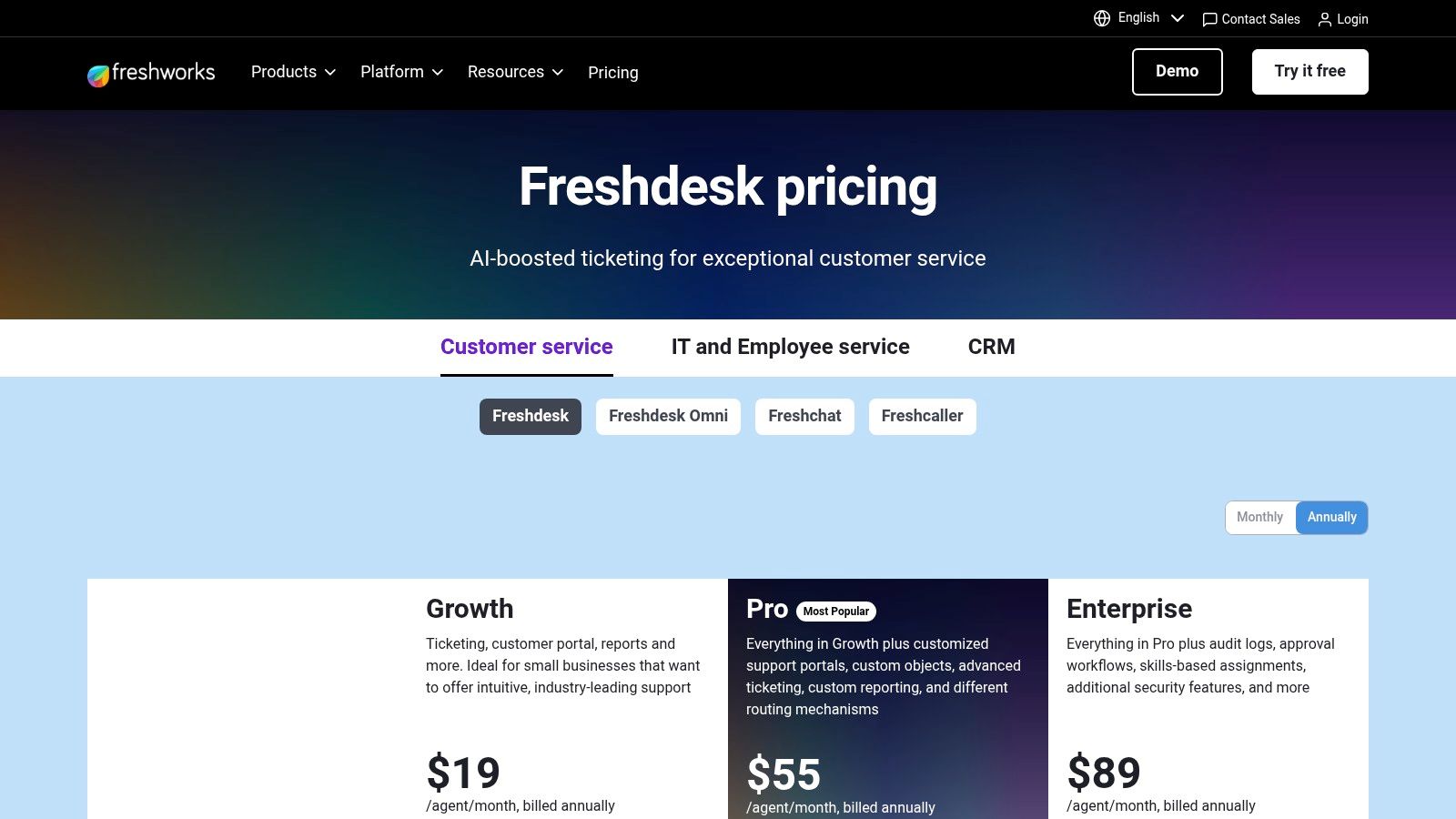
Freshdesk positions itself as one of the most user-friendly and intuitive options for the best help desk software for small business, emphasizing rapid setup and a clean user interface. It provides a comprehensive solution that combines ticketing, a customer portal, and robust reporting in its core offering. This makes it an excellent starting point for SMBs who need a powerful tool without a steep learning curve or extensive initial configuration.
The platform is designed for growth, allowing businesses to start with essential ticketing and expand into a full omnichannel suite that includes chat, telephony, and social messaging. This approach helps consolidate tools and simplify workflows, which is a major benefit for teams with limited IT resources. Proper vendor management is key when adding these channels, and understanding IT vendor management best practices ensures you maintain control over costs and service quality as you scale.
Key Features & Use Cases
- Generous Free Plan: Includes ticketing, a knowledge base, and reporting for up to 10 agents, making it ideal for startups and micro-businesses testing out a formal support structure.
- Freddy AI Suite: Offers AI-powered assistance for agents (Copilot) and automated customer-facing bots (AI Agents) to handle routine inquiries and speed up resolution times.
- Omnichannel Bundles: Consolidate support from email, phone, chat, and social media into a single agent view, perfect for retail or e-commerce businesses managing diverse customer contact points.
- Collaborator Roles: Allows non-agent staff (e.g., developers, sales) to view and comment on tickets without consuming a full-priced license, improving cross-departmental collaboration.
Pricing and Implementation
Freshdesk offers a free-forever plan and paid tiers starting at $15 per agent/month (billed annually). The omnichannel suites, which include phone and chat, begin at a higher price point. While the platform is known for its easy self-service setup, businesses in Western Pennsylvania looking to integrate it with existing systems can benefit from MSP guidance to ensure seamless data flow and process automation from day one.
| Pros | Cons |
|---|---|
| Easy to deploy with an intuitive interface | Some AI and analytics features are costly add-ons |
| Clear plan structure for SMB growth | Costs can climb as more channels and AI are enabled |
| Omnichannel bundle reduces vendor sprawl | Advanced customizations require higher-tier plans |
3. Zoho Desk
Zoho Desk is an incredibly powerful and budget-friendly help desk software, making it a top contender for small businesses that need robust features without a high price tag. Its biggest advantage is its seamless integration into the wider Zoho ecosystem, which includes CRM, finance, and project management tools. This creates a unified platform where customer support data flows directly into sales and operational workflows, providing a holistic view of the customer journey.
The platform is designed for scalability, offering a generous free plan for up to three agents and affordable paid tiers that introduce advanced functionality. For small businesses in the Western Pennsylvania area, this means you can start with a capable, no-cost solution and grow into more sophisticated features like process automation and AI without having to migrate to a new system. It strikes a rare balance between affordability, capability, and long-term value.
Key Features & Use Cases
- Blueprint Visual Process Automation: Design and automate your support processes with a drag-and-drop interface. This is perfect for standardizing procedures like returns, service requests, or onboarding.
- Multichannel Ticketing: Consolidate requests from email, social media, web forms, and phone into a single, organized view for your support team.
- Integrated Knowledge Base: Build a self-service portal for customers to find answers to common questions, which helps reduce incoming ticket volume and empowers users.
- Extensive Zoho Ecosystem Integration: Natively connect Desk with Zoho CRM, Analytics, and other apps to link support tickets directly to customer sales history and business data.
Pricing and Implementation
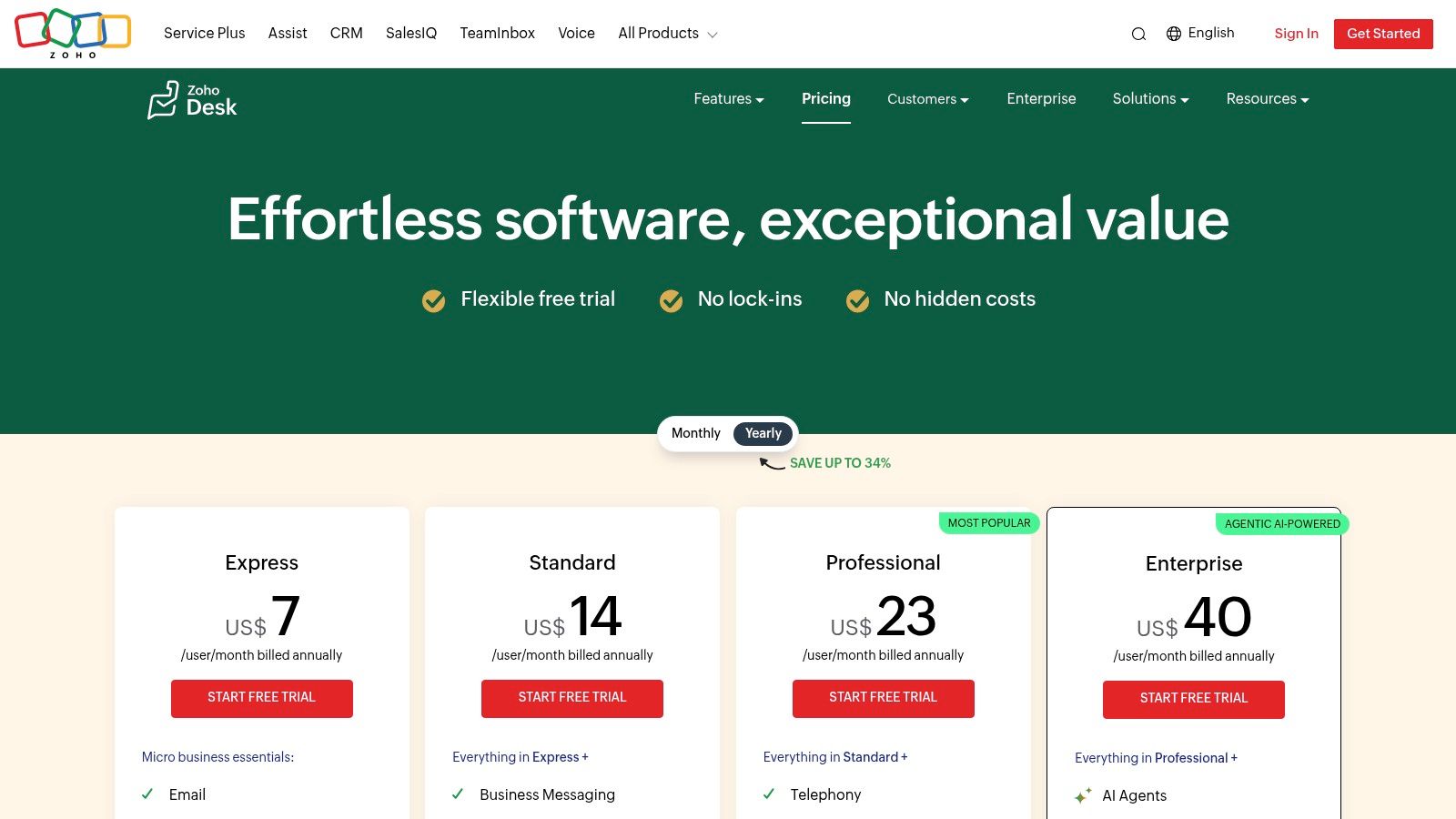
Zoho Desk’s pricing is one of its most attractive features, with a free plan for three users and paid plans starting at just $14 per agent/month (billed annually). While the UI is generally intuitive, the depth of its automation and customization tools can require a focused setup period. For an Ohio-based business without a dedicated IT team, an MSP can help configure the initial workflows and integrations, ensuring you get the most out of the platform from day one. A 15-day free trial is available on all paid plans.
| Pros | Cons |
|---|---|
| Exceptional value with a robust free plan | UI depth can require some initial configuration time |
| Deep native integration with the Zoho app family | Advanced AI and bot features are limited to higher-priced tiers |
| Transparent and highly competitive pricing | The sheer number of features might feel overwhelming for a solo operator |
4. Help Scout
Help Scout is designed with small and growing businesses in mind, offering an email-first help desk that prioritizes simplicity and collaboration. It strips away the complexity of larger enterprise platforms, focusing on core features like shared inboxes and a built-in knowledge base. This makes it an ideal choice for SMBs who want a powerful yet intuitive tool that feels more like a shared email client than a complicated ticketing system.
The platform excels at helping teams manage customer conversations without losing the personal touch. Its clean user interface ensures that new team members can get up to speed quickly, a significant advantage for businesses without dedicated training resources. With features like private notes and collision detection, teams can collaborate on tickets seamlessly, making it one of the best help desk software options for businesses focused on high-quality, personalized support.
Key Features & Use Cases
- Collaborative Shared Inboxes: Manage email addresses like support@ or info@ in a collaborative space. Perfect for teams that need to work together on customer inquiries without stepping on each other's toes.
- Integrated Docs Knowledge Base: Build a self-service help center directly within the platform. This reduces repetitive questions and empowers customers to find their own answers.
- Beacon Web Widget: Provide in-app support by embedding a help widget on your website that offers chat and knowledge base search, creating a smooth customer experience.
- AI-Assisted Tools: Use AI Drafts to refine agent responses and Summarize to get the gist of long conversations quickly. An optional AI Answers feature can be added to your knowledge base to resolve common queries automatically.
Pricing and Implementation
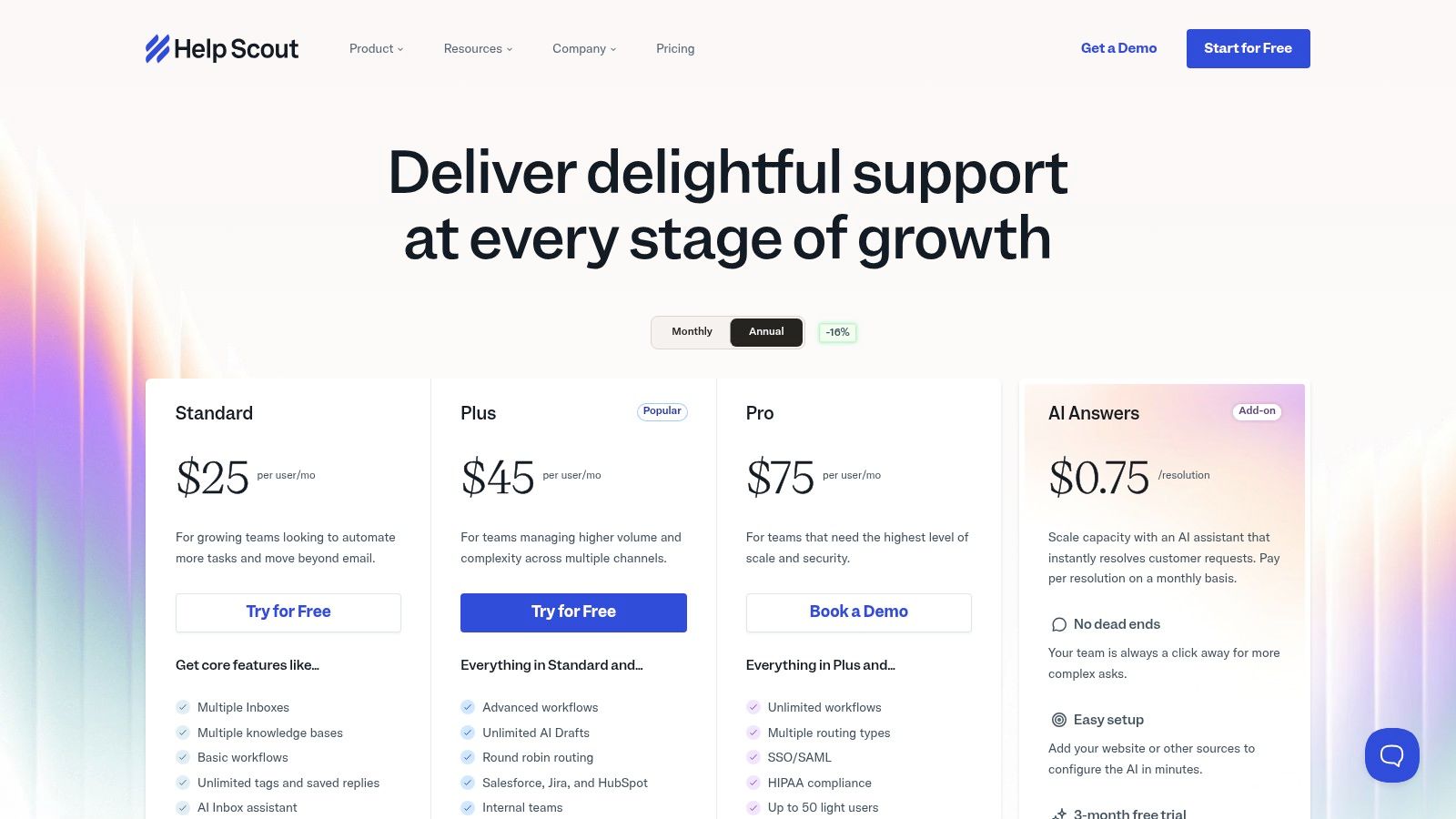
Help Scout offers several plans, starting with a free option for very small teams. Paid plans begin at $20 per user/month (billed annually) for the Standard tier. A key consideration is that advanced features like integrations with Salesforce or HubSpot are reserved for higher tiers. Additionally, their AI Answers tool is billed per resolution, which can introduce a variable monthly cost. For businesses in Eastern Ohio, an MSP can help you choose the right plan and integrate it effectively with your existing tools without overspending.
| Pros | Cons |
|---|---|
| Very approachable UX and fast onboarding | AI Answers is billed separately, creating a variable cost |
| Clear plan limits and good documentation | Limits on inboxes/Docs sites on lower-tier plans |
| Free plan available to get started | Key integrations are locked behind more expensive plans |
5. HubSpot Service Hub
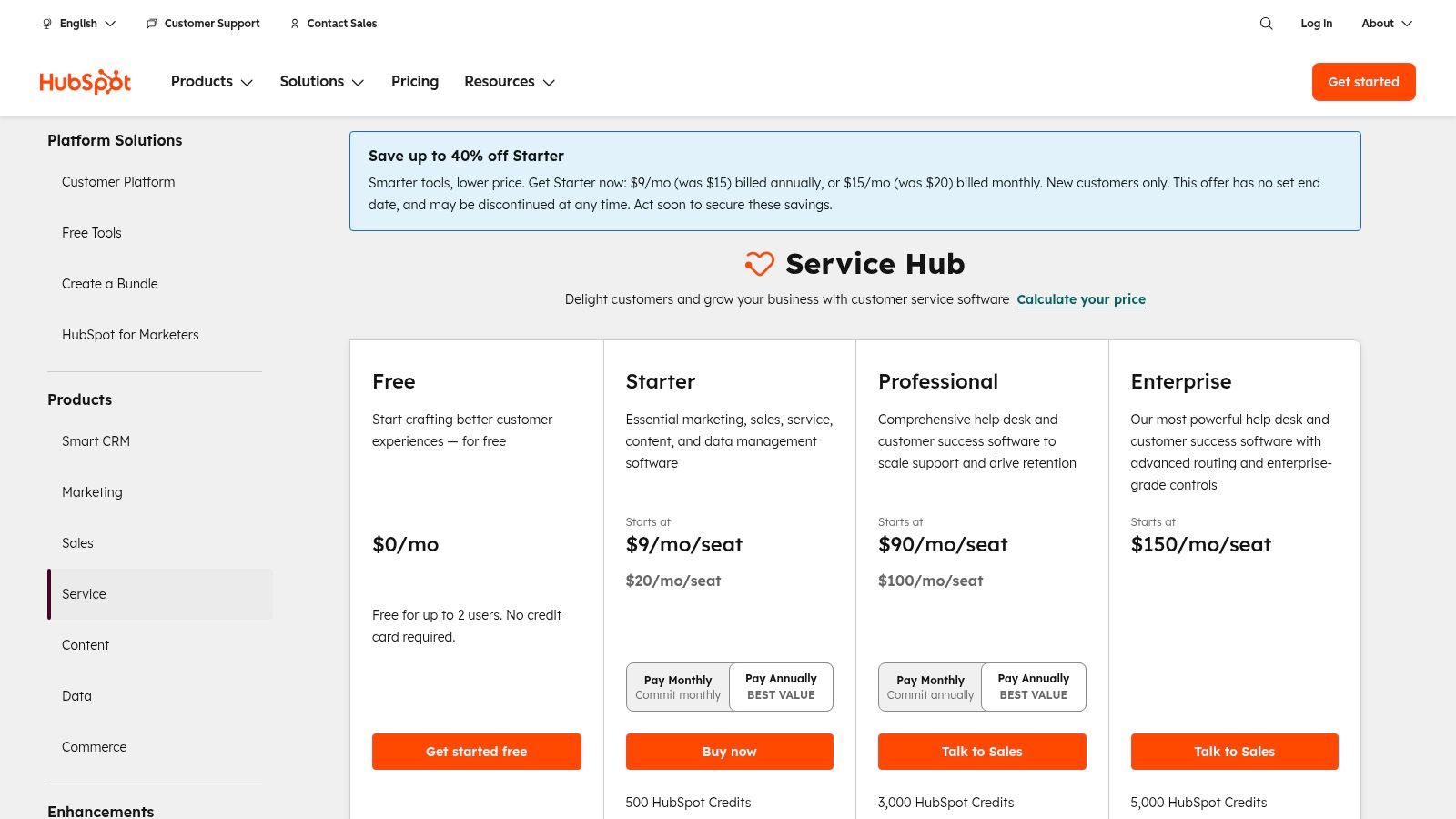
HubSpot Service Hub is an excellent choice for businesses that want to integrate their customer support directly with their sales and marketing efforts. Built on the powerful HubSpot CRM, it provides a unified view of every customer interaction, from their first marketing touchpoint to their most recent support ticket. This holistic approach makes it one of the best help desk software options for small businesses focused on nurturing long-term customer relationships.
The platform stands out by offering a suite of free tools, including a shared inbox and basic ticketing, allowing a startup or solo entrepreneur to establish a professional support system with zero initial cost. As your business grows, you can scale into paid tiers that unlock sophisticated automation, service-level agreement (SLA) management, and in-depth reporting, ensuring the platform evolves with your needs.
Key Features & Use Cases
- Shared Inbox & Ticketing: Manage all customer conversations from email and live chat in one place, with higher tiers adding SLA tracking to prioritize urgent issues.
- Knowledge Base: Create a self-service help center to empower customers to find their own answers, reducing the number of incoming support requests.
- Integrated CRM: Every ticket is automatically linked to a customer’s contact record, giving agents full context on their history with your sales and marketing teams.
- Customer Feedback Surveys: Collect valuable insights on customer satisfaction (CSAT), Net Promoter Score (NPS), and customer effort to improve your service quality.
Pricing and Implementation
HubSpot Service Hub offers a free plan with core tools, with paid plans starting at $20 per seat/month (billed annually). Professional and Enterprise tiers introduce more advanced automation and reporting but can include onboarding fees. For businesses in Western Pennsylvania, an MSP can help integrate HubSpot with your existing tech stack and configure workflows that align support data with your sales and operational goals, maximizing your investment in the HubSpot ecosystem.
| Pros | Cons |
|---|---|
| Single customer record from marketing to support | Onboarding fees required for higher-tier plans |
| Excellent free tools for teams just starting out | Per-seat pricing can become costly as your support team grows |
| Extensive training resources via HubSpot Academy | Advanced features are locked behind more expensive tiers |
6. Jira Service Management (Atlassian)
Jira Service Management is an IT service management (ITSM) powerhouse, making it one of the best help desk software for small business teams focused on internal IT support. It builds on the familiar Jira platform, providing a structured environment for managing service requests, incidents, and changes. This native integration with Jira and Confluence creates a unified workflow for development, operations, and support teams, a significant advantage for tech-oriented businesses.
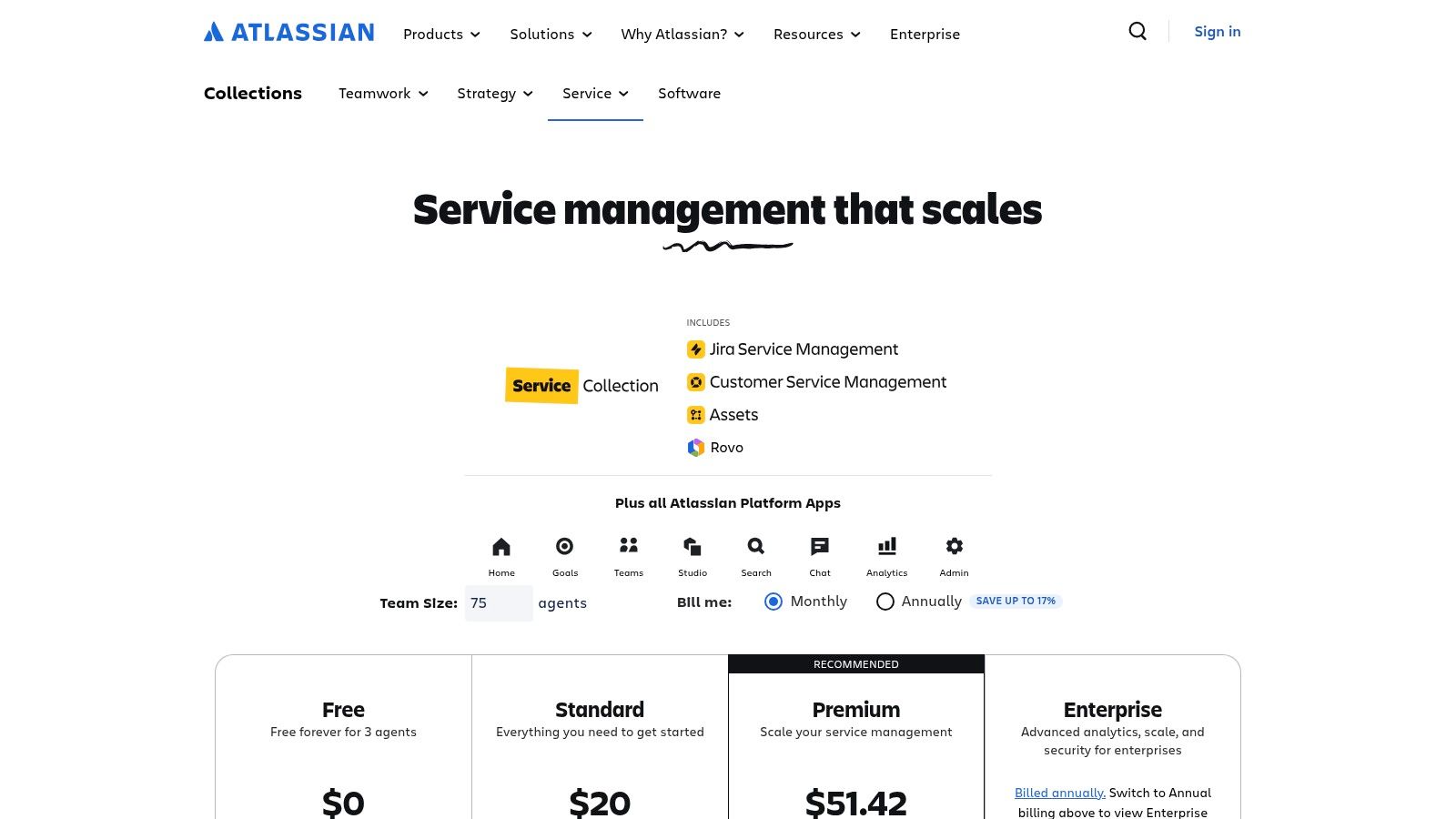
While it can feel overly structured for simple external customer support, its strength lies in its ITIL-aligned processes. For businesses in Western Pennsylvania managing internal hardware, software licenses, and employee onboarding requests, Jira Service Management provides robust templates and automation rules out of the box. The platform scales from a generous free tier for up to three agents to enterprise-grade plans with advanced features like asset management and a virtual agent.
Key Features & Use Cases
- ITSM Workflows: Ideal for managing internal IT tickets, including incident, problem, and change management processes, directly within the Atlassian ecosystem.
- Request Portal & Email Intake: Offer employees a clean, user-friendly portal to submit requests or allow them to create tickets by sending an email.
- Automation & SLAs: Define service level agreements (SLAs) and build powerful automation rules to escalate tickets, assign tasks, and notify stakeholders.
- Assets/CMDB (Premium+): Track and manage company hardware and software assets in a configuration management database, essential for compliance and security.
Pricing and Implementation
Jira Service Management offers a feature-rich free plan for up to three agents, which is a fantastic starting point for very small teams. Paid plans begin at $22.05 per agent/month (billed annually) and unlock more advanced features. Higher tiers include asset management, incident postmortems, and AI-assisted conversations. While powerful, configuring its IT-centric workflows can be complex. An MSP can help tailor the platform to your specific operational needs, ensuring you leverage its full potential without getting bogged down in ITSM jargon.
| Pros | Cons |
|---|---|
| Strong fit for IT workflows and change/incident management | Can feel heavy for simple external customer support use cases |
| Scales well with granular configuration and templates | Some enterprise security features require Atlassian Access |
| Free tier available for very small teams | Interface may be complex for non-technical users |
7. LiveAgent
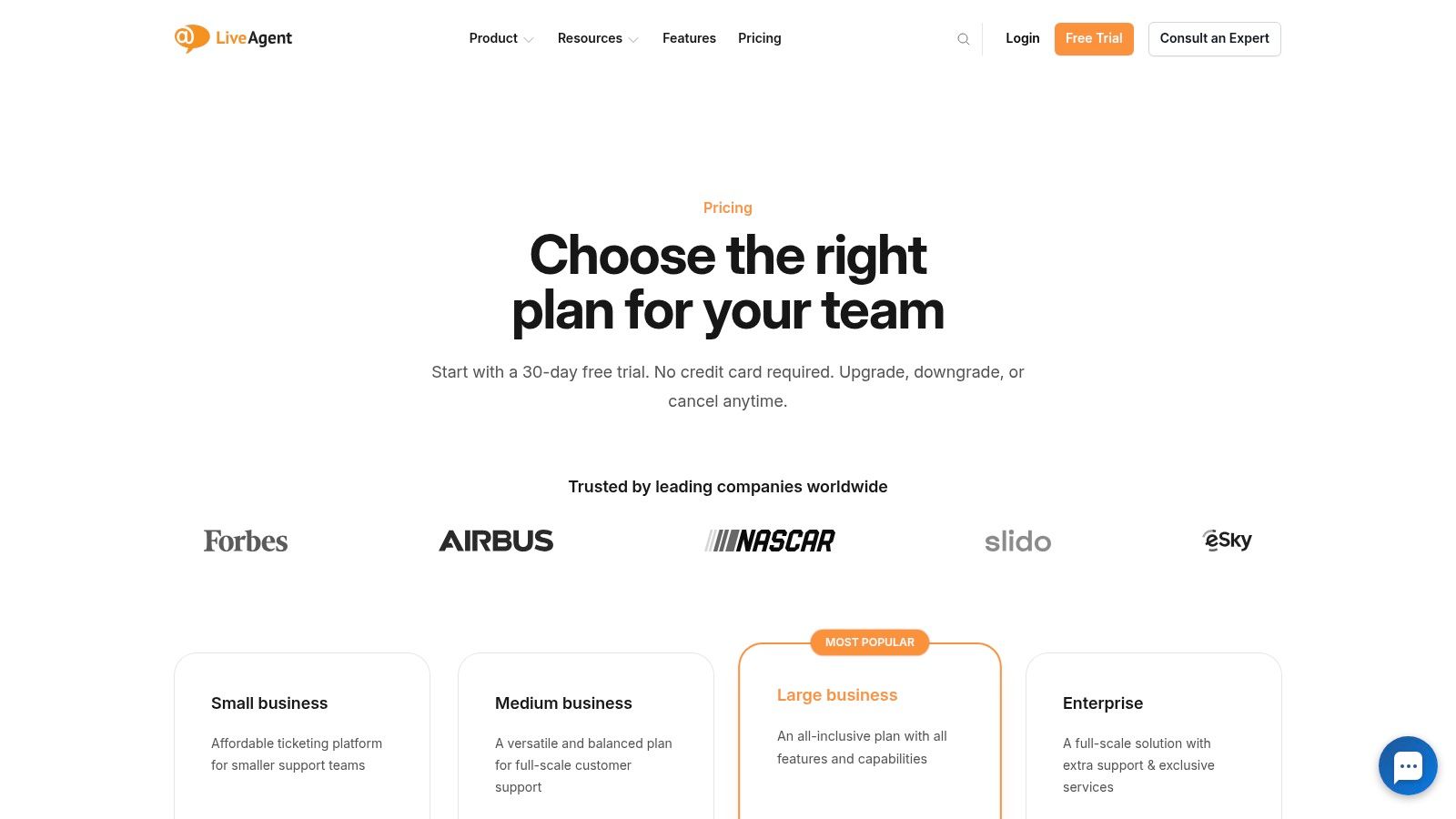
LiveAgent positions itself as an all-in-one, SMB-friendly help desk that packs a surprising amount of functionality into a competitively priced package. It excels at unifying multiple communication streams, including ticketing, live chat, and an optional built-in call center, making it one of the best help desk software for small business choices for companies that need broad channel coverage without a hefty price tag.
The platform's strength is its comprehensive nature, allowing a small team to manage nearly every customer interaction from a single dashboard. Unlike some competitors where social media is a core feature, LiveAgent treats channels like Facebook, Instagram, and WhatsApp as optional add-ons. This à la carte approach allows businesses to pay only for the channels they actively use, preventing feature bloat and unnecessary costs.
Key Features & Use Cases
- Universal Inbox: Consolidates tickets from email, chat, social media, and phone calls into a single, streamlined view for agents.
- Built-in Call Center: Offers optional call center functionality with IVR (Interactive Voice Response), call routing, and callbacks directly within the help desk.
- Automation Rules: Create rules to automate ticket routing, apply SLAs, and send canned responses, which is crucial for maintaining efficiency as ticket volume grows.
- Customer Portal & Knowledge Base: Empower customers with self-service options to find answers on their own, reducing the support team's workload.
Pricing and Implementation
LiveAgent offers several tiers, with its all-inclusive plan starting at a very competitive $49 per agent/month. A 30-day free trial and a complete lack of setup fees make it highly accessible for businesses to test thoroughly before committing. For businesses in Western Pennsylvania, implementing a tool with this many features can be streamlined by working with an expert. Professional managed IT support services can ensure the platform is configured for optimal performance and integrated seamlessly with your existing technology stack.
| Pros | Cons |
|---|---|
| Competitive per-agent pricing | Some social channels are paid add-ons |
| Broad channel coverage in one tool | UI depth can take time to master |
| 30-day free trial and no setup fees | Reporting features may be less advanced than enterprise tools |
8. Hiver
Hiver is a unique help desk solution designed specifically for teams that live and breathe in Google Workspace. It transforms your familiar Gmail interface into a powerful, collaborative customer support platform without forcing your team to learn a new, complex system. This approach significantly reduces onboarding time and streamlines workflows for businesses already centered around Google's ecosystem, making it a top contender for the best help desk software for small business.
Instead of a separate application, Hiver operates directly inside Gmail, adding essential support features like ticket assignment, status tracking, and internal collaboration notes to your shared inboxes. For a small business in Western Pennsylvania that has built its operations on Google Workspace, this means a nearly zero-learning-curve implementation. You get the structure of a professional help desk with the simplicity and familiarity of an email client.
Key Features & Use Cases
- Gmail-Native Ticketing: Manage customer conversations from shared inboxes like support@ or info@ directly within Gmail, assigning emails as tasks to specific team members.
- Collision Alerts: Avoid duplicate replies with real-time notifications that show when another agent is viewing or replying to the same email.
- Automations & SLAs: Set up rules to automatically assign emails, add tags, or change ticket status, and configure service level agreements (SLAs) to ensure timely responses.
- Integrated Channels: Add live chat, a knowledge base, and WhatsApp support that all feed into the same Gmail-based workspace.
Pricing and Implementation
Hiver offers straightforward per-user pricing, starting at $15 per user/month (billed annually) for its "Lite" plan, which includes core email management and collaboration features. Higher tiers add analytics, SLAs, and additional channels like chat. Implementation is famously simple for Google Workspace users, often taking less than an hour to get started. However, optimizing automations and workflows can still benefit from professional guidance, which an MSP can provide to ensure your setup aligns with business goals.
| Pros | Cons |
|---|---|
| Extremely fast onboarding for Gmail users | Limited value if your business isn't on Google Workspace |
| Simple, predictable pricing with bundled channels | Advanced reporting requires more expensive tiers |
| 24/7 support with onboarding assistance included | Lacks the deep integrations of standalone platforms |
9. Gorgias
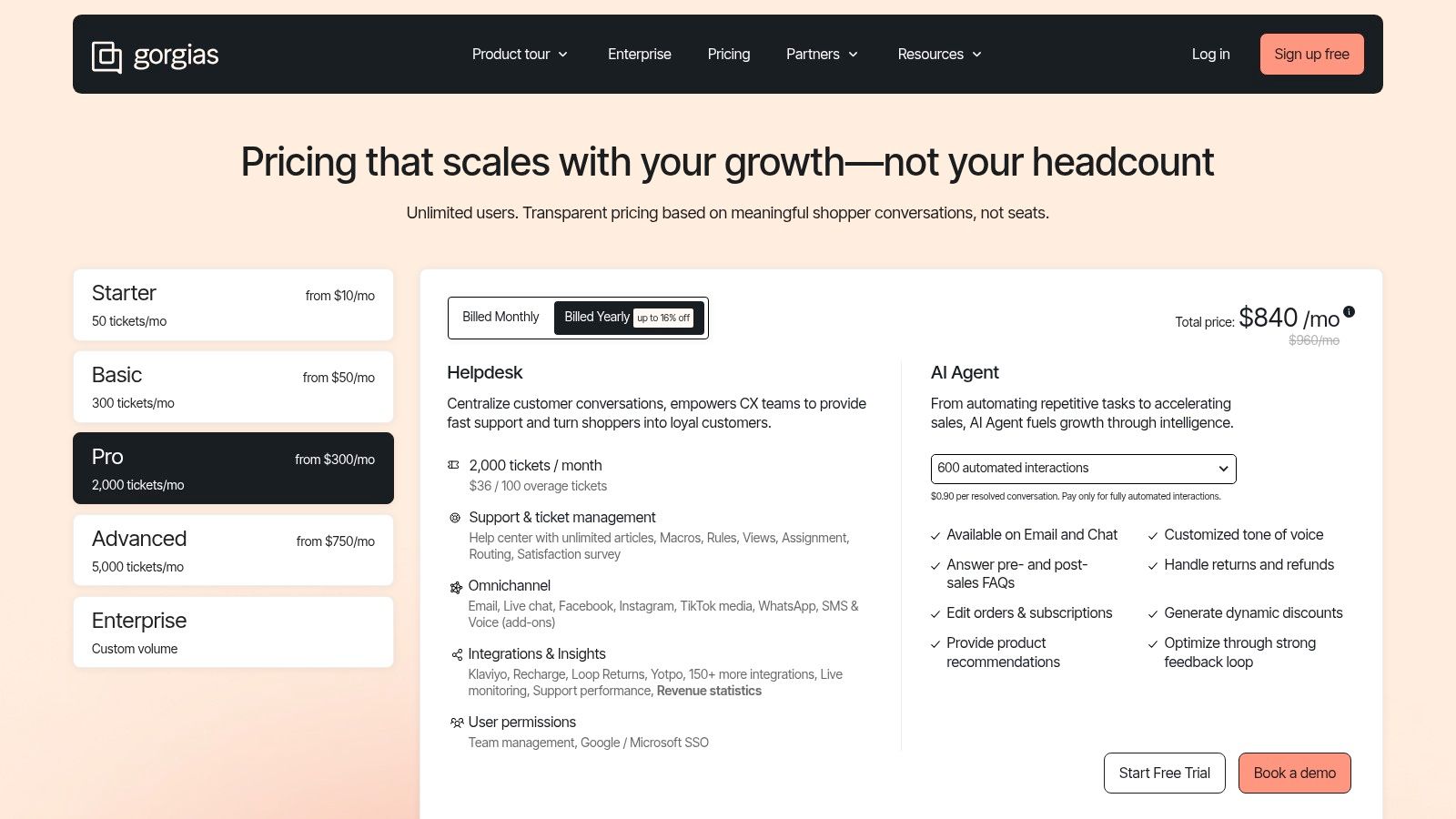
Gorgias is a purpose-built help desk platform designed specifically for ecommerce brands. It excels by deeply integrating with major storefronts like Shopify, BigCommerce, and Magento, turning customer service into a revenue-generating channel. The platform centralizes customer interactions from email, chat, social media, and SMS, providing agents with a complete view of the customer's order history and activity directly within the ticket interface.
This ecommerce focus is its greatest strength, offering workflows and automations that are simply unavailable in general-purpose help desks. Agents can perform actions like issuing refunds, editing orders, or applying discounts without leaving Gorgias, drastically improving efficiency. For retail businesses in Western Pennsylvania and Eastern Ohio, this means faster response times during peak shopping seasons and a more personalized customer experience that drives loyalty.
Key Features & Use Cases
- Deep Ecommerce Integrations: Connect directly with Shopify, BigCommerce, Magento, Klaviyo, and returns management apps to view and edit order data within tickets.
- Revenue Attribution: Track sales generated from customer service interactions, helping you measure the ROI of your support team's efforts.
- Ecommerce Automations: Use macros and rules to automate responses for common questions like "Where is my order?" by pulling live tracking data into the reply.
- Unlimited Users: Plans are based on ticket volume, not user seats, making it cost-effective for growing teams or businesses with seasonal staff.
Pricing and Implementation
Gorgias offers several tiered plans based on the number of monthly tickets, starting with a Basic plan. While the "unlimited users" model is a major benefit, businesses must be mindful of their ticket volume, as overage fees apply if you exceed your monthly allotment. For non-ecommerce businesses, this platform is not a suitable fit. However, for a small retail business, Gorgias is one of the best help desk software options available due to its specialized, high-impact features.
| Pros | Cons |
|---|---|
| Unlimited users on all plans | Not ideal for non-ecommerce businesses |
| Deep storefront integrations streamline retail workflows | Overage fees can apply if you exceed ticket limits |
| Revenue attribution reporting for customer service | Can become pricey for very high-volume stores |
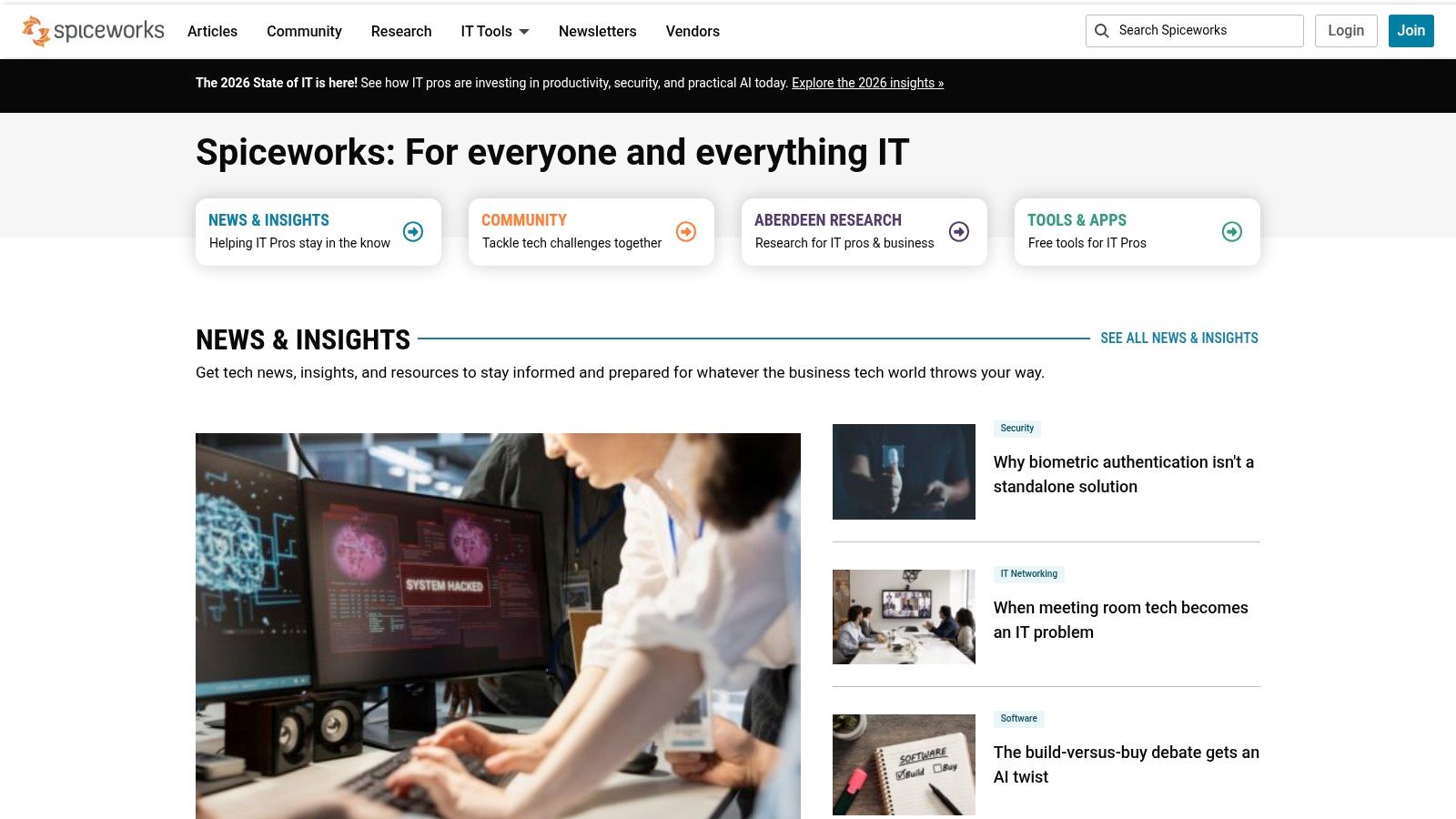
10. Spiceworks Cloud Help Desk
Spiceworks offers a unique proposition in the help desk market with its free, ad-supported Cloud Help Desk, specifically designed for small IT teams managing internal support requests. It provides a no-cost entry point for businesses that need fundamental ticketing and incident tracking without the financial commitment of a premium SaaS platform. This focus on core IT support functions makes it an excellent choice when the primary goal is to organize internal requests and move away from managing IT issues via email.
Its standout feature is the vibrant Spiceworks community, a massive network of IT professionals who provide peer-to-peer support and share best practices. While the free version includes advertisements, it delivers essential tools like a user portal and basic reporting, making it one of the best help desk software for small business teams operating on a shoestring budget. A premium, ad-free version is available for those who need a cleaner interface and a few productivity enhancements.
Key Features & Use Cases
- Free Core Ticketing System: Ideal for new businesses or internal IT departments needing a simple way to track tickets, assign tasks, and manage incidents without any initial cost.
- End-User Self-Service Portal: Allows employees to submit their own tickets and track their status, reducing the administrative burden on the IT team.
- Active IT Community: Provides access to a huge forum of IT professionals for troubleshooting advice, a resource that can be invaluable for a one-person IT department.
- Basic Reporting & Automation: Generate reports on ticket volume and resolution times to monitor team performance and use ticket rules to automate assignments.
Pricing and Implementation
The standard Spiceworks Cloud Help Desk is completely free, supported by on-platform advertisements. For teams that want to remove ads and add features like bulk ticket actions and task lists, there is a Premium plan available. Implementation is straightforward due to its focused feature set. For a small business in Eastern Ohio, Spiceworks can be a great starting point, but as your needs grow, you may require a more robust solution managed by an MSP to handle advanced security and compliance requirements.
| Pros | Cons |
|---|---|
| Core plan is completely free | Ads on the free tier can be distracting |
| Simple and focused on internal IT ticketing | Limited feature set compared to paid SMB platforms |
| Strong community for peer support | Reports of slower feature development and updates |
11. G2 — Help Desk Software for Small Business
Instead of a single product, G2 serves as a comprehensive software review marketplace. Its dedicated category for small business help desk tools is an invaluable resource for building a shortlist based on peer experiences. The platform aggregates user reviews, satisfaction scores, and detailed vendor profiles, allowing you to perform side-by-side comparisons before committing to a trial or demo. This makes it an essential first step in the research process for any small business.
G2's strength lies in its user-driven data and powerful filtering capabilities. You can quickly narrow down the best help desk software for your small business by sorting options based on specific features, pricing models, user satisfaction ratings, and company size. This vendor-agnostic approach provides a transparent overview of the market, helping you identify top contenders and uncover niche solutions that might otherwise be overlooked.
Key Features & Use Cases
- SMB-Specific Filtering: Drill down into the help desk category specifically for small businesses, ensuring the solutions you review are relevant to your operational scale and budget.
- Aggregated User Reviews: Access hundreds of reviews from verified users to understand the real-world performance, usability, and support quality of different platforms.
- Side-by-Side Comparisons: Use G2’s comparison tables to evaluate key features, pricing, and satisfaction scores for multiple help desk tools at a glance.
- Vendor Profiles and Trials: Easily find vendor information, watch demos, and access free trial links directly from the platform to streamline your evaluation process.
Pricing and Implementation
G2 is entirely free to use for browsing, researching, and comparing software. The platform makes money through vendor listings and promotional placements, so it's wise to look beyond the top-sponsored results. For businesses in Western Pennsylvania, using G2 to create an initial list of two or three potential platforms is an effective strategy. An MSP can then provide deeper insights into the implementation complexities and long-term costs of your top choices, ensuring a sound investment.
| Pros | Cons |
|---|---|
| Vendor-agnostic platform for unbiased research | Reviews can be high-level; verify details on vendor websites |
| Up-to-date sentiment from real small business peers | Sponsored placements may appear prominently in search results |
| Free to browse and links directly to vendor trials and demos | The sheer number of options can feel overwhelming initially |
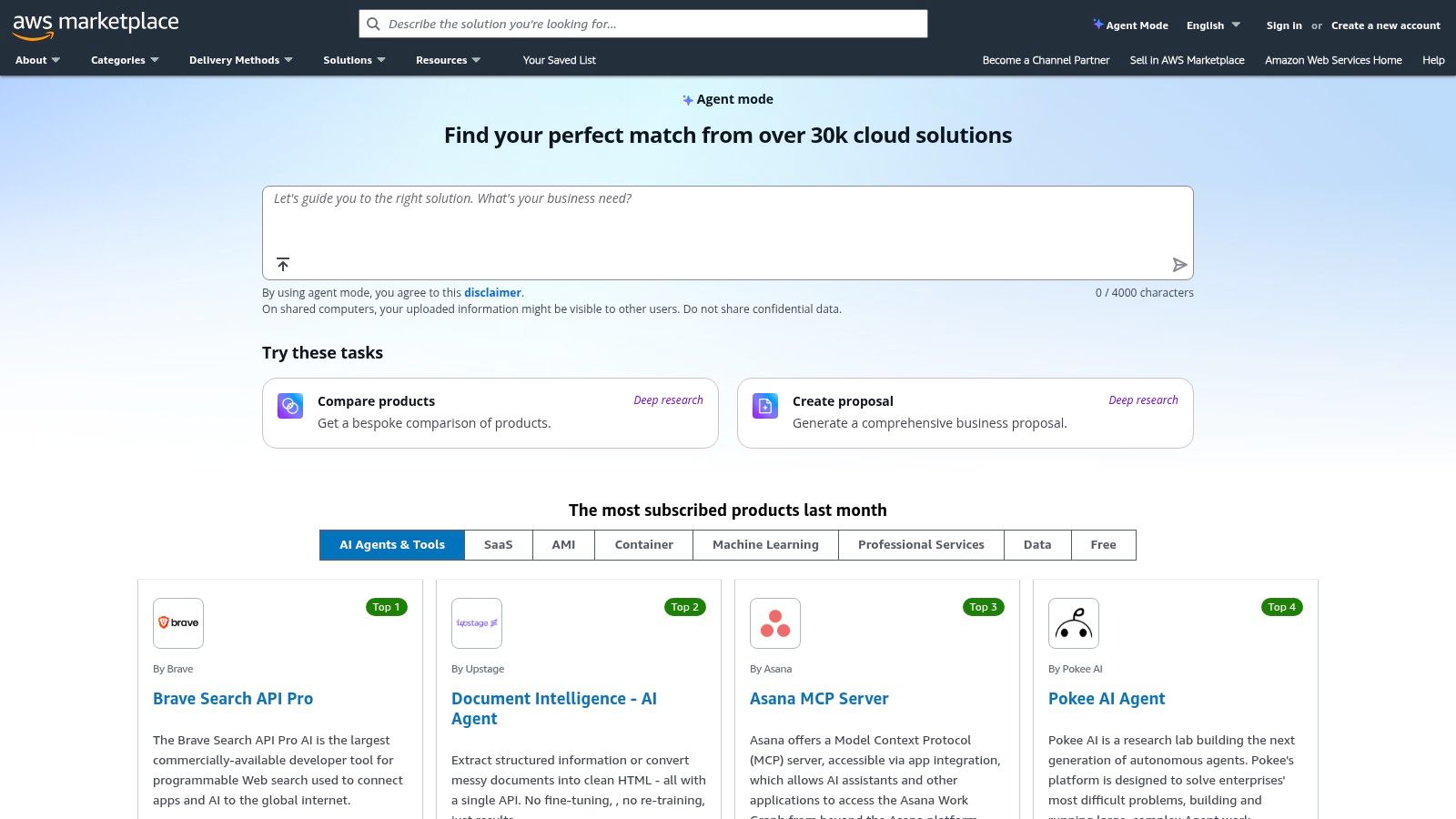
12. AWS Marketplace (Help Desk listings)
For small businesses already invested in the Amazon Web Services ecosystem, the AWS Marketplace presents a unique procurement channel rather than a single software product. It serves as a centralized hub to discover, purchase, and deploy various help desk solutions while consolidating billing through an existing AWS account. This approach is ideal for IT teams looking to streamline vendor management and standardize their procurement processes under one roof, simplifying budget tracking and expense approvals.
The value proposition for a small business lies in leveraging existing AWS commitments and simplifying the buying cycle. Instead of managing separate contracts and payment methods for each software tool, you can subscribe to platforms like SolarWinds Service Desk or Wowdesk directly within the AWS environment. This model is particularly beneficial for tech-savvy teams or those managed by an MSP who already operates within AWS, making it a powerful tool for finding the best help desk software for a small business that values operational efficiency.
Key Features & Use Cases
- Consolidated AWS Billing: Purchase and manage help desk software subscriptions directly through your AWS bill, simplifying accounting and procurement.
- Private Offers & Negotiated Terms: Allows for direct negotiation with software vendors for customized pricing and terms, a feature useful for growing businesses.
- Variety of Listings: Discover a range of help desk tools, from IT service management (ITSM) platforms to simpler customer support systems, all in one place.
- Free Trials and Quick Deployment: Many listings offer free trials that can be initiated quickly, allowing for rapid evaluation of different solutions.
Pricing and Implementation
Pricing on the AWS Marketplace is not standardized; it varies entirely by the individual software vendor and their listed plans. Implementation also depends on the specific product chosen. The primary advantage is the simplified purchasing process. For businesses in Western Pennsylvania, an MSP can help navigate the marketplace to identify the right solution, manage the subscription, and integrate it with other AWS services, ensuring you only pay for what you need without the headache of vendor vetting.
| Pros | Cons |
|---|---|
| Streamlines procurement and billing via AWS | Catalog navigation requires searching by product |
| Useful for IT teams standardizing on AWS | Pricing and terms vary widely by listing |
| Many listings offer free trials for easy testing | May not include every popular help desk software option |
Top 12 Small-Business Help Desk Comparison
| Solution | Core features | UX / Ease of use | Price / Value | Best fit | Unique selling point |
|---|---|---|---|---|---|
| Zendesk | Ticketing, omnichannel (chat/voice), AI Copilot, WFM, large integrations | Mature, feature-rich, can be complex for small teams | Flexible billing; costs rise with AI/WFM add-ons | Mid-market to enterprise support centers | Extensive integrations & ecosystem |
| Freshdesk (Freshworks) | Ticketing, customer portal, Freddy AI, omnichannel bundles | Clean UI, fast setup, SMB-friendly | Clear SMB plans; add-ons increase cost | Growing SMBs seeking simple rollout | Easy deployment + omnichannel bundle |
| Zoho Desk | Email/social intake, Blueprints automation, Zia AI (higher tiers) | Affordable, requires initial UI configuration | Strong value; free plan for 3 users | Price-sensitive SMBs and Zoho users | Native integration with Zoho suite |
| Help Scout | Shared inboxes, Docs KB, Beacon widget, AI Drafts | Very approachable UX, fast agent onboarding | Free tier available; AI Answers billed per resolution | Small SMBs preferring email-first support | Simple collaborative inbox workflow |
| HubSpot Service Hub | Ticketing, KB, feedback, CRM-integrated automation | Integrated with HubSpot CRM; strong training resources | Free tools; paid tiers with onboarding fees and per-seat costs | Teams needing tight sales & support alignment | Single customer record across marketing & support |
| Jira Service Management | ITSM workflows, CMDB/assets, incident/change management, automations | Powerful for IT workflows; can be heavy for simple use | Free tier; scales with complexity; some security needs Atlassian Access | Internal IT, DevOps, enterprises | Deep ITSM + Jira/Confluence integration |
| LiveAgent | Ticketing, live chat, call center/IVR, social integrations | Broad channel coverage; UI learning curve | Competitive per-agent pricing; 30-day free trial | SMBs needing multi-channel in one tool | All-in-one channel coverage at competitive price |
| Hiver | Gmail-native shared inbox, SLAs, KB, chat | Very fast onboarding for Google Workspace teams | Predictable per-user pricing with bundled channels | Google Workspace–centric teams | Native Gmail workflow with minimal change |
| Gorgias | Omnichannel (email/chat/social), deep ecommerce integrations, macros | Tailored ecommerce UX; ticket-volume pricing model | Costs tied to ticket volume; unlimited users on plans | Ecommerce brands (Shopify, BigCommerce, Magento) | Revenue attribution + storefront actions |
| Spiceworks Cloud Help Desk | Ticketing, incident tracking, end-user portal, basic automations | Simple for internal IT; ad-supported free tier | Core plan free; Premium removes ads and adds features | Small IT teams on tight budgets | Free, low-barrier IT helpdesk + active community |
| G2 — Help Desk Software for Small Business | SMB category filters, aggregated reviews, comparison tools | Easy to browse and shortlist vendors | Free to use; links to vendor trials/demos | Buyers researching SMB helpdesk options | Aggregated peer reviews and side-by-side comparisons |
| AWS Marketplace (Help Desk listings) | SaaS helpdesk listings, AWS billing, private offers | Procurement-focused; requires marketplace navigation | Pricing/terms vary by listing; consolidated AWS billing | Organizations standardizing on AWS procurement | Consolidated billing and private offer capability |
Choosing the Right Partner, Not Just the Right Software
Navigating the landscape of help desk software can feel overwhelming. We've explored a dozen powerful platforms, from the comprehensive ecosystems of Zendesk and HubSpot Service Hub to the user-friendly simplicity of Help Scout and Hiver. Each tool offers a unique blend of features, pricing models, and ideal use cases, providing a solution for nearly every small business need. Yet, the journey to exceptional customer support doesn't end with a software subscription.
The central takeaway from our deep dive is this: the best help desk software for your small business is the one that you can successfully implement, secure, and manage. A feature-rich platform that sits unused or is improperly configured can create more problems than it solves, leading to frustrated employees, security vulnerabilities, and a poor return on investment. The real challenge isn't just choosing a tool; it's building a support system that aligns with your business goals, integrates securely with your existing technology stack, and scales as you grow.
From Software Selection to Strategic Implementation
Think of selecting software as laying the foundation. The real work begins when you start building the house. Implementation involves more than just creating user accounts. It requires a thoughtful approach to several critical factors:
- Workflow Automation: Are you setting up rules to automatically route tickets to the right person? Have you created canned responses for common queries to save your team time? A well-configured system actively reduces manual effort.
- Security and Compliance: How does the help desk handle sensitive customer data? For businesses in Western Pennsylvania and Eastern Ohio dealing with regulations like HIPAA or CMMC, ensuring the platform is configured for compliance is non-negotiable. This includes setting up proper user permissions and integrating with secure authentication methods.
- Integration with Core Systems: Your help desk shouldn't be an island. It needs to connect seamlessly with your CRM, communication tools like Microsoft Teams, and other business-critical applications to provide a single, unified view of the customer.
- Training and Adoption: The most powerful tool is useless if your team doesn't know how to use it. A successful rollout includes comprehensive training to ensure everyone understands the new workflows and can leverage the platform's full potential.
For many SMBs with limited IT staff, managing these implementation details while juggling daily operations is a significant hurdle. This is where the distinction between having a tool and having a strategy becomes crystal clear.
The Value of an IT Partner in Your Corner
This is precisely why many small businesses in our region choose to work with a managed IT service provider (MSP). An experienced partner doesn't just recommend software. They help you build the entire support structure around it. Whether your IT is managed in-house or you rely on an external team, having an expert guide can make all the difference.
An IT partner acts as your virtual Chief Information Officer (vCIO), helping you align your technology choices with your long-term business objectives. They can manage the technical heavy lifting of implementation, ensure your systems are secure and compliant, and provide ongoing support and optimization. This allows you to focus on what you do best: running your business and serving your customers, confident that your technology foundation is solid. The right software is a powerful asset, but the right partner is a strategic advantage.
Selecting and implementing the best help desk software for a small business is a critical step, but it’s just one piece of your overall IT strategy. Eagle Point Technology Solutions specializes in helping businesses in Western Pennsylvania and Eastern Ohio not only choose the right tools but also integrate, secure, and manage them for peak performance. If you're ready to build a support system that drives growth and efficiency, contact us for a complimentary consultation to discuss your specific needs.


