
For a small or mid-sized business owner in Western Pennsylvania or Eastern Ohio, the line between a productive quarter and a catastrophic data breach can be a single compromised password. Juggling tight budgets and a lean IT staff, many SMB leaders feel that enterprise-level password security is out of reach. The reality is that the tools and strategies to protect your company are more accessible and critical than ever. Weak or reused passwords are the most common entry point for cyberattacks, making a strong password strategy not just an IT task, but a core business continuity plan. Ignoring this fundamental layer of security leaves your business vulnerable to ransomware, business email compromise, and significant financial loss.
This guide moves beyond generic advice and delivers 10 practical and affordable best practices for password management tailored for the unique challenges SMBs face. We'll provide actionable steps you can implement, from deploying the right technology to training your team effectively, all while keeping your resource constraints in mind. You'll learn how to build a resilient security posture that protects your most valuable asset: your data.
From deploying a centralized password manager and enforcing multi-factor authentication to developing a solid incident response plan, we'll outline specific steps you can take today. As a trusted IT advisor, our goal at Eagle Point Technology Solutions is to help you navigate these crucial security layers and build a stronger, more secure organization.
1. Implement a Business-Focused Password Manager
The single most impactful step any SMB can take to improve password security is deploying a centralized, business-grade password manager. This is a foundational element of modern cybersecurity and one of the most effective best practices for password management. A password manager acts as an encrypted digital vault, securely storing, generating, and auto-filling complex, unique credentials for every application and service your team uses.
For businesses in our region, this tool eliminates the root cause of most credential-based breaches: employees using weak, reused, or written-down passwords. Instead of trying to remember hundreds of different passwords, each employee only needs one strong master password to unlock their secure vault. This simple change dramatically reduces your company's attack surface and minimizes the risk of a breach in one system spreading to others.
Why It's a Foundational Practice for SMBs
Adopting a business password manager is non-negotiable for any company serious about security and operational efficiency. Unlike personal password managers, business solutions like Bitwarden, LastPass Business, or 1Password Teams give administrators crucial oversight. Key features for SMBs include role-based access controls (granting permissions based on job function), audit trails to track who accessed what, and secure sharing for team collaboration. This centralized control is essential for managing access when employees join or leave and for demonstrating compliance with regulations like HIPAA or CMMC.
Actionable Implementation Tips
- Start with a Pilot Program: Roll out the password manager to a small group first, like your IT or finance team. This lets you work out the kinks, create simple training guides, and build a success story before a company-wide deployment.
- Enforce Strong Master Passwords: Require a minimum length of 16 characters for all master passwords and encourage using memorable passphrases (e.g., "Correct-Horse-Battery-Staple").
- Activate Multi-Factor Authentication (MFA): Require MFA for every user's vault, especially for administrators. This adds a critical security layer, protecting the vault even if a master password is stolen.
- Plan for Emergency Access: Establish a clear, secure procedure for emergency access if an IT administrator is unavailable. This ensures business continuity without compromising security.
2. Enforce Multi-Factor Authentication (MFA) on All Key Systems
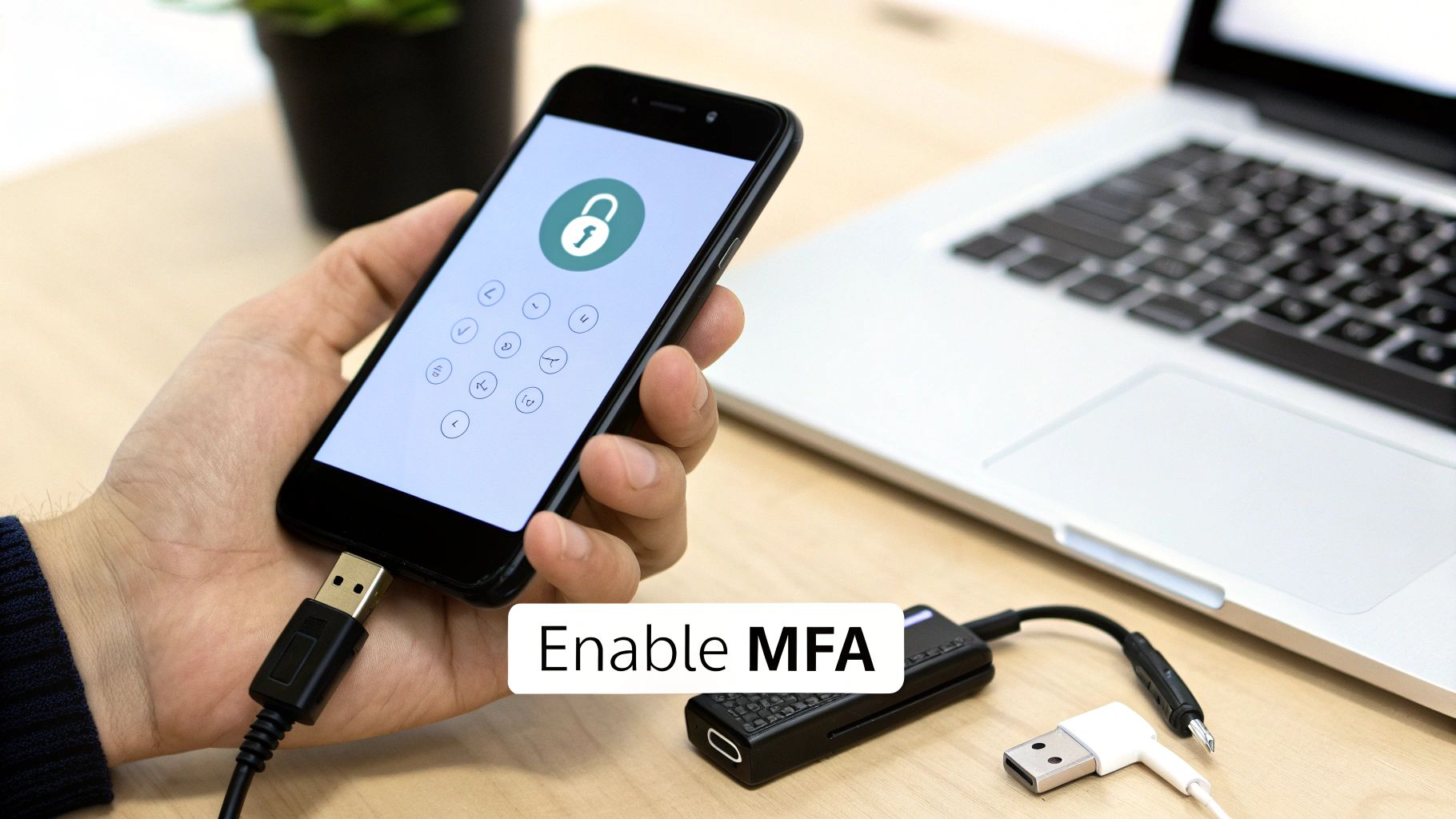
If a password manager is the lock on your digital front door, Multi-Factor Authentication (MFA) is the deadbolt. MFA adds a critical second layer of defense by requiring users to provide two or more verification factors to log in. This practice dramatically reduces the risk of unauthorized access, as a stolen password alone is no longer enough for a cybercriminal to break in. This is one of the most essential best practices for password management that any business can implement today.
For businesses in Western Pennsylvania and Eastern Ohio, mandating MFA across all critical systems—including email (like Microsoft 365), financial software, and cloud services—is a non-negotiable step. It directly counters common threats like phishing and credential stuffing attacks. Even if an employee's password is stolen, the attacker is stopped cold because they don't have the second factor, such as a code from an authenticator app on a phone or a physical security key. For a deeper dive, consider learning more about understanding what Two-Factor Authentication (2FA) is.
Why It's a Foundational Practice for SMBs
Relying only on passwords is a strategy that no longer works against modern cyber threats. The FBI and CISA have repeatedly urged all businesses to adopt MFA because of its proven effectiveness in stopping account takeovers. For the many SMBs using Microsoft 365, enabling MFA is a straightforward and powerful way to protect sensitive data. Solutions like Google Authenticator, Microsoft Authenticator, or physical tokens like YubiKeys provide affordable and flexible options to secure your most valuable assets.
Actionable Implementation Tips
- Prioritize Privileged Accounts: Start your MFA rollout by securing all administrative, executive, and IT staff accounts first. These are the most valuable targets for attackers.
- Favor Authenticator Apps over SMS: Whenever possible, use authenticator apps like Google or Microsoft Authenticator. Text message (SMS) codes are vulnerable to "SIM-swapping" attacks.
- Deploy Hardware Keys for Key Personnel: For the highest level of security, provide physical hardware keys (e.g., YubiKey) to executives and system administrators. These are resistant to phishing attacks.
- Store Backup Codes Securely: Instruct all users to generate backup recovery codes and store them safely in their new password manager. This prevents lockouts if someone loses their phone. Discover additional vital cybersecurity tips for small businesses to further enhance your defenses.
3. Establish a Clear Password Policy Focused on Length
Creating clear, enforceable standards for password creation is a cornerstone of any security framework. While it seems basic, a strong password policy is one of the most effective best practices for password management because it sets a high security baseline for the entire organization. It moves your company from relying on individual employee habits to a systematic, automated defense against common password-cracking attacks.
For SMBs in our region, implementing these policies through tools you already use, like Windows Active Directory or your cloud provider, is essential. It ensures every password meets a minimum security threshold, making them significantly harder for attackers to guess or crack. This simple practice directly protects sensitive company and client data.
Why It's a Foundational Practice for SMBs
A well-defined password policy is crucial for foundational security and meeting compliance standards like CMMC or HIPAA. Modern guidance from the National Institute of Standards and Technology (NIST) has shifted focus from forcing frequent password changes to emphasizing length. A longer password or passphrase is exponentially harder to crack than a shorter one, even if the shorter one is changed every 90 days. Enforcing these standards automatically removes the human error that often leads to weak passwords, making your security posture consistently stronger.
Actionable Implementation Tips
- Prioritize Length Over Frequent Rotation: Follow NIST guidance by requiring a minimum password length of 14 characters for all user accounts. This single change provides more security than forcing password changes every 90 days.
- Create Tiered Policies: Implement stricter requirements for high-privilege accounts. Mandate 16+ character passwords for administrators while maintaining a 14-character minimum for standard users.
- Integrate Breach Checking: Use tools that check new passwords against known data breach lists (like Have I Been Pwned) to prevent employees from using previously stolen credentials. Many password managers offer this feature.
- Educate on Passphrases: Teach your team to use memorable but long passphrases (e.g., "4FunkyMonkeysJumpedHigh!"). They are easier to remember than random characters but offer superior security due to their length. You can learn more about how to set up and maintain a robust framework by exploring the importance of strong password policies on eaglepointtech.com.
4. Create and Maintain Secure "Break-Glass" Access Credentials
While daily security is critical, you also have to plan for emergencies. Establishing secure "break-glass" accounts is a vital but often overlooked practice, ensuring you can regain control of critical systems if primary logins fail or key IT personnel are unavailable. This is one of the most important best practices for password management for business continuity.
For SMBs, this practice acts as a crucial safety net, preventing a single point of failure from turning into a catastrophe. These are highly privileged accounts, like an emergency global administrator in Microsoft 365, with credentials stored securely and offline. Access is strictly controlled and logged, providing a last-resort entry point without sacrificing security.
Why It's a Foundational Practice for SMBs
A break-glass account is your ultimate contingency plan. It protects you from scenarios like a misconfigured policy locking out all administrators, an MFA service outage, or the sudden departure of your lead IT admin. Without it, your business could lose access to its entire cloud infrastructure, leading to prolonged downtime and significant financial loss. This practice is strongly recommended by major providers like Microsoft and Google as a core part of any incident response plan.
Actionable Implementation Tips
- Generate and Secure Codes Offline: When setting up new critical systems (e.g., Microsoft 365, Google Workspace), immediately generate recovery codes. Print them and store them in a physically secure, access-controlled location like a fireproof office safe.
- Limit and Audit Access: This account should have no permissions for daily use. Its sole purpose is emergency recovery. Document a strict procedure for its use and ensure any access triggers immediate alerts to multiple business leaders.
- Test Procedures Regularly: Conduct annual drills to test the emergency access process. This ensures the credentials work and the procedure is understood before a real crisis hits.
- Rotate Credentials Annually: Even if unused, the credentials for these emergency accounts should be changed at least once a year to mitigate risk.
5. Conduct Regular Security Awareness Training for Your Team
Technical controls are essential, but the human element remains a critical part of your security. This is why ongoing education is one of the most vital best practices for password management. A well-informed employee is your first line of defense against phishing attacks designed to steal passwords. Security awareness programs transform your team from a potential liability into a proactive security asset.
For businesses in our region, especially in manufacturing and professional services, a single employee clicking on a malicious link can lead to significant operational disruption and financial loss. Regular, engaging training ensures your team understands why security policies are in place. It teaches them to recognize threats, handle sensitive data properly, and understand their personal role in protecting the company, creating a resilient, security-first culture.

Why It's a Foundational Practice for SMBs
A security-aware culture significantly reduces the chance of a successful attack. Even the best technology can be undermined by human error. Training platforms like KnowBe4 provide structured, affordable training and phishing simulations that build and test your team's vigilance. These programs move beyond a one-time onboarding session, creating a continuous cycle of learning that keeps security top-of-mind. This is also crucial for maintaining compliance with regulations like HIPAA, which mandates workforce security training.
Actionable Implementation Tips
- Launch Phishing Simulations: Conduct regular simulated phishing campaigns. Provide immediate, educational feedback to employees who click, turning a mistake into a valuable learning moment without punishment.
- Make Training Mandatory and Role-Specific: Ensure all employees complete foundational security training. Consider extra modules for high-risk roles, like finance or HR, who handle sensitive data.
- Use Real-World Examples: Make training relatable by discussing recent security breaches you've read about. Explain how strong password practices could have prevented the damage.
- Encourage Safe Reporting: Create a simple, no-blame process for employees to report suspected phishing emails. Prompt reporting allows your IT team to respond quickly and contain threats.
6. Proactively Monitor for Compromised Employee Passwords
Beyond protecting passwords inside your network, a crucial security layer involves actively monitoring for credentials that have been exposed in third-party data breaches. This proactive detection is a critical component of modern best practices for password management. It involves using services to scan the dark web to see if your employees' work email addresses and passwords have been compromised and are for sale.
For SMBs in Western Pennsylvania and Eastern Ohio, this practice shifts your security from reactive to proactive. Instead of waiting for a hacker to use a stolen password, you can identify exposed credentials the moment they surface online. This allows you to force a password reset and investigate potential risks before a compromised account can be used to breach your network.
Why It's a Foundational Practice for SMBs
Relying only on internal password policies isn't enough, as employees inevitably reuse their work passwords on personal websites. When one of those sites is breached, your company becomes vulnerable. Proactive monitoring gives you visibility into risks outside your direct control. Services like Have I Been Pwned offer domain-wide breach alerting, while tools included in platforms like Microsoft 365 Business Premium provide more advanced dark web monitoring and automated risk detection.
Actionable Implementation Tips
- Subscribe to a Breach Notification Service: Use a service like Have I Been Pwned's domain search or a commercial dark web monitoring tool to get automated alerts when employee email addresses appear in new data breaches.
- Integrate Alerts into Your Process: Create a clear workflow. When a compromised credential alert is received, it should automatically trigger a ticket for your IT team or managed service provider (MSP) to investigate.
- Enforce Immediate Password Resets: The first and most critical step is to immediately force a password reset for the affected user's company account and any other systems where that password might have been used.
- Investigate the Context: Determine which third-party service was breached to understand the risk. A breach on a low-stakes forum is less critical than one on a major financial or cloud service provider.
7. Implement Privileged Access Management (PAM) for Admin Accounts
While a password manager secures everyday user credentials, Privileged Access Management (PAM) addresses a much higher-stakes threat: the misuse of administrative accounts. These "super-user" accounts hold the keys to your entire IT kingdom. PAM solutions provide a dedicated, highly controlled environment for managing and securing access to these critical credentials, making it one of the most crucial best practices for password management for protecting core infrastructure.
For businesses handling sensitive client or patient data, PAM is not just a best practice; it's a necessity for mature security. It moves beyond simply storing passwords to enforce strict controls like session recording, just-in-time access (granting temporary permissions), and mandatory approval workflows. This ensures that even your most trusted IT staff operate within a framework of accountability, dramatically reducing risk from both external hackers and internal threats.
Why It's a Foundational Practice for SMBs
Privileged accounts are the primary target in nearly every major cyberattack. Once compromised, they grant attackers unrestricted access to steal data and deploy ransomware. While full-scale PAM systems can be complex, SMB-friendly solutions are emerging, and principles can be applied manually. The goal is to eliminate standing, always-on administrative privileges. Instead, access is granted temporarily and only after authorization, with every action logged. This control is essential for meeting compliance standards like HIPAA and CMMC.
Actionable Implementation Tips
- Start with High-Risk Accounts: Begin by focusing on the most critical assets, such as Domain Administrator accounts, firewall super-users, and primary database administrators.
- Implement Approval Workflows: For critical changes, require a second person to approve the request before administrative access is granted. This "two-key" system prevents any single individual from making unauthorized changes.
- Record and Review All Sessions: If your tools support it, use session recording to create an audit trail of all privileged activity. Schedule regular reviews of these logs to identify any unusual actions.
- Separate Admin and User Accounts: Ensure no one, not even the owner or IT staff, uses an administrator account for daily tasks like checking email. This simple separation drastically reduces the risk of an admin account being compromised by a phishing email.
8. Disable Outdated Authentication Protocols
Beyond managing passwords, a critical security measure involves hardening the digital pathways through which those passwords are sent. Disabling outdated authentication protocols is an essential, though technical, step in a robust password management strategy. These legacy methods lack the modern security controls needed to protect credentials from sophisticated attacks.
For SMBs in Western Pennsylvania and Eastern Ohio, this practice closes dangerous backdoors that attackers actively exploit. By eliminating weak protocols, you force all connections to your network and applications to use modern, secure standards. This significantly reduces the risk of password theft and "man-in-the-middle" attacks, making it one of the most impactful best practices for password management you can implement at an infrastructure level.
Why It's a Foundational Practice for SMBs
Supporting legacy protocols is like leaving a side door unlocked while fortifying the main entrance. Attackers often bypass MFA by targeting these weaker, older authentication methods. Major providers like Microsoft have aggressively worked to disable these protocols in services like Microsoft 365 for this very reason. Enforcing modern protocols ensures that all authentication traffic is properly encrypted and protected, aligning your security with current industry standards.
Actionable Implementation Tips
- Audit Your Environment First: Before disabling anything, work with your IT partner to conduct a thorough audit to identify which applications or devices (like old printers or scanners) are still using legacy protocols. This prevents unexpected operational disruptions.
- Create a Deprecation Roadmap: Develop a clear plan to phase out old protocols. Communicate this plan to all stakeholders to manage expectations and plan for necessary equipment upgrades.
- Test Applications Thoroughly: Before full implementation, rigorously test critical business applications in a controlled environment to ensure they function correctly with modern authentication.
- Monitor for Fallout: After disabling a legacy protocol, closely monitor help desk tickets and system logs for any signs of access issues. Be prepared to provide support and troubleshoot connection problems.
9. Implement Single Sign-On (SSO) Where Practical
A mature security strategy streamlines authentication across all your business applications. Implementing Single Sign-On (SSO) is a powerful way to achieve this. It stands as one of the most effective best practices for password management because it reduces the number of credentials employees must manage, which in turn minimizes password fatigue and insecure behaviors like password reuse.
For SMBs in our region, SSO consolidates user access into a single, highly secure login event. An employee signs in once to a central identity provider, such as Microsoft 365 (Azure AD) or Okta, and gets access to all their approved applications without re-entering passwords. This boosts productivity and centralizes security, making it easier to enforce strong authentication policies and monitor access across the organization.


