For a business owner, the idea of a "disaster" might bring floods or fires to mind. But in today's world, the most likely disaster your business will face is digital. A ransomware attack, a critical server failure, or even a simple power outage can bring your operations to a grinding halt. A business continuity plan for IT systems is your company’s playbook for when things go sideways. It’s a documented strategy that spells out exactly how you’ll keep your critical technology running—or get it back online fast—to keep your business operational when the unexpected hits.
This isn't just about data backups; it’s a complete roadmap for restoring your servers, applications, and network access. For small and medium-sized businesses (SMBs), this isn't a luxury—it's a fundamental requirement for survival.
Why IT Downtime Is a Direct Threat to Your Business
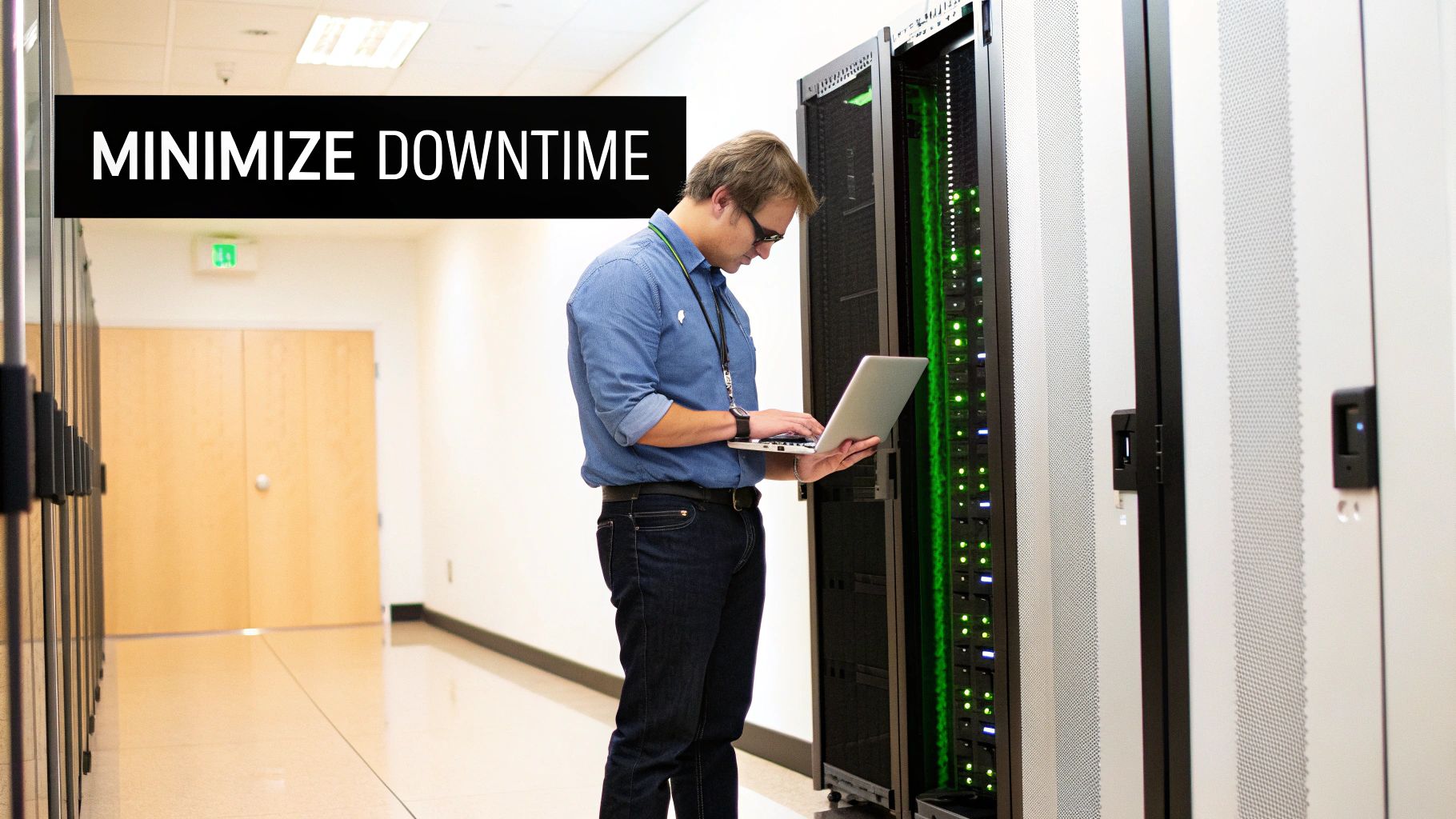
For an SMB, any amount of IT downtime is a direct threat to the bottom line. It's no longer just a minor hiccup. We see it firsthand with businesses in our area. Imagine a manufacturing firm in Western Pennsylvania where the main server crashes mid-production. The assembly line stops, orders are delayed, and overtime costs skyrocket just to catch up.
Or consider a professional services firm in Eastern Ohio hit by a ransomware attack. Suddenly, all their client files are encrypted, project deadlines are missed, and the trust they've spent years building with clients evaporates in an instant. These aren't just worst-case scenarios; they are tangible, expensive realities that can cripple a growing business.
The Real Cost of Inaction
It's tempting to push this kind of planning to the back burner when you’re busy with daily operations. But the financial and reputational damage from even a few hours of downtime can be catastrophic. A proactive plan is no longer a "nice-to-have." It's a core operational necessity and a significant competitive advantage.
The numbers are hard to ignore. Depending on your business size and industry, downtime can cost anywhere from $137 to over $16,000 per minute. It gets worse: 90% of businesses experience at least one outage every quarter. For 54% of data centers, these events led to losses exceeding $100,000 in 2023 alone. These aren't just abstract statistics; they represent real, painful financial hits for companies just like yours.
Moving Beyond Simple Backups
A solid business continuity plan for IT systems is much more than just having a copy of your data stored somewhere. It must address the full fallout from a disruption to ensure you can actually keep operating. A modern plan covers several key areas:
- Operational Resilience: How will your team perform their jobs if primary systems are unavailable? This includes everything from internal communication and customer service to core workflows.
- Reputation Management: What is your plan for communicating with clients, vendors, and employees to maintain confidence during an outage? A clear, calm communication strategy is non-negotiable.
- Security Incidents: Disasters aren't always physical. Today, incidents like the rising threat of infostealer malware and data breaches are a primary cause of downtime and must be factored into your plan.
For an SMB, the ability to recover quickly from an IT disaster isn't just about technology—it’s about survival. A well-crafted plan demonstrates reliability to your customers and resilience to your competitors.
Ultimately, investing time in a business continuity plan isn't just an IT expense. It’s a strategic investment in the long-term health and stability of your entire business. Without one, you’re not just risking data; you’re gambling with your company's future.
Identifying Your Most Critical IT Functions
Before you can build a solid defense, you have to know what you’re defending. An effective business continuity plan starts by answering a simple question: which of your IT systems, if they went down, would grind your business to a halt?
Many businesses make the mistake of trying to protect everything equally. It's a noble thought, but in reality, it drains your budget and spreads your focus too thin, especially when resources are limited.
The right way to start is with a straightforward Business Impact Analysis (BIA). Don't let the corporate jargon intimidate you. For an SMB, this is simply a practical exercise in prioritization. It’s about mapping your technology directly to the activities that generate revenue and keep your customers happy.
From Business Functions to IT Systems
For a moment, forget about servers, software, and networks. Instead, think about your core business processes. How do you serve customers? How does money come in the door? List those functions first, and only then identify the specific IT systems that make them possible.
We see this constantly with our clients. A distribution company in Eastern Ohio simply can't function without its inventory management software and shipping logistics platform. Those are mission-critical. Similarly, a healthcare clinic in Western Pennsylvania is completely dependent on its Electronic Health Record (EHR) system to see patients and manage billing.
Your goal is to create a clear hierarchy. Not every application or network device carries the same weight. Some are vital for immediate survival, while others are important but can likely wait a few hours—or even a day—to be restored.
Defining Your Recovery Timelines
Once you have a list of critical systems, the next step is to get specific. You need to define how quickly they need to be back online and how much data you can afford to lose. This is where two of the most important metrics in business continuity come into play:
-
Recovery Time Objective (RTO): This is the maximum acceptable downtime a system can have before it starts causing serious damage to your business. For the clinic's EHR system, the RTO might be just one hour. For an internal marketing site, it might be 24 hours.
-
Recovery Point Objective (RPO): This defines the maximum age of files that must be recovered from backup for normal operations to resume. If your RPO for the accounting server is 15 minutes, it means you need backups running at least that frequently so you never lose more than a quarter-hour of financial transactions.
Setting realistic RTOs and RPOs is the most important part of building a business continuity plan that fits your budget. A zero-minute RTO with zero data loss is technically possible, but the cost is astronomical and unnecessary for most SMBs. Be honest about what "good enough" looks like in a real crisis.
A Practical Checklist for Your BIA
You don’t need a complex spreadsheet to get this done. A simple table connecting your business activities to technology and recovery goals is all you need to get started.
| Core Business Function | Supporting IT System(s) | Impact of Downtime (After 4 Hours) | Recovery Time Objective (RTO) | Recovery Point Objective (RPO) |
|---|---|---|---|---|
| Processing Customer Orders | ERP Software, CRM Platform | Inability to take new orders; delayed shipments | 2 Hours | 15 Minutes |
| Managing Patient Records | Electronic Health Record (EHR) | Cannot access patient charts; compliance risk | 1 Hour | 5 Minutes |
| Employee Collaboration | Microsoft 365 (Email, Teams) | Internal communication breaks down | 4 Hours | 1 Hour |
| Website Marketing | Company Website Server | Loss of new leads; brand damage | 8 Hours | 24 Hours |
This simple analysis immediately clarifies your priorities. You now know that your recovery strategy must be laser-focused on getting the ERP and EHR systems back online first. This data-driven approach removes guesswork and ensures your IT recovery efforts are perfectly aligned with your actual business needs, making every dollar you invest in continuity work harder for you.
Building Your IT Resilience and Recovery Toolkit
Once you have a clear picture of your most critical systems and how quickly you need them back, it’s time to shift from planning to action. An effective business continuity plan for IT isn't just a document; it's powered by the right technology. Here, we'll build your resilience toolkit, focusing on practical backup and recovery solutions that make sense for an SMB.
Many business owners we talk to in Pennsylvania and Ohio feel like modern disaster recovery is out of their reach. They picture massive, expensive data centers and assume it's not for them. The good news? Technology has come a long way, making robust IT resilience affordable and manageable for companies of any size. The key is choosing the right tools for the job.
Understanding Modern Backup Strategies
Forget the old days of swapping out tapes once a week. Today's backup and disaster recovery (BDR) solutions are far more dynamic, built to meet the aggressive recovery times modern businesses demand.
Think of it like saving a critical project file. Saving it to your desktop offers one layer of protection. But syncing it to the cloud in real-time? That’s a completely different level of safety.
Here are the primary options every SMB should consider:
- Cloud-to-Cloud Backup: If your business relies on Microsoft 365 or Google Workspace, you absolutely need this. Many people assume Microsoft and Google handle backups, but their responsibility ends at keeping the service running. They don't protect you from accidental deletion, ransomware, or even a disgruntled employee. A cloud-to-cloud backup creates a separate, secure copy of all your emails, files, and collaboration data.
- Hybrid Backup (On-Premise + Cloud): This is the sweet spot for many businesses. A local backup appliance provides lightning-fast recovery for common issues like a corrupted file or server hiccup. Simultaneously, all that data is replicated to a secure cloud data center, protecting you from a site-wide disaster like a fire, flood, or major theft.
Going Beyond Backup with Disaster Recovery as a Service
While backups are for restoring data, disaster recovery is about restoring operations. This is where Disaster Recovery as a Service (DRaaS) becomes a game-changer for SMBs. It essentially creates a warm-site replica of your critical servers in the cloud, ready to go at a moment's notice.
If your on-premise servers go down, you can "failover" to that cloud environment and have your team back up and running in minutes or hours, not days. This turns a potentially catastrophic event into a manageable incident, directly addressing the RTOs you defined earlier.
Choosing the right mix of backup and DRaaS is all about balancing cost with your recovery objectives. Your most critical systems—the ones identified in your BIA—deserve the fastest recovery options, while less critical data might only need a standard cloud backup.
The Tools That Build True Resilience
A successful business continuity plan for IT systems relies on more than just backups. A key piece of the puzzle is implementing robust strategies like network redundancy to ensure your team stays online even during an outage. This could mean having a backup internet connection from a different provider or duplicate network hardware to eliminate single points of failure.
Beyond that, true resilience is built on a foundation of proactive maintenance. Consistently applying software updates is non-negotiable for security and stability. A well-defined strategy for what is patch management is crucial for preventing the very vulnerabilities that could lead to a disaster in the first place.
Recent findings show a troubling confidence gap here. A survey of IT professionals revealed that only 40% feel confident in their current backup systems, and a shocking 35% of firms couldn't even detect if a scheduled backup was missed. This kind of oversight creates dangerous vulnerabilities, which is why having a managed, monitored toolkit is so important.
By combining the right BDR solutions with proactive measures like redundancy and patch management, you create a multi-layered defense. This toolkit doesn't just help you recover from disasters—it actively works to prevent them, transforming your plan from a theoretical document into a practical, powerful asset for business survival.
Creating a Plan Your Team Can Actually Use
An unwritten plan is just an idea. Worse, an overly complicated one is useless in a crisis. The goal isn't to create a massive binder that collects dust—it's to build a clear, concise, and actionable guide your team can follow under pressure. Think of it as a living document, not a static report you file away.
Simplicity is your greatest asset during an emergency. When stress is high and every second counts, nobody has time to decipher a 100-page manual. The most effective plans are straightforward, focusing on who does what, in what order, and with which tools.
Key Components of an Actionable Plan
A useful business continuity plan for IT systems boils down to a few core elements. These are the non-negotiables that give your team structure without overwhelming them.
Your plan must include:
- Emergency Contact List: This should be the very first page. It must list every key internal team member, vendor, and service provider with multiple contact methods—office phone, mobile, and email. Don't forget the numbers for your internet provider, key software vendors, and your IT partner.
- Activation Triggers: Clearly define what constitutes a "disaster" and who has the authority to officially activate the plan. This simple step prevents hesitation and confusion when an incident occurs.
- Step-by-Step Recovery Procedures: For each critical system you identified in your BIA, document the high-level steps for recovery. This isn't a deeply technical manual for an engineer. It’s a clear sequence of actions, like "Failover primary database server to DRaaS environment" or "Restore customer files from cloud-to-cloud backup."
- Communication Tree: Outline exactly how you'll communicate with employees, clients, and suppliers. We strongly recommend including pre-approved message templates for different scenarios. This ensures your messaging stays calm, clear, and consistent.
A business continuity plan is for people, not systems. The best plans are written in plain English and organized for quick reference, enabling decisive action when it matters most.
This process flow visualizes the journey many businesses take as they mature their IT resilience—moving from physical on-premise hardware to more flexible and robust hybrid and cloud-based models.
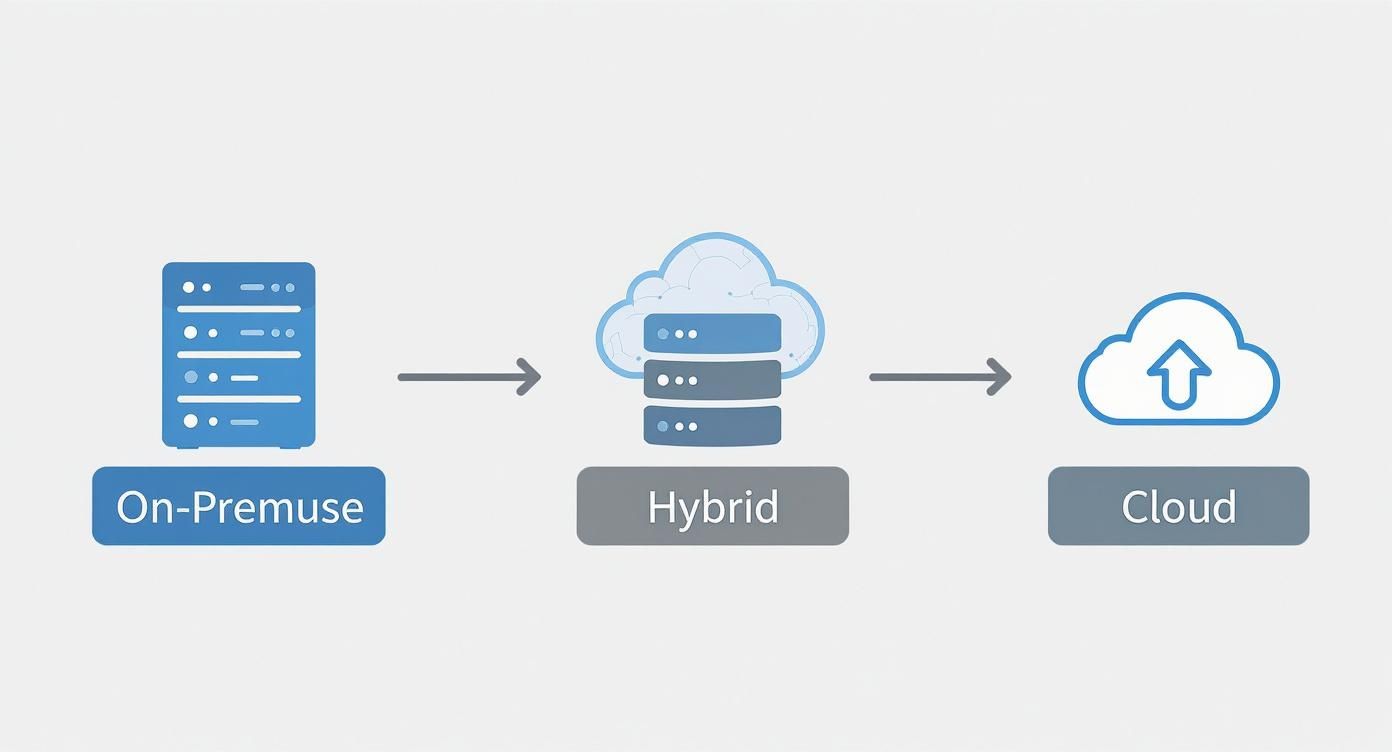
This evolution is a game-changer for business continuity, as it decentralizes risk and makes faster, location-independent recovery a real possibility.
Defining Roles and Responsibilities
One of the biggest points of failure during a crisis is confusion over who is supposed to do what. A plan without clearly assigned roles is destined to fail. Every person on your response team needs to know their exact responsibilities before an incident occurs.
This doesn't require a complex organizational chart. A simple table often works best to ensure there are no gaps or overlaps in your response.
Key Roles in Your Business Continuity Plan
When an IT disruption hits, you don't want people wondering who's in charge. This table clarifies who owns each part of the response, turning potential chaos into a coordinated effort.
| Role | Primary Responsibility | Example Team Member |
|---|---|---|
| Crisis Manager | Oversees the entire response, makes key decisions, and serves as the final authority. | CEO or Operations Manager |
| IT Recovery Lead | Executes the technical recovery steps, coordinates with vendors, and restores systems. | Internal IT Manager or MSP Contact |
| Communications Lead | Manages all internal and external messaging to staff, clients, and partners. | Marketing or HR Manager |
| Business Unit Lead | Coordinates their department's move to alternative processes or manual workarounds. | Department Head |
For many SMBs, one person might wear multiple hats, which is fine as long as it's documented.
Defining these roles ahead of time transforms a chaotic scramble into a measured, effective response. For businesses that lack the internal bandwidth to fill these roles confidently, partnering with an MSP can provide the necessary expert IT leadership to guide your team through a crisis. This ensures you have seasoned experience on hand to manage the technical recovery while you focus on the business.
Testing and Refining Your Continuity Plan
A business continuity plan you haven't tested is just a theory. It’s like having a fire extinguisher on the wall that you've never checked—you hope it works, but you won't know for sure until smoke is filling the hallway.
For busy SMBs, the idea of "testing" can sound like a massive, disruptive drill. It doesn't have to be.
The real goal is to build confidence and muscle memory within your team through a manageable schedule. You can start small, validate your plan piece by piece, and work your way up to more comprehensive tests without derailing daily operations.
Starting with Tabletop Exercises
The easiest and most effective way to start is with a tabletop exercise. This isn't a high-tech simulation; it's a guided conversation. You get your key stakeholders in a room and talk through a disaster scenario. It’s low-stress, requires minimal resources, and is incredibly effective at finding holes in your plan's logic.
For example, gather your team and pose a relatable problem: “It’s 10:00 AM on a Tuesday, and a construction crew just severed our building's primary fiber internet line. The provider says it will be six hours before it's fixed. What do we do right now?”
That one question forces your team to think through the actual steps:
- Who is in charge of calling the ISP for updates?
- How do we fail over to our backup internet connection? Is that process documented?
- What is the protocol for letting employees and clients know about the outage?
- Which business functions are impacted, and what are the immediate workarounds?
These conversations almost always expose incorrect assumptions, outdated contact information, or missing steps in your plan. It’s the perfect, low-stakes environment to get things right before a real crisis.
Advancing to Partial and Full Recovery Tests
Once your team is comfortable with tabletop exercises, you can graduate to more hands-on tests. The key is to take a phased approach.
-
Partial Failover Tests: These are perfect for testing specific components without disrupting the whole company. During off-hours, you can test the recovery of a single, non-critical application or file server. This proves your backup and recovery technology actually works as intended.
-
Full Recovery Drills: This is the big one. Here, you simulate a complete site outage and attempt to restore all critical systems at a secondary location or in your cloud disaster recovery environment. A test like this needs to be planned weeks or months in advance and treated like a real event. It's the ultimate validation of your people, processes, and technology working together.
A well-implemented continuity plan isn't just an expense; it's a powerful investment. Modern strategies can yield a 300% return on investment in the first year alone by slashing downtime costs and making operations more efficient. This is precisely why regular testing is so critical. You can explore more business continuity planning strategies from ManifoldComputers.com.
Creating a Realistic Testing Cadence
Consistency is everything. A plan that's tested once and then forgotten is almost as useless as having no plan at all. Your technology, people, and processes are constantly changing, and your plan must keep up.
Here’s a practical schedule that works for most SMBs:
- Quarterly Tabletop Exercises: Run these four times a year, using a different scenario each time (e.g., ransomware attack, power outage, server failure). This keeps the team sharp and prepared for various threats.
- Bi-Annual Partial Tests: Twice a year, pick a different non-critical system and do a live recovery test. This builds the technical team's confidence and validates that your recovery tools are working correctly.
- Annual Full Recovery Drill: Once a year, go all-in. This is your final exam, proving your entire business continuity plan for IT systems is ready to protect you when a real disaster strikes.
This structured approach keeps testing manageable and ensures your plan remains a living, effective document.
When to Partner with an IT Expert for Business Continuity
Building and maintaining a solid business continuity plan is a significant undertaking, especially when your team is already stretched thin with day-to-day operations. While a DIY approach might get you started, there’s often a tipping point where the complexity and the stakes become too high for an internal team to handle alone.
Recognizing that moment isn't an admission of failure—it's a smart business decision. So, how do you know you've reached that point? There are usually a few clear signs.
You’ve Outgrown Your In-House Expertise
Perhaps your business has grown rapidly. Your once-simple IT setup is now a complicated mix of on-premise servers, multiple cloud applications, and a remote workforce. Managing and testing recovery for a hybrid environment requires a specialized skillset most SMBs don't have on staff.
If you’re not 100% confident your team could orchestrate a full disaster recovery failover or manage complex backup solutions, that’s a major red flag.
Another sign is when compliance and regulatory demands start to feel overwhelming. If you're in an industry like healthcare (HIPAA) or manufacturing (CMMC), the rules for data protection and availability are strict and ever-changing. One misstep can lead to significant fines and a damaged reputation.
When your business continuity plan starts to feel more like a liability than a safety net, it’s a clear signal that you need expert guidance. An MSP brings the focused experience to close those gaps fast.
Partnering with a Managed Service Provider (MSP) gives you immediate access to a team of specialists who live and breathe this every day. They bring not just technical skill but strategic guidance to elevate your plan from a simple checklist to a dynamic, resilient strategy. An MSP can also help you navigate the complex world of technology vendors; our guide on IT vendor management best practices is a great starting point for getting a better handle on this.
Frequently Asked Questions About IT Business Continuity
When digging into a business continuity plan for IT systems, a few questions always come up. As trusted advisors who have walked countless SMBs through this process, we've heard them all. Here are the most common ones, answered directly.
What’s the difference between business continuity and disaster recovery?
This is a great question, and the distinction is crucial.
Think of it this way: Disaster Recovery (DR) is the tactical, IT-focused part of the plan. It's all about the technology—getting your servers, data, and critical applications back online after an incident. DR is the engine room.
Business Continuity (BC) is the entire ship. It’s the overarching strategy that answers the question, "How do we keep the whole business operating during a crisis?" It includes the DR piece but also covers your people, processes, and communication with customers and staff. A solid BC plan ensures your team can keep working, even while the IT team is restoring primary systems.
How often should we test our plan?
A plan sitting on a shelf is just a document; a tested plan is a lifeline you can trust. For most SMBs, a massive, disruptive test every month isn't practical. Instead, we recommend this tiered schedule:
- Quarterly Tabletop Exercises: Simple, guided "what-if" discussions to find gaps in logic.
- Bi-Annual Partial Failover Tests: Twice a year, test the recovery of a non-critical system to validate technology and procedures.
- Annual Full Recovery Drill: Once a year, conduct a more comprehensive test of your most critical systems.
This cadence turns your plan into a living document that evolves with your business.
Can we afford this on a small business budget?
Yes. An effective business continuity plan isn't about buying the most expensive solution for every application. That's a waste of money. The cost of your plan should be directly tied to the findings from your Business Impact Analysis (BIA). Not every system needs instant, zero-downtime failover; that’s reserved for your truly mission-critical functions.
By identifying what really matters and setting realistic Recovery Time Objectives (RTOs), you can focus your budget where it will have the biggest impact. Modern tools like cloud backup and Disaster Recovery as a Service (DRaaS) have made this far more affordable for SMBs than it was just a few years ago.
The bottom line is simple: The cost of proactive planning will always be a tiny fraction of the cost of a catastrophic outage.
A well-crafted business continuity plan is one of the smartest investments you can make in your company's future. If you're unsure where to start or want an expert eye to review your existing strategy, the team at Eagle Point Technology Solutions is here to help businesses in Western Pennsylvania and Eastern Ohio.
Contact us for a no-obligation consultation and let's make sure your business is ready for whatever comes next.