
Slow file access, choppy video calls, and that nagging feeling that your company’s security isn't quite up to snuff—sound familiar? For many business owners, these are daily frustrations. They are often symptoms of a digital foundation that's struggling to keep up. In simple terms, network infrastructure is the complete collection of hardware, software, and services that connects your computers, printers, and people, allowing them to share information. It’s the essential framework supporting every single digital interaction in your business.
The Central Nervous System of Your Business
A great way to think about your network infrastructure is as your company's central nervous system. Just like your nervous system sends signals allowing you to move, think, and react, your network carries the data that lets your team collaborate, serve clients, and drive revenue. When it’s healthy and performing well, everything just works. But when it’s neglected, everything from productivity to security starts to feel the pain.
Too many business leaders see their network as a confusing IT expense—a tangled mess of blinking boxes and cables stuffed in a closet. This view misses its real role as a critical business asset. A well-designed network is the bedrock for everything your business does, from processing payments and managing inventory to running essential cloud-based apps like Microsoft 365.
To put it all in one place, here’s a quick breakdown:
Quick Answer: What Is Network Infrastructure?
Your business's digital backbone, enabling communication and data sharing.
| Category | What It Includes | Its Role in Your Business |
|---|---|---|
| Hardware | Routers, switches, servers, Wi-Fi access points, and physical cables. | Creates the physical pathways for data to travel. |
| Software | Operating systems, security software, and network management tools. | Controls, secures, and directs the flow of data across the hardware. |
| Services | Internet access, cloud services (like AWS or Azure), and VPNs. | Connects your internal network to the outside world and extends its capabilities. |
This combination of components forms the engine that powers your day-to-day operations.
Why Your Network Deserves Your Attention
For small and mid-sized businesses (SMBs) across Western Pennsylvania and Eastern Ohio, understanding network infrastructure isn't just for the IT department. As a business owner or manager, you know that an unreliable network has a direct, and often painful, impact on your bottom line.
A recent Cisco-commissioned report found that a staggering 48% of network assets worldwide are now aging or completely obsolete. This creates a huge "technical debt" that forces budgets toward just keeping the lights on rather than investing in growth. An outdated infrastructure can lead directly to:
- Costly Downtime: When the network goes down, your entire operation can grind to a halt. Employees can't access critical files, and you can't serve your customers.
- Glaring Security Vulnerabilities: Older, unpatched equipment is a welcome mat for cyberattacks, putting your sensitive client and company data at serious risk.
- Reduced Productivity: Slow performance and unreliable connections are incredibly frustrating for employees and create bottlenecks that kill efficiency.
- Barriers to Growth: An inadequate network simply can't support modern tools like AI and advanced cloud services, effectively holding your business back from its full potential.
To get a deeper look at all the moving parts, especially for smaller organizations, check out this a comprehensive guide to small business IT infrastructure.
A strong network infrastructure moves your business from a reactive state of constantly fixing problems to a proactive one of enabling growth. It’s the difference between dealing with IT headaches every day and having a technology platform that actively helps you hit your business goals.
Ultimately, the health of your network determines your operational resilience, your security posture, and your ability to scale. In the sections that follow, we'll break down exactly what makes up this digital foundation and how you can ensure yours is built for success.
The Core Components of Your Digital Foundation
To really get a handle on network infrastructure, you have to make the invisible visible. Your network isn't just one single thing; it’s a whole team of components working in lockstep. Let's pull back the curtain and look at the tangible parts you depend on every single day, using some simple analogies to make sense of their roles.
Think of these components as falling into three distinct families: Hardware, Software, and Services. Each one is absolutely critical to keeping your business operations running smoothly.
This diagram shows how these three pieces come together to form the complete picture of your network infrastructure.
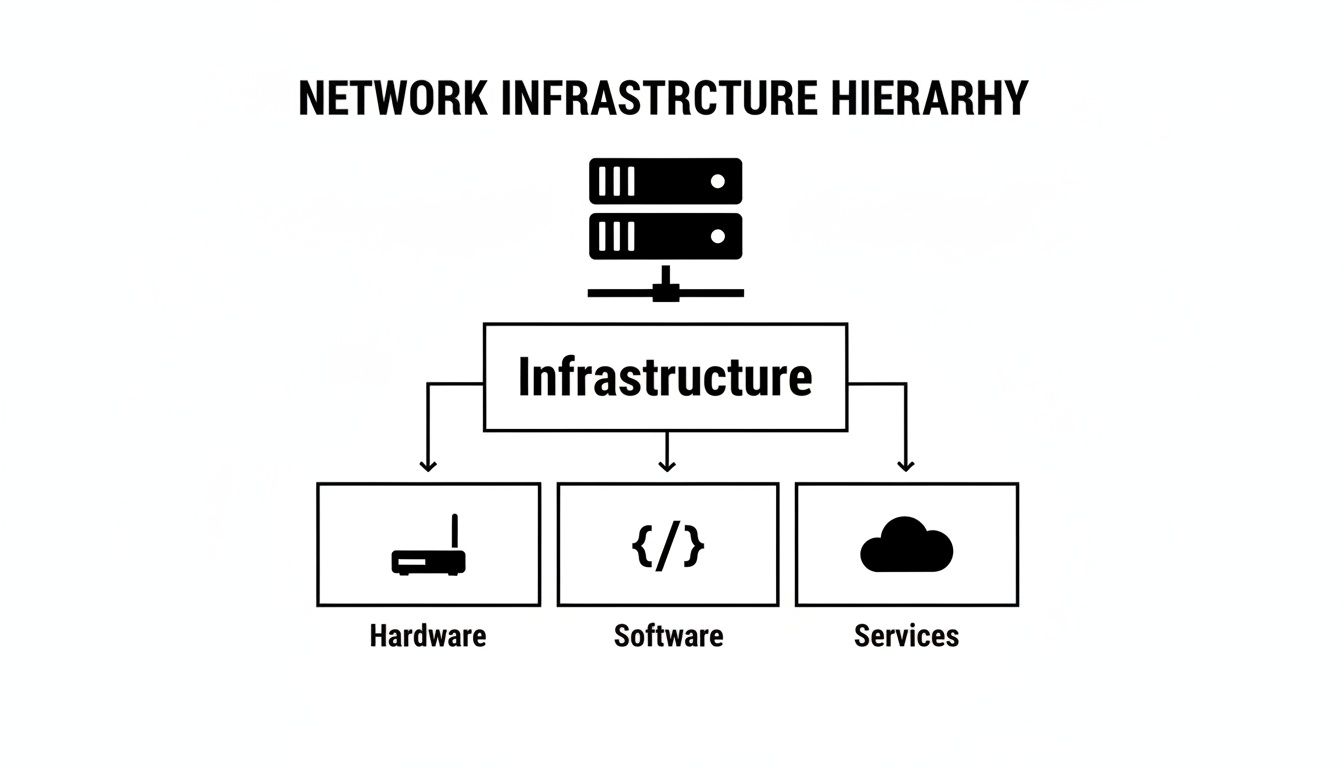
As you can see, a healthy network is far more than just the physical boxes you can touch. It’s a balanced ecosystem of equipment, the intelligence that runs it, and the connections that give it reach.
Hardware: The Physical Players
Hardware is the physical backbone of your network. These are the devices you can actually see and touch, each with a specific job to direct, manage, and secure the constant flow of your company’s data.
Here's a quick reference table to help visualize the key hardware components and what they do in plain English.
Key Network Infrastructure Components and Their Roles
| Component | Primary Function | Analogy |
|---|---|---|
| Routers | Connects your entire office network to the internet. | The Traffic Director |
| Switches | Connects devices within your local network. | The Local Mail Sorter |
| Firewalls | Monitors and blocks malicious traffic. | The Security Guard |
| Servers | Stores, processes, and manages shared data. | The Central Library |
| Wireless Access Points (WAPs) | Broadcasts a Wi-Fi signal for wireless connections. | The Wi-Fi Broadcaster |
Let's dive a bit deeper into each of these.
- Routers: These are the traffic directors of your network. A router's main job is to connect your local business network to the wider internet, guiding data packets to their correct destinations—much like a traffic cop at a busy intersection.
- Switches: Think of switches as your network's local mail sorters. While the router connects you to the outside world, a switch connects all the devices inside your office, like computers, printers, and servers. It makes sure that a file sent from your PC actually arrives at the right printer down the hall.
- Firewalls: These are the security guards standing at the gate of your network. A firewall is a critical security device that monitors incoming and outgoing traffic, blocking malicious data and preventing unauthorized access to protect your sensitive information.
- Servers: Servers are the central library for your company's data and applications. They are powerful computers that store, process, and manage shared resources, from company files to your website.
- Wireless Access Points (WAPs): These are your Wi-Fi broadcasters. WAPs project a wireless signal, allowing your team to connect laptops, tablets, and phones to the network without being physically tethered by cables.
This hardware is absolutely fundamental, and investing in it is a global priority. The network infrastructure market was valued at USD 105.28 billion in 2024 and is projected to hit nearly USD 144.08 billion by 2032. This explosive growth is all about the expansion of data centers and the sheer volume of data traffic, highlighting just how critical these physical components are to the modern economy.
Software: The Brains of the Operation
If hardware is the body, then software is the intelligence that makes it all work together. This category includes the operating systems and applications that control, monitor, and manage everything happening on your network.
Key software components include:
- Network Operating System (NOS): This is the foundational software running on devices like your routers and servers that manages network traffic and resources.
- Monitoring Tools: These applications keep a constant eye on network performance, flagging slowdowns, outages, or potential security threats before they can turn into major problems for your business.
- Security Software: This goes way beyond just firewalls. It includes antivirus, anti-malware, and intrusion detection systems that actively hunt for and neutralize digital threats.
Without this software layer, all that expensive hardware would just be a collection of inert boxes. For a closer look at how software and hardware team up, our guide to managed servers and network infrastructure provides much deeper insights.
Services: The Connectors and Extenders
Finally, services are what connect your internal network to the outside world and expand its capabilities far beyond your office walls. These are typically subscription-based and provided by third-party companies.
Services are what transform your local network from an isolated island into a gateway for global communication and powerful new capabilities.
The most common services for small and midsize businesses include:
- Internet Service Provider (ISP): This is your fundamental connection to the internet, providing the bandwidth your business needs to operate every day.
- Virtual Private Network (VPN): A VPN creates a secure, encrypted tunnel over the internet, allowing remote employees to safely access company resources just as if they were sitting in the office.
- Cloud Services: This is a huge category that includes everything from Microsoft 365 and Google Workspace to cloud backup solutions and specialized business applications. To really grasp the scope of your digital foundation, it's vital to explore how modern approaches like cloud infrastructure are reshaping traditional setups.
Together, these three pillars—Hardware, Software, and Services—create the complete network infrastructure that every modern business depends on. Understanding how each component works helps you make smarter, more strategic decisions about the technology that fuels your growth.
Common Network Designs for Today's SMBs
Now that we’ve pulled back the curtain on the individual pieces of equipment, let's see how they all connect to build a functioning network. Think of these common designs as the architectural blueprints for your company's digital operations. A small or midsize business doesn't need a sprawling, overly engineered enterprise design; you need a practical, secure, and efficient layout that supports how your team actually works.
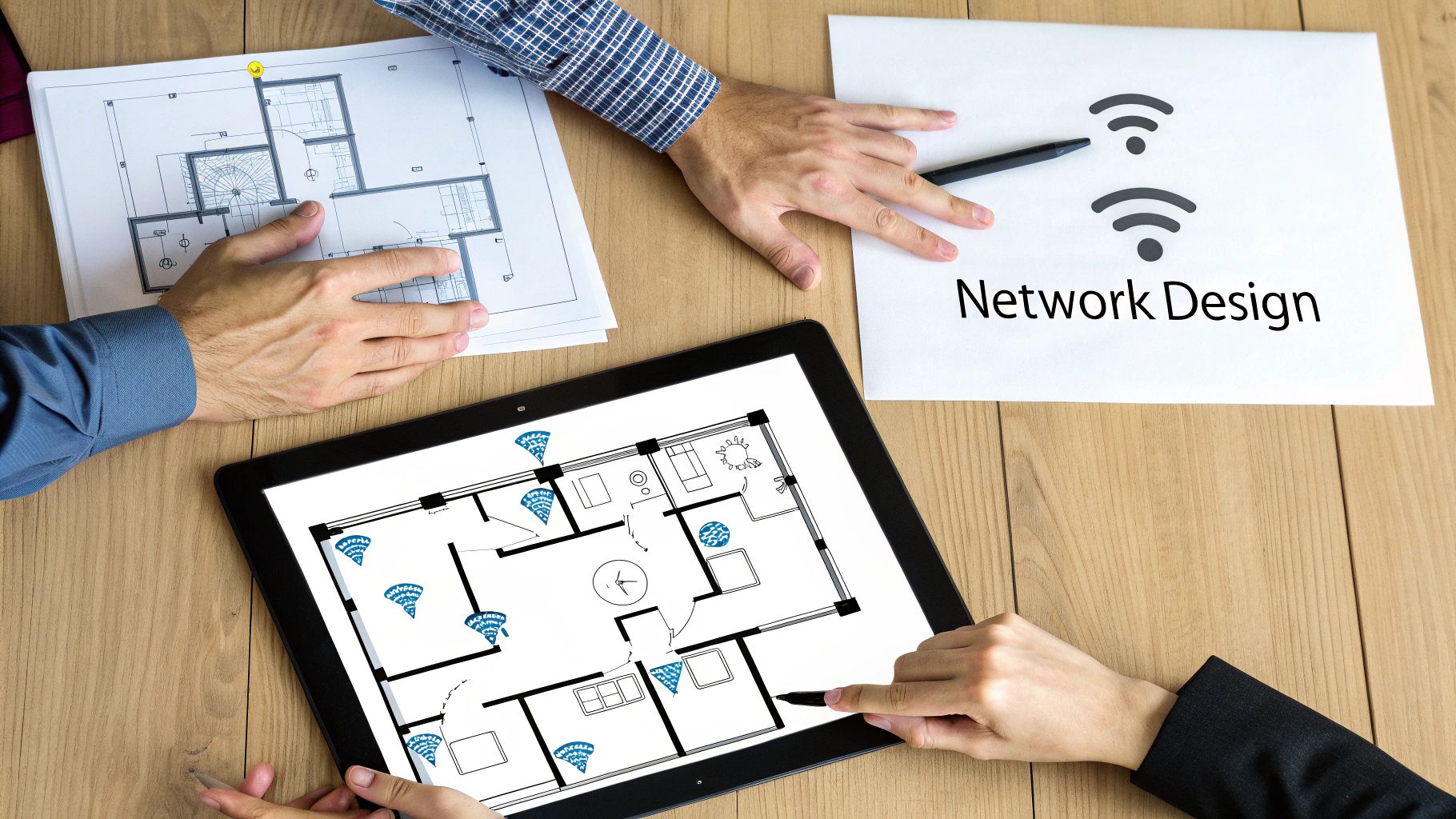
Whether you're running a manufacturing facility in Erie or a professional services firm in Pittsburgh, most business networks are built from a handful of fundamental models.
Local Area Network (LAN): The Office Hub
The Local Area Network (LAN) is the most foundational network design out there. It’s the network that lives entirely within a single physical location, like your office building. The whole point of a LAN is to connect your local devices—computers, printers, servers—so they can all talk to each other and share resources without a hitch.
Picture the LAN as your company’s internal nervous system. It’s what lets an accountant send a report to the office printer or allows a project manager to pull a file from the server down the hall. This is all handled by switches directing traffic through physical cables (or Wi-Fi). A solid LAN is truly the bedrock of day-to-day productivity.
Wide Area Network (WAN): Connecting Multiple Locations
What happens when your business expands beyond one building? That’s where a Wide Area Network (WAN) steps in. A WAN is designed to connect multiple LANs together over a large geographic area, securely linking your different locations into one cohesive system.
For example, a healthcare provider with its main clinic in Youngstown, Ohio, and a satellite office in New Castle, Pennsylvania, would rely on a WAN. This setup allows staff at both sites to securely access the same patient records and scheduling software as if they were all working under one roof. The WAN uses internet connections, often layered with VPN technology, to create a single, unified network for your entire organization.
A well-designed WAN makes physical distance irrelevant. It ensures every employee has consistent, secure access to company resources, no matter which office they’re in. That’s absolutely critical for keeping things running smoothly as you scale.
Wireless Local Area Network (WLAN): Enabling Mobility
A Wireless Local Area Network (WLAN) is just what most of us call Wi-Fi. It’s essentially a LAN that ditches the physical cables, using Wireless Access Points (WAPs) to connect devices instead. In today’s fast-paced business world, a strong WLAN isn’t a luxury—it’s an absolute necessity.
A WLAN gives your team the freedom and mobility they need to be productive. It lets employees take their laptops into a conference room, allows warehouse staff to use handheld scanners for inventory, and enables you to offer secure guest Wi-Fi for visiting clients. For many modern SMBs, the WLAN is the main way most devices get connected to the rest of the network.
The Modern Hybrid Network: Blending On-Site and Cloud
For nearly every SMB we work with today, the most effective design is a hybrid network. This model is the best of both worlds, blending the traditional on-site hardware of a LAN with the incredible power and flexibility of cloud services.
Here’s a snapshot of how a hybrid network typically works for an SMB:
- On-Site Hardware: You still have essential gear at your office, like a firewall for security, switches for your wired connections, and WAPs for your Wi-Fi.
- Cloud Services: But instead of hosting everything on a server in your closet, you use cloud platforms for major functions. Using Microsoft 365 for email, file storage (OneDrive/SharePoint), and team collaboration (Teams) is a perfect example.
- Secure Connections: Your local network connects securely to these cloud services right over your internet connection, protected by your firewall and VPNs for remote team members.
This hybrid approach gives you the local speed and control needed for in-office tasks while offloading the heavy lifting of maintenance, security, and scalability to major cloud providers. It’s a cost-effective, resilient model that seamlessly supports both in-office and remote work, making it the clear standard for any forward-thinking SMB.
How a Strong Network Drives Business Growth
It’s one thing to understand the bits and pieces of your network, but connecting those technical components to your bottom line is what really counts. A high-performing network isn't just another utility like the lights or the plumbing; it’s the engine that directly fuels your productivity, security, and your ability to outpace the competition.
It's time we stop asking what a network is and start focusing on what it does for your business.
When your network is fast, secure, and reliable, it’s the silent partner behind every success. But when it's not, it becomes a source of daily friction—a constant bottleneck that frustrates your team and lets your customers down.
From Costly Downtime to Seamless Operations
Every business owner in our region knows the gut-wrenching feeling of unexpected downtime. One minute, your team is hitting its stride, and the next, everything grinds to a halt because a critical connection dropped. A resilient network is your first and best defense against these expensive interruptions.
This is about more than just keeping the Wi-Fi on. A well-designed network ensures your team can always get to essential tools like Microsoft 365, process customer payments without a hitch, and collaborate on projects seamlessly. That kind of reliability translates directly into tangible returns.
For an SMB, network downtime isn't just an IT problem—it's a business crisis. It stops revenue, damages client trust, and can bring your entire operation to a standstill. A strong infrastructure is the insurance policy that keeps you running.
Protecting Your Reputation and Your Data
In today's world, your network is also your primary security perimeter. Every single piece of sensitive client data, from financial records at a professional services firm to patient information at a healthcare clinic, travels across that network. A weak or outdated infrastructure is practically an open invitation for cybercriminals.
A modern, well-maintained network provides the foundation for a robust, layered security strategy. It supports advanced firewalls, enables secure remote access for your team through VPNs, and allows for constant monitoring to spot threats before they can do any real damage. This focus on security isn't just about avoiding fines; it’s about protecting the trust you’ve worked so hard to build.
Enabling Growth Without Growing Pains
Perhaps the most powerful benefit of a strong network is its ability to grow right alongside your company. An old, maxed-out infrastructure simply can’t handle the demands of new employees, more locations, or modern, data-hungry applications. Trying to force it to keep up only leads to slowdowns and expensive, disruptive emergency upgrades.
A scalable network, on the other hand, is built with your future in mind. It allows you to:
- Easily add new users and devices without grinding everyone else to a halt.
- Integrate powerful new tools, like AI-driven analytics or cloud-based inventory systems.
- Expand to new locations with a WAN that ensures everyone gets the same great performance.
This forward-thinking approach is becoming more critical by the day. Recent research shows that 95% of IT leaders now see a resilient network as vital for business continuity, especially since 77% of them recently suffered a major outage. As businesses adopt AI and other data-intensive tools, the demands are changing dramatically. Investing in a smarter network is directly linked to better customer experiences (55%), higher operational efficiency (52%), and greater innovation (51%). You can find out more about how modern infrastructure is reshaping business competitiveness.
Ultimately, a strong network transforms technology from a recurring headache into a strategic asset—one that helps you scale efficiently and seize new opportunities without being held back.
The Hidden Costs of an Outdated Network
That old saying, "if it ain't broke, don't fix it," is probably one of the most dangerous mindsets a business can have about its technology. Sure, your aging network might seem like it's working just fine, but under the surface, it’s likely bleeding your company's resources in ways you don't even see.
The real costs go way beyond the occasional dropped Wi-Fi signal. These are the silent killers of productivity and profit—lost employee hours from sluggish performance, frustrating delays pulling up critical files, and missed opportunities because your systems just can't keep up with modern tools.
Gaping Security Holes and Compliance Risks
Outdated hardware and software are a welcome mat for cybercriminals. Once a manufacturer decides a piece of equipment is "end-of-life," they stop releasing security patches for it. That means every new threat discovered from that day forward is a permanent vulnerability. A single unpatched router or switch can become an open door for ransomware, data theft, or a business email compromise attack.
This creates massive financial and reputational risks. Beyond the sticker shock of a data breach, failing to maintain a secure network can land you in hot water with compliance regulations like HIPAA. It’s not just about protecting your data; it's about protecting your entire business. That's why understanding why a firewall is crucial for your business is the first, non-negotiable step toward a stronger defense.
Lost Productivity and Employee Frustration
In today's business world, slow is the new down. When your network can't keep pace, your team's efficiency grinds to a halt. Waiting just a few extra seconds for every file to load or application to respond adds up to an incredible amount of wasted payroll hours over the course of a year.
An outdated network infrastructure forces your team to work at the speed of your oldest technology, not at the speed of your business. This constant friction leads to frustrated employees and a direct hit to your bottom line.
This constant sluggishness doesn't just hurt the numbers; it kills morale. Your best people get bogged down by technical limitations, unable to do their jobs to the best of their ability.
Stifled Innovation and Missed Opportunities
Think of your network infrastructure as the foundation of your business's technology house. An old, cracking foundation simply can't support the weight of modern tools like cloud applications, team collaboration platforms, or useful AI integrations.
This limitation puts you at a serious competitive disadvantage. While your competitors are adopting faster, more efficient ways of working, you're stuck in the slow lane. Proactive network management isn't just an IT expense; it's a strategic investment that keeps your business agile and ready to grab new opportunities. It's the best insurance you can buy against the high price of downtime, data breaches, and simply being left behind.
A Practical Plan to Build a Future-Ready Network
Feeling motivated to shore up your network but not sure where to start? That's a common feeling. Moving from theory to action can feel like staring up at a mountain, but a clear, practical plan makes all the difference.
The very first step is simple: take an honest inventory of your current network infrastructure.

Don't worry, this doesn't require a deep technical background. It starts with asking simple, business-focused questions that get right to the heart of your network's health and readiness.
Your Starting Checklist
Grab a notebook and ask your team these critical questions. The answers will quickly reveal your biggest strengths and, more importantly, your most urgent weaknesses.
- Hardware Lifecycle: When were our firewall, router, and key network switches last reviewed or replaced? Are we running on borrowed time with hardware that is no longer receiving security updates?
- Security Posture: Do we have documented security policies? Are they actually being enforced and updated, or just collecting dust?
- Performance Bottlenecks: What are the most common complaints from staff about speed or accessing files and applications? Where are the digital traffic jams?
- Disaster Recovery: Do we have a data backup and recovery plan that has been tested in the last six months? (And I mean really tested.)
- Future Needs: What new technologies, like AI tools or cloud software, do we plan to adopt in the next 12-24 months? Can our current network handle them?
The insights you gather here are the bedrock of a strategic technology roadmap. It’s what turns reactive fixes into proactive strategy.
Strategic Guidance Without the Enterprise Price Tag
Let's be realistic. For most SMBs, hiring a full-time, high-level IT strategist like a Chief Information Officer (CIO) is simply out of reach. This is where partnering with a Managed Service Provider (MSP) that offers virtual CIO (vCIO) services creates a massive advantage.
A vCIO delivers the strategic expertise of an enterprise IT department at a fraction of the cost.
This partnership is a collaborative effort. The MSP handles the day-to-day grind—monitoring, maintenance, and security—while the vCIO focuses on the bigger picture. They work to align your technology investments with your actual business goals. This approach ensures your network not only solves today's problems but is also prepared for tomorrow's opportunities.
And if you're juggling multiple tech relationships, our guide on IT vendor management best practices can help you get that under control.
A vCIO engagement transforms your network from a reactive expense into a proactive asset. It’s about making deliberate, informed decisions that drive efficiency, enhance security, and support sustainable growth.
The importance of future-proofing your network infrastructure is growing exponentially. As AI adoption surges, the power demands on data centers—a core part of the global network—are skyrocketing. A 2025 survey found that 79% of power and data center executives expect AI to increase power demand through 2035.
This is driving massive investment, with major tech companies projected to spend $371 billion on AI data centers in 2025 alone. You can discover more about these trends in data center infrastructure and AI. This shows that building a forward-thinking network isn't just a good idea; it's essential for staying competitive.
Common Questions We Hear About Network Infrastructure
After walking through the core concepts, it's completely normal for business leaders to have a few lingering questions. It's a lot to take in. Let's tackle some of the most common ones our clients ask, so you can move from understanding the basics to making confident, strategic decisions.
How Often Should We Upgrade Network Hardware?
There’s no magic number here, but the "run it until it breaks" approach is a recipe for disaster. A strategic lifecycle plan is always the smarter move.
As a general rule of thumb, key hardware like your firewalls, routers, and core switches should be reviewed every 3-5 years. This isn't just about chasing faster speeds; it's a critical security issue. As hardware gets older, manufacturers eventually stop releasing security patches for it. That leaves your business wide open to new threats that criminals are actively exploiting.
Waiting for a key component to fail is just asking for expensive downtime and a frantic scramble for an emergency replacement. A proactive plan lets you align upgrades with your budget and ensures your infrastructure can actually support your business without creating security gaps or frustrating performance bottlenecks.
Is Cloud Infrastructure Different from Network Infrastructure?
This is an excellent question that gets to the heart of how modern IT works. The easiest way to think about it is this: your cloud infrastructure is a powerful component that lives within your overall network infrastructure.
Your network infrastructure is the entire system—your on-site hardware (routers, switches), your services (internet connection), and everything else that connects your team and their devices. Cloud infrastructure, on the other hand, refers to the servers, storage, and networking hardware hosted by a provider like Microsoft or Amazon.
The cloud doesn't replace your network; it extends it. Your local network is the essential bridge that connects your users to all those powerful resources hosted in the cloud. A fast, reliable connection is absolutely critical to getting the performance you expect out of platforms like Microsoft 365.
What Is the Best First Step to Improve Our Network?
For any small or midsize business, the single best first step is to get a clear, objective assessment of what you have right now. You can't map out a route to where you want to go if you don't know your starting point.
A professional assessment will quickly identify aging equipment, hidden security vulnerabilities, and performance issues you probably don't even know exist. It moves you beyond guesswork and gives you a data-driven plan. You'll get a clear inventory of your assets and, more importantly, a prioritized list of actions to improve security, boost performance, and make sure your technology is ready to support your future growth.
A professional network assessment is the fastest way to understand your risks and opportunities. The team at Eagle Point Technology Solutions can provide a comprehensive review of your infrastructure, giving you a clear, actionable roadmap to build a more secure and resilient network. Schedule a no-obligation consultation today to get started.


