For small and medium-sized businesses in Western Pennsylvania and Eastern Ohio, managing daily operations is a constant juggling act. Between serving clients, leading your team, and navigating supply chains, cybersecurity can feel like another overwhelming item on an endless to-do list. You've likely installed antivirus software and a firewall, but is that enough to protect your company's sensitive data and hard-earned reputation?
Modern threats like ransomware and sophisticated phishing schemes are designed to slip past basic defenses, targeting the specific vulnerabilities SMBs often overlook due to limited time and resources. The key to building genuine resilience isn't just about adding more tools; it's about understanding precisely where your unique risks lie. A structured cybersecurity risk assessment checklist is the most powerful strategic tool an SMB can wield. It transforms security from a guessing game into a clear, actionable roadmap tailored to your operations.
This process moves beyond simply reacting to alerts. It's about proactively identifying what needs protection, who might target it, and how effective your current safeguards truly are. This comprehensive 10-point checklist is designed to guide you through that exact process. It provides a clear path to identifying, prioritizing, and mitigating the threats that matter most to your business, ensuring your security investments deliver real-world protection and measurable return. Following these steps will help you build a defense that is both effective and aligned with your specific budget and compliance needs.
You can't protect what you don't know you have. This simple truth is the foundation of any effective cybersecurity risk assessment checklist. Asset inventory and classification is the systematic process of identifying, documenting, and categorizing every piece of technology your business relies on. For an SMB, this isn't just about servers and laptops; it includes network devices, cloud subscriptions (like Microsoft 365), software applications, and even employee mobile devices that access company data.
For many small and midsize businesses, this step often uncovers significant, previously unknown risks. Once identified, each asset is classified based on its importance to your core operations and the sensitivity of the data it handles. This crucial context helps prioritize your security efforts, ensuring you focus limited resources on protecting what matters most.
Without a complete inventory, security gaps are inevitable. An unmanaged device or a forgotten cloud service can become an unguarded entry point for an attacker. By mapping asset dependencies, you understand how a failure in one area, like a specific server, could cascade and disrupt critical business functions. This visibility is the difference between proactive defense and reactive crisis management.
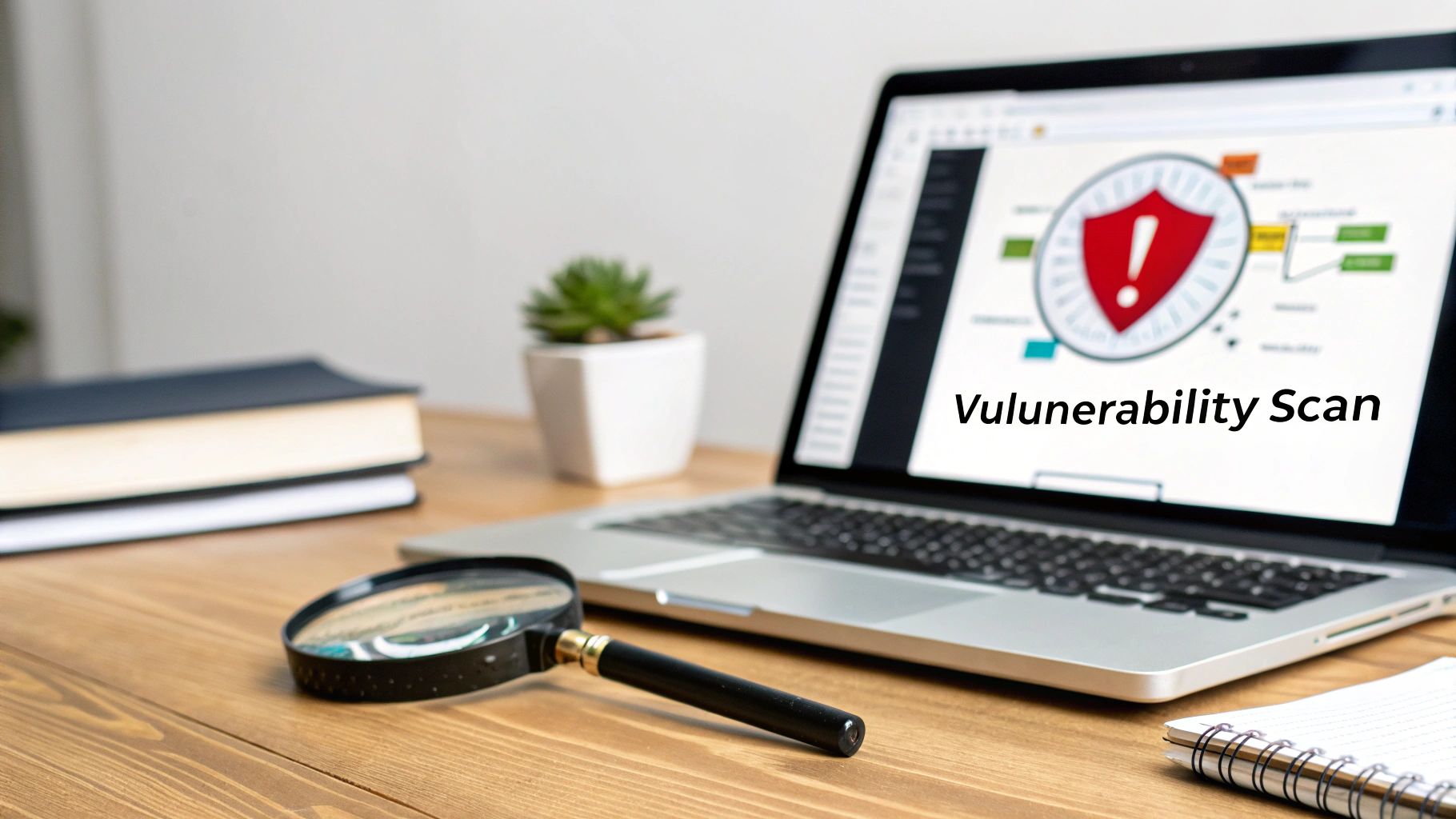
After you know what assets you have, the next logical step is to find out where their weaknesses are. Vulnerability scanning and assessment is the proactive process of using automated tools to probe your systems, applications, and networks for known security flaws. These tools search for thousands of potential issues, including missing patches, weak passwords, software bugs, and insecure configurations.
For small and midsize businesses with limited IT staff, regular scanning turns cybersecurity from a reactive fire drill into a managed, repeatable process. It provides a clear, prioritized list of what needs to be fixed first, allowing you to allocate resources effectively. To fully grasp this crucial step in cybersecurity, it's important to understand what a vulnerability assessment entails .
Attackers use automated scanners to find easy targets; you should use the same techniques to find and fix those weaknesses before they do. A single unpatched server or a device with a default password can be all an intruder needs. This step provides the concrete data necessary to move beyond guesswork and address specific, verifiable risks within your environment.
VIDEO
3. Threat Modeling and Analysis
After identifying what you need to protect and where its weaknesses are, the next step in a cybersecurity risk assessment checklist is to understand who might attack it and how . Threat modeling is a structured process for identifying potential threats, vulnerabilities, and attack vectors from an attacker's perspective. It shifts your security focus from a generic defense to a targeted strategy against the most likely and impactful scenarios your business faces.
For an SMB, this means going beyond just worrying about viruses. It involves thinking critically about how your specific operations, from manufacturing processes to client data handling, could be exploited. This proactive analysis allows you to anticipate attacks before they happen, giving you a crucial advantage in building a resilient defense.
Why This Is a Critical Next Step
Without threat modeling, your security controls are based on assumptions, not evidence. You might invest heavily in a firewall while leaving a critical cloud application exposed to a business email compromise attack. By systematically analyzing potential attack paths, you can align your security budget and resources with the threats that pose the greatest danger to your specific business operations, ensuring a higher return on your security investment.
Key Insight: Threat modeling answers the vital questions: "Who are our adversaries, what do they want, and how will they try to get it?" This context is essential for building defenses that are relevant and effective.
Real-World Scenarios
An Ohio healthcare office used threat modeling to identify ransomware as its primary threat due to the high value of patient data. This led them to prioritize immutable backups and advanced endpoint security over other less critical projects.
A Pennsylvania manufacturing firm realized that its biggest risk was not external hackers but supply chain integrity. Threat modeling helped them focus on securing their operational technology (OT) network and vetting third-party software integrations.
A multi-office professional services firm identified malicious or accidental insider actions from remote workers as a major threat. This insight prompted them to implement stricter access controls, data loss prevention (DLP) policies, and enhanced activity monitoring.
Actionable Implementation Tips
Conduct Collaborative Workshops: Involve stakeholders from IT, operations, and leadership. Their combined knowledge is essential for identifying realistic threats to critical business processes, not just technical systems.Use a Simple Framework: You don't need a complex model. Start by asking simple questions for each critical asset: Who would want this data? How could they get it? What would be the impact?Focus on Business Processes: Create threat models for your most critical workflows, such as "customer payment processing" or "production line operations." This connects security risks directly to business impact.Schedule Annual Reviews: Your threat landscape is constantly evolving. Revisit and update your threat models annually, or whenever there are significant changes to your business operations or technology stack.
4. Security Control Assessment and Gap Analysis
Once you know what assets you have and the threats against them, the next logical step in a cybersecurity risk assessment checklist is to evaluate how well you are currently protecting them. A security control assessment is a review of your existing safeguards, spanning everything from antivirus software and firewalls (technical controls) to employee security training and incident response plans (operational controls). It systematically checks if your defenses are implemented correctly and operating as intended.
For small and midsize businesses, this process often reveals a gap between perceived security and reality. The goal is to compare your current state against a recognized standard like the NIST Cybersecurity Framework (CSF) or CIS Controls. This comparison, or gap analysis, clearly identifies which critical controls are missing or ineffective, providing a clear roadmap for improvement.
Why This Is a Critical Step
Without assessing your controls, your security strategy is based on assumptions, not evidence. You might have a backup system, but if you've never tested a full recovery, you can't be sure it will work during a real disaster. A gap analysis moves you from a reactive "break-fix" model to a proactive, strategic approach, ensuring your security investments are targeted at your most significant weaknesses.
Key Insight: A security control assessment and gap analysis is like a comprehensive health check-up for your cybersecurity program. It provides an objective diagnosis of your vulnerabilities and a prescribed treatment plan to improve your defensive posture.
Real-World Scenarios
A small manufacturing firm in Western PA discovered it had no formal process for disabling access for terminated employees. Former staff members retained access to company systems for weeks, creating a significant data breach risk until a control assessment identified the gap.
A regional professional services firm had backup systems in place but, during a gap analysis, found it had no tested disaster recovery procedures. The first full test-run revealed the backups would have taken three days to restore, an unacceptable amount of downtime.
An Eastern Ohio healthcare provider believed its data was secure, but an assessment revealed that multi-factor authentication (MFA) was not enforced on key applications handling sensitive patient data, leaving them exposed to simple credential theft.
Actionable Implementation Tips
Use a Framework as Your Benchmark: For most SMBs, the NIST Cybersecurity Framework is an excellent starting point. It is flexible, widely respected, and focuses on business outcomes rather than rigid compliance, making it adaptable to any organization.Prioritize Gaps Based on Business Impact: Not all gaps are equal. Work with your IT partner to prioritize remediation based on a combination of exploit likelihood and potential business impact. A missing control protecting your "crown jewel" assets should be addressed before a low-impact issue.Create a Multi-Year Remediation Roadmap: You can't fix everything at once. Develop a phased roadmap that tackles high-priority "quick wins" first to build momentum and demonstrate immediate value to leadership. Plan larger projects over several quarters or years.Involve Department Heads: Security is a shared responsibility. Involve department leaders in the assessment to help them understand how specific controls (like access reviews or data handling policies) support their team’s operations and protect their critical information.
5. Data Classification and Loss Prevention Assessment
Not all data is created equal, and failing to recognize this can lead to devastating breaches. A data classification and loss prevention assessment is the process of categorizing your information based on sensitivity and then implementing controls to protect it accordingly. This means identifying where your most critical data lives, who can access it, and how it moves within and outside your organization.
For small and midsize businesses, this step is vital for meeting compliance mandates like HIPAA or CMMC and for protecting invaluable intellectual property. By labeling data as public, internal, confidential, or restricted, you create a clear framework for applying security measures like encryption and access restrictions, ensuring your most sensitive information receives the strongest defense.
Why This Is a Critical Step
Without data classification, you risk either over-protecting non-sensitive information or, more dangerously, under-protecting your most valuable assets. This step in your cybersecurity risk assessment checklist directly addresses the impact of a potential breach. Knowing that customer social security numbers are stored unencrypted on a shared drive, for example, allows you to fix a critical vulnerability before it is exploited.
Key Insight: Data classification turns security from a one-size-fits-all approach into a precise, risk-based strategy. It ensures that your security investments are directly proportional to the value and sensitivity of the data you are protecting.
Real-World Scenarios
An Eastern Ohio healthcare office discovered that patient records were being stored unencrypted on multiple shared network drives, accessible to all staff. This assessment led to immediate data encryption and access control adjustments to meet HIPAA requirements.
A manufacturing firm found that highly sensitive trade secrets and proprietary designs were accessible to temporary contractors through a misconfigured file server, creating a significant risk of intellectual property theft.
An accounting practice identified that employees were regularly copying client tax returns to their personal email accounts for convenience, a major compliance violation that was stopped with new data loss prevention (DLP) policies.
Actionable Implementation Tips
Start with High-Impact Data: Begin by identifying and classifying your most critical data categories, such as customer Personally Identifiable Information (PII), employee financial data, and trade secrets. This focuses your initial efforts where the risk is highest.Implement Classification Tags: Use metadata tags within your file systems and email platforms (like Microsoft 365) to label data sensitivity. This enables automated policies for protection and monitoring.Deploy DLP Tools: Use Data Loss Prevention (DLP) software to monitor, alert, and block sensitive data from leaving your secure environment via email, USB drives, or cloud uploads. This is a key step to prevent data loss .Conduct Regular Access Reviews: Schedule quarterly reviews of who has access to confidential and restricted data. This process ensures that permissions remain aligned with the principle of least privilege.Train Your Team: Educate employees on your data classification policy and their specific responsibilities for handling sensitive information. A well-informed team is your first line of defense.
6. Access Control and Identity Management Review
Even the strongest perimeter defenses are useless if an attacker can walk right in through the front door using stolen credentials. This step in your cybersecurity risk assessment checklist focuses on who has access to what, ensuring that user identities are verified and permissions are granted on a strict need-to-know basis. It involves evaluating everything from password policies and multi-factor authentication (MFA) to how user accounts are created, modified, and deleted.
For small and midsize businesses, managing access can quickly become chaotic as employees change roles or leave the company. A formal review of access controls prevents "privilege creep," where users accumulate unnecessary permissions over time, and closes critical security gaps left by orphaned accounts. The goal is to enforce the principle of least privilege: giving each user the minimum level of access required to perform their job.
Why This Is a Critical Step
Unmanaged credentials are one of the most common vectors for cyberattacks. A single compromised account with excessive permissions can give an attacker access to sensitive financial data, customer information, or critical operational systems. By systematically reviewing and enforcing access policies, you dramatically reduce your attack surface and limit the potential damage of a breach.
Key Insight: Strong identity and access management is not just an IT task; it is a fundamental business control that protects your data, ensures operational integrity, and builds a culture of security.
Real-World Scenarios
An SMB in Eastern Ohio discovered that three former employees still had active network and cloud access months after their departure, posing a significant data exfiltration risk.
A regional distribution firm found that all warehouse employees were sharing a single, high-privilege password for their inventory management database, making it impossible to trace actions to individuals.
A local professional services office identified that several system administrators had standing permissions to access sensitive payroll systems, a clear violation of role separation that went beyond their job requirements.
Actionable Implementation Tips
Enforce MFA Everywhere: Implement multi-factor authentication for all critical systems, especially cloud email (Microsoft 365), remote access (VPN), and financial applications. This is the single most effective control against credential theft.Formalize Onboarding and Offboarding: Tie the user account lifecycle directly to HR processes. Use a formal checklist to ensure new employees get the correct access and departing employees have all access revoked on their last day.Conduct Quarterly Access Reviews: Schedule regular reviews with department managers to validate who has access to their team's shared drives, applications, and sensitive data. This process helps remove unnecessary permissions proactively.Leverage Role-Based Access Control (RBAC): Create access templates for common job roles (e.g., "Accountant," "Salesperson"). This ensures new hires receive consistent, pre-approved permissions and simplifies management.Monitor Privileged Accounts: For administrator and service accounts, use tools to monitor and log all activity. Modern identity platforms like Microsoft Azure Active Directory offer robust logging for SMBs.
7. Network Security and Perimeter Assessment
Your network perimeter is the digital front door to your business. A Network Security and Perimeter Assessment is the process of evaluating the defenses that stand between your trusted internal network and the untrusted outside world, such as the internet. This includes scrutinizing firewalls, network segmentation, intrusion detection systems, VPNs, and wireless security to ensure they are configured correctly and are effectively stopping threats.
For small and midsize businesses, the network is often a complex and evolving environment. This step in your cybersecurity risk assessment checklist validates that the rules and systems you have in place are still relevant and strong enough to counter modern threats. It confirms that a compromise in one area, like guest Wi-Fi, cannot spread to critical systems like your servers.
Why This Is a Critical Protective Step
A misconfigured firewall or a lack of network segmentation can render all your other security efforts useless. If an attacker can easily bypass your perimeter or move freely once inside, they can access sensitive data with minimal resistance. This assessment hardens your defenses, reduces your attack surface, and implements containment measures to limit the damage if a breach does occur.
Key Insight: A strong, well-managed network perimeter doesn't just block external attacks; it contains internal threats, preventing a minor incident from becoming a catastrophic, business-wide compromise.
Real-World Scenarios
A Western PA manufacturing firm discovered its primary firewall rules had not been updated in over five years. Obsolete systems and former employee access were still permitted, leaving gaping holes for attackers to exploit.
A regional office in Eastern Ohio found it had no network segmentation between its guest Wi-Fi and the internal network housing its critical file servers, allowing any guest to potentially access sensitive company data.
A professional services company that handled confidential client data had no external threat monitoring. It was completely unaware of its credentials being sold on the dark web until a formal assessment was conducted.
Actionable Implementation Tips
Document and Justify Firewall Rules: Create a comprehensive log of every firewall rule, detailing its business justification, the owner who approved it, and a scheduled review date. This prevents "rule bloat" and ensures obsolete rules are removed quarterly.Implement Meaningful Segmentation: Use Virtual LANs (VLANs) to create separate network segments for different functions. At a minimum, isolate guest Wi–Fi, internal servers, user workstations, and any IoT devices to limit lateral movement.Deploy a Next-Generation Firewall (NGFW): Use an NGFW that offers advanced features like deep packet inspection, threat intelligence feeds, and integrated DNS filtering to block malicious sites.Enable and Monitor Logging: Ensure logging is enabled for all accepted and denied traffic on your firewall. Partner with a managed service provider, like Eagle Point, to continuously monitor these logs for suspicious patterns that indicate an attack in progress.
8. Incident Response and Business Continuity Readiness
A cyberattack is no longer an "if" but a "when" scenario. Your ability to respond quickly and maintain operations during a crisis is just as critical as your preventative defenses. Assessing your incident response and business continuity readiness involves reviewing documented plans, defined roles, and tested recovery capabilities to ensure you can minimize downtime and data loss when an incident occurs.
For small and midsize businesses, a tested plan is the difference between a manageable event and a catastrophic failure. This step in your cybersecurity risk assessment checklist evaluates whether your team knows what to do, who to call, and how to recover when the worst happens. It shifts your posture from panicked reaction to controlled, effective action.
Why This Is a Critical Step
Without a documented and rehearsed plan, chaos ensues during an attack. Teams waste precious time figuring out roles and procedures, leading to deeper system compromise, extended downtime, and greater financial loss. A robust plan provides a clear roadmap to contain the threat, eradicate it, and restore services efficiently.
Key Insight: Incident response isn't just an IT function; it's a business survival plan. It ensures that everyone, from technicians to the CEO, understands their role in protecting the company's assets and reputation.
Real-World Scenarios
A manufacturing facility was hit by ransomware but had no tested recovery plan. It took their team weeks to restore operations, resulting in massive production losses and contract penalties.
A regional office discovered its backup tapes had not been tested in over three years. When they needed to recover critical data after a server failure, they found the backups were unusable.
A professional services firm had an incident response plan on paper, but no employees were aware of their roles. During a phishing attack, the lack of coordination allowed the attacker to access sensitive client data.
Actionable Implementation Tips
Document and Define: Create a formal incident response plan that outlines specific procedures for different incident types (e.g., ransomware, data breach, phishing). Establish clear roles such as an incident commander, technical lead, and communications lead.Establish Clear Escalation Paths: Define thresholds for when to escalate an incident and who to notify. This includes internal stakeholders like the CEO and legal counsel, as well as external parties like customers and regulators.Test Backup and Recovery: Follow the 3-2-1 rule (three copies of data, on two different media, with one copy off-site). Test your backup and recovery procedures at least semi-annually to ensure they work as expected.Conduct Annual Simulations: Run tabletop exercises annually. This trains your team, reveals gaps in your plan, and builds the "muscle memory" needed to perform under pressure.Define RTO and RPO: For each critical system, document your Recovery Time Objective (RTO), how quickly you must be back online, and your Recovery Point Objective (RPO), the maximum acceptable amount of data loss. An IT partner can help align these technical metrics with your business needs.
9. Third-Party Risk and Vendor Management Assessment
Your cybersecurity defenses are only as strong as your weakest link, and often, that link is a third-party vendor. A third-party risk assessment evaluates the security practices of vendors, contractors, and partners who access your systems or data. This includes everything from your cloud backup provider and payroll processor to the marketing agency managing your website. Your network's perimeter no longer ends at your office walls; it extends to every partner you work with.
For small and midsize businesses, a single insecure vendor can introduce catastrophic risk. This step in your cybersecurity risk assessment checklist involves inventorying vendors, classifying them by criticality, and scrutinizing their security controls. It ensures that the partners you trust with your data are treating it with the same level of care that you do, preventing supply-chain attacks that are increasingly common.
Why This Is a Critical Step
An unvetted vendor is a blind spot in your security posture. If your payment processor has a data breach, your customers’ financial information is exposed. If your cloud provider experiences an outage without a proper recovery plan, your operations could grind to a halt. Assessing third-party risk is essential for maintaining operational resilience, protecting sensitive data, and meeting compliance obligations that extend to your entire supply chain.
Key Insight: You can outsource a service, but you cannot outsource the risk. A formal vendor management program is non-negotiable for protecting your business from threats that originate outside your direct control.
Real-World Scenarios
A regional distribution firm discovered its cloud backup vendor had no SOC 2 certification despite holding mission-critical operational data, prompting an immediate search for a more secure partner.
A Western PA manufacturing company reviewed its contracts and found its payment processor had no specific incident notification requirements, leaving them vulnerable to delayed breach alerts.
A professional services firm realized its payroll vendor was processing sensitive employee data on non-encrypted USB drives, a major violation of data handling best practices.
Actionable Implementation Tips
Request Security Certifications: For any critical vendor handling sensitive data, request their security certifications or audit reports, like a SOC 2 Type II report. This document validates their security controls.Create a Vendor Questionnaire: Develop a standardized risk assessment questionnaire covering security policies, data encryption methods, and incident response capabilities to send to all new and existing vendors.Include Security Clauses in Contracts: Work with legal counsel to embed security requirements directly into vendor contracts. Specify the "right to audit," mandate immediate notification of security incidents (e.g., within 24-48 hours), and require vendors to maintain cybersecurity insurance. Learn more about effective IT vendor management best practices to strengthen your contracts.Conduct Annual Reviews: Vendor security is not a one-time check. Schedule annual security reviews for all critical vendors to ensure their practices remain effective and aligned with your evolving security needs.
10. Security Awareness, Training, and Compliance Assessment
Your technology and firewalls can be top-of-the-line, but your greatest vulnerability often walks through the door every morning: your employees. This step in the cybersecurity risk assessment checklist focuses on the human element by evaluating employee security awareness and mapping it against your specific regulatory and compliance obligations. It assesses the effectiveness of your security training, anti-phishing programs, and policy adherence to reduce human-related risks.
For SMBs, this integrated approach is essential. It's not just about running a phishing test; it's about understanding if your team's daily practices align with the legal and regulatory frameworks governing your industry, such as HIPAA for healthcare or PCI-DSS for retail. This process connects human behavior directly to business-critical compliance requirements.
Why This Is a Critical Step
An untrained employee is an unintentional insider threat. A single click on a malicious link can bypass millions of dollars in security investments. By assessing both awareness and compliance, you identify gaps in knowledge and procedural failures. This allows you to provide targeted training that not only makes your team safer but also creates auditable proof that you are meeting your legal responsibilities to protect sensitive data.
Key Insight: Merging security awareness with compliance assessment transforms training from a checkbox activity into a core risk management function. It ensures your people are not just aware of threats but also understand their specific role in upholding legal and regulatory duties.
Real-World Scenarios
An Ohio healthcare clinic discovered during a compliance review that a critical Business Associate Agreement was missing with its IT vendor, a clear HIPAA violation that put patient data at risk.
A Western PA manufacturing firm reduced its phishing simulation click rate from 18% to under 4% in six months by implementing mandatory quarterly awareness training and targeted feedback.
A regional e-commerce company realized it was subject to GDPR requirements due to its growing European customer base, prompting an urgent review of its data handling policies to avoid steep fines.
Actionable Implementation Tips
Conduct Regular Phishing Simulations: Test employees at least quarterly with realistic phishing emails. Use the results to provide immediate, constructive feedback and identify individuals or departments needing more focused training.Make Training Mandatory and Role-Specific: Implement mandatory, tracked security training for all employees upon hiring and annually thereafter. Provide specialized training for roles with access to sensitive data, like finance or HR.Create a Compliance Roadmap: Work with an expert to identify all applicable regulations for your industry (NIST, CMMC, HIPAA). Create a clear roadmap that ties compliance tasks to your risk assessment findings and budget.Document Everything Systematically: Maintain a centralized repository for all compliance evidence, including signed policies, training completion records, phishing campaign results, and internal audit reports. This documentation is crucial for passing official audits.
10-Item Cybersecurity Risk Assessment Comparison
Assessment
Implementation complexity
Resource requirements
Expected outcomes
Ideal use cases
Key advantages
Asset Inventory and Classification
Moderate–High (time‑intensive initial mapping)
Discovery tools, CMDB, cross‑department input, periodic updates
Full asset visibility, prioritized critical assets, faster incident response
SMBs establishing baseline, multi‑site environments, audit prep
Enables targeted security investment and compliance support
Vulnerability Scanning and Assessment
Low–Moderate (tool setup and scheduling)
Automated scanners, scanning windows, analyst validation
Identification of known vulnerabilities and prioritized remediation lists
Patch management, routine security hygiene, compliance checks
Quick, repeatable detection with measurable results
Threat Modeling and Analysis
High (specialized workshops and analysis)
Expert facilitators, stakeholder workshops, modeling frameworks
Risk‑aligned threat scenarios and prioritized mitigation strategies
Critical systems design, high‑risk industries, strategic planning
Aligns security to business risk and prioritizes defenses
Security Control Assessment and Gap Analysis
Moderate–High (framework mapping, evidence collection)
Assessors, framework expertise (NIST/CIS/ISO), interviews
Prioritized remediation roadmap and compliance alignment
Compliance readiness, program maturity assessments
Provides clear improvement plan and benchmarking to standards
Data Classification and Loss Prevention Assessment
Moderate (discovery + policy design)
DLP/discovery tools, data owners, classification taxonomy
Mapped sensitive data, targeted DLP/encryption controls, reduced breach impact
Data‑heavy sectors (healthcare, finance), regulatory compliance
Protects high‑value data and supports regulatory obligations
Access Control and Identity Management Review
Moderate (policy + technical changes)
Identity platform/MFA/PAM, HR integration, access reviews
Enforced least‑privilege, reduced credential abuse, faster deprovisioning
Organizations with many users or privileged accounts
Limits insider risk and supports audit/compliance needs
Network Security and Perimeter Assessment
Moderate–High (network complexity and rules tuning)
Firewall/NGFW, IDS/IPS, segmentation design, monitoring tools
Optimized firewall rules, improved segmentation, enhanced detection
Distributed networks, PCI/regulated environments, remote access
Reduces external exposure and lateral movement risk
Incident Response and Business Continuity Readiness
High (planning, redundancy, regular testing)
Playbooks, backup/recovery systems, tabletop exercises, executive buy‑in
Faster recovery, minimized downtime, coordinated incident handling
Critical operations, regulated industries, ransomware risk
Minimizes operational impact and demonstrates preparedness
Third‑Party Risk and Vendor Management Assessment
Moderate (questionnaires, contract review)
Vendor inventory, security questionnaires, legal/contract reviews
Identified high‑risk vendors, contractual security requirements
Heavy vendor reliance, supply‑chain exposure scenarios
Reduces supply‑chain risk and proves due diligence
Security Awareness, Training, and Compliance Assessment
Moderate (program setup and continuous delivery)
Training platform, phishing simulation tools, compliance expertise
Lower phishing rates, improved policy adherence, evidence for audits
Large staff organizations, regulated sectors, customer‑facing teams
High ROI in reducing human risk and supporting compliance
From Checklist to Confident: Your Next Step in Cybersecurity
You’ve navigated the ten critical checkpoints of a comprehensive cybersecurity risk assessment. From meticulously cataloging your digital assets and mapping data flows to evaluating your incident response readiness and the security posture of your vendors, you now hold a detailed blueprint of your organization's digital resilience. This is a monumental achievement. Many businesses operate in a state of ambiguity, unaware of where their most significant vulnerabilities lie. You have moved beyond that.
The true power of this process, however, is not found in the completed checklist itself. Its value is realized in the actions you take next. The goal was never just to identify risks; it was to understand them, contextualize them for your specific business in Western Pennsylvania or Eastern Ohio, and build a strategic, prioritized plan to mitigate them. This cybersecurity risk assessment checklist is your launchpad, not your final destination. It transforms abstract threats into tangible, manageable tasks, shifting your perspective from reactive defense to proactive, strategic resilience.
Turning Insight into Action: The Path Forward
The data gathered from your assessment is the raw material for building a stronger, more secure future. The next phase is about translating these findings into a living security strategy that evolves with your business and the threat landscape.
Prioritize Ruthlessly: You can't fix everything at once, and you shouldn't try. Use the risk scores and impact assessments you developed to focus on the most critical vulnerabilities first. Ask yourself: what single improvement would most significantly reduce our overall risk profile? Often, this points to securing high-value assets or closing gaps with the widest potential for damage, like inadequate access controls or untrained staff.Create a Remediation Roadmap: Move beyond a simple to-do list. Develop a formal roadmap with clear timelines, assigned responsibilities, and defined success metrics. For example, a finding of "inconsistent patch management" becomes a project to implement a centralized patch management system within the next 90 days, with a clear owner accountable for its completion.Integrate, Don't Isolate: Cybersecurity is not just an IT function; it's a core business process. The insights from your assessment should inform everything from employee onboarding and training programs to budget allocation and technology procurement. A finding related to third-party risk should directly influence your vendor vetting process going forward.
Key Takeaway: A risk assessment is a dynamic tool, not a static report. It should be the foundation of an ongoing cycle of evaluation, remediation, and monitoring. The digital environment is in constant flux, and your security posture must be equally agile.
Building a Culture of Continuous Improvement
Ultimately, completing this cybersecurity risk assessment checklist marks the beginning of a cultural shift within your organization. It's about fostering a security-first mindset where every team member understands their role in protecting the company’s digital assets. This ongoing vigilance is what separates resilient businesses from easy targets.
By methodically working through this framework, you are not just checking boxes; you are building confidence. You are replacing uncertainty with clarity, fear with a plan, and ambiguity with strategic control. This process empowers you to make informed decisions, justify security investments, and demonstrate due diligence to clients, partners, and regulators. You now have the knowledge to protect what you’ve worked so hard to build, ensuring your business can thrive securely in an increasingly complex digital world.
Moving from a completed checklist to a fully implemented security strategy can be daunting, especially with limited time and internal expertise. Eagle Point Technology Solutions specializes in helping SMBs across Western Pennsylvania and Eastern Ohio translate assessment findings into practical, budget-conscious security improvements. If you're ready to build a confident, resilient future for your company, let's discuss how our expert-led risk assessments can provide the clarity you need.