
IT documentation standards are the rulebook for how your company records and manages information about its technology. Think of them as the official blueprints for your entire IT infrastructure. They ensure everyone—from your internal team to an IT partner like Eagle Point—is on the same page, following the exact same process for logging critical details. This consistency is what stands between order and chaos.
For a small or medium-sized business, this isn't just about being organized; it's a critical strategy for improving security, boosting efficiency, and ensuring your business can recover quickly when things go wrong.
The True Cost of Neglecting Your IT Documentation
Picture this: it’s the middle of a busy Tuesday, and a critical server suddenly goes offline. The one person who knows how to fix it is on a much-deserved vacation, completely unreachable. Your team is left scrambling, digging through old emails and random personal notes for passwords, network diagrams, and recovery steps. For small and medium-sized businesses across Western Pennsylvania and Eastern Ohio, this isn't just a hypothetical nightmare—it's the high-stakes reality that poor documentation creates every day.

When documentation is treated as an afterthought, the consequences ripple through every corner of your operation. The costs quickly spiral far beyond a simple inconvenience.
Crippling Downtime and Lost Productivity
Without clear, accessible instructions, a minor technical hiccup can easily escalate into a full-blown outage. Every minute your systems are down, your employees are sitting idle, customer orders are being missed, and your hard-earned reputation takes a hit. The desperate search for a single password or configuration file can burn hours of precious time, turning what should have been a quick fix into a prolonged crisis that directly torpedoes your bottom line.
Glaring Security Vulnerabilities
Inconsistent or nonexistent documentation creates dangerous security blind spots. Outdated software, systems that miss critical security patches, and forgotten user accounts become wide-open doors for cybercriminals. Proper documentation acts as a comprehensive inventory, tracking every asset and ensuring nothing gets overlooked during routine security sweeps. If you're not familiar with this process, our guide on what is patch management explains why it's so critical for your business. The simple truth is, if you don't know what you have, you can't possibly protect it.
An undocumented server is an unsecured server. It's the digital equivalent of leaving a back door unlocked and hoping no one notices. This oversight is one of the most common—and costly—mistakes we see SMBs make.
Inefficiency and Wasted Resources
Think about all the time your team wastes reinventing the wheel. Without standardized procedures written down, employees are forced to solve the same problems over and over again. This constant, repetitive troubleshooting not only pulls them away from revenue-generating work but also leads to burnout and frustration, a major concern when you have a small IT team.
History shows that standardization leads to massive efficiency gains. For example, when the OpenDocument Format (ODF) was standardized in the early 2000s, it slashed vendor lock-in costs for enterprises by an estimated 25-30%. It also cut down on document conversion errors from 12% to under 2%. This is a perfect illustration of how adopting a standard—whether for office documents or IT processes—directly translates into saved money and fewer mistakes. You can discover more insights about how these standards evolved and the impact they had.
Understanding IT Documentation Standards
So, what exactly are IT documentation standards? Let's cut through the jargon. They are the agreed-upon rules for how you create, organize, update, and secure critical information about every piece of your IT infrastructure.
Without these standards, every new server, software, or network switch just adds another layer of undocumented mess. It’s like trying to build an addition to a house without any architectural plans—the process is chaotic, the results are unpredictable, and you’re creating serious structural risks down the line.
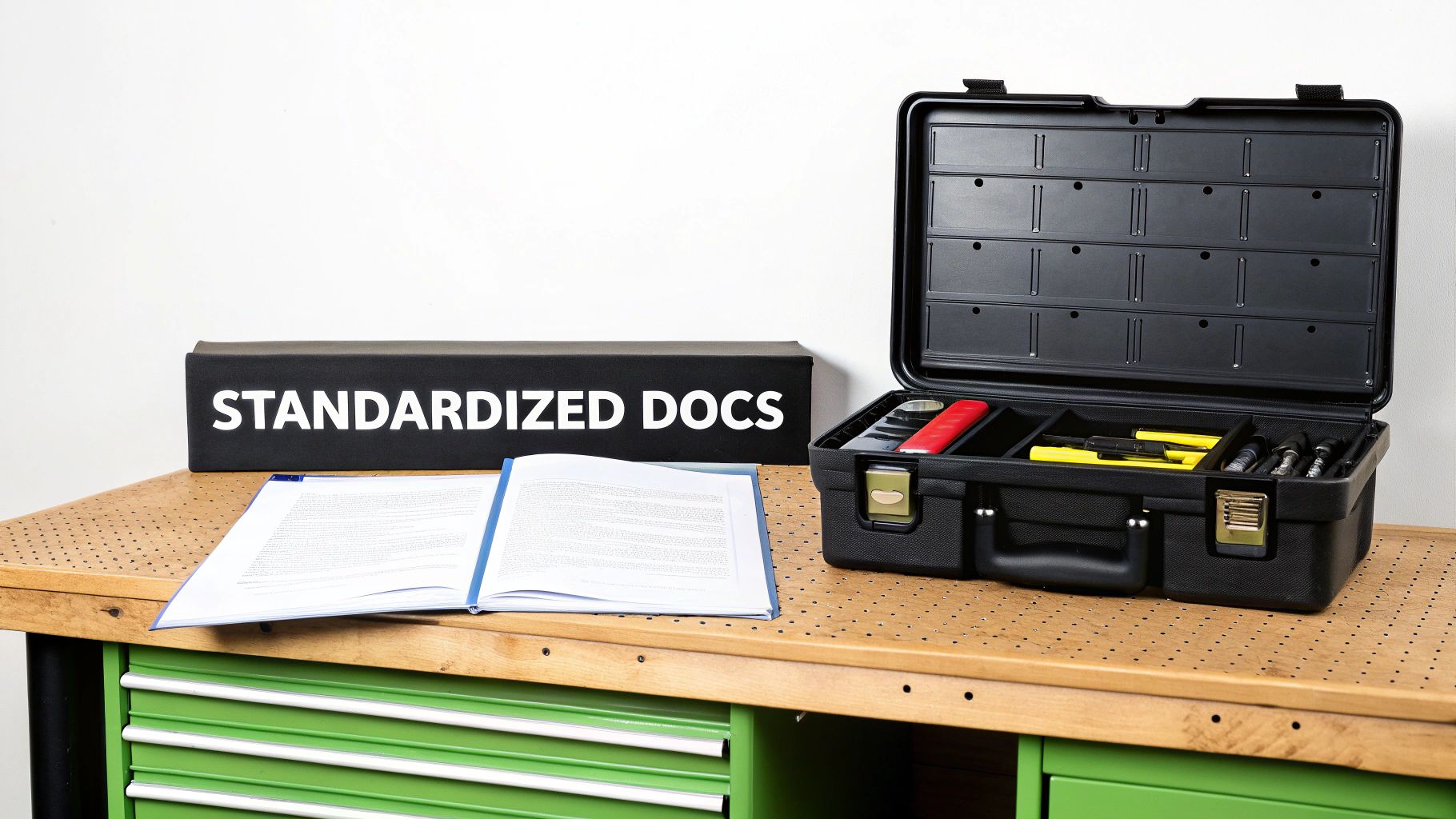
From Chaotic Junk Drawer to Organized Toolbox
Here’s a simple way to picture it. A business running without IT documentation standards is like trying to fix a car engine with a disorganized junk drawer. Every tool is just tossed in there, nothing's labeled, and you might not even have the right wrench. When a crisis hits, you waste precious time rummaging through the chaos, just hoping to find what you need.
Now, imagine a business with clear standards. That’s like a professional mechanic’s toolbox. Every tool is labeled and sitting in its designated spot, ready to go. This level of organization completely changes how your team responds to problems, turning panicked searches into calm, efficient action.
This systematic approach is the absolute core of effective it documentation standards. It ensures consistency, makes knowledge sharing a breeze, and dramatically speeds up problem-solving. It’s the very foundation you build resilient and efficient IT operations on.
The Real-World Impact on Your Business
Adopting standards isn't just about being tidy; it has a direct, tangible impact on your business's health and security. When everyone follows the same process for documenting a new server, a software license, or a network change, you create a single source of truth that everyone can rely on.
This means:
- Faster Onboarding: New hires or IT partners can get up to speed in a fraction of the time because the information they need is predictable and easy to find.
- Reduced Dependency: Your business no longer leans on the memory of one or two key people. Knowledge becomes institutionalized, protecting you when team members move on.
- Improved Security Posture: A complete and accurate inventory of your assets makes it infinitely easier to run security audits, manage patches, and spot vulnerabilities before an attacker does.
Why Consistency Is Non-Negotiable
The real power of documentation is in its consistency. When standards are enforced, your team knows exactly where to look for information and how to interpret it. That reliability is priceless during high-pressure situations like a system outage or a security breach, where every single second counts. To really grasp the principles driving this, it's worth exploring some of the Top Software Documentation Best Practices that ensure clarity and effectiveness across the board.
Well-defined standards turn tribal knowledge into a documented, shared company asset. This shift is fundamental for any SMB looking to scale operations, improve resilience, and make smarter technology decisions.
At the end of the day, IT documentation standards provide the structure needed to manage technology effectively. This isn't about creating more red tape; it's about creating clarity and control so your team can work smarter, not harder.
Now that we've established why having IT documentation standards is a complete game-changer, let's dig into the what. A rock-solid documentation framework isn't just a binder on a shelf; it's built on a few foundational pillars. If you neglect one, it’s like building a house with a shaky foundation—it might look fine for a while, but it's guaranteed to cause headaches down the road.
For a small or midsize business, getting these components right is the secret to creating an IT environment that’s reliable, secure, and actually makes your team's job easier. These pillars are what transform chaotic sticky notes and "tribal knowledge" into a dependable business asset. Let's break down what each one means for your day-to-day operations.
Consistent Naming Conventions
The first and simplest pillar to put in place is a consistent naming convention. This is just a predictable, standardized way of naming everything—your hardware, software, user accounts, and files. When you get this right, you immediately eliminate confusion and make finding information incredibly fast.
Without a standard, you might have one server named "MainSvr-Office" and another called "HQ-FileServer." An engineer scrambling to fix a critical outage has to waste precious time just guessing what's what.
A good naming convention should be logical and tell a story. Here’s a practical example for a manufacturing firm in Ohio:
- Device Type: Router (RTR), Switch (SW), Server (SVR), Workstation (WS)
- Location: Main Office (M-OFF), Warehouse (WH), Production Floor (PROD)
- Unique Identifier: A simple sequential number (01, 02, 03)
Following this logic, a router at the main office becomes RTR-M-OFF-01. The name instantly tells anyone what the device is and where it lives. No guesswork needed.
Clear Version Control
Next up is version control. Technology never sits still. Configurations change, software gets updated, and procedures get tweaked. Version control is simply the process of tracking and managing all these changes to your documentation.
It ensures your team is always working from the most current playbook, preventing some seriously costly mistakes. Just imagine a technician trying to restore a server from a backup using configuration notes that are six months old. The result? A system that won't boot, hours of extra downtime, and a frantic scramble to figure out what went wrong.
A document without a version history is a potential liability. It offers no context on when it was last updated or if its information can be trusted, making it unreliable in an emergency.
Effective version control isn’t complicated. It just needs:
- Version Numbers: Simple labels like v1.0, v1.1, v2.0.
- Change Logs: A quick summary of what changed, who changed it, and when.
- Archiving: A system for keeping old versions around, just in case a recent change causes an unexpected problem and you need to roll back.
Secure Storage and Access Controls
Let's be real: not all information is created equal. Your IT documentation contains some of your most sensitive data, from network administrator passwords to confidential system configurations. This is where secure storage and access controls come in—this pillar dictates where this information lives and who gets the keys to the kingdom.
Leaving critical documents on an unprotected, shared network drive is a massive security risk waiting to happen. What you need is a centralized, secure repository. This could be a dedicated IT documentation platform like IT Glue, a secure folder in your cloud storage, or a password-protected wiki.
Access should always be granted based on the principle of least privilege, meaning employees should only have access to the information they absolutely need to do their jobs. For example, a junior helpdesk tech might need workstation setup guides but has no business seeing firewall configuration details.
Standardized Templates and Formats
Using standardized templates is a massive time-saver and a great way to enforce consistency. Templates provide a ready-made structure for common documentation, making sure no critical details get missed.
For example, a healthcare practice can create a template for onboarding new clinical staff. It would include all the necessary steps, like setting up access to the patient management system, configuring secure email, and getting them to acknowledge HIPAA compliance policies.
This pillar also covers file formats. Agreeing on a universal format is key for accessibility and long-term use. The perfect example of this is the PDF. When Adobe's PDF format became an international standard (ISO 32000-1:2008), it dramatically simplified document sharing. Studies showed this kind of standardization slashed compatibility issues by 40%, and by 2015, PDF had an 85% market share for business documents. It just goes to show how a universally accepted format simplifies everything from creation to storage and access. You can learn more about the history of this innovation and its impact.
Regular Review and Update Cycles
Finally, documentation isn't a "set it and forget it" task. The last pillar is establishing regular review and update cycles. Outdated documentation can be even more dangerous than having no documentation at all because it gives you a false sense of security.
Put a schedule on your calendar to review your most critical documents. For example:
- Quarterly: Go over disaster recovery plans and key network diagrams.
- Annually: Audit all user access permissions and software license documentation.
- As-Needed: Update documentation immediately after any system change, like a server upgrade or a firewall rule tweak.
Now that we've covered the core pillars, let's put it all together. The table below breaks down each component and offers some practical best practices tailored for small and midsize businesses.
Key IT Documentation Components and SMB Best Practices
| Component | Description | SMB Best Practice Example |
|---|---|---|
| Naming Conventions | A consistent system for naming devices, files, and accounts to eliminate ambiguity. | Use a [Device]-[Location]-[ID] format like SW-WH-02 for the second switch in the warehouse. |
| Version Control | A method for tracking changes to documents, ensuring teams use the latest information. | Require a simple change log at the top of each document: v1.2 - Added new VLAN config - J. Doe - 10/26/2025. |
| Secure Storage & Access | A centralized, protected repository with role-based access to safeguard sensitive data. | Use a dedicated documentation tool or a secure, permission-controlled folder in Microsoft 365 or Google Workspace. |
| Standardized Templates | Pre-defined formats for common documents to ensure consistency and completeness. | Create a simple "New Server Checklist" template in a shared document that covers IP, credentials, and backup config. |
| Review Cycles | A scheduled process for reviewing and updating documentation to keep it current. | Set a recurring quarterly calendar reminder for the IT lead to review and update the Disaster Recovery Plan. |
By building these five pillars into your operations, you create a robust framework that truly supports business continuity, tightens up your security, and empowers your team to work more effectively. It’s the difference between organized efficiency and chaotic firefighting.
A Practical Roadmap to Implementing Standards
Knowing you need IT documentation standards is one thing. Actually putting them into practice is a whole different ballgame. For a busy small business, the idea of a massive documentation project feels completely overwhelming, especially when you're juggling limited staff and a dozen other priorities.
The secret? Don’t try to boil the ocean. A structured, step-by-step approach makes implementation manageable and starts delivering real value almost immediately. This roadmap is built for the real world your business operates in—it’s about making steady, meaningful progress that strengthens your operations and cuts down on risk.
Step 1: Start With a Documentation Audit
Before you can build a better system, you’ve got to get brutally honest about what you have right now—even if it's a complete mess. Your first move is to gather up any existing documentation, no matter how scattered or informal it might be.
This includes things like:
- Spreadsheets with passwords and software license keys.
- Old Word documents with setup instructions for new computers.
- Network diagrams from three years ago saved on a former employee’s desktop.
- Notes scribbled in notebooks or saved in random text files.
This audit isn't about judging past efforts; it's about creating a starting inventory. You’ll probably find some useful nuggets mixed in with a lot of outdated junk. The goal is just to understand your baseline so you know where to start.
Step 2: Identify and Prioritize Critical Systems
Once your audit is done, fight the urge to document everything at once. That's a recipe for burnout. Instead, focus on the systems that would cause the most damage if they suddenly went offline. For most SMBs, tackling the "critical few" first is the smartest play.
Your high-priority list should include:
- Disaster Recovery (DR) and Backup Procedures: This is non-negotiable. Document every single step required to restore your most important data and applications.
- Core Network Infrastructure: We're talking about your firewall, switches, and Wi-Fi access points. Get their configurations, IP schemes, and administrator credentials written down.
- Key Business Applications: What software can you not live without? Document where it’s hosted, who to call for support, and its license information.
By hitting these high-impact areas first, you immediately lower your biggest risks. You're essentially building an IT first aid kit, making sure you have what you need when an emergency strikes.
Step 3: Secure Team Buy-In and Define Roles
Documentation is a team sport, not a solo mission for the one person who knows IT. Getting your team on board is absolutely essential if you want this to stick. The best way to do that is to frame documentation as a tool that makes their jobs easier, not harder.
Show them how clear, accessible instructions cut down on frustration and speed up their work. When a process is documented, they no longer have to interrupt a colleague or waste an hour hunting for an answer. This is also the time to clarify who does what. Decide who is responsible for creating, updating, and reviewing documentation for different systems.
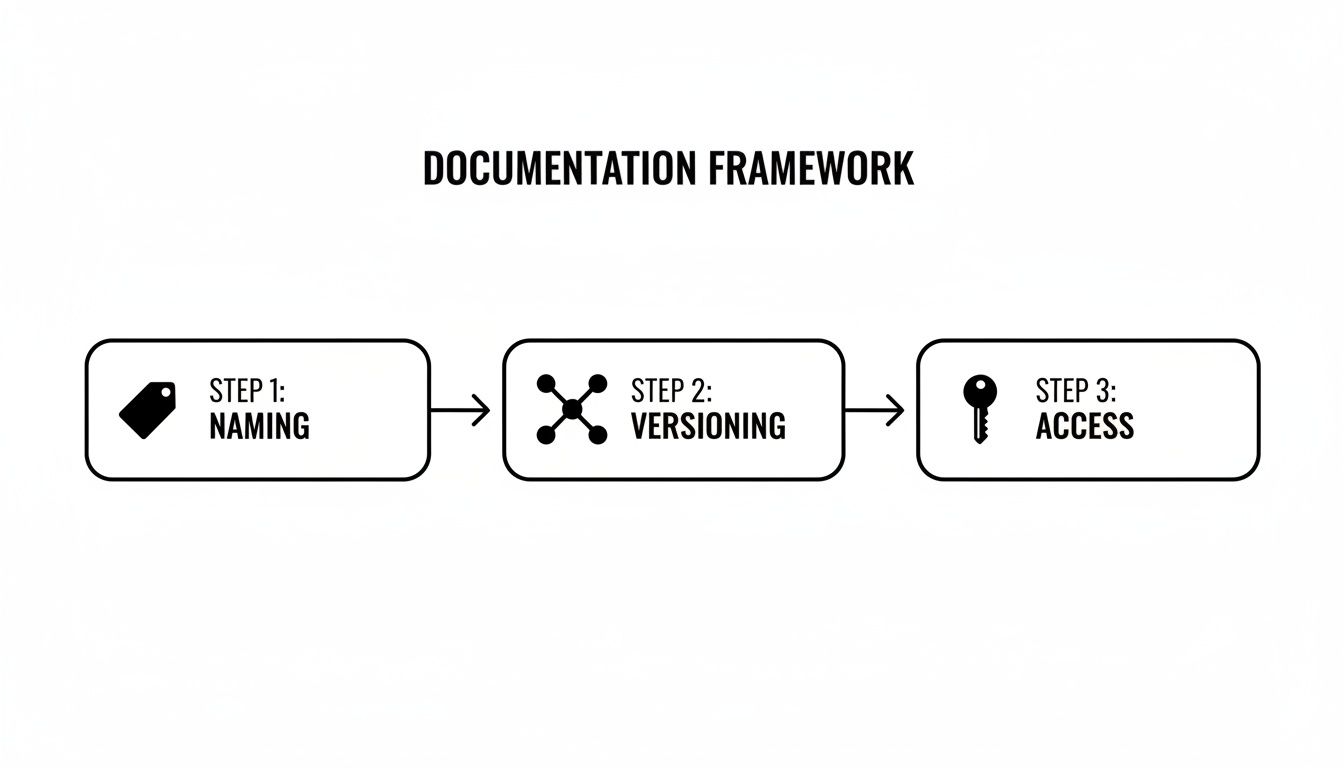
This process highlights how a solid framework is built on simple, repeatable standards that guide how information is created, managed, and controlled from day one.
Step 4: Leverage Templates and Expert Guidance
You don't need to reinvent the wheel here. Using proven templates for common documentation tasks saves a ton of time and ensures nothing critical gets missed. A partner like Eagle Point can act as your Virtual CIO (vCIO), providing a library of ready-to-use templates for everything from server configurations to new employee onboarding checklists.
This approach brings instant structure and expertise to the process, which speeds things up significantly. It also helps in managing information from third parties, a critical piece of the puzzle we cover in our guide to IT vendor management best practices.
History shows that formal processes deliver real results. For example, when Australian Standard AS 4390 was created in 1996, it became the world's first national records management standard. One of the companies that helped develop it later found that compliance cut its documentation errors by up to 35%—proving a direct link between having standards and being more accurate.
Actionable Tip: Create your first template today. Build a simple "New Employee IT Onboarding" checklist in a shared document. List out every step: create email, assign software licenses, configure workstation, provide access to shared drives. This small win builds momentum for your bigger documentation goals.
Choosing the Right Documentation Tools for Your Business

The right software can take documentation from a frustrating chore to a seamless part of your daily workflow. For most small and medium-sized businesses, the moment of truth comes when you realize scattered Word docs and spreadsheets just aren't cutting it anymore. That's a huge step toward operational maturity. The market for documentation tools is massive, but finding the right one for your budget and needs is simpler than it seems.
Your main goal here is to land on a platform that actually supports your it documentation standards while keeping your most sensitive information locked down. That means looking at options through the lens of affordability, ease of use, security, and how nicely it plays with the other tools your team already uses every day.
Making the right technology choice is what brings your standards to life. To help you sort through the options, you can explore some of the top software documentation tools currently on the market.
Dedicated IT Documentation Platforms
If you need a tool built from the ground up for this specific job, dedicated IT documentation platforms are the gold standard. Tools like IT Glue or Hudu were literally designed to manage the complex web of technical details that keep a business running smoothly.
These platforms have structured fields for everything—network configs, software licenses, device details, you name it. They often include powerful features like relationship mapping, which lets you visually connect a server to the software it runs and the people who rely on it. That kind of clarity is priceless when you're troubleshooting a problem under pressure.
- Pros: Highly structured, fantastic built-in security and access controls, perfect for complex IT environments, and often include password management.
- Cons: They can come with a steeper learning curve and a higher price tag, which might be a factor for smaller businesses.
Flexible Knowledge Bases
Another fantastic option is a flexible knowledge base or a modern wiki. Platforms like Confluence and Notion have exploded in popularity because they mix dead-simple usability with powerful organizational features. While they aren't just for IT, they excel at creating and sharing all kinds of company knowledge.
You can create pages for processes, how-to guides, and project plans, then link them all together into a searchable, interconnected resource. Their friendly interfaces make it easy for everyone on the team—not just the tech experts—to add information and find what they need. Plus, there's a good chance your business is already using one of these, which makes adoption a breeze.
A huge benefit of a central knowledge base is its power to break down information silos. When your IT procedures live alongside project plans and company policies, documentation becomes a living, breathing asset for the entire organization.
If your team is already working within the Microsoft 365 ecosystem, you can boost everyone's efficiency with a few simple tricks. Learning some basic document formatting shortcuts in Office 365 can help the whole team create clean, standardized documents in a fraction of the time.
Essential Password Managers
Let's be clear: no documentation strategy is complete without a secure way to manage credentials. This is non-negotiable. Password managers like 1Password or Bitwarden are designed to do one thing and do it exceptionally well: securely store and share sensitive credentials.
These tools let you create secure, shared vaults for different teams or projects, guaranteeing only authorized people can access critical passwords for servers, firewalls, and key software accounts. They completely eliminate the incredibly risky habit of storing passwords in spreadsheets or text files—a practice that is just asking for a security breach. Many of these platforms also let you store secure notes, license keys, and other confidential info, making them a foundational tool for any business that takes security seriously.
Making Documentation a Sustainable Business Practice
Creating a bunch of documentation is a great start, but let’s be honest—if it just sits there gathering digital dust, it’s as useless as having no documentation at all. The real payoff comes from keeping it alive. This is where governance and maintenance come into play, turning your initial hard work into a reliable business asset you can actually count on.
Think of documentation as a garden. You wouldn't just scatter some seeds and expect a harvest, right? It needs constant watering, weeding, and care to flourish. Your IT records are no different; they need consistent attention to stay accurate, relevant, and genuinely helpful.
Establish Simple Review Cycles
The best way to stop documentation from becoming outdated is to set up simple, regular review cycles. This doesn't have to be some overly complicated, bureaucratic process. The goal is just to create a predictable rhythm for checking in on your most critical information.
For a small or midsize business, a practical schedule might look something like this:
- Quarterly Reviews: Your disaster recovery plan, core network diagrams, and key administrator credentials. These are your highest-risk areas, the things you absolutely cannot afford to have wrong when you need them. They demand frequent check-ins.
- Annual Audits: All user access permissions, software license inventories, and hardware warranty information. This is perfect for annual planning, helping with budgeting and reinforcing good security hygiene.
It sounds almost too simple, but just setting recurring reminders on your company calendar is a powerful way to make sure these checks actually happen.
Integrate Updates into Standard Procedures
If you really want to make documentation sustainable, you have to weave it into the fabric of your day-to-day operations. It can't be an afterthought—a chore you tack on at the end of a long week. Instead, it needs to be a mandatory step in your standard procedures for any IT change.
Actionable Tip: Create one simple rule that everyone follows: No IT change is complete until the documentation is updated. This covers everything from installing a new printer and adding a new user to reconfiguring a firewall.
This small shift in mindset is huge. It transforms documentation from a reactive, annoying task into a proactive, ingrained habit. It ensures your records are a real-time reflection of your IT environment, which is absolutely essential for both troubleshooting and security.
Fostering a Culture of Maintenance
Ultimately, sustainability is about culture. Everyone on your team who touches IT needs to understand their part in maintaining this shared resource. It’s about building a sense of collective ownership, where people see documentation not as a bureaucratic burden, but as a tool that makes their own jobs easier.
This culture becomes especially critical when you’re dealing with compliance requirements like HIPAA or CMMC. For auditors, meticulously maintained, up-to-date records are non-negotiable. They are the hard proof that you're following the required security protocols. This drives home the most important takeaway: IT documentation standards aren't a one-and-done project. They are an ongoing business process that protects your company and empowers your team every single day.
Frequently Asked Questions About IT Documentation
Even with the best-laid plans, questions are bound to pop up. Drawing from our experience helping businesses across Western Pennsylvania and Eastern Ohio, here are some straightforward answers to the questions we hear most often when implementing IT documentation standards.
Where Should We Start if We Have No Documentation?
It's easy to feel overwhelmed when you're starting from scratch. The key is to not boil the ocean. Start where the risk is highest.
Focus on documenting your critical access credentials (in a secure password manager, of course), your core network gear like the firewall, and the exact recovery steps for your most essential business applications. Think of it as building a “disaster recovery” starter kit first. Once that foundation is solid, you can methodically expand to less critical systems. This approach delivers the biggest security and continuity payoff right from the start.
How Do We Get Our Team to Actually Follow the Standards?
This is the million-dollar question for many business owners. The answer is twofold: make it easy, and make it part of the job.
First, lead by example. Integrate documentation into your existing workflows. For instance, you could require a quick documentation sign-off before any IT support ticket can be closed. Second, provide standardized templates that take the guesswork out of the process. When your team sees firsthand how up-to-date documentation saves them from a massive headache during an outage, they'll stop seeing it as a chore and start seeing it as the valuable tool it is.
What Is the Biggest Mistake to Avoid?
The single biggest mistake we see is treating documentation as a one-time project. It's not a "set it and forget it" task. Your information becomes stale the moment a new piece of software is installed or a setting is changed.
The businesses that truly get this right cultivate a culture of continuous updates. Maintaining the records becomes a mandatory final step in any IT process. Without that commitment, even the most beautifully crafted documentation quickly becomes useless—or worse, dangerously misleading by creating a false sense of security.
Ready to build a documentation framework that protects your business and empowers your team? The experts at Eagle Point Technology Solutions can provide the templates, tools, and vCIO guidance to get you started. Schedule a free consultation today to learn how we help businesses in Western Pennsylvania and Eastern Ohio turn IT chaos into operational clarity.


