
In today's interconnected business environment, a single cyberattack can be devastating for a small to medium-sized business (SMB). While you're focused on growth, innovation, and serving your customers across Western Pennsylvania and Eastern Ohio, cybercriminals are constantly searching for vulnerabilities. The primary challenge for many SMBs isn't a lack of awareness but the overwhelming complexity of where to start, especially when dealing with limited IT staff and constrained budgets. This is precisely why we've created this guide.
This article cuts through the noise. We are not here to sell fear; we are here to offer a clear, actionable roadmap to fortify your defenses. Think of this as a conversation with a trusted IT advisor, breaking down the 10 most critical network security best practices you can implement to build a resilient and secure foundation. A proactive strategy is always more effective and less costly than a reactive one. For a holistic approach to safeguarding your operations, understanding robust cyber security risk management is crucial.
We will move beyond generic advice and provide practical, step-by-step guidance tailored for organizations like yours. For each of the ten essential practices, we will explore:
- What it is: A straightforward explanation of the security control.
- Why it matters: The specific risks it mitigates for businesses in manufacturing, healthcare, and professional services.
- How to implement it: Actionable steps and configuration tips you can use immediately.
- Where we can help: How Eagle Point Technology Solutions offers strategic guidance and managed services to simplify and strengthen your security posture.
1. Multi-Factor Authentication (MFA)
Multi-factor authentication (MFA) is one of the most effective network security best practices an organization can implement. It serves as a critical defense layer that protects your accounts even if a password is stolen. MFA requires a user to provide two or more verification factors to gain access to a resource, such as an application, online account, or VPN.
This process combines independent categories of credentials:
- Something you know: A password or PIN.
- Something you have: A smartphone with an authenticator app, a hardware security key, or an access card.
- Something you are: A fingerprint, facial scan, or other biometric data.
By requiring a second factor, MFA effectively neutralizes the threat of compromised passwords, which are responsible for the vast majority of data breaches. Even if a cybercriminal acquires a valid password through a phishing attack or data leak, they cannot access the account without the physical device or biometric identifier.
How to Implement MFA Effectively
Implementing MFA is a foundational step in modern security. For SMBs, a phased rollout is often the most practical approach.
- Prioritize Critical Accounts: Start by enforcing MFA on all administrative accounts, executive-level accounts, and anyone with access to sensitive financial or customer data. These are the highest-value targets for attackers.
- Choose the Right Method: While SMS-based MFA is better than nothing, it is vulnerable to SIM-swapping attacks. Push notifications or time-based one-time passwords (TOTP) from authenticator apps like Google Authenticator or Microsoft Authenticator are significantly more secure. For the most critical assets, consider FIDO2-compliant hardware security keys like a YubiKey.
- Educate Your Team: User adoption is key. Explain why MFA is being implemented, focusing on how it protects both the company and their personal information. Provide clear instructions and support during the rollout.
Key Insight: A common mistake is treating security and user convenience as mutually exclusive. Modern solutions like conditional access can be configured to require MFA only when a user is logging in from an unfamiliar location or device, balancing robust security with a smooth user experience.
How Eagle Point Technology Solutions Can Help
Deploying MFA across an organization can be complex, especially when integrating with legacy systems. Eagle Point Technology Solutions simplifies this process by managing the entire lifecycle, from strategy and policy creation to deployment and user training. We can help you build a phased MFA rollout plan that aligns with your budget and compliance needs, ensuring this critical network security best practice is implemented correctly from day one.
2. Network Segmentation and Zero Trust Architecture
Another foundational network security best practice is to assume that your network perimeter is no longer a sufficient defense. Network segmentation and a Zero Trust Architecture operate on the principle of "never trust, always verify," which drastically limits an attacker's ability to move within your network after a breach. Segmentation divides a network into smaller, isolated subnets, while Zero Trust requires strict identity verification for every user and device trying to access resources, regardless of their location.

This approach contains threats by design. If a workstation in the manufacturing plant is compromised, segmentation rules prevent the attacker from accessing critical servers containing financial or customer data. By eliminating implicit trust, you create a more resilient and defensible environment where a single compromised credential does not give an attacker the keys to your entire kingdom.
How to Implement Segmentation and Zero Trust
For SMBs, adopting a full Zero Trust model can seem daunting, but it can be approached incrementally. The key is to shift from a location-centric to an identity-centric security model.
- Start with "Crown Jewel" Analysis: Identify your most critical assets and data. Begin by building strong, isolated segments around these high-value systems first. For example, create a separate network segment for your accounting servers and strictly limit access to only authorized finance team members.
- Map and Monitor Traffic: Before creating rules, you must understand how data flows across your network. Use network monitoring tools to map communications between devices and applications. This helps you build effective segmentation policies without disrupting legitimate business operations.
- Leverage Existing Technology: You can start implementing segmentation using tools you may already have, such as firewalls, VLANs (Virtual Local Area Networks), and access control lists (ACLs). These tools help enforce boundaries and control the flow of traffic between segments.
Key Insight: Don't try to boil the ocean. A common mistake is attempting a massive, organization-wide segmentation project at once. A phased approach, focusing on high-risk areas like point-of-sale systems or patient data networks, delivers immediate security value and builds momentum for a broader Zero Trust strategy.
How Eagle Point Technology Solutions Can Help
Designing and implementing a Zero Trust architecture requires deep networking and security expertise. Eagle Point Technology Solutions helps SMBs navigate this complex process. Our team can perform a thorough analysis of your network, map critical data flows, and design a practical, phased segmentation plan. We manage the configuration of firewalls, switches, and access controls to build a secure foundation, helping you contain threats and meet compliance requirements like CMMC effectively.
3. Firewall Management and Next-Generation Firewalls (NGFW)
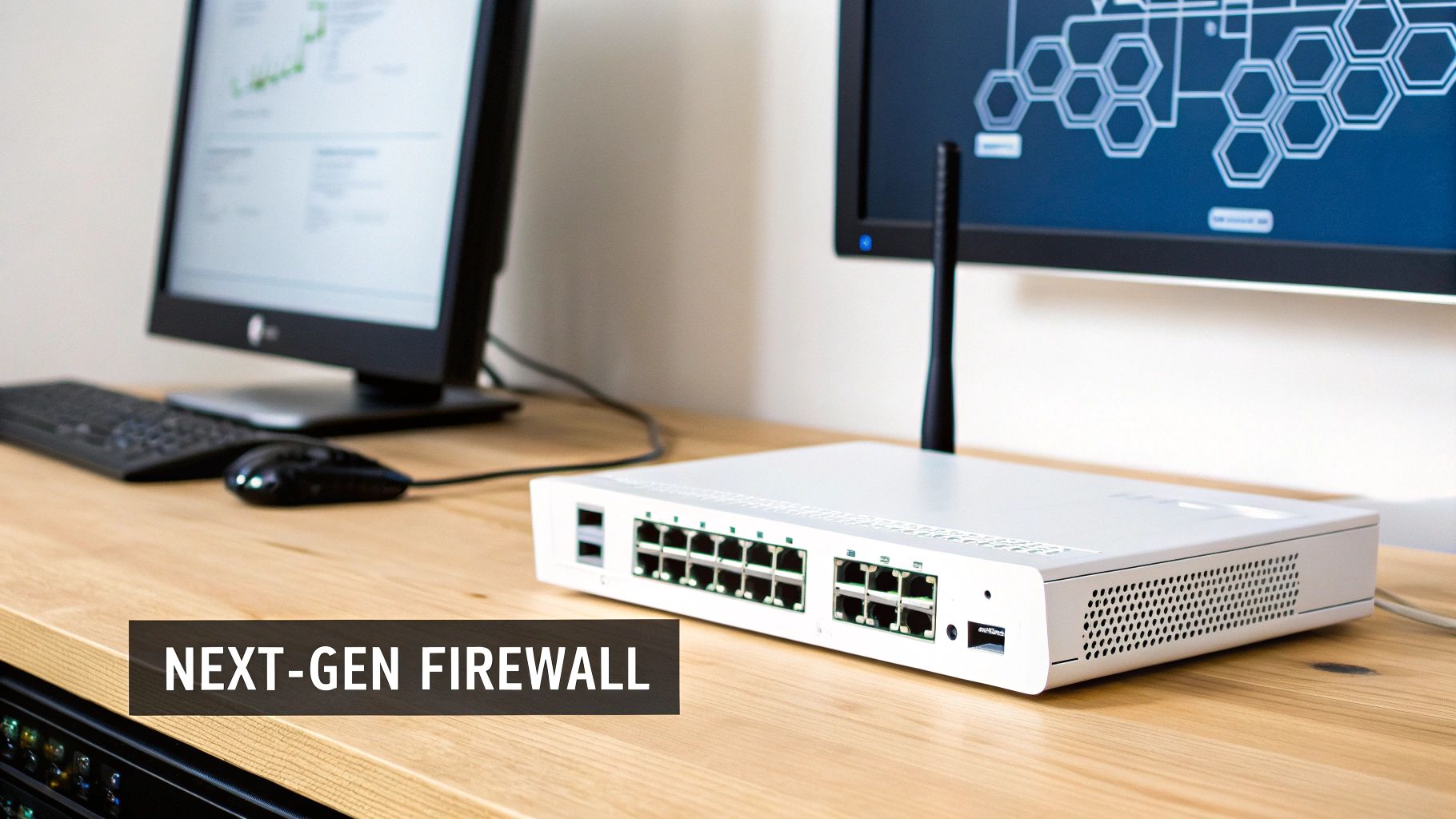
A firewall is the gatekeeper of your network, acting as a crucial first line of defense against unauthorized access and malicious traffic. Traditional firewalls make decisions based on port and IP address, but modern threats operate on more sophisticated levels. This is where Next-Generation Firewalls (NGFWs) have become an essential component of network security best practices for any business.
NGFWs go beyond basic filtering by incorporating advanced capabilities like application awareness, intrusion prevention systems (IPS), and threat intelligence feeds. They provide deep visibility into the traffic flowing in and out of your network, allowing for more granular control. For a deeper dive into how advanced firewalls analyze network traffic, allowing for granular control and threat detection, consider understanding Deep Packet Inspection (DPI). This technology enables an NGFW to identify and block threats hidden within legitimate-looking traffic, a capability that older firewalls simply don't have.
How to Implement Effective Firewall Management
A "set-it-and-forget-it" approach to firewall management is a recipe for a security incident. Effective management requires ongoing attention and strategic configuration.
- Adopt a Default-Deny Stance: The most secure firewall policy is to deny all traffic by default and then create specific rules to allow only necessary services and applications. This "least privilege" approach minimizes your network's attack surface.
- Segment Your Network: Use your firewall to create separate network zones for different business functions, such as guest Wi-Fi, internal servers, and user workstations. This segmentation contains potential breaches, preventing an attacker from moving laterally across your entire network.
- Maintain and Review Rules Regularly: Document every firewall rule, including its business justification and owner. Schedule quarterly reviews to remove outdated or unnecessary rules that could create security gaps. Without proper maintenance, even the best firewall can become ineffective. To learn more, explore our guide on why a firewall is crucial for your business.
Key Insight: Many SMBs make the mistake of relying on port-based rules (e.g., allowing all traffic on port 443 for HTTPS). A modern NGFW allows you to create application-based rules, so you can specifically allow access to Microsoft 365 while blocking high-risk or unsanctioned web applications that also use port 443. This is a far more secure and precise method of control.
How Eagle Point Technology Solutions Can Help
Selecting, deploying, and managing an NGFW is a complex task that requires specialized expertise. Eagle Point Technology Solutions removes this burden by providing comprehensive managed firewall services. We partner with industry leaders like Fortinet and Cisco to implement the right solution for your business needs and budget. Our team handles everything from initial configuration and rule-set optimization to continuous monitoring, log analysis, and firmware updates, ensuring your network perimeter remains secure against emerging threats.
4. Regular Security Updates and Patch Management
Regular security updates and patch management are a non-negotiable component of any effective network security strategy. This practice involves systematically identifying, acquiring, testing, and deploying updates to your software, operating systems, and network hardware. These patches are released by vendors to fix security vulnerabilities that cybercriminals actively seek to exploit.
Failing to apply a critical patch is like leaving a key under the doormat for an attacker. It provides a known, documented entry point into your network. Many of the most devastating and well-known data breaches, like the Equifax incident, were a direct result of an unpatched vulnerability.
Regularly patching your systems accomplishes three key goals:
- Closes Security Gaps: It eliminates known weaknesses before attackers can use them to launch ransomware, steal data, or compromise your network.
- Ensures System Stability: Updates often include performance improvements and bug fixes that enhance the reliability and efficiency of your technology.
- Maintains Compliance: Many regulatory frameworks, including HIPAA and CMMC, mandate timely patch management as a core security requirement.
How to Implement Patch Management Effectively
A structured patch management program is essential for protecting your business. For SMBs, consistency and automation are the keys to success.
- Establish a Policy: Create a formal policy that defines timelines for applying patches based on their severity. For example, critical vulnerabilities should be patched within 72 hours, while low-risk updates can be deployed within 30 days.
- Automate Where Possible: Use automated tools to deploy updates efficiently. This reduces manual effort and minimizes the risk of human error, which is especially important for SMBs with limited IT staff.
- Test Before Deploying: Whenever possible, test critical patches in a non-production environment or on a small group of non-critical systems first. This helps ensure the update doesn't cause unintended operational disruptions.
- Cover All Assets: Remember that patching extends beyond just servers and workstations. Your firewalls, switches, and other network devices all have firmware that needs regular updating.
Key Insight: A common mistake is "set it and forget it" patching. A robust patch management program includes verification and reporting. You must confirm that patches were installed successfully and have a clear record of your entire technology inventory's patch status for compliance and security audits.
How Eagle Point Technology Solutions Can Help
Keeping track of constant security advisories and managing updates across a diverse range of systems is a significant challenge for SMBs with limited IT staff. Eagle Point Technology Solutions removes this burden with our managed patch management services. We monitor for new vulnerabilities, test patches for compatibility, and schedule deployment to minimize business disruption. We help you develop a comprehensive patch management policy that aligns with your security goals and compliance needs, ensuring this fundamental network security best practice is managed proactively.
5. Strong Password Policies and Credential Management
While often seen as a basic security measure, strong password policies and effective credential management are a foundational network security best practice. A password policy establishes clear rules for creating and maintaining credentials, defining requirements for length, history, and complexity. This framework prevents the use of weak, easily guessable passwords that serve as an open door for attackers.
Beyond user passwords, credential management governs how an organization secures all sensitive access tokens, including:
- User Credentials: Standard passwords used for daily access to applications and systems.
- Service Account Credentials: Passwords and API keys used by applications and automated services to interact with each other.
- Privileged Accounts: Administrator, root, or other high-level accounts with extensive system permissions.
Proper management ensures these credentials are not exposed in code, logs, or configuration files, drastically reducing the risk of unauthorized access and lateral movement within your network.
How to Implement Strong Credential Management
Modern password guidance, particularly from NIST, has shifted away from forced complexity and frequent expiration. The focus is now on length, breach monitoring, and preventing reuse.
- Follow Modern NIST Guidance: Implement a minimum password length of 12-14 characters and check all new passwords against a list of known compromised credentials. Modern best practices have moved away from mandatory password expiration unless there is evidence of a compromise.
- Use Password Managers: Provide employees with an enterprise-grade password manager. This encourages the use of long, unique, and randomly generated passwords for every service, eliminating the dangerous habit of password reuse.
- Implement Privileged Account Management (PAM): For administrative and service accounts, use a PAM solution. These tools secure, rotate, and log access to your most critical credentials, ensuring that access is temporary and fully audited.
Key Insight: The single most impactful change to a password policy is emphasizing length over complexity. A longer, more memorable passphrase (e.g., "Correct-Horse-Battery-Staple") is exponentially more difficult to crack than a shorter, complex password (e.g., "P@ssw0rd1!").
How Eagle Point Technology Solutions Can Help
Designing and enforcing effective credential management policies that align with both security needs and user productivity can be a challenge for SMBs. Eagle Point Technology Solutions helps you navigate modern best practices, moving beyond outdated rules. We can assist in deploying and managing enterprise password managers and Privileged Account Management solutions, ensuring this crucial network security best practice is implemented correctly. We will help create a policy that enhances security without frustrating your team.
6. Security Information and Event Management (SIEM)
Security Information and Event Management (SIEM) is a powerful network security best practice that provides a holistic, real-time view of an organization's security posture. A SIEM solution works by collecting, aggregating, and analyzing log data from numerous sources across your entire IT environment, including firewalls, servers, applications, and endpoints. This centralized visibility is crucial for modern threat detection and response.
By correlating events from disparate systems, a SIEM can identify patterns and anomalies that would otherwise go unnoticed.
- Log Aggregation: Centralizes security data from across the network.
- Event Correlation: Connects individual, seemingly unrelated events to identify sophisticated attack patterns.
- Threat Detection: Uses predefined rules and behavioral analytics to detect malicious activity, from malware infections to unauthorized access attempts.
In essence, a SIEM system acts as a central nervous system for your security operations. When a potential threat is detected, such as a user in Ohio suddenly trying to access a server from an IP address in Eastern Europe, the SIEM generates an alert, enabling rapid investigation and containment before significant damage can occur.
How to Implement SIEM Effectively
Deploying a SIEM is a strategic project, not just a tool installation. For SMBs, a focused, phased approach ensures value without overwhelming your team.
- Prioritize Key Data Sources: You don't need to log everything at once. Start by integrating critical sources like firewalls, domain controllers (for authentication logs), and servers containing sensitive data. This provides high-value visibility from the start.
- Define Use Cases and Alerts: Determine what you need to protect against. Define specific alerts based on business risks, such as detecting potential ransomware activity, identifying multiple failed login attempts, or monitoring for HIPAA violations by tracking access to protected health information (PHI).
- Tune for Precision: Out-of-the-box SIEM alerts can be noisy. Regularly review and tune your alert rules to reduce false positives. This ensures your IT team can focus on genuine threats instead of chasing down benign events.
Key Insight: A common mistake is believing a SIEM is a "set it and forget it" solution. Its value comes from continuous monitoring and tuning. Without dedicated personnel to manage alerts and investigate incidents, a SIEM becomes an expensive logging tool rather than an active defense mechanism.
How Eagle Point Technology Solutions Can Help
For most SMBs, managing a SIEM in-house is not feasible due to the required expertise and 24/7 monitoring. Eagle Point Technology Solutions offers a managed SIEM service as part of our comprehensive security operations. We handle the deployment, configuration, and continuous tuning of the platform. Our Security Operations Center (SOC) team provides the round-the-clock monitoring and expert analysis needed to investigate alerts, identify true threats, and initiate a swift response, giving you enterprise-grade security without the enterprise-level overhead.
7. Intrusion Detection and Prevention Systems (IDS/IPS)
While a firewall acts as a gatekeeper for your network, an Intrusion Detection and Prevention System (IDS/IPS) serves as a vigilant security guard, actively monitoring traffic for malicious behavior. These systems are a crucial component of modern network security best practices, designed to identify and stop sophisticated threats that might otherwise slip past initial perimeter defenses. They analyze network traffic far more deeply than a standard firewall.
These systems operate in two primary modes:
- Intrusion Detection System (IDS): This system monitors network traffic and generates alerts when suspicious activity or a known threat signature is detected. It functions like a surveillance camera, recording and reporting potential incidents for review.
- Intrusion Prevention System (IPS): This system takes the next step. It not only detects malicious activity but also actively takes measures to block it in real time, such as dropping malicious packets or terminating the connection.
An IDS/IPS can identify threats like malware, exploit attempts, and reconnaissance scans by comparing traffic against a database of known attack signatures and analyzing it for anomalous behavior that deviates from established norms.
How to Implement IDS/IPS Effectively
For SMBs, deploying an IDS/IPS adds a powerful layer of visibility and control. These systems are often integrated into modern Next-Generation Firewalls (NGFWs), making implementation more accessible.
- Deploy at Critical Boundaries: Place IDS/IPS sensors at key network junctions, such as the internet perimeter, between internal network segments, and in front of critical servers or data centers. This provides visibility and protection where it matters most.
- Tune and Maintain Rules: Out-of-the-box rule sets can generate numerous false positives. It's essential to tune the system to your specific environment, disabling irrelevant rules and creating custom ones to reduce noise and focus on real threats.
- Start in Detection Mode: Before enabling active blocking (IPS mode), run the system in detection-only (IDS mode) for a period. This allows you to establish a baseline of normal traffic and fine-tune rules without accidentally blocking legitimate business operations.
Key Insight: Many businesses assume their firewall is sufficient, but firewalls primarily inspect traffic headers (source, destination, port). An IDS/IPS performs deep packet inspection, analyzing the actual content of the data packets to find threats that a traditional firewall would miss.
How Eagle Point Technology Solutions Can Help
Configuring, tuning, and monitoring an IDS/IPS requires specialized expertise that most SMBs do not have in-house. Eagle Point Technology Solutions removes this burden. Our managed security services include the deployment and continuous management of advanced threat detection systems. We handle the initial setup, rule tuning to minimize false positives, and 24/7 monitoring of alerts, ensuring that genuine threats are identified and neutralized before they can impact your business.
8. Endpoint Protection and Detection and Response (EDR)
Antivirus software is no longer enough to defend against modern cyber threats. Endpoint protection is a network security best practice that secures the entry points of your network, like laptops, servers, and mobile devices. Modern solutions go beyond simple virus scans, incorporating advanced Endpoint Detection and Response (EDR) to actively hunt for, investigate, and neutralize sophisticated threats in real-time.

EDR solutions provide deep visibility into endpoint activity, using behavioral analytics to spot anomalies that signal an attack. For example, it can detect if a legitimate tool like PowerShell is being used maliciously to execute commands, a common tactic in "living-off-the-land" attacks. This allows security systems to stop threats like ransomware before they can encrypt critical files, isolating the affected device from the network automatically.
How to Implement EDR Effectively
Deploying an EDR solution is a significant upgrade from legacy antivirus, transforming your endpoints from potential liabilities into rich sources of security intelligence. A successful rollout requires careful planning and continuous management.
- Prioritize Coverage: Start by deploying EDR agents on all devices that access sensitive company data, including servers, executive laptops, and finance department workstations. Ensure you have a plan for both on-premise and remote devices to maintain complete visibility.
- Tune for Your Environment: Out-of-the-box EDR rules can generate a high volume of alerts. It is crucial to tune the system to your specific business operations, creating exceptions for legitimate software and workflows to reduce alert fatigue for your IT team.
- Integrate and Automate: Connect your EDR solution with other security tools like your firewall and SIEM (Security Information and Event Management) system. Create automated response playbooks for common threats, such as isolating a compromised machine or blocking a malicious IP address, to enable a faster, more effective defense.
Key Insight: Many SMBs believe EDR is an enterprise-only solution. However, the rise of sophisticated, automated attacks makes it essential for businesses of all sizes. The true value isn't just blocking malware; it's the ability to see exactly how an attacker tried to breach your defenses, allowing you to strengthen them proactively.
How Eagle Point Technology Solutions Can Help
Choosing, deploying, and managing an EDR platform can be overwhelming for businesses with limited IT staff. Eagle Point Technology Solutions provides fully managed Endpoint Detection and Response services. We handle the entire process, from selecting the right solution for your budget, like Microsoft Defender for Endpoint, to deploying agents, tuning policies, and actively monitoring for threats 24/7. Our security experts act as your threat hunters, ensuring your endpoints are hardened against the latest attacks.
9. Regular Security Training and Awareness Programs
Technology can only go so far in protecting your network; your employees represent the last line of defense. Regular security training and awareness programs are a fundamental network security best practice because they address the human element, which is often the weakest link in the security chain. These programs educate employees on current threats, safe online behaviors, and their specific responsibilities in safeguarding company data.
Effective training transforms your team from a potential liability into a proactive security asset. It covers essential topics such as:
- Phishing and Social Engineering: Recognizing malicious emails, texts, and phone calls designed to steal credentials or deploy malware.
- Password Security: Creating strong, unique passwords and understanding the importance of password managers.
- Data Handling: Properly managing and disposing of sensitive customer and company information.
- Incident Reporting: Knowing the correct procedure to follow immediately upon suspecting a security issue.
A common threat facing SMBs is business email compromise (BEC), where an attacker impersonates a company executive to trick an employee into making an unauthorized wire transfer. Continuous training and phishing simulations are the most effective defenses against these financially devastating scams.
How to Implement Security Training Effectively
A successful program is ongoing and engaging, not a one-time, check-the-box event. For SMBs, consistency is more important than complexity.
- Make It Relevant and Engaging: Tailor training content to specific job roles. Use real-world examples and recent breach scenarios to make the threats feel immediate and relevant. Avoid generic, boring presentations.
- Implement Phishing Simulations: Regularly test your team's awareness with simulated phishing emails. This provides a safe way for employees to learn and offers measurable data on the program's effectiveness. Provide immediate, non-punitive feedback when an employee clicks a simulated link.
- Create Security Champions: Identify employees who are passionate about security and empower them to be advocates within their departments. This peer-led approach can significantly boost engagement and create a stronger security culture.
Key Insight: The goal of security training is not just compliance, but behavioral change. Shift the focus from memorizing rules to building security-conscious habits. When employees understand the why behind a policy, they are far more likely to follow it consistently.
How Eagle Point Technology Solutions Can Help
Building an effective security awareness program requires more than just sending a few videos. Eagle Point Technology Solutions designs and manages comprehensive training programs tailored to your industry and risk profile. We handle everything from selecting the right training platform and creating custom phishing simulations to tracking metrics and providing executive-level reports. We help integrate this training into your broader security strategy, ensuring your team is prepared to defend against modern cyber threats. Learn more about preventing phishing attacks here.
10. Incident Response Plan and Breach Notification Procedures
An incident response (IR) plan is a pre-established, documented set of procedures for what to do when a security incident occurs. This critical plan guides your team from initial detection and analysis through containment, eradication, and recovery. It is one of the most vital network security best practices because it minimizes the chaos and damage of a cyberattack.
An effective IR plan ensures a swift, coordinated, and effective response to security threats. It answers critical questions before they are asked in a crisis:
- Who is in charge? Defines the incident response team and their specific roles.
- What constitutes an incident? Establishes clear criteria for classifying security events.
- What do we do now? Provides step-by-step playbooks for specific scenarios like ransomware or a data breach.
- Who do we need to tell? Outlines breach notification procedures to comply with regulations like HIPAA or data privacy laws.
Without a plan, businesses are left scrambling, leading to longer downtimes, increased financial losses, and significant reputational damage. An organized response reduces the impact and ensures the organization meets its legal and regulatory obligations.
How to Implement an IR Plan Effectively
Developing a robust IR plan is a proactive measure that pays dividends when an incident strikes. For SMBs, the focus should be on clarity and actionability.
- Establish a Core Team: Designate an incident response team with clear roles, including a leader, technical leads, and communications liaisons. This team should include representatives from IT, management, legal, and HR.
- Create Incident Playbooks: Don't rely on a single generic plan. Develop specific playbooks for the most likely threats you face, such as phishing, malware infections, and ransomware attacks.
- Practice and Drill: A plan is useless if it's never tested. Conduct regular tabletop exercises and simulations to ensure your team understands their roles and can execute the plan under pressure.
- Comply with Notification Laws: Understand the specific data breach notification laws that apply to your business. Your plan must include procedures for notifying affected individuals and regulatory bodies within the required timeframes.
Key Insight: A common mistake is storing the incident response plan only on the primary network. If that network is compromised by ransomware, the plan becomes inaccessible. Always keep secure, offline copies (both digital and physical) available to key personnel.
How Eagle Point Technology Solutions Can Help
Building and testing an IR plan requires specialized expertise that many SMBs lack in-house. Eagle Point Technology Solutions helps businesses develop comprehensive, actionable incident response plans tailored to their specific risks and compliance requirements. We can guide you through the process, from defining roles and creating playbooks to running simulated drills. Should an incident occur, our team provides the expert support needed to execute the plan, minimizing damage and ensuring a rapid recovery. To better understand your current preparedness, a thorough review can be a great starting point; our cybersecurity risk assessment template can provide valuable initial insights.
Top 10 Network Security Best Practices Comparison
| Item | Implementation complexity | Resource requirements | Expected outcomes | Ideal use cases | Key advantages |
|---|---|---|---|---|---|
| Multi-Factor Authentication (MFA) | Low–Moderate — integration with IAM and apps | Moderate — licensing, tokens/apps, helpdesk support | Strong reduction in account compromise and automated attacks | Privileged/admin accounts, remote access, cloud apps | Prevents credential-based attacks; meets compliance; audit trails |
| Network Segmentation & Zero Trust Architecture | High — network redesign and policy engineering | High — infrastructure, monitoring, tooling, expertise | Limits lateral movement and contains breaches | Protecting crown-jewels, hybrid/multi‑cloud, regulated environments | Minimizes blast radius; continuous verification; strong isolation |
| Firewall Management & Next‑Gen Firewalls (NGFW) | Moderate — rule design and ongoing tuning | Moderate — appliances/software, admin skills, licensing | Controlled perimeter, improved application visibility | Perimeter defense, branch offices, SMB to enterprise networks | Blocks unwanted traffic; application-level enforcement; threat prevention |
| Regular Security Updates & Patch Management | Low–Moderate — process, testing and deployment pipelines | Moderate — patch tools, test environments, asset inventory | Fewer exploitable vulnerabilities; improved stability | All systems (OS, apps, firmware), critical servers and devices | Closes known CVEs quickly; reduces incident costs; compliance support |
| Strong Password Policies & Credential Management | Low–Moderate — policy plus vault/PAM integration | Moderate — credential vaults, rotation automation, training | Reduced brute‑force/reuse incidents and centralized secrets control | User/service accounts, privileged credentials, DevOps secrets | Centralized rotation and auditing; reduces credential sprawl |
| Security Information and Event Management (SIEM) | High — large integrations, rule creation and tuning | High — licensing, storage, analysts, data collection | Improved detection, faster investigation and compliance reporting | SOCs, large enterprises, compliance‑driven organizations | Correlation of events, forensic capabilities, compliance evidence |
| Intrusion Detection and Prevention Systems (IDS/IPS) | Moderate–High — sensor placement and tuning | Moderate — appliances/agents, signatures, analysts | Detects/block suspicious traffic and attack patterns | Perimeter, data center, segmentation chokepoints | Detects sophisticated attacks; complements firewalls; forensic logs |
| Endpoint Protection & Detection and Response (EDR) | Moderate — agent deployment and tuning | High — agent licensing, storage, threat-hunting staff | Rapid detection and automated containment on endpoints | Laptops, servers, remote workforce, critical endpoints | Automated response, threat hunting, prevents lateral movement |
| Regular Security Training & Awareness Programs | Low — curriculum design and delivery cadence | Low–Moderate — platforms, content, time investment | Reduced human error and improved incident reporting | All employees, high‑phishing-risk teams, executives | Cost‑effective risk reduction; builds security culture |
| Incident Response Plan & Breach Notification Procedures | Moderate — cross‑functional planning and playbooks | Moderate — IR team, tools, legal/PR coordination, drills | Faster containment, clear roles, compliant notifications | Organizations handling sensitive data; regulated industries | Minimizes impact; ensures legal/communication readiness; lessons learned |
Partnering for Proactive Security and Peace of Mind
Navigating the landscape of network security can feel overwhelming. We've journeyed through ten foundational network security best practices, from implementing robust Multi-Factor Authentication and segmenting your network with a Zero Trust mindset, to deploying advanced Endpoint Detection and Response (EDR) and creating a battle-tested Incident Response Plan. Each of these pillars represents a critical layer in a comprehensive defense strategy designed to protect your organization's most valuable assets.
The common thread connecting these practices is the shift from a reactive to a proactive security posture. It's no longer sufficient to simply respond to threats after they occur. Modern cybersecurity resilience is built on continuous vigilance, constant adaptation, and a deep understanding of the evolving threat landscape. For small and midsize businesses in Western Pennsylvania and Eastern Ohio, this presents a unique challenge: how do you achieve enterprise-grade security without an enterprise-level budget or a large, dedicated IT staff?
The Challenge of Constant Vigilance for SMBs
Implementing firewalls, managing patches, and training employees are significant accomplishments. However, the real work begins after the initial setup. Cybersecurity is not a "set it and forget it" discipline. It demands constant monitoring, analysis, and adjustment.
Consider these ongoing responsibilities:
- Monitoring SIEM alerts: Who is actively watching your Security Information and Event Management system for anomalous activity, distinguishing real threats from false positives?
- Patching vulnerabilities: How quickly can your team test and deploy critical security patches across all servers, workstations, and network devices without disrupting operations?
- Adapting to new threats: When a new phishing tactic or ransomware strain emerges, who is responsible for updating your security protocols and educating your team?
- Strategic planning: Who is translating your business goals into a long-term IT security roadmap, ensuring your technology investments align with your growth and compliance needs?
For most SMB leaders, these tasks are an immense burden on top of day-to-day operations. Juggling these critical security functions while trying to run and grow a business is not just difficult; it's unsustainable and risky. A single missed alert or a delayed patch can be the opening an attacker needs.
From Checklist to Culture: Making Security a Partnership
This is where the paradigm shifts from simply completing a checklist to building a true culture of security, and that's often best achieved through a strategic partnership. The goal is to transform your security from a source of anxiety into a source of confidence. Mastering these network security best practices is not about becoming an expert in firewalls or intrusion detection overnight. It's about recognizing that your organization's security is a critical business function that deserves specialized, expert attention.
By entrusting your security to a dedicated managed service provider, you gain more than just technical support; you gain a strategic ally. An expert partner acts as an extension of your team, providing the 24/7 monitoring, advanced toolsets, and specialized expertise needed to build and maintain a formidable defense. This collaboration frees you and your team to focus on innovation, customer service, and core business objectives, secure in the knowledge that your network is protected by professionals. This proactive approach ensures your security posture evolves alongside the threat landscape, providing you with invaluable peace of mind.
Ready to move from a reactive security checklist to a proactive, strategic defense? The experts at Eagle Point Technology Solutions specialize in implementing and managing these network security best practices for businesses just like yours. Schedule a complimentary security consultation with us to build a security roadmap that protects your assets and empowers your growth.


