For business owners and IT managers in Western Pennsylvania and Eastern Ohio, keeping your company’s digital assets secure is a constant battle. One of the most critical, yet often overlooked, defenses is a systematic approach to patch management. A single unpatched vulnerability can be the open door a cybercriminal needs to deploy ransomware, disrupt operations, or steal sensitive data. The challenge is clear: for SMBs juggling limited budgets, competing priorities, and small IT teams, staying on top of every update across servers, desktops, and applications feels like an impossible task.
This pressure often leads to inconsistent, reactive patching that creates dangerous security gaps. When a critical vulnerability is announced, the scramble to apply updates introduces risk and operational stress. Without a defined process, you are essentially gambling with your business's security and reputation.
This guide cuts through the complexity. We will outline 10 actionable patch management best practices designed specifically for the realities of small and midsize businesses. Forget vague theories; this is a practical checklist you can start using today. Our goal is to move you from a reactive, stressful cycle to a proactive, automated, and secure state. You will learn how a strategic approach, whether managed in-house or with a trusted partner, can protect your most valuable assets without draining your resources or disrupting your core business functions.
1. Establish a Formal Patch Management Policy
Before deploying a single patch, the most critical step is establishing a formal, documented patch management policy. This foundational document acts as your organization's rulebook for handling updates, moving patch management from a reactive, chaotic task to a structured, predictable process. It's a cornerstone of effective patch management best practices that ensures consistency and accountability.
A robust policy clearly defines every aspect of the patching lifecycle. It outlines specific roles and responsibilities, so everyone from your IT team to department heads understands their part. It also establishes standardized procedures for testing, approval, deployment, and verification, removing ambiguity from the process. For organizations in regulated industries, like a financial services firm in Western Pennsylvania meeting PCI-DSS requirements or a healthcare provider in Eastern Ohio adhering to HIPAA, this policy is non-negotiable for compliance.
Key Components of a Strong Policy
To be effective, your patch management policy should include several core elements:
- Defined Timelines: Create separate service level agreements (SLAs) for different patch types. For example, a zero-day vulnerability might require patching within 24-48 hours, while a low-risk feature update can be scheduled for the next monthly maintenance window.
- Approval and Change Control: Document the official change management process. This includes who must approve patches for critical systems and how those changes are communicated to affected stakeholders.
- Emergency Procedures: Clearly outline the process for handling emergency, out-of-band patches. This "break-glass" procedure should detail expedited approval paths and communication protocols for severe threats.
- Rollback Plans: Every patch deployment plan must include a corresponding rollback procedure. This ensures you can quickly revert to a stable state if an update causes unexpected system failures or business disruptions.
- Maintenance Windows: For a manufacturing plant, patching during production hours can be catastrophic. The policy must define pre-approved maintenance windows that minimize operational impact.
For organizations looking to mature their patch management process from ad-hoc to optimized, it's beneficial to understand how to align standards with the QA and testing ITIL maturity model, as this provides a structured path for continuous improvement.
2. Implement Automated Patch Deployment with a Phased Rollout
Manual patching is an unsustainable and error-prone process that simply doesn't scale for modern businesses. The next step in maturing your security posture is to implement an automated deployment system coupled with a phased rollout strategy. This approach combines the efficiency of automation with the caution of controlled deployment, forming a powerful pillar of patch management best practices that saves time and minimizes risk.
Automating patch deployment removes the tedious, repetitive work of manually updating each server and workstation, freeing up your valuable IT staff. A phased rollout, also known as ring-based deployment, ensures that patches are first applied to a small, low-risk group of systems. This acts as a final real-world test, allowing you to identify and resolve any unforeseen issues before they can impact critical business operations, like disrupting a multi-location retailer's point-of-sale systems during business hours.

Key Components of a Phased Rollout
To effectively leverage automation while controlling risk, your phased rollout strategy should include:
- Pilot Group Definition: Start by deploying patches to a small, representative pilot group, typically consisting of IT staff and a few tech-savvy users from different departments. This helps identify potential software conflicts early.
- Staggered Deployment Rings: After a successful pilot, roll out the patch to subsequent, larger groups or "rings." A common practice is to wait at least 48-72 hours between each phase to actively monitor for performance degradation, application errors, or other negative impacts.
- Monitoring and Validation: Use your monitoring tools to track system health and performance after each phase. Solicit feedback from users in each ring to confirm that business applications continue to function as expected.
- Emergency Rollback: Maintain clear, documented procedures to halt the rollout and revert patched systems if a critical issue is discovered. This is your safety net to prevent widespread disruption.
- Critical System Deferment: Your most critical systems, such as production servers for a manufacturing plant in Pennsylvania or the EHR system for a healthcare practice in Ohio, should be in the final deployment ring, ensuring the patch is proven stable before it reaches them.
Automating this process using tools like Microsoft Intune or other endpoint management platforms is essential for consistency and efficiency, especially when managing remote workers or multiple locations.
3. Conduct Vulnerability Scanning Before You Patch
Deploying patches without first understanding your specific vulnerabilities is like prescribing medicine without a diagnosis. A critical best practice is to conduct comprehensive vulnerability scanning before you apply any updates. This process moves you from a "patch everything" approach to a targeted, risk-based strategy, ensuring you focus your limited resources where they are most needed. It provides the essential data to inform your entire patch management program.
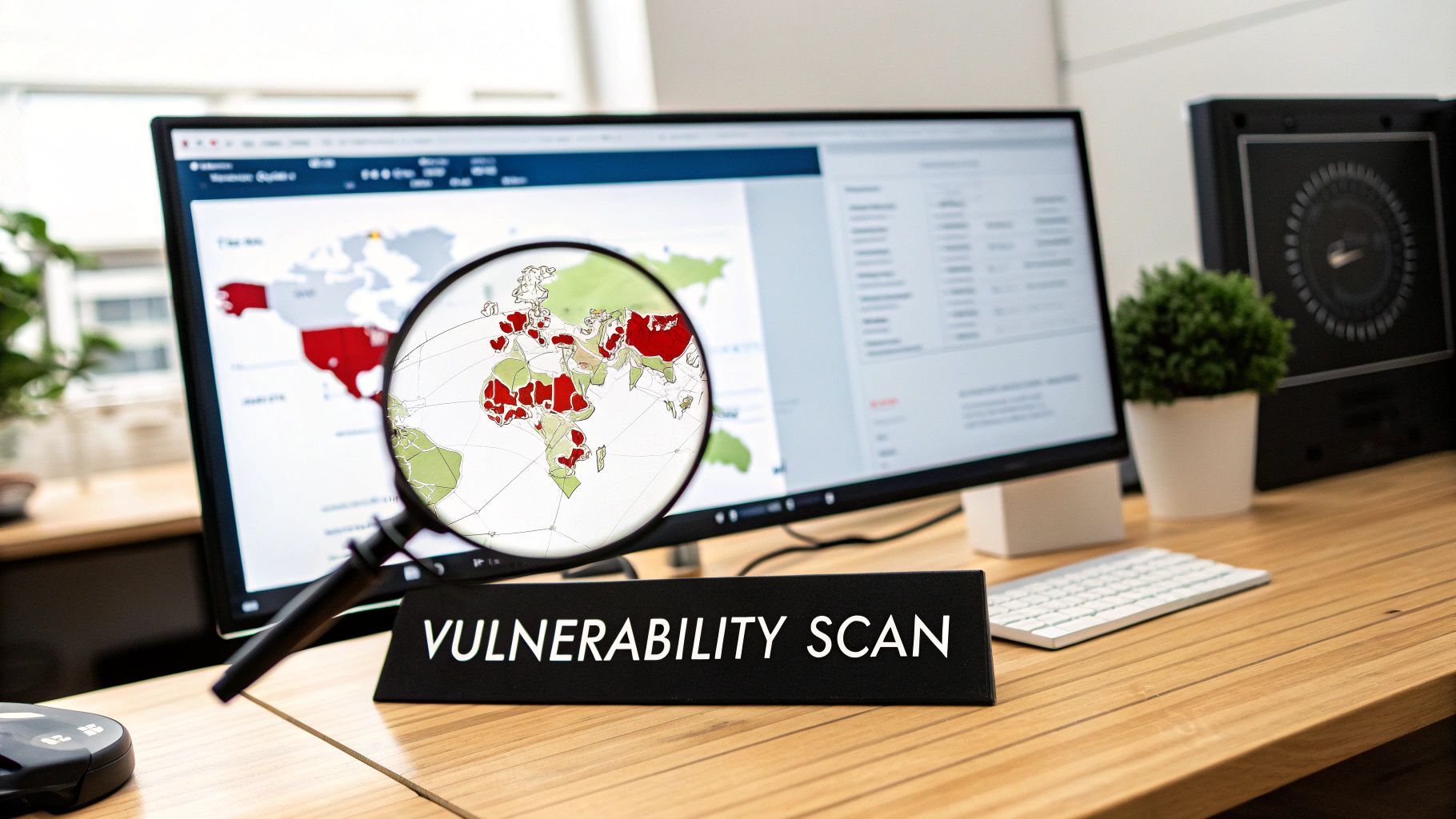
For a professional services firm in Western Pennsylvania, a vulnerability scan might reveal unpatched software on a server holding sensitive client data, immediately elevating its patching priority. These assessments use specialized tools to scan your network and systems, creating a detailed report of discovered vulnerabilities, their severity levels, and which assets are affected. This intelligence is the foundation of an effective and efficient patch management workflow.
Key Components of an Effective Scanning Process
To integrate scanning into your patch management best practices, your process should include several core activities:
- Establish a Scanning Cadence: Schedule automated scans to run during off-peak hours, such as overnight or on weekends, to avoid disrupting business operations. A regular schedule ensures you always have up-to-date vulnerability data.
- Correlate with Threat Intelligence: Don't treat all vulnerabilities equally. Cross-reference scan results with real-world threat intelligence (like CISA's Known Exploited Vulnerabilities catalog) to prioritize flaws that are actively being exploited by attackers.
- Maintain a Vulnerability Baseline: Your first comprehensive scan establishes a baseline. Subsequent scans should be compared against it to measure progress, track your team's effectiveness, and demonstrate risk reduction to leadership over time.
- Validate Patch Deployment: Scanning isn't just a pre-patch activity. Run authenticated scans after a patching cycle to verify that updates were successfully installed and have fully fixed the intended vulnerabilities.
- Document and Remediate: Use scan results to not only guide patching but also to update your asset inventory. If a scan discovers an undocumented server or device ("shadow IT"), it must be documented and brought into your management scope.
For businesses looking to formalize this process, it's helpful to understand the complete picture of organizational risk. A comprehensive cybersecurity risk assessment ensures all bases are covered.
4. Prioritize Critical Patches with a Rapid Deployment Plan
Not all patches are created equal, and treating them as such is a common pitfall. While routine updates can follow a standard monthly schedule, critical security patches that address actively exploited, zero-day vulnerabilities demand an immediate and separate response. Establishing an emergency procedure for these high-stakes updates allows your business to move with the necessary speed to neutralize imminent threats, shifting from a standard multi-week process to a multi-hour one.
This dual-track approach is essential for balancing security with stability. By creating a distinct, rapid-deployment protocol, your organization can address severe vulnerabilities without disrupting the methodical testing and scheduling of routine patches. For a healthcare organization in Eastern Ohio, this could mean rapidly patching a vulnerability linked to ransomware within hours, while a less critical software feature update waits for the next planned maintenance window. This ensures the most significant risks are mitigated first.
Key Components of a Rapid Deployment Plan
To implement this effectively, your rapid deployment procedure should be clearly documented and practiced:
- Define 'Critical': Your policy must explicitly define what constitutes a critical patch. This is typically based on the Common Vulnerability Scoring System (CVSS) score (e.g., 9.0 or higher), evidence of active exploitation in the wild, or direct guidance from key vendors like Microsoft.
- Emergency Change Approval: Create an expedited change approval process. This may involve a pre-authorized "emergency change board" that can be convened on short notice to approve out-of-band patch deployment, bypassing standard timelines.
- Documented Procedures: Maintain a step-by-step playbook for emergency patching. This guide should cover everything from initial notification and triage to deployment, verification, and stakeholder communication, ensuring a consistent response even under pressure.
- Pre-Staged Patches: When possible, pre-stage critical patches in test environments as soon as they are identified. This allows for rapid, albeit condensed, validation before pushing them to production systems, reducing the risk of unintended consequences.
- Vendor Advisory Subscriptions: Proactively monitor security advisories from your critical software and hardware vendors. Subscribing to alerts from sources like CISA or the Microsoft Security Response Center ensures you receive timely notifications of high-priority vulnerabilities.
5. Maintain a Comprehensive Patch Inventory and Audit Trail
Simply deploying a patch is not the final step; proving that you did it correctly is just as important. Maintaining detailed records of all patches—including which systems received them and when—moves patch management from a technical task to a governable, auditable process. This documentation is the cornerstone of accountability and a key component of robust patch management best practices.
For businesses that must demonstrate due diligence, these records are non-negotiable. A healthcare provider in Eastern Ohio needs a clear audit trail to satisfy HIPAA requirements, while a retailer in Western Pennsylvania must provide patch deployment evidence for their annual PCI-DSS assessment. A comprehensive inventory and audit trail provide the irrefutable proof needed for compliance, troubleshooting, and demonstrating a strong security posture to auditors, cyber insurance providers, and clients.
Key Components of Effective Documentation
To create an audit trail that stands up to scrutiny, your records must be thorough and reliable. Focus on capturing the following elements for every patch cycle:
- Automated Logging: Manual spreadsheets are prone to human error and are difficult to maintain at scale. Leverage your patch management software to automatically generate logs that detail which patches were applied, to which assets, the time of deployment, and the success or failure status.
- Retention Policies: Different regulations have different requirements. Establish a formal data retention policy for your patch logs, typically ranging from three to seven years, to align with standards like SOC 2, ISO 27001, or specific industry mandates.
- Change Records: Your audit trail should connect directly to your change management process. The logs must show who authorized a specific patch deployment and when that approval was given, providing a clear chain of custody.
- Tamper-Evident Logs: Ensure that your audit logs are protected from unauthorized modification. This is a critical requirement for many compliance frameworks and guarantees the integrity of your records.
- Compliance Reporting: Use the collected data to generate regular reports that show patch compliance rates, identify systems that are consistently problematic, and track your team's performance against established SLAs. This data is invaluable for strategic planning and continuous process improvement.
6. Test Patches in a Staging Environment Before Full Deployment
Deploying a patch directly into a live environment without prior validation is a significant gamble that can lead to operational chaos and costly downtime. One of the most critical patch management best practices is establishing a dedicated test or staging environment that mirrors your production systems. This allows your team to validate patches for compatibility, performance, and stability before they ever touch live, customer-facing infrastructure.
This controlled testing phase is your primary defense against unforeseen conflicts. A patch that works perfectly in a lab might cause a critical line-of-business application to fail—a scenario a manufacturing plant in Western Pennsylvania cannot afford during peak production. By catching application incompatibilities and performance degradation in a safe, non-production environment, you transform patching from a source of anxiety into a predictable, low-risk maintenance activity.

Key Components of an Effective Testing Strategy
A well-structured testing process ensures that patches enhance security and stability without disrupting business operations. Your strategy should include:
- Prioritized Testing: Focus rigorous testing on patches for mission-critical systems. A security update for a retail company's point-of-sale (POS) system or a financial firm’s database server requires more thorough validation than a low-risk update to a non-essential utility.
- Version Parity: Ensure your test environment is a close replica of production, including operating system versions, application configurations, and data sets. This alignment is crucial for the test results to be a reliable indicator of real-world performance.
- User Acceptance Testing (UAT): Involve key end-users in the testing process for patches that affect their daily applications. This step is invaluable for identifying workflow disruptions or subtle bugs that an IT-only test might miss.
- Documented Procedures: Create and maintain clear documentation for your testing procedures and record the results of each test cycle. This creates a repeatable, auditable process and builds a knowledge base of how different systems react to updates.
- Test Automation: For routine patches or frequent update cycles, automate basic functionality and performance tests. This significantly reduces the testing cycle time, freeing up IT staff to focus on more complex validation tasks.
7. Establish Clear Communication and Change Management
Technical execution is only half the battle in patch management; the other half is managing the human element. Effective patch management best practices hinge on clear communication and a formal change management process. Without them, a well-intentioned update can cause surprise outages, disrupt critical business operations, and erode trust between your IT team and the rest of the organization. This process ensures all stakeholders are informed, prepared, and have approved the necessary changes.
For an SMB in Western Pennsylvania, an unexpected server reboot during month-end closing can be a disaster. A structured communication plan prevents these scenarios. It moves patching from a behind-the-scenes IT task to a transparent, collaborative business process. This approach formalizes how changes are requested, approved, and communicated, ensuring alignment with business priorities and minimizing operational risk.
Key Components of a Strong Communication Process
To build a process that fosters trust and prevents disruptions, your communication and change management strategy should include:
- Standardized Communication Templates: Create pre-built email or notification templates for different scenarios: routine patch announcements, emergency updates, and post-deployment summaries. This ensures consistency and clarity.
- Formal Change Control: Use a ticketing system or a simple change advisory board (CAB) to document and approve patch deployments, especially for critical systems. This creates an audit trail and ensures system owners provide explicit sign-off.
- Proactive Scheduling and Calendars: For internal departments, provide a monthly patch calendar that outlines planned maintenance windows. This allows teams, like a manufacturing facility in Eastern Ohio, to plan their production schedules accordingly.
- Clear Impact Statements: Don't just say a server is being patched. Explain what is being patched, why it is critical (e.g., "to protect against a known ransomware vulnerability"), and the expected impact (e.g., "a 15-minute system reboot").
- Post-Deployment Follow-Up: After a maintenance window, send a confirmation message summarizing what was completed and confirming that all systems are operational. If any issues were encountered, communicate them transparently along with the resolution plan.
8. Manage Patch Dependencies and Prerequisites
Deploying a patch in the wrong order can be just as damaging as not deploying it at all. This is why managing patch dependencies and prerequisites is a fundamental aspect of mature patch management best practices. Many updates, especially for complex systems, rely on other patches or specific software versions to be installed first. Ignoring these requirements leads to failed installations, system instability, or unforeseen conflicts that can disrupt business operations.
For a manufacturing firm in Western Pennsylvania, a failed patch on a server controlling production line software can halt operations for hours, costing thousands in lost revenue. Similarly, for a healthcare provider in Eastern Ohio, a botched update to an electronic health record (EHR) system due to a missed dependency could compromise data integrity or system availability. Effective dependency tracking transforms patching from a high-risk gamble into a reliable, sequential process.
Key Components of Dependency Management
To prevent these issues, your patch management process must account for the intricate web of software relationships:
- Review Release Notes: Before any deployment, thoroughly review the patch’s official release notes. Vendors like Microsoft explicitly detail prerequisites, such as required .NET Framework versions or prior cumulative updates, that must be in place.
- Automated Dependency Resolution: Leverage modern patch management tools that are designed to handle this complexity. These platforms automatically scan for and resolve dependencies, ensuring that all prerequisite updates are identified and installed in the correct sequence, which significantly reduces manual errors.
- Sequence Planning: For complex, multi-stage updates, map out the deployment order. For example, a database server patch might require a specific operating system service pack, which in turn depends on an earlier kernel update. Documenting and following this sequence is critical.
- Staging and Testing: Your pre-production or staging environment is the perfect place to validate dependency chains. Deploying patches there first allows you to confirm that all prerequisites are met and that the updates install successfully without causing conflicts in a controlled setting.
- Document Known Issues: Keep a log of known dependencies and past issues. If a specific application always requires a library update before it can be patched, documenting this saves time and prevents future failures.
9. Monitor Systems After Patching and Have a Resolution Plan
Deploying a patch is not the final step; it's the beginning of the verification phase. The work is only complete once you confirm that the update has not introduced new problems. Comprehensive post-patch monitoring ensures that systems continue operating as expected, critical applications function correctly, and performance metrics remain stable. This final checkpoint is a crucial element of patch management best practices, separating a risky update from a successful one.
For a distribution company in Western Pennsylvania, a patch that degrades network performance on warehouse scanners could halt shipments. For a healthcare clinic in Eastern Ohio, an update that causes its patient management software to crash is a critical failure. This monitoring and resolution phase is your safety net, designed to catch and fix these issues before they escalate into significant business disruptions. It turns a potential crisis into a manageable incident.
Key Components of a Strong Monitoring and Resolution Process
To effectively manage the post-deployment phase, your process should include several core elements:
- Establish Performance Baselines: Before deploying any patch, capture baseline performance metrics. Document normal CPU, memory, disk I/O, and network utilization for key systems. This data provides a clear "before" picture to compare against post-patch performance.
- Active Monitoring Period: Actively monitor all patched systems for a defined period, typically 24-48 hours. This involves tracking not only system-level resources but also application-specific metrics like transaction times or error log rates to ensure business operations are unaffected.
- Automated Alerting: Configure your monitoring tools to generate automated alerts if key performance indicators (KPIs) deviate significantly from the established baseline. This proactive approach ensures your IT team is notified of a potential issue before end-users start reporting it.
- Clear Escalation and Rollback Authority: Your plan must define who is responsible for investigating an alert and who has the authority to approve an emergency rollback. This procedure should be streamlined to allow for swift action when a patch is causing a business-critical failure.
Having a predefined response is essential for minimizing downtime. You can see effective frameworks by reviewing examples of strong incident response plans, which provide a structured approach to handling unexpected IT events, including those caused by problematic patches.
10. Develop Vendor-Specific Patching Strategies
A one-size-fits-all approach to patching is destined for failure. Different software and hardware vendors operate on unique schedules, use distinct naming conventions, and have varying compatibility considerations. Acknowledging these differences by developing vendor-specific strategies is a core tenet of effective patch management best practices, transforming your process from reactive to proactive. This tailored approach ensures you can address updates efficiently without causing self-inflicted disruptions.
For instance, a manufacturing company in Western Pennsylvania relies on Microsoft for its operating systems, Adobe for design software, and a specialized vendor for its ERP system. Each requires a different patching cadence and testing protocol. Lumping them all into a single monthly maintenance window ignores the unique release cycles and potential interdependencies, creating unnecessary risk. A successful strategy accounts for Microsoft's "Patch Tuesday," Adobe's monthly security bulletin schedule, and the on-demand, vendor-assisted updates required for the critical business application.
Key Components for Managing Multiple Vendors
To effectively manage a multi-vendor environment, your patch management process should incorporate these elements:
- Vendor-Specific Cadences: Document and align your internal patching schedules with major vendor release cycles. This means planning for Microsoft's predictable second Tuesday of the month, but also building flexibility for Adobe's updates or the irregular schedules of other software components.
- Subscribe to Security Bulletins: Actively subscribe to security advisories and newsletters from every key vendor in your IT environment. This ensures your team receives timely, authoritative information directly from the source, rather than discovering a critical vulnerability after the fact.
- Document Unique Procedures: Maintain a central repository of vendor-specific requirements. This includes noting which applications require vendor involvement for patching, which have unique rollback procedures, and any known compatibility issues with other software in your stack.
- Leverage Vendor-Provided Tools: Utilize native tools when they offer superior control. For a Windows-heavy environment, using tools like Microsoft Intune provides granular control over Microsoft updates that a generic third-party tool might lack.
- Maintain Vendor Contact Information: For critical business applications, especially in healthcare or manufacturing where downtime is costly, keep updated technical support contacts readily available. This is crucial when a patch requires vendor assistance or if an update causes an unexpected issue.
Strengthening Your Defenses with Expert Patch Management
Navigating the landscape of cybersecurity can feel like a constant battle, but implementing a structured patch management program is one of the most powerful and proactive defenses you can build. As we've explored, moving from a chaotic, reactive "patch when we can" approach to a strategic, disciplined process is not just an IT task; it's a fundamental business strategy. For small and midsize businesses across Western Pennsylvania and Eastern Ohio, this strategic shift is the bedrock of resilience, protecting everything from sensitive client data to critical manufacturing operations.
The journey from vulnerability to security is paved with consistent, deliberate actions. The patch management best practices detailed in this guide are not just theoretical concepts; they are a practical blueprint for fortifying your digital infrastructure. Mastering this process transforms patching from a disruptive fire drill into a predictable, manageable, and highly effective component of your overall cybersecurity posture. It minimizes downtime, strengthens compliance with regulations like HIPAA or CMMC, and significantly reduces your attack surface, making your organization a much harder target for opportunistic cybercriminals.
Key Takeaways for a Resilient Patching Strategy
Recapping the core principles, your focus should be on creating a sustainable and repeatable system. Don't try to implement everything at once. Instead, build your program step-by-step, concentrating on the areas that deliver the greatest security impact first.
Remember these essential pillars:
- Policy and Prioritization: A formal policy is your north star. It removes ambiguity and ensures everyone understands their role. Combine this with a risk-based approach to prioritization, focusing on critical vulnerabilities and high-value assets first. This ensures your limited resources are directed where they matter most.
- Automation and Testing: Manual patching is inefficient and prone to error. Leverage automation to ensure consistency and speed, but always balance it with rigorous testing. A dedicated staging environment is not a luxury; it is a critical safety net that prevents a faulty patch from causing widespread operational disruption.
- Process and Communication: Effective change management, clear communication, and defined maintenance windows are essential for minimizing business impact. A well-communicated patch deployment is a smooth one. Maintaining comprehensive audit trails and monitoring systems post-patch closes the loop, ensuring accountability and rapid issue resolution.
Ultimately, a mature patch management program is about control and foresight. It's the difference between dictating the terms of your cybersecurity and letting unpatched vulnerabilities dictate them for you.
Your Next Steps Toward Proactive Security
The path forward is clear: start by assessing your current process. Use the best practices in this article as a checklist to identify your biggest gaps. Can you confidently produce a complete inventory of all your assets? Do you have a documented plan for testing patches before they are deployed to production systems? Are you prioritizing patches based on real-world threat intelligence or simply by release date?
Answering these questions honestly is the first step toward building a more secure and resilient organization. While these steps are achievable for any business, we recognize the significant constraints on time, resources, and in-house expertise that SMBs face. The constant cycle of identifying, testing, and deploying patches can easily overwhelm a small IT team whose attention is already divided among competing priorities.
This is where a strategic partnership can be a game-changer. By entrusting your patch management to a dedicated team of experts, you can ensure it is handled with the consistency and rigor it deserves without diverting your internal resources from core business initiatives. Implementing these patch management best practices is not just about avoiding a breach; it's about creating a stable, secure, and compliant technology environment where your business can thrive.
Is your current patching process leaving your business exposed? The experts at Eagle Point Technology Solutions can help you build and manage a robust patch management program that aligns with your specific operational and compliance needs. Contact us today for a complimentary cybersecurity assessment to identify your patching gaps and strengthen your defenses.