When you hear the term “IT infrastructure management,” it might sound like complex jargon best left to enterprise corporations. But at its core, it’s simply the strategic plan for keeping all your business technology—servers, computers, networks, and software—running smoothly, securely, and efficiently.
For a small or medium-sized business (SMB), think of it as the central nervous system of your company. It’s the hidden framework that ensures every digital process, from sending an email to closing a sale, supports your business goals without causing unnecessary headaches.
Why Does IT Management Matter for Your Business?
Imagine your business is a bustling manufacturing plant. You see the production lines, the busy front office, and the shipping department getting orders out the door. But what really keeps it all running are the systems hidden behind the walls—the electrical grid, the HVAC, and the security systems.
Your IT infrastructure is the digital equivalent of that foundation. It powers every customer transaction, every internal report, and every collaborative project.
Without a solid plan to manage it, that foundation begins to crack. A server crashes during your busiest season. A security vulnerability exposes sensitive client data. A sluggish network grinds your team’s productivity to a halt. For an SMB in Western Pennsylvania or Eastern Ohio, these aren’t just minor inconveniences; they are direct threats to your revenue and reputation.
This is where IT infrastructure management becomes a core business strategy, not just a technical chore for the "IT person." It’s the proactive work of organizing, maintaining, and protecting all the hardware, software, and network resources your company depends on. The goal is to shift from a reactive, "break-fix" mentality to a forward-thinking approach that prevents problems before they can disrupt your business.
Let’s break down what effective IT infrastructure management actually does for you.
IT Infrastructure Management at a Glance
| Core Area | What It Means for Your Business |
|---|---|
| Administration | Overseeing all the moving parts of your tech, from user accounts to software licenses, ensuring everything works together. |
| Maintenance | Proactively updating, patching, and tuning systems to prevent downtime and keep performance high. |
| Security | Protecting your digital assets and customer data from cyber threats like ransomware, phishing, and data breaches. |
| Optimization | Ensuring your technology runs at peak efficiency to support employee productivity and your company's growth. |
Ultimately, it’s about making sure your technology works for you, not against you, aligning every component with your business objectives.
The Growing Importance for SMBs
For small and midsize businesses, the need for rock-solid IT management has never been more critical. As companies rely more on technology to compete—whether in manufacturing, healthcare, or professional services—the cost of ignoring it is skyrocketing.
The global IT infrastructure market is projected to jump from US$ 120.15 billion in 2025 to a massive US$ 241.69 billion by 2032. This isn't just a trend for big corporations; it shows how essential effective management has become for businesses of all sizes to stay competitive. You can discover more about this market growth on Coherent Market Insights.
Properly managing your IT infrastructure brings several key advantages that directly boost your bottom line:
- Reduced Downtime: Proactive monitoring catches issues before they become full-blown outages, keeping your systems online and your team productive.
- Enhanced Security: A managed infrastructure means regular security patching, vigilant monitoring, and consistent updates to defend against ever-present cyber threats.
- Predictable Budgeting: It transforms unpredictable emergency repair costs into a stable, manageable operational expense, helping you plan your finances without nasty surprises.
- Improved Scalability: As your business grows, a well-managed infrastructure can easily scale with you, ensuring your technology helps you seize new opportunities instead of holding you back.
Exploring the Core Components of Your IT Infrastructure
To get a handle on IT infrastructure management, you first need to understand the individual pieces that make up your technology environment. Think of it like a vehicle; you can't properly maintain it without knowing what the engine, brakes, and electrical system do. In the same way, your IT infrastructure is a collection of essential components working together to power your business.
Each part plays a distinct role, and keeping them all in sync ensures the entire system runs smoothly and securely. If even one component is neglected, it can create bottlenecks or security risks that ripple through your whole operation.
This concept map shows how managing these core components supports key business goals.
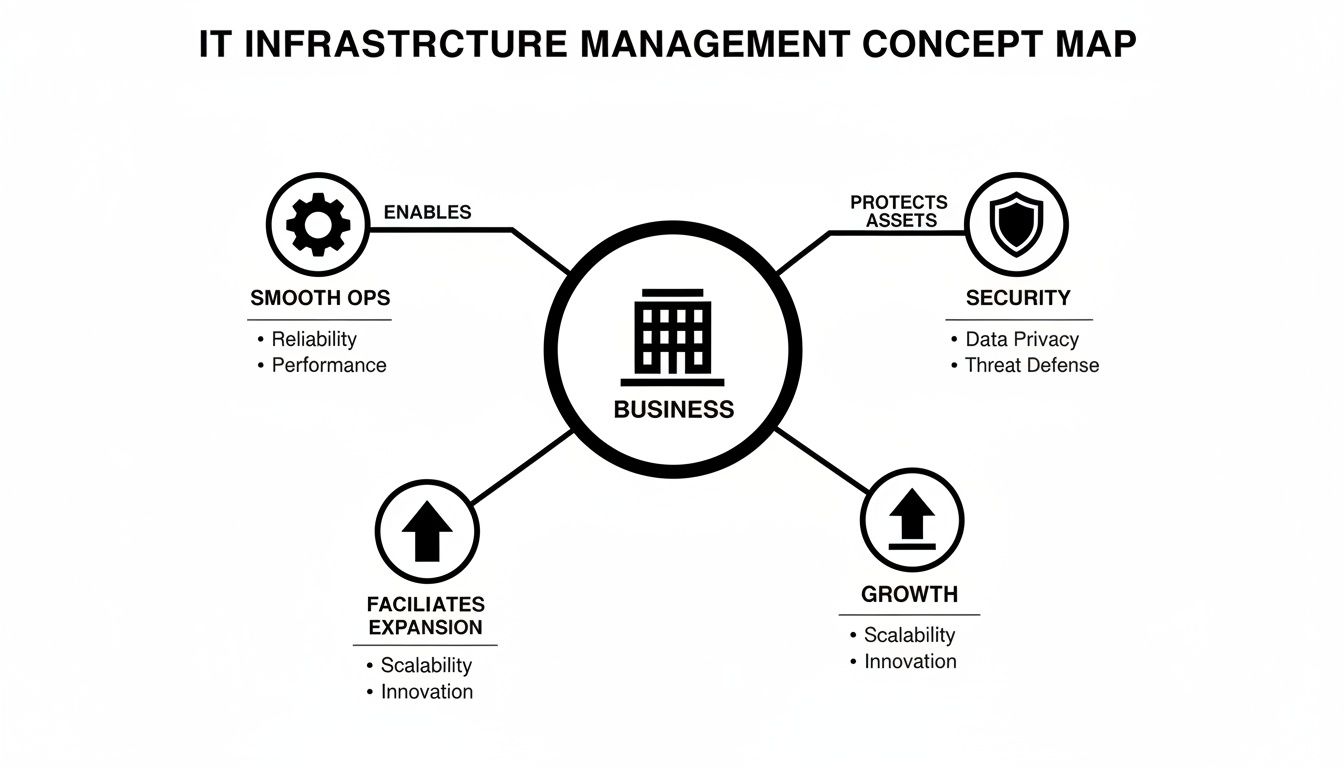
As you can see, the goal isn't just managing tech for tech's sake. It’s about creating a foundation for smooth operations, rock-solid security, and real business growth.
Networking: The Digital Highways
Your network is the system of digital roads that connects all your technology. It includes everything from the physical cables in your walls to the Wi-Fi routers your team uses to get online. This is how data travels between computers, servers, and the internet.
Good network management ensures this traffic flows quickly and without interruption. For a manufacturing firm in Ohio, this means design files sent to a production machine arrive instantly. For a healthcare practice in Pennsylvania, it means patient data is transmitted securely and video calls with specialists are crystal clear.
Analogy: Think of your network firewall as a digital security guard standing at the front door of your business. It checks every piece of data trying to enter or leave your network, blocking anything suspicious or unauthorized from getting in.
Servers: The Central Brain
Servers are the heavy-lifters—powerful computers that store, process, and manage your company's data and applications. They're the central brain of your operations, running everything from your email system and accounting software to your customer relationship management (CRM) platform.
Whether you have a physical server in a closet or use cloud-based servers, their health is critical. When a server goes down, entire business functions can grind to a halt. Proper server management means monitoring their performance, applying security updates, and ensuring they have the capacity to handle your workload without slowing down. To learn more about this crucial area, you can explore our detailed guide on managed servers and network infrastructure.
Endpoints: The Tools of Your Team
The term endpoints refers to any device that connects to your network—think desktops, laptops, smartphones, and tablets. These are the tools your employees use every day to get their jobs done.
Managing endpoints involves more than just fixing computer problems. It means making sure every device is secure, updated with the latest software patches, and configured correctly to access company resources without introducing security risks. Since many cybersecurity breaches originate from a compromised device, securing your endpoints is a crucial line of defense.
Storage: The Secure Digital Vault
All your business data—from financial records and client contracts to project files and emails—needs to be stored somewhere safe and accessible. This is the job of your storage systems, which can range from on-site servers to cloud solutions like Microsoft 365.
Think of your storage as a secure digital vault for your company’s most valuable assets. Proper management involves:
- Regular Backups: Automatically creating copies of your data to protect against loss from hardware failure, cyberattacks, or accidental deletion.
- Access Control: Ensuring only authorized individuals can view or modify sensitive information.
- Capacity Planning: Monitoring storage usage so you don't run out of space at a critical moment.
Security: The Protective Shield
Finally, security isn't just one component but an essential layer that protects all the others. It covers a wide range of tools and practices designed to defend your infrastructure against threats—things like antivirus software, firewalls, email filtering, and even security awareness training for your team.
For a deeper dive into the foundational elements that support your technology, it's worth exploring modern data center infrastructure solutions. Each of these components must be managed proactively. When they work in harmony, they create a reliable and resilient technology foundation that lets your business thrive.
The Essential Processes That Keep Your Technology Healthy
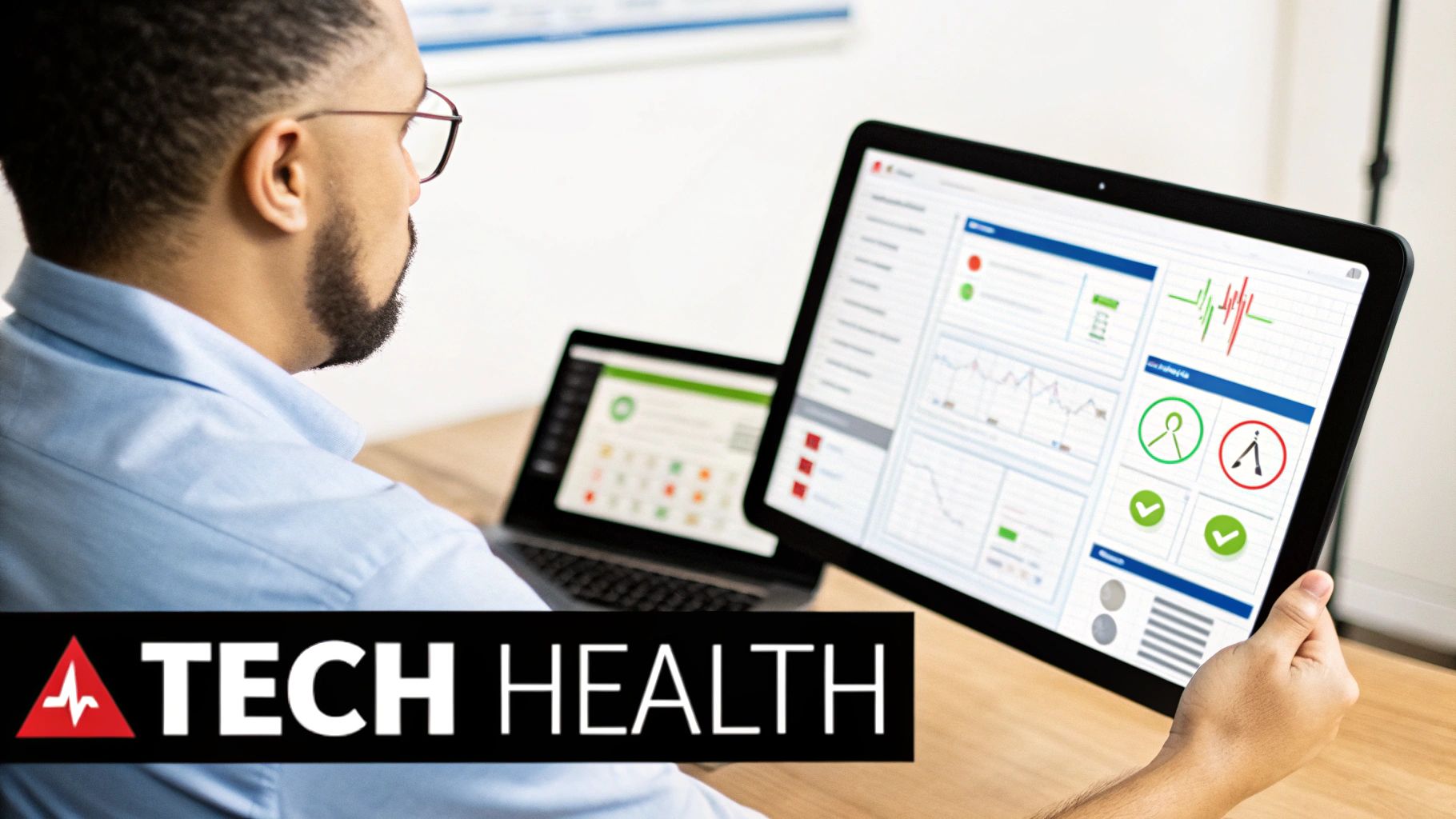
Knowing the components of your IT infrastructure is one thing. Actually keeping it all running smoothly is where the real work begins. Effective IT management isn't about frantically reacting when something breaks. It’s about a disciplined, proactive routine designed to stop problems before they start.
This approach is a massive shift away from the old, expensive 'break-fix' model, where businesses would wait for technology to fail and then pay a premium for an emergency repair. Modern management is about consistent, preventive care to keep the business running and performance predictable. It's about maintaining your technology's health, not just treating its illnesses.
These processes are the backbone of a resilient and secure business, turning your tech from a potential headache into a reliable asset.
Proactive Monitoring and Alerting
The cornerstone of any modern IT strategy is proactive monitoring. This means using specialized tools that keep a constant, 24/7 watch over your entire infrastructure—from servers and networks to individual computers. Think of these systems as a digital early-warning system.
Instead of finding out your server is down because employees can't log in, monitoring tools spot the warning signs first. They see things like rising server temperatures, unusual network traffic, or rapidly shrinking storage space. The instant something looks off, an alert goes to your IT team so they can fix the issue before it causes a disruptive outage. This is the difference between preventing a fire and trying to put one out.
Consistent Patch Management
Software vulnerabilities are the unlocked doors for cybercriminals. Patch management is the systematic process of identifying, testing, and applying software updates—or patches—to all your operating systems and applications.
It's just like regularly checking the locks on your building’s doors and windows. Every piece of unpatched software is a potential entry point for threats like ransomware and data breaches. A disciplined patch management strategy ensures these digital doors are always locked, which dramatically reduces your security risks. This process is so critical that we created a whole guide to help businesses understand what patch management is and why it matters.
Reliable Backup and Disaster Recovery
Let's be realistic: no system is 100% fail-proof. Whether it’s a hardware failure, a natural disaster, or a crippling ransomware attack, you absolutely need a plan to get back on your feet quickly. This is where backup and disaster recovery (BDR) comes in.
This is about much more than just copying files to an external hard drive. A robust BDR strategy includes:
- Automated Backups: Setting up regular, automatic copies of your critical data and systems so nothing gets missed.
- Off-site Storage: Storing those backups in a separate, secure location (usually the cloud) to protect them from local disasters like fire or theft.
- Regular Testing: Periodically testing your backups to make sure they can actually be restored when you need them most.
A well-executed BDR plan is your business's ultimate safety net, ensuring you can recover your operations with minimal data loss and downtime.
Structured Incident Response
Even with the best preventive care, incidents can still happen. An incident response (IR) plan is your playbook—a documented, step-by-step guide that outlines exactly what to do when a security breach or system failure occurs.
An effective incident response plan minimizes damage by ensuring a swift, coordinated, and calm reaction. It takes the guesswork out of a crisis, helping your team contain the threat, eradicate it, and recover normal operations faster.
Having a structured approach like this is vital for minimizing both financial loss and damage to your reputation. A swift response can be the difference between a minor issue and a major business crisis.
How Strategic IT Management Drives Business Growth
For many business owners, IT can feel like a necessary evil—a line item on the budget that seems to grow without adding to the bottom line. But what if effective IT infrastructure management isn't just about putting out fires or fixing broken laptops? What if it's one of the most powerful tools you have to create opportunities and drive growth?
When your technology is stable, secure, and aligned with your business goals, a fascinating shift happens. It stops being a drain on resources and transforms into an engine for growth. For SMBs, this change in mindset is everything. It’s about looking past the technical jargon to see how a well-managed IT environment directly impacts your profitability.
From Unpredictable Costs to Stable Budgets
One of the biggest headaches for any SMB is the surprise IT expense. One day, a critical server fails. The next, a vital piece of software demands a pricey, mandatory upgrade. Or worse, a security breach forces an emergency cleanup that costs a fortune. These sudden hits can derail your budget, forcing you to pull money from areas meant to grow your business.
Strategic IT management flips this script. By proactively monitoring, maintaining, and planning for your technology’s lifecycle, you turn chaotic capital expenditures into a stable, manageable operational cost. That predictability is a game-changer for financial planning.
When you know what your IT will cost each month, you can finally budget with confidence. This financial stability frees you up to invest in sales, marketing, or new equipment, knowing your technology foundation is solid and accounted for.
Increasing Productivity and Reducing Downtime
Every minute your team can't access their tools, data, or applications is a minute of lost productivity—and lost revenue. Unplanned downtime doesn't just halt work; it crushes employee morale and can damage the trust you've built with your customers.
A well-managed infrastructure is built for maximum uptime. Proactive monitoring catches nagging issues before they escalate into an outage. Consistent maintenance keeps systems running at peak performance, so your team isn't left staring at loading screens or dealing with crashing software. This reliability translates directly into a more efficient, focused, and productive workforce.
Strengthening Security to Protect Your Reputation
In today's digital world, a single cybersecurity breach can be a devastating event for an SMB. The financial cost of recovery is significant, but the long-term damage to your reputation and customer trust can be far worse. That’s why strategic IT management places a massive emphasis on building a tough, layered security posture.
This is about much more than just basic antivirus software. A real security strategy includes:
- Consistent Patching: Closing security holes before criminals can exploit them.
- Advanced Firewalls: A vigilant digital gatekeeper that scrutinizes data trying to enter or leave your network.
- Employee Security Training: Turning your team from a potential vulnerability into a "human firewall" that can spot and report phishing scams.
- Reliable Data Backups: Ensuring you can get back on your feet quickly after a ransomware attack, without having to consider paying a criminal.
By making security a priority, you’re not just protecting data; you’re protecting the trust you have with your clients. A strong security posture isn't just a defensive move; it's a competitive advantage that shows you’re a partner they can count on.
Choosing Your Management Model: In-House or Managed Services?