For any small business owner, the best backup solutions are the ones that blend automated protection, quick recovery, and storage that can grow with you—all without breaking the bank. More often than not, the smartest strategy is a hybrid approach that mixes fast on-site recovery with ultra-secure off-site cloud storage. This combination is your best defense against everything from a simple hardware failure to a full-blown cyberattack.
Why Your Backup Strategy Is Your Best Business Insurance
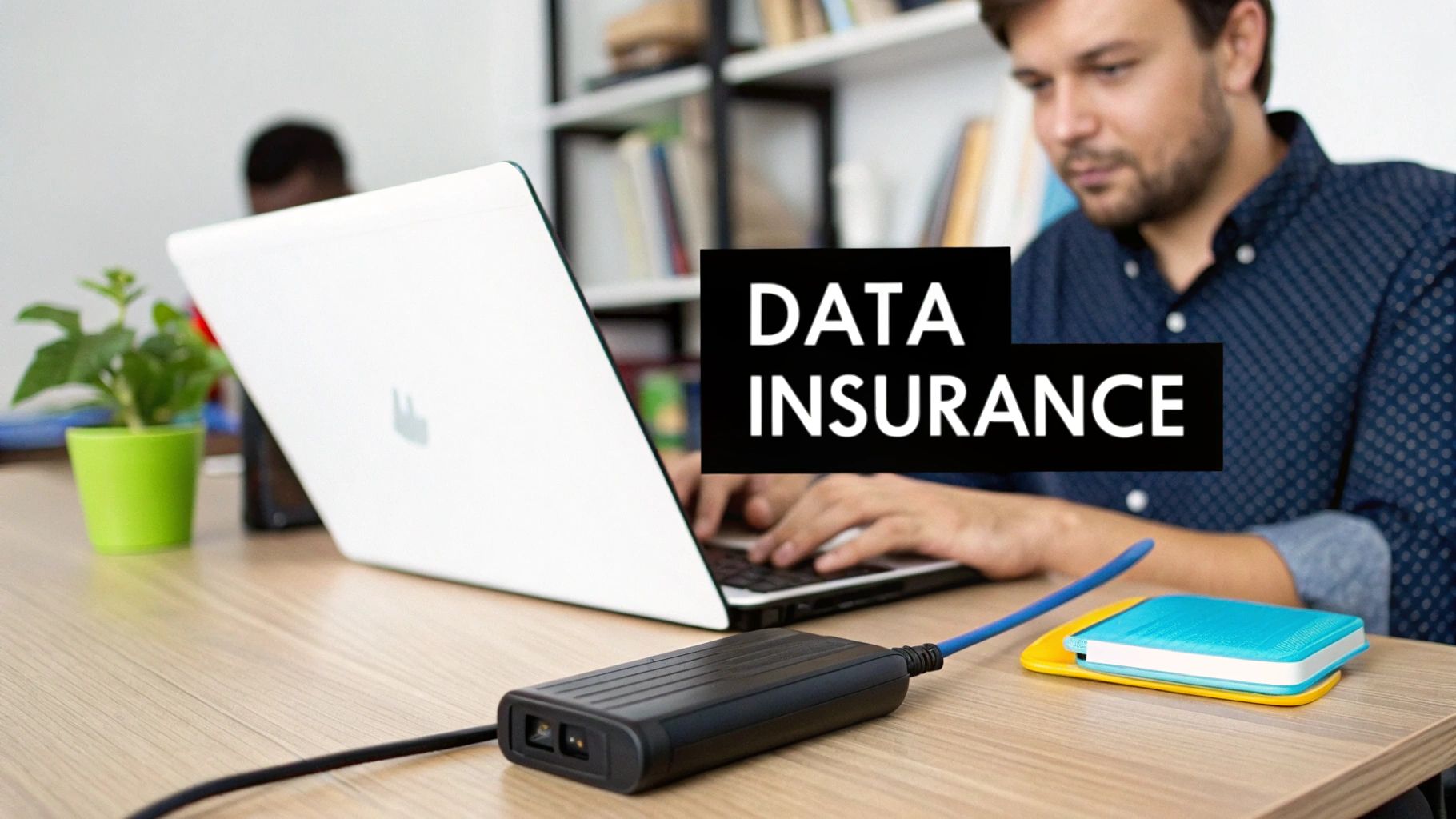
For a small business here in Western Pennsylvania or Eastern Ohio, sudden data loss isn't just an IT headache; it's a potential knockout blow. Whether it’s a server crash at your manufacturing plant or a ransomware attack on your professional services firm, the outcome is always the same: operations grind to a halt, customer trust evaporates, and revenue vanishes.
You’re already juggling daily operations, managing your team, and keeping clients happy. You don’t have time to become a data protection expert. But relying on outdated methods, like a single external hard drive plugged into a server, is like driving without insurance. When disaster strikes—and it’s a matter of when, not if—that single point of failure can undo years of hard work in an instant.
Finding the Right Protection
This is why a proactive, well-designed backup strategy is one of the most critical investments you can make. It’s not just another IT task; it’s a fundamental part of your business continuity plan. A solid backup system is what ensures you can get back up and running quickly, keeping costly downtime to an absolute minimum. To see how this fits into a broader defense strategy, check out our guide on cybersecurity for small businesses ransomware protection.
This guide is designed to cut through the jargon and give you a clear roadmap. We'll start by comparing the three main backup models to help you make an informed decision that truly fits your business.
| Backup Model | Primary Benefit | Best For |
|---|---|---|
| Local Backup | Fastest recovery speed for files and systems. | Quick restoration from minor incidents like file deletion or hardware failure. |
| Cloud Backup | Ultimate disaster recovery protection. | Protecting against site-wide disasters like fire, flood, or major theft. |
| Hybrid Backup | The best of both worlds—speed and resilience. | Businesses needing both rapid on-site recovery and off-site disaster protection. |
A common misconception I see is that just having a backup is enough. The real test is the recovery. A backup you can't restore from is just wasted storage space.
Once you understand these fundamental options, you can shift from a reactive state of worry to a proactive position of control. You'll be securing your business's most valuable asset: its data. Let's dive in.
Breaking Down Your Three Core Backup Options
When you're sorting out the best backup solutions for your small business, it’s easy to get lost in technical details. But at its core, every modern strategy is built from three models: local, cloud, and hybrid. Understanding how each one works is the first real step toward building a data protection plan that won't let you down.
There’s a reason this market is booming. The shift toward robust, automated backup systems reflects a growing understanding among business owners that old, unreliable methods are no longer sufficient in today's threat landscape.
The Foundation: Local Backups
Local backup is the traditional approach and still serves as a valuable first line of defense. This involves creating a copy of your data on a physical device kept right in your office—think of an external hard drive, a Network Attached Storage (NAS) device, or a dedicated backup server.
The biggest win here is speed. When you need to recover a file someone accidentally deleted or bounce back from a minor server hiccup, having the data on-site is the fastest way to get back to work. There's no waiting for huge downloads over your internet connection, which keeps downtime to a minimum for those common, everyday problems.
But its main advantage is also its critical weakness. Since the backup is stored in the same physical location as your original data, it offers zero protection against a site-wide disaster like a fire, flood, or theft.
The Safety Net: Cloud Backups
Cloud backup—also called online or remote backup—is designed to solve the exact problem that local backups can't. With this model, your data is encrypted and sent over the internet to be stored securely on servers in an off-site data center run by a third-party provider.
This is your ultimate protection against a localized catastrophe. If your entire office in Pittsburgh or Youngstown suddenly became inaccessible, your data would remain safe and sound in the cloud, ready to be restored to a new location. Cloud solutions are also incredibly scalable, allowing you to easily add more storage as you grow without ever having to buy new hardware.
The trade-off? Recovery speed. It's completely dependent on your internet bandwidth. Restoring a large amount of data from the cloud can be a slow process, potentially extending your downtime.
A common mistake I see businesses make is thinking a local or a cloud backup is enough. The truth is, they solve different problems. One protects you from small, frequent issues, while the other protects you from large, rare disasters.
The Best of Both Worlds: Hybrid Backups
This is where modern backup strategy truly comes together. A hybrid approach gives you the lightning-fast recovery of local backups and the disaster-proof security of the cloud. It’s widely considered the gold standard for a reason and is one of the 7 proven backup strategy options for small businesses.
With a hybrid setup, you keep an on-site backup for quick, day-to-day restores while also sending a copy of that data to a secure cloud location. It works like this:
- For fast recovery: An employee accidentally deleted a critical project folder. No problem. You can restore it in minutes from your local NAS.
- For disaster recovery: A burst pipe floods your server room. You can retrieve all your data from the cloud and get your business running again from anywhere with an internet connection.
This dual approach covers virtually any data loss scenario you can think of. For most small and medium-sized businesses, it strikes the perfect balance between speed, convenience, and true resilience.
Comparing Backup Solutions Across Key Business Needs
Alright, let's move from theory to practice. For a small business, the "best" backup solution isn't about having the most features; it's about how those features solve your real-world problems. Let's compare local, cloud, and hybrid backups through the lens of what truly matters to your operations here in Western PA and Eastern OH.
This decision tree can help you visualize the first questions to ask when picking a backup approach.
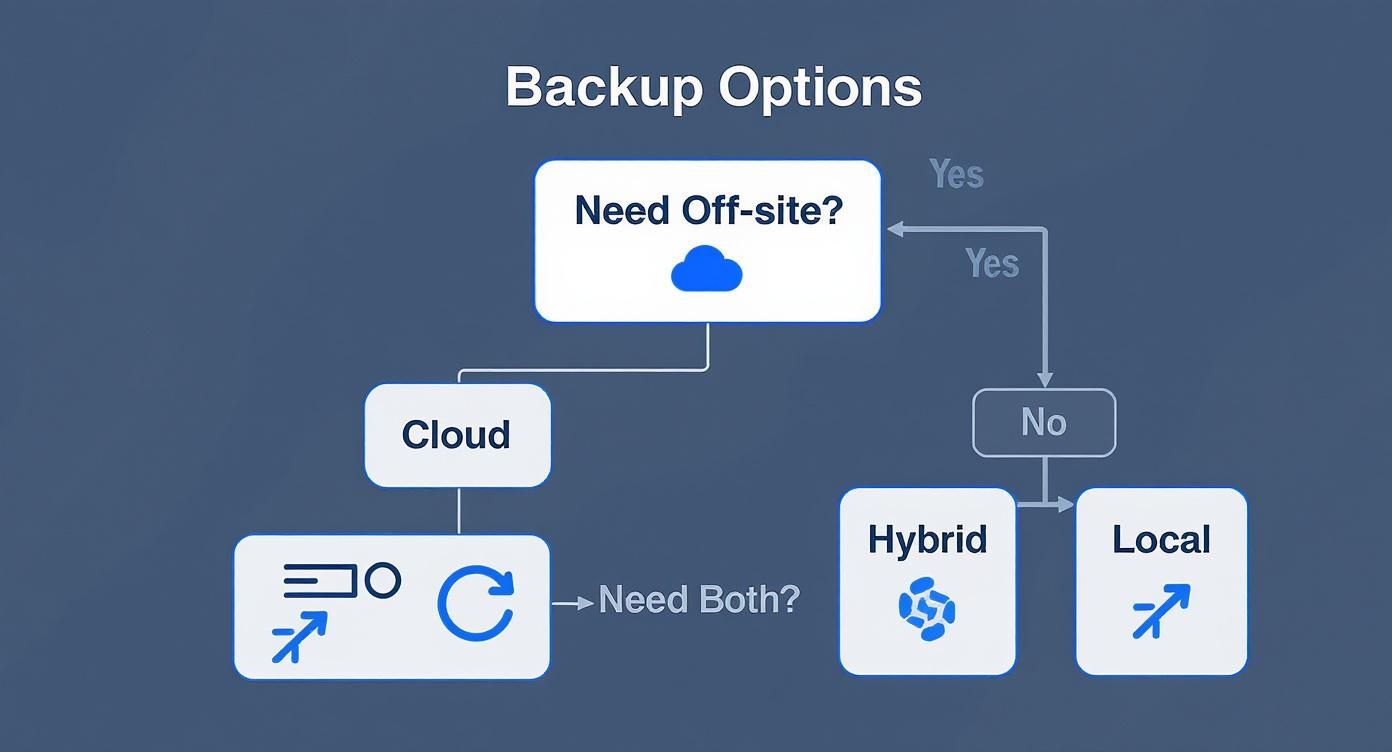
Think of this flowchart as a starting point. It guides you from your most basic need—like getting data off-site—toward the solution that best fits your risk tolerance and operational demands.
To help you see how these solutions stack up, here’s a quick-glance comparison of the key factors that matter most to small and midsize businesses.
At-a-Glance Comparison of Backup Solutions for SMBs
| Criterion | Local Backup | Cloud Backup | Hybrid Backup |
|---|---|---|---|
| Recovery Speed | Fastest. On-site restores in minutes. | Slowest. Dependent on internet bandwidth. | Best of Both. Fast local restores, cloud for major disasters. |
| Initial Cost | Moderate. Upfront hardware purchase. | Low. No hardware, subscription-based. | Highest. Requires both on-site hardware and cloud subscription. |
| Security | Vulnerable. At risk from on-site threats like ransomware. | Very High. Immutable copies, advanced encryption. | Most Resilient. Layered defense with on-site speed and off-site immutability. |
| Scalability | Limited. Requires manual hardware upgrades. | Virtually Unlimited. Pay-as-you-go cloud storage. | Flexible. Scale cloud storage independently of local hardware. |
| Compliance | Your Responsibility. Burden is entirely on you to manage. | Simplified. Providers offer compliant infrastructure (HIPAA, SOC 2). | Streamlined. Leverage compliant cloud for long-term retention. |
This table gives you the highlights, but the real decision comes down to the details. Let’s dive deeper into each of these critical areas.
Recovery Speed and Downtime Tolerance
The first—and most critical—test of any backup is how fast it can get you back online. This comes down to your Recovery Time Objective (RTO), which is how quickly you need to be back up, and your Recovery Point Objective (RPO), which is how much data you can afford to lose.
-
Local Backup: This is your speed demon. When a server crashes or someone accidentally deletes a critical folder, restoring from an on-site NAS is incredibly fast. Your RTO can be measured in minutes, and with frequent snapshots, your RPO is minimal. This is the go-to for high-activity environments where even an hour of downtime is a significant financial hit.
-
Cloud Backup: Slower, by nature. Recovery speed is completely tied to your internet connection. Trying to pull terabytes of data back from the cloud can take hours, or even days, which could blow your RTO out of the water. It’s a trade-off you make for ultimate off-site protection.
-
Hybrid Backup: The balanced approach. This model gives you the best of both worlds. You can hit aggressive RTO/RPO targets for common hiccups using the local copy, while keeping the cloud copy in your back pocket for a true disaster. For most businesses that can't afford significant downtime for any reason, this is the sweet spot.
Security Against Modern Threats
Ransomware isn't some distant, big-corporation problem anymore. It's a direct and present danger to businesses of all sizes, right here in our area. A successful attack doesn't just encrypt your live data—it actively hunts for and tries to delete your backups, too.
Local Backup: This is by far the most vulnerable model. If ransomware gets inside your network, it can often find and encrypt your local NAS device just as easily as your servers. Without proper network segmentation, your primary defense could be wiped out before you even know you've been hit.
Cloud Backup: This is where the cloud truly shines. Modern cloud backup platforms offer immutability, a feature that creates unchangeable, undeletable copies of your data for a set period. Even if an attacker gains full administrative access, they simply cannot alter or delete these protected backups.
Immutability is arguably the single most important security feature in a modern backup solution. It creates an "air-gapped" copy of your data that ransomware cannot touch, guaranteeing you have a clean version to restore from.
Hybrid Backup: By combining fast local restores with an immutable cloud copy, you create a powerful, layered defense. You get the speed you need for everyday issues while maintaining a secure, untouchable off-site copy as your ultimate failsafe against a devastating cyberattack.
Scalability and Future Growth
Your business isn't static, and neither is your data. A backup solution that works today must be able to grow with you tomorrow without causing budget headaches.
-
Local Backup: Scaling is a manual, capital-intensive process. When you run out of space on your NAS, you have to buy a new, bigger one. That means upfront costs and the hassle of physical installation.
-
Cloud Backup: This offers nearly infinite scalability. As your data footprint grows, you simply pay for more storage. No new hardware to buy, no servers to manage. When you're looking at different options, it’s crucial to compare cloud service providers to ensure you’re picking one that aligns with your long-term goals and budget.
-
Hybrid Backup: This gives you flexible scaling. You can keep your local device sized for a few weeks of critical data—keeping those restores fast—while letting the cloud handle long-term archival and growth. It's an effective way to optimize costs by avoiding constant, expensive upgrades to your on-site hardware.
Compliance and Data Governance
For businesses in healthcare dealing with HIPAA or manufacturers in the DoD supply chain needing CMMC, data protection isn't just a good idea—it's the law.
-
Local Backup: With this model, the entire compliance burden falls on your shoulders. You are solely responsible for physically securing the device, managing access, and proving that data is handled according to strict regulations.
-
Cloud Backup: Reputable providers build their services around compliance. They operate datacenters that meet standards like HIPAA and SOC 2, providing built-in security controls and audit trails that make your compliance efforts much simpler.
-
Hybrid Backup: This offers a practical path to compliance. You can leverage a compliant cloud provider for secure, long-term data retention while still getting the operational speed of a local copy. This combination often provides the exact documentation and security layers needed to pass strict regulatory audits.
Calculating the True Cost of Your Backup Strategy
When evaluating backup solutions, it's easy to focus on the monthly fee or the price of a new server. But I've seen it time and again—that sticker price is just the tip of the iceberg. The real financial picture only emerges when you calculate the Total Cost of Ownership (TCO), which includes every direct and indirect expense.
Thinking beyond the initial price tag is essential. I've seen business owners in our region choose what they thought was a cheaper option, only to find it became a financial drain once hidden costs piled up. It's time to stop seeing backup as a necessary evil and start treating it as a high-return investment in your company's survival.
Beyond the Subscription Price
To get a real sense of the numbers, you have to break down the costs tied to each backup model.
Here’s what you need to account for:
- Upfront Hardware & Software: For local and hybrid models, this is your initial cash outlay. It includes the physical Network Attached Storage (NAS) device, any necessary server upgrades, and the backup software licenses.
- Ongoing Subscriptions: This is the most obvious cost for cloud and hybrid backups. It's the recurring fee you pay for cloud storage space and the management platform.
- Maintenance & Management: This is where hidden costs often appear. Who will monitor the backups to ensure they run successfully? Who will test restores and apply security updates? If that falls on you or your team, you're losing valuable hours that could be spent growing the business.
- Data Retrieval Fees: Some cloud providers charge "egress fees" to download your own data. A large-scale recovery could result in a surprisingly high bill if you aren't paying attention to the fine print.
Let me be blunt: the most expensive backup solution is the one that fails when you need it most. The cost of downtime—lost revenue, a damaged reputation, and operational chaos—will always be more than the cost of a properly managed backup system.
Comparing Real-World Cost Scenarios
Let's take a typical manufacturing firm in Eastern Ohio. They might be tempted by a simple local backup because the upfront cost seems low. What they often don't factor in are the staff hours needed to manage it, the risk of a fire wiping out their only copy, and the staggering cost of downtime if their production line data vanishes.
Cost is a huge factor, and pricing can vary widely. While you can find specific backup pricing structures, the key is to weigh the investment against the risk. A local-only solution might save you money on subscriptions but leaves you exposed to total data loss. A cloud-only solution has low upfront costs but can lead to slow recoveries. The hybrid model, while having both hardware and subscription costs, often provides the best balance of protection and value.
The Unseen Cost of Downtime
The final—and most critical—piece of the TCO puzzle is the potential cost of data loss and downtime. For a healthcare provider in Western Pennsylvania, just one hour of downtime means cancelled appointments, inaccessible patient records, and the terrifying possibility of HIPAA violations and their massive fines.
The math is simple: how much revenue does your business lose for every hour it's offline? What's the damage to your reputation? A robust hybrid backup solution might have a higher TCO on paper, but by slashing your recovery time, it delivers an incredible ROI by shielding you from the catastrophic financial fallout of a prolonged outage.
When to Partner with a Managed Backup Provider
Getting a backup solution in place is a great first step, but the real work—the day-in, day-out management—is what truly guarantees you can recover when things go wrong. For most small business owners, adding another complex IT responsibility to an already packed schedule isn’t realistic. This is exactly when partnering with a Managed Service Provider (MSP) for your backups stops being an expense and becomes a strategic necessity.
A managed backup service isn’t just about handing off a task. It's about bringing on a dedicated partner whose job is to ensure your data is protected, verified, and ready to be restored at a moment's notice.
Scenarios Demanding Professional Management
So, how do you know it’s time to call in an expert? Certain situations make a managed approach a no-brainer. If any of these sound familiar, you're likely taking on more risk than you realize by trying to go it alone.
It’s time to seriously consider an MSP if you:
- Have Limited or No Internal IT Staff: Most SMBs don’t have a full-time IT department. Your office manager or the most tech-savvy person on staff shouldn't be responsible for your company’s lifeline.
- Face Complex Compliance Regulations: If you operate in healthcare, defense, or finance, you’re likely dealing with strict rules like HIPAA or CMMC. Proper backup procedures, retention policies, and documentation are legal mandates, not suggestions. An MSP specializing in compliance ensures you meet these tough standards.
- Have Zero Tolerance for Downtime: For manufacturers, law firms, and medical clinics, every minute your systems are offline means lost revenue and eroding client trust. Managed services are built around rapid recovery to get you back up and running fast.
The True Value of a Managed Backup Service
The real advantage of a managed backup partnership goes far beyond simply running the software. It’s about offloading the constant worry and gaining proactive expertise you don't have in-house. An MSP takes over the critical, often-ignored tasks that determine whether your backups will actually work when disaster strikes.
These responsibilities are the core of the service:
- Proactive Monitoring and Alerts: We keep an eye out for failed or incomplete backups, jumping in to fix issues before they can become a real problem.
- Routine Recovery Testing: A backup is worthless if you can't restore from it. We perform regular tests to confirm your data is intact and that a full recovery is possible.
- Expert Incident Response: When a data loss event happens—whether it's a server crash or a ransomware attack—an experienced team is ready to step in and manage the recovery process, letting you focus on running your business.
Many business owners see managed backup as just another IT cost. The smart ones view it as a continuity guarantee. You're not just buying a service; you're investing in the peace of mind that comes from knowing an expert team has your back 24/7.
The entire IT industry is moving in this direction, with Backup-as-a-Service (BaaS) becoming a standard offering. The massive growth in the rise of enterprise Backup-as-a-Service shows that businesses of all sizes recognize the value of outsourcing this critical function.
For businesses here in Western Pennsylvania and Eastern Ohio, leveraging our managed IT services ensures your backup strategy isn't just implemented, but professionally mastered.
Your Actionable Data Resilience Checklist
Understanding your options is the first step, but putting that knowledge into practice is what builds true resilience. To help you move from planning to action, here is a straightforward checklist to evaluate your current strategy or build a new one from the ground up.
Think of these steps as your guide to making sure no critical detail gets overlooked.
Phase 1: Inventory and Prioritize
You can’t protect what you don’t know you have. The first step is to get a clear picture of what data you need to protect and how critical it is to your daily operations.
- Identify Your Critical Data: Map out every location where your essential business data lives. This includes servers, employee laptops, financial software databases, and cloud apps like Microsoft 365. Don't forget proprietary designs if you're in manufacturing or patient records in healthcare.
- Define Your RTO and RPO: Get real about your Recovery Time Objective (how fast you must be back online) and your Recovery Point Objective (how much data you can afford to lose). Can your business survive being down for a day? A week? Be honest.
- Assign Data Owners: Appoint a specific person to be responsible for each set of critical data. This creates accountability and ensures someone understands that data's importance during a recovery.
Phase 2: Verify Protections
With your priorities straight, you can now dig into the technical and security layers of your backup plan.
Your backup system is a prime target during a cyberattack. Verifying that it is isolated and immutable is not just a best practice—it is your absolute last line of defense against ransomware.
- Confirm Off-Site and Immutable Copies: Ensure you have at least one copy of your data stored completely off-site, preferably in a secure cloud environment. More importantly, verify that your cloud solution uses immutability, which prevents backups from being deleted or encrypted by ransomware.
- Review Compliance Needs: If you handle sensitive information subject to regulations like HIPAA or CMMC, confirm your backup solution meets those specific requirements for encryption, access controls, and data retention.
- Check Your Security Layers: Ensure your backup systems are locked down with strong, unique passwords and multi-factor authentication (MFA). Our guide on cybersecurity tips for small businesses has more actionable steps you can take right now.
Phase 3: Test and Validate
A backup strategy that hasn't been tested is nothing more than a hopeful assumption. Regular validation is non-negotiable.
- Schedule Regular Test Restores: At least once a quarter, perform a test restore of a random file, a folder, and a full system or virtual machine. Document the process and how long it takes. This is the only way to know if you can meet your RTO.
- Document Your Recovery Plan: Create a simple, step-by-step recovery document. It should be clear enough for someone to follow under pressure, outlining who to call, where recovery keys are stored, and how to initiate a restore.
- Review and Refine Annually: Your business is always changing. Revisit this checklist at least once a year to make sure your backup strategy still aligns with your real-world operational needs.
Your Top Questions About SMB Backups Answered
Even with a solid game plan, business owners across our region often have specific questions when it’s time to choose a backup strategy. Here are straightforward answers to the questions I hear most often.
How Often Should My Business Back Up Its Data?
For most businesses, daily automated backups are the absolute minimum. For critical data that changes frequently—like financial records, customer databases, or active project files—backups should run multiple times throughout the day.
Your backup schedule should reflect your Recovery Point Objective (RPO). Simply ask yourself: "How much data can we afford to lose without it causing a major problem?" That answer tells you how often you need to back up.
What Is the 3-2-1 Backup Rule, and Does It Still Matter?
The 3-2-1 rule isn't just relevant; it's more critical than ever. It's a time-tested principle for data protection that serves as the gold standard for any serious backup strategy. It’s simple:
- Keep three total copies of your data.
- Store those copies on two different types of media (like a local server and cloud storage).
- Make sure at least one of those copies is stored off-site.
This simple framework is the foundation of a resilient hybrid backup strategy. It protects you from everything from a corrupted file to a fire in your building. For any small business owner looking for a reliable starting point, this is it.
Can't I Just Rely on Microsoft 365 or Google Workspace for Backups?
No, and this is one of the most dangerous and widespread misconceptions I encounter. While platforms like Microsoft 365 and Google Workspace are excellent for productivity, their built-in data protection is extremely limited.
They operate on a shared responsibility model. This means they are responsible for keeping their infrastructure online, but you are 100% responsible for protecting your own data from threats like accidental deletion, ransomware, or a malicious employee.
Relying on Microsoft or Google's default recycle bin is a huge gamble. It is not a true backup, and it will not save you from a targeted ransomware attack or a major data deletion incident. A third-party backup solution is non-negotiable.
These services will not recover your data if it's lost due to user error or a security breach once their very short, standard retention windows close. A dedicated, third-party backup solution that creates independent, immutable copies of your cloud data is the only way to properly secure your information and guarantee you can get back to business after a disaster.
Navigating the world of data protection can feel overwhelming, but you don't have to figure it out alone. The team at Eagle Point Technology Solutions has spent years designing and managing rock-solid backup strategies for businesses across Western Pennsylvania and Eastern Ohio.
If you want to be certain your data is truly secure, let's talk. Schedule a complimentary consultation with us today.