
When every click feels like an eternity and video calls stutter, it's natural to ask, "Why is my network so slow?" For a small or medium-sized business, a sluggish network isn't just an annoyance—it's a direct hit to your bottom line. Every minute your team spends waiting on technology is a minute of lost productivity.
As an IT partner to businesses across Western Pennsylvania and Eastern Ohio, I've seen firsthand how a slow network can grind operations to a halt. The problem is that network speed is only as strong as its weakest link, and a slowdown is almost always a symptom of a deeper issue hiding somewhere in the chain. For most SMBs, the issue boils down to one of three culprits: insufficient bandwidth, outdated hardware, or hidden network congestion.
This guide is designed to help you, the business owner or IT manager, move past the frustration. We'll diagnose the common causes, explore practical solutions, and give you an actionable plan to get your network—and your business—back up to speed.
Your Quick Guide to Network Slowdowns
A sluggish network directly impacts your ability to serve customers, collaborate effectively, and grow. In today's fast-paced environment, small delays can quickly snowball into a major operational drag, causing employee frustration and hurting your company's efficiency.
Pinpointing the cause can feel like searching for a needle in a haystack. Is it your internet plan? That router you haven't thought about in five years? Or something more complex lurking under the surface? Most business leaders don't have the time to become network engineers—they just need technology that works reliably.
Diagnosing Common Frustrations
A great first step is to match your daily frustrations with their most likely causes. Think of it as a preliminary diagnosis before you start digging deeper. These are the most common complaints we hear from businesses just like yours:
- Lagging Video Calls: This is often a dead giveaway that your upload speed isn't cutting it or that your network is getting clogged up during peak business hours.
- Slow File Downloads/Uploads: This points directly to bandwidth limitations or old hardware that just can't keep up with the demands of large data transfers to cloud services like Microsoft 365.
- Unreliable Wi-Fi Connections: Usually, this is caused by poor router placement, interference from other devices, or access points that are overwhelmed by the number of devices trying to connect.
This simple decision tree can help you visualize the connection between what you’re experiencing and what’s likely causing it.
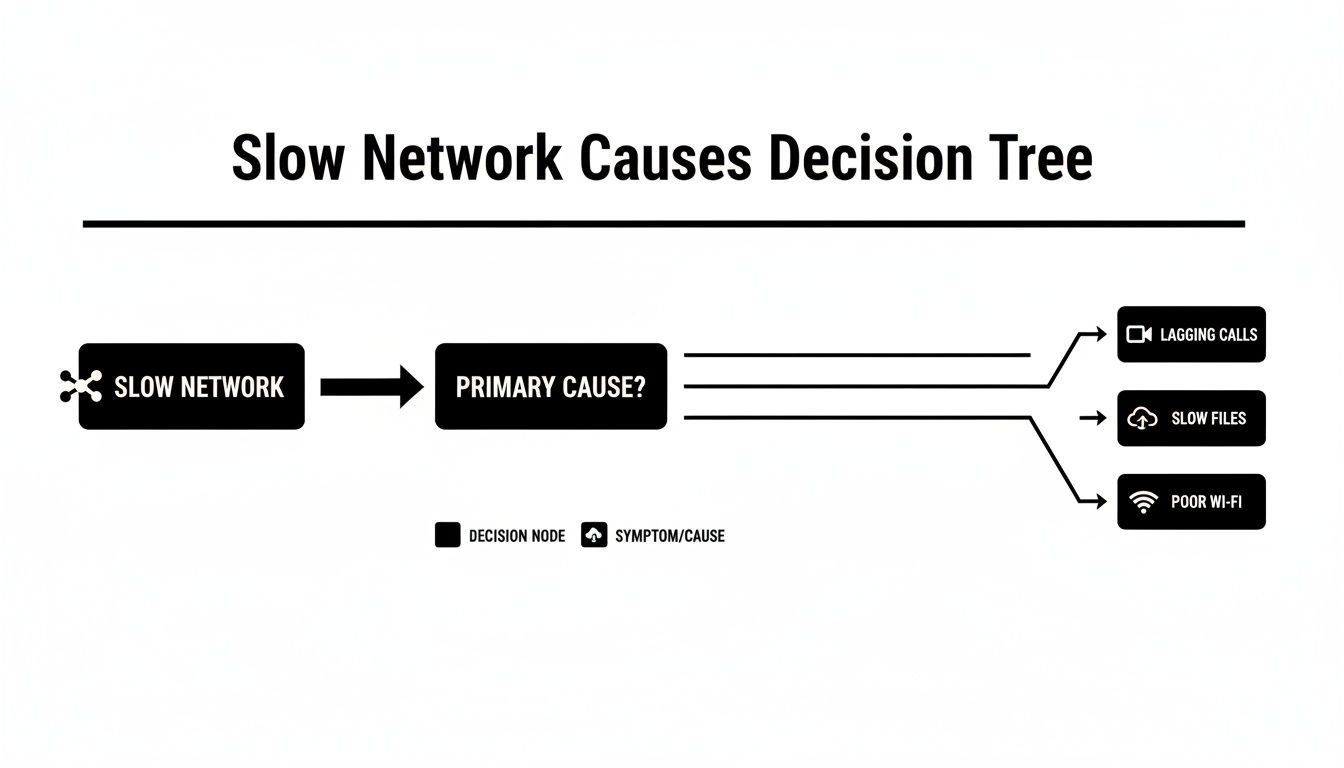
As the diagram shows, specific pain points like poor video quality or slow file transfers often trace back to a handful of core issues. This helps you narrow down your troubleshooting and get closer to a real solution.
To make this even clearer, I've put together a table that breaks down these common slowdowns and how they directly impact your business operations.
Common Network Slowdown Causes and Business Impact
| Cause of Slowdown | Common Symptoms You Might Experience | Direct Impact on Your Business |
|---|---|---|
| Insufficient Bandwidth | Constant video buffering, painfully slow file downloads, choppy VoIP calls. | Reduced employee productivity, poor customer experiences on calls, and delays in project timelines. |
| Outdated Hardware | Dropped Wi-Fi connections, network crashes during high-traffic periods, devices failing to connect. | Costly operational downtime, employee frustration, and an inability to use modern, data-intensive tools. |
| Network Congestion | Noticeable slowdowns at certain times of the day, lag during team-wide video meetings. | Inefficient collaboration, missed deadlines, and a general feeling that your tech is holding the business back. |
| Poor Wi-Fi Coverage | "Dead zones" in the office, weak signals in conference rooms, frequent disconnects when moving around. | Limited mobility for employees, disrupted meetings, and an unprofessional experience for visiting clients. |
| Malware or Security Issues | Unexplained slowdowns across all devices, unusual network activity, pop-ups, or browser redirects. | Risk of a major data breach, compromised sensitive information, and potential for complete system shutdown. |
Seeing the issues laid out like this really highlights how a "slow network" is rarely just a minor tech hiccup—it's a genuine business problem that deserves a proper fix.
Is Your Internet Plan Holding Your Business Back?
Let’s start with the most fundamental question: is your internet plan itself the problem? I’ve seen it countless times—a business invests in new computers and Wi-Fi routers, only to find their network is still painfully slow. It’s like trying to fix a traffic jam by buying everyone a faster car when the real issue is that you’re forcing a four-lane highway’s worth of traffic onto a two-lane country road.
Before you go down the rabbit hole of troubleshooting hardware, you have to look at the foundation. Is your internet plan built for how your business operates today?

Many SMBs start with a basic plan that works perfectly fine at first. But as the team grows and you start relying more heavily on cloud apps, that once-adequate plan becomes a major bottleneck. The connection that supported five employees checking email will absolutely buckle under the strain of twenty people on simultaneous video calls, syncing files to the cloud, and using VoIP phones.
Understanding Bandwidth Needs for a Modern SMB
When we talk about your internet plan, we're really talking about bandwidth. Think of it as the width of your data highway. It's measured in megabits per second (Mbps), and there are two critical numbers to know: download speed (for pulling data from the internet) and upload speed (for sending it out).
Years ago, only download speed seemed to matter. Today, with video conferencing, cloud storage, and VoIP, your upload speed is just as vital.
Here are a few tell-tale signs your plan just isn't cutting it:
- Constant Buffering: Video calls freeze up and online videos stutter, especially when multiple people are online.
- Painfully Slow Cloud Syncs: Trying to save a large file to Microsoft 365 or Google Drive feels like it takes an eternity.
- Choppy VoIP Calls: If your phone calls sound robotic or keep dropping, that’s a classic symptom of not having enough upload bandwidth.
If your daily operations feel sluggish, it might be because you're running on an outdated connection. While top-performing businesses globally enjoy speeds over 300 Mbps, many SMBs are stuck on older DSL or cable plans that barely hit 100 Mbps. Under heavy use, this can lead to a 30-50% drop in performance.
Key Takeaway: That "up to" speed your internet provider advertises is a best-case scenario, not a daily reality. Your actual performance is almost always lower due to things like neighborhood network congestion and your provider's own traffic management policies.
ISP Throttling and What It Means
Sometimes, the slowdown isn't about your plan's official limits—it's your Internet Service Provider (ISP) deliberately pumping the brakes on your connection. This is known as throttling. It can happen if you use a certain amount of data or during peak hours when everyone in your area is online.
This makes diagnosing a slow network incredibly frustrating because your speeds can be great one minute and terrible the next.
If you suspect this might be happening, it's worth digging deeper. Learning How to Avoid ISP Throttling can help you figure out if this is impacting your business and what you can do to get the performance you’re actually paying for.
How Old Hardware Can Cripple a Fast Connection
You can pay for the fastest internet plan on the planet, but if your network hardware is five years old, you're essentially creating a traffic jam inside your own office. I often compare it to putting a high-performance engine in a car with worn-out tires; you’ve got all that power, but you can’t get it to the road.
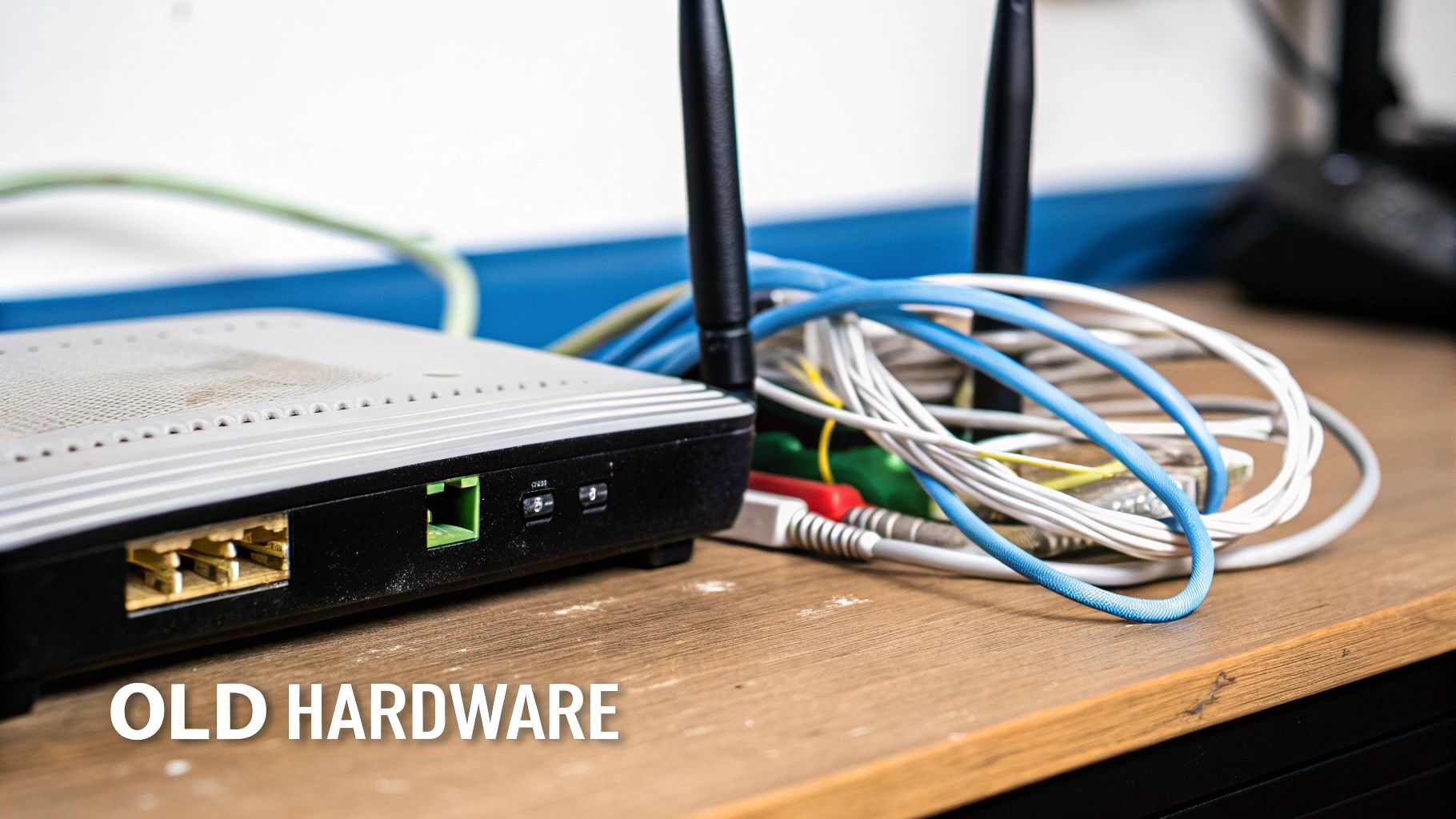
This is exactly what happens when aging routers, switches, and Wi-Fi access points are left to manage a modern business network. This equipment, often tucked away in a closet and forgotten, becomes a massive bottleneck. It just wasn't built to handle the demands of today's workplace—dozens of devices per person, constant video calls, and a heavy reliance on cloud apps. The result? You get all the frustrating symptoms of a slow network, like dropped connections and spotty Wi-Fi, even with a top-tier internet connection.
Why Business-Grade Equipment Matters
That consumer-grade router you can grab at a big-box store isn't cut out for the relentless grind of a business environment. It lacks the processing power to juggle heavy traffic, comes with fewer security features, and simply can't support the sheer number of devices in a typical SMB office. This is where investing in business-grade equipment becomes a strategic decision, not just an IT expense.
This professional-grade hardware is designed specifically for:
- Higher Throughput: It can process way more data at once without getting bogged down, which means consistent speeds for everyone.
- Greater Reliability: Built with better components, business-grade gear is made to run 24/7 without the frequent reboots consumer devices often need.
- Enhanced Security: It comes with advanced security features like better firewalls and the ability to segment your network to protect sensitive data.
An investment in the right hardware directly translates to better performance and stronger security. This is a core part of a well-managed network. You can learn more about how we build a solid foundation in our guide to managed servers and network infrastructure.
A router or switch from 2018 simply wasn't designed for the post-2020 workplace. The explosion in video conferencing and cloud collaboration tools means that old hardware is often the number one reason your network is so slow—it’s struggling to handle the sheer volume and complexity of modern data traffic.
Ultimately, your hardware sets the speed limit for your entire internal network. By working with an IT partner to plan for and maintain your equipment, you can make sure that limit is high enough to support your business goals, keeping your team productive and your operations running without a hitch.
Navigating Network Congestion During Peak Hours
Ever notice that around 10 AM, your network suddenly feels like it’s wading through mud? Video calls start to stutter, and cloud applications become sluggish. That’s network congestion—the digital equivalent of a rush-hour traffic jam on the highway. It happens when too many devices and applications are all trying to use your limited bandwidth at the same time.
Think of your network as a single pipe supplying data to your entire office. When one person streams a high-definition training video, another is in a Teams meeting, and your server is performing a cloud backup, they’re all pulling from that same pipe. Without any rules, it becomes a free-for-all where the most demanding applications can easily crowd out essential business functions.
This congestion is a major reason why your network is so slow, especially during peak business hours. In fact, this digital rush hour can cause network speeds to plummet by up to 40-50% as teams simultaneously use video conferencing and cloud apps. Businesses without a system to prioritize this traffic feel this pain most acutely. You can explore the latest access trends on datareportal.com to see just how much digital demands are growing.
Prioritizing Traffic with Quality of Service
So, how do you manage this internal traffic jam? The answer is to create a "fast lane" for your most critical data. We do this using a network feature called Quality of Service (QoS).
QoS is simply a set of rules you configure on your router or firewall that tells your network which types of data get priority. It’s like having a traffic controller who lets the ambulance (your VoIP phone call) go through before the person just cruising (a large, non-urgent file download).
Here's how it helps in the real world:
- VoIP and Video Calls: QoS ensures that real-time communication gets the bandwidth it needs first, preventing choppy audio and frozen video screens.
- Critical Cloud Apps: It can prioritize traffic to essential applications like your CRM or financial software, ensuring they remain responsive.
- General Web Browsing: Lower-priority tasks, like general web browsing or software updates, are handled when bandwidth is available, so they don’t interfere with critical operations.
By implementing QoS, you aren't necessarily making your internet connection faster, but you are making it much smarter. It ensures that when bandwidth is limited, the applications that keep your business running are always at the front of the line.
Taking Control of Your Network Traffic
Implementing QoS requires a business-grade router or firewall with the right configuration options. Setting it up involves identifying your critical applications and assigning them a higher priority level—a key step in proactive network management. Of course, having visibility into what’s happening on your network is crucial. You can explore some of the best server monitoring software options to gain deeper insights.
Ultimately, managing network congestion is about taking control. By prioritizing what matters, you ensure your team stays productive, even when your network is at its busiest.
Uncovering Hidden Security Threats That Steal Your Speed
A slow network doesn’t always point to a hardware or bandwidth problem. Sometimes, it’s a critical security red flag you can't afford to ignore. If you've asked, "why is my network so slow?" and can't find a logical cause, it’s time to look for hidden threats that might be secretly eating up your resources.

Malicious software, or malware, is a prime suspect here. Once a device gets infected, malware often communicates with external servers controlled by attackers. This constant background "chatter" can consume a shocking amount of bandwidth as it sends stolen data or receives new instructions. It effectively creates a secret data siphon on your network. A sudden, unexplained slowdown can be one of the first warning signs of an active cyberattack, like ransomware preparing to strike.
How Malware Creates a Digital Traffic Jam
Think of malware as an unauthorized and incredibly greedy application running silently on your computers. It couldn’t care less about your business operations; its only job is to carry out its malicious tasks, which almost always require a ton of network activity.
This can show up in a few different ways:
- Botnets: Infected computers can be roped into a "botnet"—a network of hijacked devices used to launch attacks on other targets. Your network's bandwidth is essentially being used to participate in these digital assaults.
- Cryptojacking: This sneaky type of malware uses your computers' processing power and network resources to mine cryptocurrency for an attacker. The result is not just a slow network but sluggish device performance across the board.
- Data Exfiltration: More sinister malware actively hunts for and uploads sensitive company data to outside servers. This process can completely saturate your upload bandwidth, bringing productivity to a grinding halt.
For a business owner, this means a cybersecurity incident isn't just a data breach risk—it's an operational bottleneck. A strong, layered security defense is also a performance-enhancing strategy, ensuring your bandwidth is used for your business, not for an attacker's gain.
When Your Firewall Becomes the Bottleneck
Ironically, a security tool meant to protect you can sometimes be the very thing slowing you down if it’s misconfigured. A firewall inspects data packets entering and leaving your network, but an improperly set up one acts like an overzealous security guard who stops and frisks every single person, causing a massive line to form.
If a firewall’s rules are too complex or its hardware isn't powerful enough to handle your traffic volume, it can become the slowest point in your entire network. This is especially true for firewalls with deep packet inspection enabled—a feature that provides excellent security but demands significant processing power.
A correctly configured, business-grade firewall is designed to protect your network without creating a frustrating logjam. It’s all about finding that perfect balance between security and performance.
Your Action Plan for a Faster, More Reliable Network
Alright, let's move from diagnosing the problem to actually fixing it. It’s time to stop asking, "why is my network so slow?" and start getting back that lost productivity. A reliable network isn't a luxury; it's the very foundation of your daily operations, and this plan will give you a clear, actionable checklist to get things back up to speed.
We'll start by methodically working through the most common culprits we've discussed. This isn't about guesswork or randomly buying new gear. It's about a systematic review to uncover the real bottlenecks holding your business back. A slow network is a solvable problem when you tackle it with a clear strategy.
Your Three-Point Network Health Checklist
The first step is a structured audit of your network’s core components. This process is all about pinpointing specific weaknesses so you can make informed decisions instead of just throwing money at new equipment and hoping for the best.
- Review Your Internet Plan: Pull up your latest internet bill or contract and check your current bandwidth—both upload and download speeds. Is it still enough for your team's heavy reliance on cloud apps, constant video calls, and VoIP phones? If your business has grown but your plan hasn't, this is almost certainly your primary bottleneck.
- Audit Your Hardware: Take a hard look at the age and model of your router, switches, and Wi-Fi access points. Consumer-grade or outdated equipment (older than 3-5 years) often just can't keep up. It lacks the processing power to handle modern business traffic, creating an internal slowdown even if you have a lightning-fast internet connection.
- Assess Your Security Posture: Run a complete, thorough malware scan on every single connected device. Sneaky malware and poorly configured firewalls can secretly eat up your bandwidth, making security a critical—and often overlooked—part of network performance.
Key Insight: A slow network is rarely caused by a single, isolated issue. More often, it’s a perfect storm of compounding factors—like an undersized internet plan being choked by old hardware—that creates a cascade of performance problems across your entire business.
When to Call in a Professional Partner
If you've gone through this checklist and the spinning wheel of death still haunts your screens, it’s a strong signal to bring in an expert. The same goes if you simply lack the time or in-house expertise to perform this kind of deep dive. As an SMB leader, your time is best spent on your business, not on complex IT troubleshooting.
An IT partner like Eagle Point Technology Solutions can move beyond these basic checks to perform a truly comprehensive network assessment. A strategic partner doesn't just fix the immediate problem; we build a technology roadmap that aligns with your business goals. This ensures your network becomes a powerful asset for growth, not a daily source of frustration. For more on improving your wireless connections, it's also worth consulting a guide on methods for improving WiFi performance.
Ultimately, our goal is to build a reliable, secure, and fast network that lets you get back to focusing on what you do best—running your business.