Let's get right to the question on every business owner's mind: what's this actually going to cost? For most small to mid-sized businesses I work with, a solid managed IT services plan that prioritizes modern cybersecurity and cloud solutions typically falls somewhere between $100 to $250 per user, per month.
Think of that as a reliable starting point for your budget. But just like any other critical business investment, the final number really depends on what your company needs to operate smoothly and securely, especially when leveraging cloud technology and defending against sophisticated cyber threats.
Your Guide to Understanding Managed IT Service Costs
Choosing a managed IT services plan is a bit like picking a cell phone plan. A basic plan gets you the essentials—talk, text, maybe some data. But if you need robust security features, unlimited cloud data, and international capabilities, you're looking at a premium, all-inclusive package. The goal is to find that sweet spot between what you pay and the value it brings to your business's security and efficiency every single day.
This guide is designed to pull back the curtain on how providers calculate their fees, with a special focus on cybersecurity, AI, and cloud solutions. Once you understand the moving parts, you'll be in a much better position to see how these costs translate into real-world benefits and make a smart decision for your company's future.
The Building Blocks of Your IT Investment
Before we get into the different ways providers structure their pricing, it's important to grasp one core concept: the cost is directly tied to the complexity of what you need. A simple helpdesk service for a five-person office is naturally going to cost less than a comprehensive package designed to manage a sophisticated cloud environment, deploy AI-driven security tools, or defend a healthcare practice from advanced cyber threats.
It’s the difference between routine car maintenance and a full engine rebuild. The level of expertise in areas like cloud architecture and cybersecurity, the tools required, and the time involved all dictate the final price. This is especially true for businesses in regulated industries or those that rely heavily on cloud applications to get work done. For them, IT isn't just a utility—it's the engine of their business.
Why a Proactive Approach Matters
One of the biggest shifts in modern IT is moving away from the old "break-fix" model. You know the drill: something breaks, you call for help, you get a surprise bill, and you hope it doesn't happen again. Managed services flips that script entirely. Instead of paying for emergency fixes, you're investing in a partnership aimed at preventing problems—especially security breaches and cloud outages—from ever happening in the first place.
This proactive approach has a few game-changing advantages that really define its value:
Predictable Monthly Costs: You get a fixed monthly fee. No more gut-wrenching surprise invoices after a server crash or security incident. This makes budgeting for your technology a whole lot easier.
Reduced Downtime: When an MSP is constantly monitoring your cloud services and network for threats, you have far fewer technical glitches. Fewer disruptions mean your team stays productive and your business keeps running.
Access to a Team of Experts: For a fraction of the cost of hiring a single in-house IT person, you get access to an entire team with specialized skills in cybersecurity, AI-powered threat detection, cloud solutions, and strategic planning.
Ultimately, that monthly managed IT services cost isn't just an expense. It's a strategic investment in keeping your business secure, efficient, and ready for whatever comes next.
How Managed IT Service Pricing Models Work
Getting a handle on the average cost for managed IT is a good start, but the real secret to smart IT budgeting is understanding how providers come up with those numbers. A Managed Service Provider (MSP) doesn't just pick a number at random; they use specific pricing models that are built to match the services they provide with the way you actually do business.
Think of it like ordering at a restaurant. You could go a la carte and pick individual dishes, choose a fixed-price combo meal, or go all-in with the all-you-can-eat buffet. Each option makes sense for a different appetite and budget.
Let's break down the common pricing structures so you can see which one really clicks with your team's workflow, your technology, and your bottom line.
The Per-User Pricing Model
The per-user pricing model is easily one of the most popular and straightforward ways to go. You pay a simple, flat monthly fee for each employee using the IT services. That single fee almost always covers support for all of that person's devices—their work computer, laptop, tablet, and smartphone—along with access to cloud services and foundational cybersecurity protection.
This model is a perfect fit for modern businesses where people are constantly switching between devices and cloud applications to get their work done. It makes billing incredibly simple and your costs totally predictable. Bring on a new team member, and you know exactly what your IT bill will look like next month.
Pros: Easy to budget for, costs are predictable, and it gives your employees full support across all the tech they use.
Cons: It can be less of a bargain if you have a lot of employees who only use one device or barely need any tech support.
The Per-Device Pricing Model
On the flip side, the per-device pricing model charges a flat fee for every single piece of equipment the MSP is managing. This includes every server, desktop, laptop, network printer, and firewall in your office. The pricing is usually tiered, so a critical cloud server will cost more to manage than a standard workstation, which makes sense given its importance.
This approach works really well for businesses where multiple people share one computer. Think of a manufacturing plant with shared terminals on the factory floor or a library with public computers. If your device count is low and doesn't change much, this model can be quite budget-friendly.
Key Insight: Choosing between per-user and per-device really boils down to how your business operates. A law firm where every attorney uses multiple devices to access secure cloud data will get more value from a per-user plan. A logistics company with shared kiosk computers will likely save money with a per-device plan.
The Tiered Pricing Model
The tiered pricing model should feel familiar—it works a lot like your cable or internet package. MSPs will put together a few different service bundles, often called something like Bronze, Silver, and Gold. Each tier comes with a different set of services and its own price tag.
For example, a basic tier might just cover remote monitoring and essential security patches. A premium tier, on the other hand, could include everything: 24/7 helpdesk, proactive cybersecurity with AI-driven threat intelligence, advanced cloud management, and strategic planning with a vCIO. This gives you the flexibility to pick a plan that fits your immediate needs and budget. The only real downside is you might end up paying for a service in the bundle that you don't actually use.
If you're looking for a true IT partnership, the higher-tier packages often include the full scope of managed IT services.
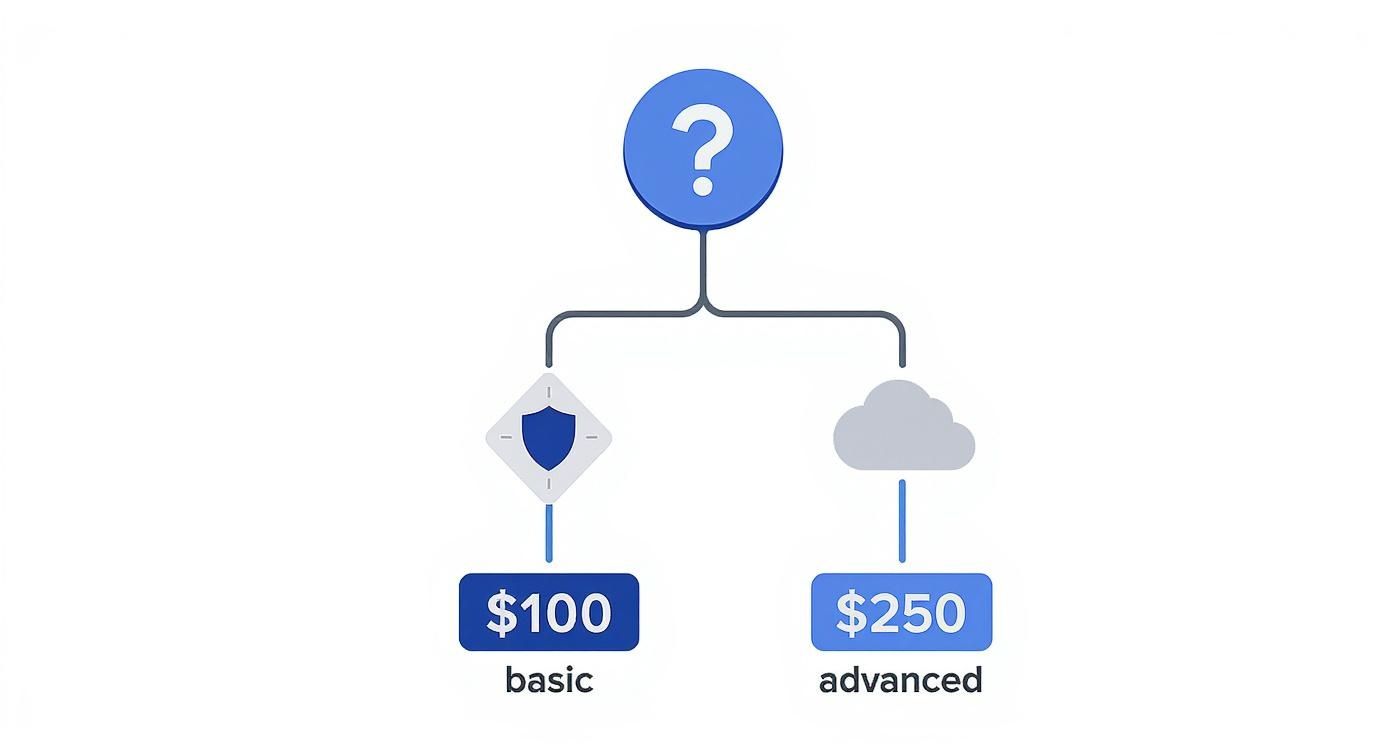
This chart helps show how a business might decide between a basic or more advanced plan.
As you can see, a company with fundamental support and security needs can start with a lower-cost plan. But for those who need heavy-duty cloud and cybersecurity support, the price will naturally reflect that deeper level of service.
The A La Carte Model
Finally, there's the a la carte model, which gives you the most control. It lets you pick and choose individual services—like cloud data backup, AI-powered email security, or helpdesk support—and you pay for each one separately. This is a fantastic option if you already have an in-house IT person and just need to fill in a few gaps in their expertise, such as advanced cybersecurity.
While you get maximum flexibility, this approach can get complicated and pricey if you need a lot of different things. Sometimes, managing a bunch of separate services ends up costing more than a bundled package would have. And specialized components, like managed network edge solutions, can have their own unique pricing based on how complex they are. The a la carte model is really best for targeted, specific help, not for a complete IT overhaul.
The Key Factors Driving Your Final IT Costs
Once you’ve got a handle on the different pricing models, the next step is figuring out how the unique DNA of your business will shape the final quote. No two companies are identical, and any good Managed Service Provider (MSP) will dig into several key areas to build a plan that actually fits. The final managed IT services cost isn’t just some number pulled from a hat; it’s a direct reflection of your company's size, cloud complexity, and cybersecurity needs.
Think of it like getting a quote for business insurance. The insurer has to know how many employees you have, what kind of work you do, and the value of what you’re protecting. An MSP operates on a similar principle, looking at the specific variables that dictate how much work and expertise are needed to keep your technology humming along smoothly and securely.
Your Company's Size and Footprint
The most straightforward factor driving your cost is scale. It really boils down to two things: the number of people and the number of machines.
A small business with 15 employees and a simple server setup is naturally going to have a lower monthly bill than a 100-person company with offices scattered across the region. More users and devices mean more potential points of failure, more helpdesk tickets, and a much bigger target for cyber threats.
Number of Users: This is the total headcount of employees needing IT support. It’s the main metric, especially for per-user pricing.
Number of Devices: This covers every piece of hardware we manage—desktops, laptops, servers, firewalls, and network switches.
Number of Locations: A business with offices in both Western Pennsylvania and Eastern Ohio has a more complex network to manage than a single-location company, which will influence the final price.
The Complexity of Your IT Environment
Beyond just counting heads and hardware, the intricacy of your technology stack plays a massive role. A company using a single on-premise server for file sharing has a far simpler environment than a business running a hybrid model with local servers and a sprawling cloud infrastructure on AWS or Azure.
The more complex your digital assets are to manage, the more it will impact the cost. For example, our team has the expertise to guide you on everything from basic setups to intricate network designs. You can learn more about how we handle different levels of complexity with our approach to managed servers and network infrastructure.
Understanding how cloud management services can lower costs and boost security also plays into your final expenses. A well-managed cloud can be incredibly efficient, but a poorly configured one can quickly turn into a financial and security nightmare.
Expert Insight: An MSP will perform a deep dive into your current IT setup. They’ll look at your cloud configuration, existing cybersecurity posture, the software you rely on, and how your data flows just to understand the true scope of the job.
The Services You Actually Need
The last major piece of the cost puzzle is the specific services you select. While basic support covers the essentials, modern businesses often need more advanced solutions to stay competitive and safe. These higher-value services require specialized expertise and tools, which is reflected in the price.
This is especially true as businesses everywhere are ramping up their tech investments. The U.S. IT services market is huge, valued at USD 88,129.3 million in 2024 and projected to climb to USD 183,465.0 million by 2030. That growth is fueled by the rising demand for the very services that protect and empower businesses like yours.
Here are some of the key services that can drive costs:
Advanced Cybersecurity: Standard antivirus and firewalls just don't cut it anymore. Services like Endpoint Detection and Response (EDR), 24/7 security monitoring (SOC), and AI-powered phishing prevention are vital for defending against modern threats.
Cloud Solutions Management: Whether you're on Microsoft 365 or a complex AWS environment, managing cloud services requires a specific skillset to optimize for cost, performance, and security.
AI Integration: Bringing in AI-powered tools for tasks like security threat analysis, automating business processes, or customer service chatbots adds another layer of technical management and cost.
Compliance Requirements: Businesses in healthcare (HIPAA) or finance (PCI DSS) need specialized IT support to meet strict regulatory standards, which adds to the cost of both cloud and security services.
Ultimately, these factors all come together to paint a complete picture of your IT needs. By understanding them, you can have a much more productive conversation with a potential MSP and ensure the quote you get is perfectly aligned with where your business is headed.